User Agent Parser — Browser, OS & Device
Pricing
from $0.00025 / ua parsed
User Agent Parser — Browser, OS & Device
Parse a list of user-agent strings into browser, engine, OS, device type and bot classification. Turn raw UA columns from logs and analytics into clean dimensions.
Pricing
from $0.00025 / ua parsed
Rating
0.0
(0)
Developer

Hipersoft
Maintained by CommunityActor stats
0
Bookmarked
1
Total users
0
Monthly active users
17 hours ago
Last modified
Categories
Features
Share
User Agent Parser — Bulk Browser, OS, Device & Bot Detection from UA Strings
Parse user-agent strings into browser, engine, operating system, device type, vendor, model and bot classification — in bulk. The User Agent Parser turns raw UA columns from server logs, access logs and web analytics into clean, structured dimensions you can group, filter and report on. Feed it a list of user-agent strings and get one tidy JSON row per string, exportable as JSON, CSV, Excel or XML. It's the fast, API-friendly way to enrich traffic data, segment visitors by device, and separate real users from crawlers at scale.
What is the User Agent Parser?
The User Agent Parser is a bulk user-agent string parser — a UA parser that reads messy browser identification strings and breaks each one into its parts: browser name and version, rendering engine, OS and version, device type (mobile, tablet or desktop), device vendor and model, CPU architecture, and a bot/crawler flag. Instead of writing and maintaining brittle regular expressions against an ever-changing list of browsers and bots, you paste a column of user-agent strings and get back analytics-ready fields. It's built for analysts enriching log data, growth teams segmenting by device, and engineers filtering bot traffic out of their metrics.
Features
- 🌐 Browser + version — detect the browser name and version from any UA string (Chrome, Safari, Firefox, Edge, Samsung Internet and more).
- ⚙️ Engine detection — identify the rendering engine (Blink, WebKit, Gecko).
- 💻 OS + version — parse the operating system and its version (iOS, Android, Windows, macOS, Linux).
- 📱 Device classification — label each visit mobile, tablet or desktop, with device vendor and model where available.
- 🤖 Bot & crawler detection — flag search-engine bots and crawlers so you can exclude them from user metrics.
- 🧮 CPU architecture — surface the CPU/architecture hint when present.
- 📦 Bulk parsing — process thousands of user-agent strings in one run, one row per string.
- 📤 Clean exports — download as JSON, CSV, Excel or XML, or pull through the Apify API.
What you get
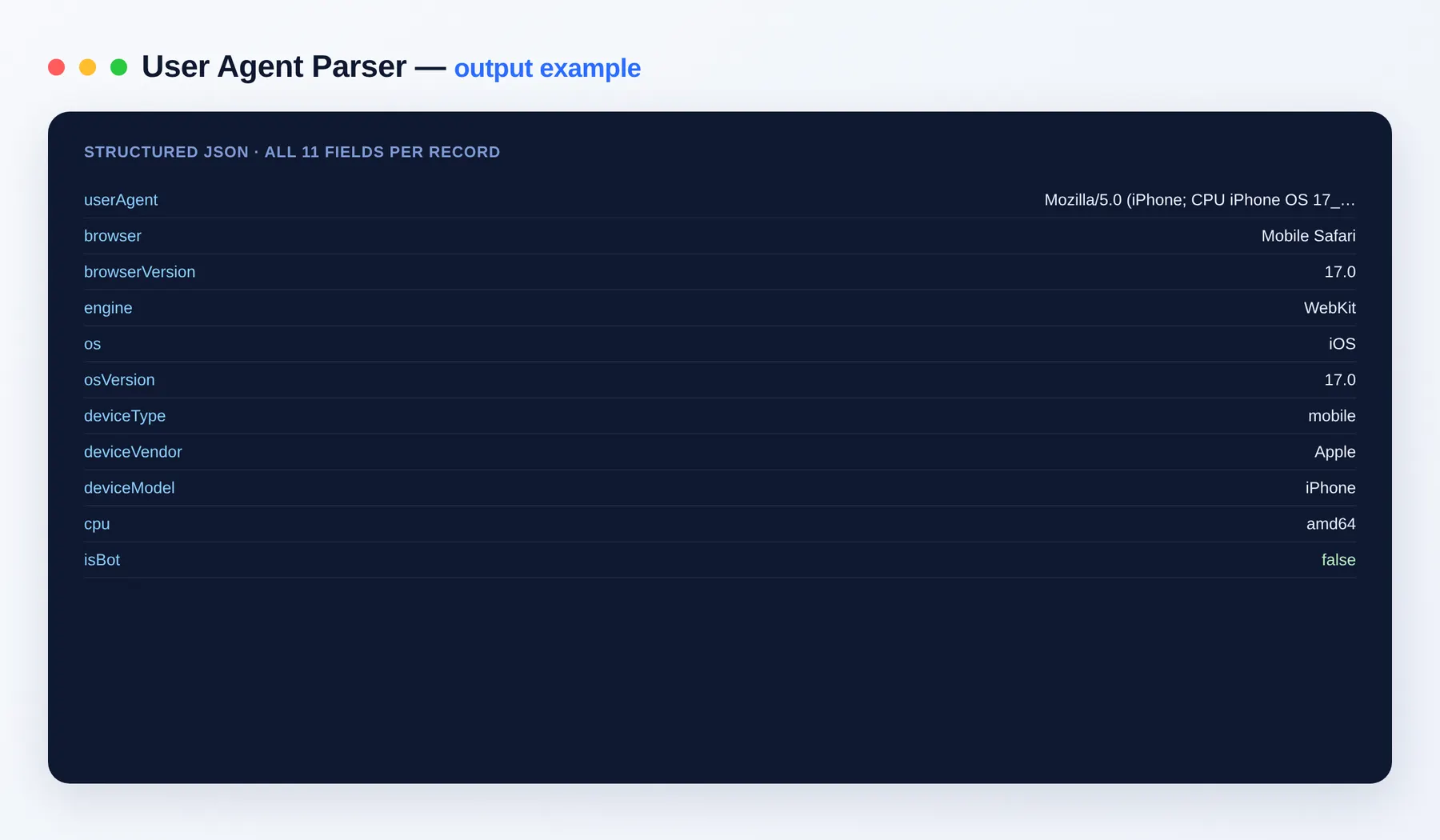
Each user-agent string becomes one structured JSON record:
Output schema
| Field | Type | Description |
|---|---|---|
userAgent | string | The original user-agent string. |
browser | string | Browser name. |
browserVersion | string | Browser version. |
engine | string | Rendering engine (Blink, WebKit, Gecko). |
os | string | Operating system name. |
osVersion | string | Operating system version. |
deviceType | string | mobile, tablet, desktop or bot. |
deviceVendor | string | Device manufacturer (e.g. Apple, Samsung). |
deviceModel | string | Device model where detectable. |
cpu | string | CPU architecture hint, if present. |
isBot | boolean | Whether the string looks like a bot or crawler. |
How to parse user-agent strings in bulk
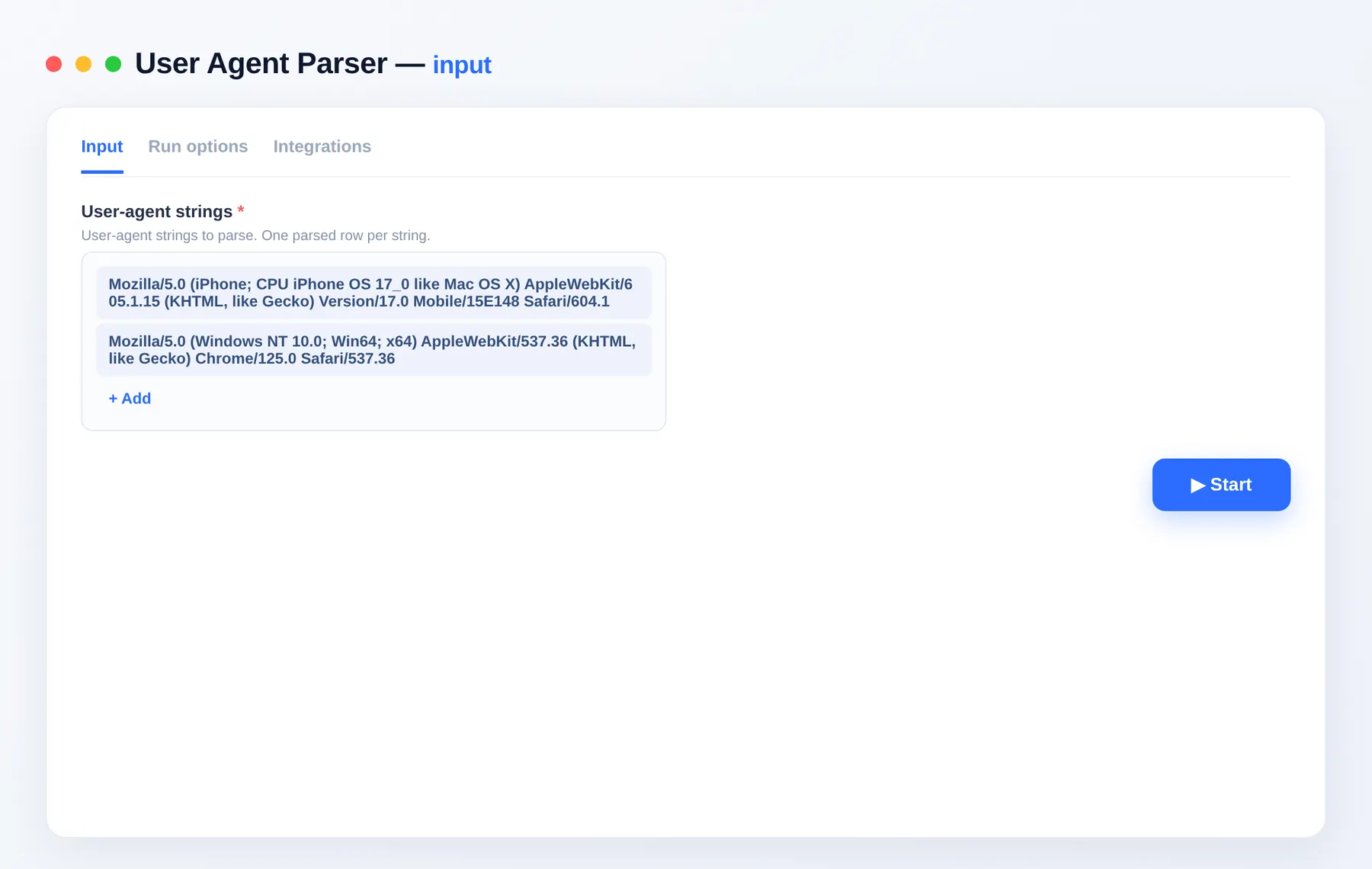
- Open the User Agent Parser and click Try for free.
- Paste your user-agent strings into the
userAgentsfield — one per line (copy a whole UA column straight from your logs or analytics export). - Click Run.
- Export the parsed results as JSON, CSV, Excel or XML, or read them from the Apify API.
Input
| Field | Type | Description |
|---|---|---|
userAgents | array | User-agent strings to parse — one row per string. |
Use cases
- Enrich web analytics: turn raw UA strings into clean browser, OS and device columns for dashboards and cohort analysis.
- Process server & access logs: add device and browser dimensions to Nginx, Apache or CDN log exports before loading them into a warehouse.
- Filter bot traffic: flag crawlers and search-engine bots so your sessions, conversions and engagement metrics reflect real users.
- Device segmentation: split audiences into mobile, tablet and desktop to measure experience and performance per device class.
- Browser & OS market share: aggregate parsed fields to report which browsers and operating systems your visitors actually use.
- QA & compatibility planning: understand the real spread of browser and OS versions hitting your product.
- Security & fraud signals: spot suspicious or inconsistent user-agent patterns across request logs.
- Data pipelines: plug UA parsing into an automated workflow so every incoming log row is enriched the same way.
Pricing
Pay-per-event: you're billed a small amount per user-agent string parsed — you only pay for the results you receive. See the Pricing tab for current rates.
FAQ
How do I parse a user-agent string into browser and OS?
Add your UA strings to the userAgents field and run the actor. Each row comes back with browser, browserVersion, os, osVersion and more, so you can read browser and OS directly without any regex.
How many user-agent strings can I parse at once? As many as you like — the parser is built for bulk processing and returns one structured row per string in a single run.
How does bot detection work?
Each record includes an isBot flag and labels crawler traffic with a bot device type, so you can filter search-engine bots and other crawlers out of your user metrics.
Can it tell mobile from tablet and desktop?
Yes. The deviceType field classifies each string as mobile, tablet, desktop or bot, and deviceVendor / deviceModel add manufacturer and model where the string allows.
Does it detect the browser engine and CPU architecture?
Yes — engine returns the rendering engine (Blink, WebKit, Gecko) and cpu surfaces the CPU/architecture hint when the user-agent string includes one.
What if a user-agent string is unusual or truncated? The parser returns whatever it can confidently detect and leaves unknown fields null rather than failing, so a messy input never breaks the run.
What export formats are supported? Structured JSON, CSV, Excel and XML — one row per string — plus programmatic access through the Apify API.
Can I connect this to other apps? The User Agent Parser can be connected with almost any cloud service or web app thanks to integrations on the Apify platform. It works with Make, Zapier, Slack, Airbyte, GitHub, Google Drive and many more, plus the Apify API, JavaScript/Python clients and MCP. Or use webhooks to trigger an action whenever a run finishes.
Related Actors
Building a log-enrichment and data toolkit? Combine the User Agent Parser with our other utilities:
- IP Geolocation Lookup — enrich logs with country, city and network from IP addresses.
- EML Parser — Email to JSON — parse raw email files into structured MIME fields.
- Text Entity Extractor — pull emails, URLs and entities out of raw text.
- Case Converter — normalize identifiers and headers between letter cases.
- RDAP / WHOIS / DNS Lookup — resolve domain and network registration data in bulk.
Notes
Original clean-room implementation. Parses only the user-agent strings you provide; no external data is fetched.