
Video Transcriber — TikTok, Reels, X & Facebook to Text
Pricing
from $0.005 / video transcribed
Video Transcriber — TikTok, Reels, X & Facebook to Text
Transcribe TikTok, Instagram Reels, X (Twitter) and Facebook videos, or any audio/video link, to text. Get the full transcript with timestamps, SRT and VTT subtitles, word count and duration. 20+ languages, optional translation to English.
Pricing
from $0.005 / video transcribed
Rating
0.0
(0)
Developer

Hipersoft
Maintained by CommunityActor stats
0
Bookmarked
1
Total users
1
Monthly active users
15 days ago
Last modified
Categories
Features
Share
Turn short videos into searchable text. Paste links to TikTok videos, Instagram Reels, X (Twitter) videos, Facebook videos — or any direct audio or video file — and the Video Transcriber returns the full transcript, timestamped segments, ready-made SRT and VTT subtitles, word count and duration for each one. Works in 20+ languages and can translate to English. Export as JSON, CSV, Excel or XML.
What does Video Transcriber do?
Most viral content is spoken, not written — which makes it invisible to search, analytics and AI tools. This actor converts speech into clean text in bulk:
- Multi-platform — TikTok, Instagram Reels and video posts, X (Twitter) videos, Facebook videos and reels, plus direct MP4, MP3, M4A, WAV, WEBM and OGG links.
- Full transcript with timestamped segments for every phrase.
- SRT and VTT subtitles generated automatically — drop them straight into an editor or player.
- 20+ languages — English, Spanish, Portuguese, French, German, Italian, Hindi, Arabic, Indonesian, Chinese, Japanese, Korean and more.
- Translate to English — get an English transcript of foreign-language videos in one step.
- Two quality modes — Fast for clear speech and short clips, Accurate for accents, noise and non-English audio.
Who uses video transcripts?
- Content creators and editors making captions and subtitles for reposts.
- Marketers and social media managers analyzing what competitors and creators actually say.
- Researchers and journalists quoting and archiving short-form video content.
- AI and data teams feeding video speech into LLMs, RAG pipelines and sentiment analysis.
- SEO and content teams repurposing TikToks and Reels into blog posts and newsletters.
How to transcribe videos
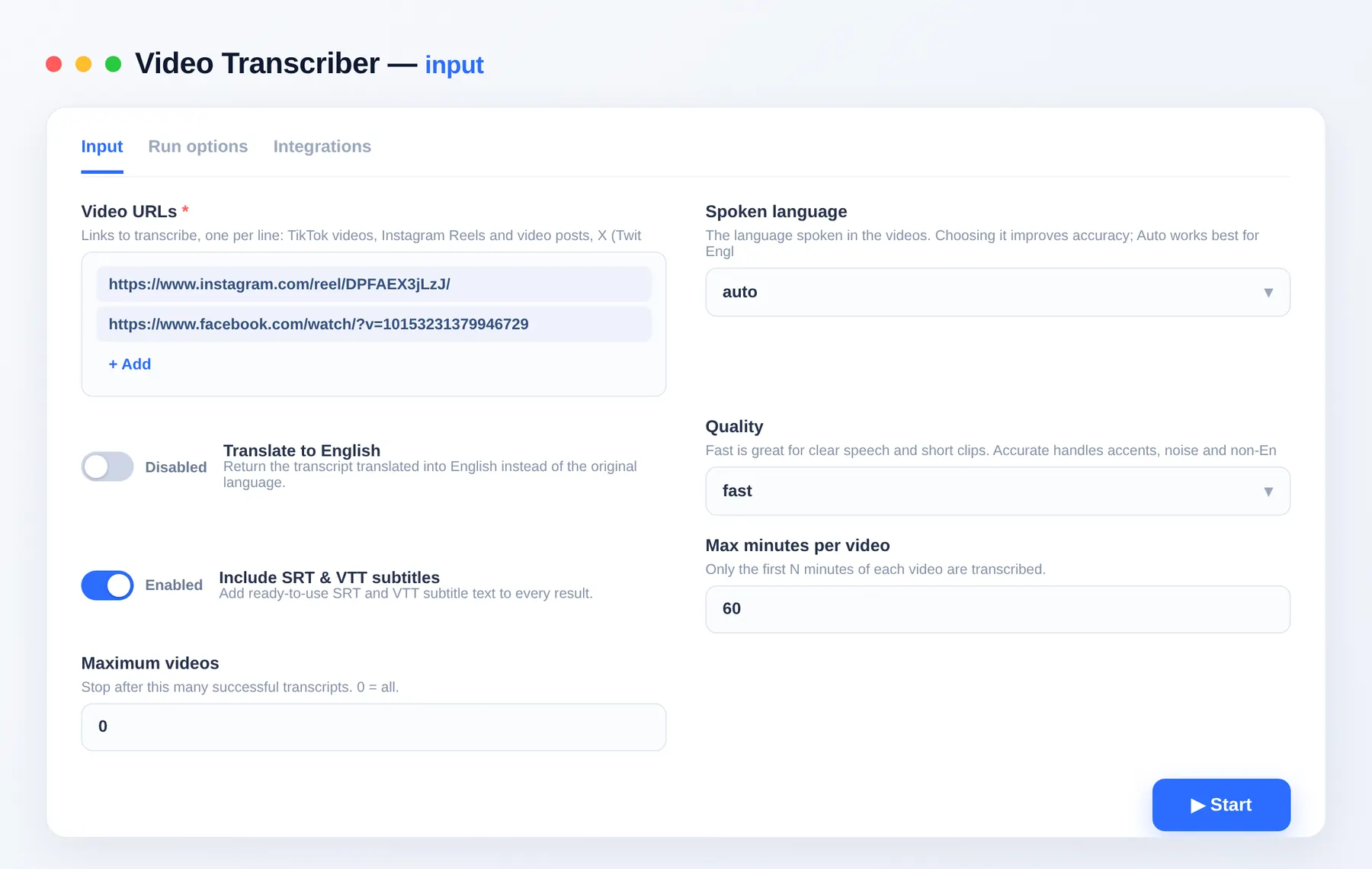
- Paste one or more video URLs (one per line).
- Pick the spoken language (or leave Auto for English) and, if you like, turn on Translate to English.
- Choose Fast or Accurate quality.
- Click Start. Each video becomes one row with its transcript and subtitles.
Input
| Field | Type | Description |
|---|---|---|
videoUrls | array | TikTok, Instagram, X, Facebook or direct audio/video links. |
language | string | Spoken language (auto, english, spanish, hindi, …). |
translateToEnglish | boolean | Return an English translation instead of the original language. |
quality | string | fast or accurate. |
includeSubtitles | boolean | Add SRT and VTT subtitle text. Default true. |
maxDurationMinutes | integer | Only transcribe the first N minutes of each video. Default 60. |
maxItems | integer | Stop after this many transcripts. 0 = all. |
Output
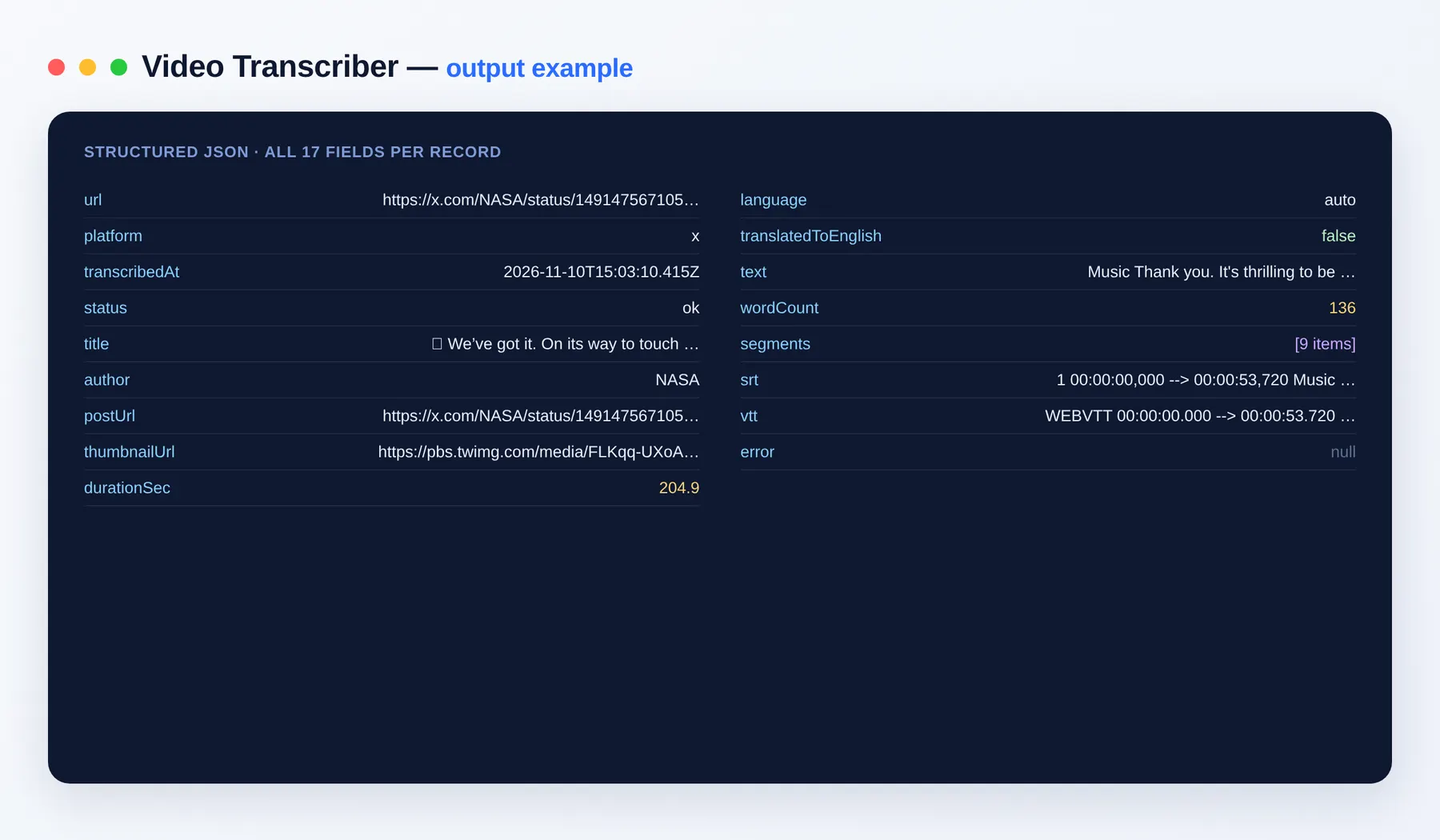
One row per video. Example (shortened):
Data fields
| Field | Description |
|---|---|
url, postUrl | The link you gave and the canonical post link. |
platform | tiktok, instagram, x, facebook or direct. |
status | ok, no-speech (music or silence only) or error. |
title, author, thumbnailUrl | Post caption, creator and cover image when available. |
durationSec | Length of the transcribed audio. |
text, wordCount | The full transcript. |
segments | Timestamped phrases: start, end, text. |
srt, vtt | Subtitle files as text. |
language, translatedToEnglish | Language settings used. |
error | Why a video couldn't be transcribed. |
How much does it cost to transcribe videos?
You pay per video transcribed. Videos that can't be fetched, aren't public, or contain no speech (music or silence only) are returned with their status and never charged. Your Apify plan's discount applies automatically, and you can cap spending with maximum cost per run.
FAQ
Which links work? Public TikTok videos, Instagram Reels and video posts, X (Twitter) posts with a video, Facebook videos and reels, and any direct link to an audio or video file.
How accurate is it? Clear speech in English is transcribed very accurately in Fast mode. For strong accents, background noise or other languages, choose the spoken language and switch to Accurate.
What about videos with only music? They come back with status: "no-speech" and an empty transcript, free of charge.
How long can videos be? Up to 3 hours each — set Max minutes per video to control how much is transcribed.
Can I automate it? Yes — schedule runs or trigger them from your own app via integrations on the Apify platform and the Apify API.
Related Actors
Explore more data tools from the same author:
- YouTube Transcript Scraper — Subtitles, Captions & SRT Files
- Image to Text OCR — Extract Text from Images in Bulk
- Instagram Downloader — Photos, Videos, Reels & Carousels
- Facebook Video Downloader — MP4 & MP3 by URL
Plug the results straight into your stack with Make, Zapier or any of Apify's integrations.


