
Image to Text OCR — Extract Text from Images in Bulk
Pricing
from $0.002 / image read
Image to Text OCR — Extract Text from Images in Bulk
Pricing
from $0.002 / image read
Rating
0.0
(0)
Developer

Hipersoft
Maintained by CommunityActor stats
0
Bookmarked
2
Total users
1
Monthly active users
16 days ago
Last modified
Categories
Features
Share
Turn images into clean, searchable text. Give the Image to Text OCR actor a list of image URLs — receipts, screenshots, scanned documents, photos of signs, product labels, book pages — and get back the extracted text, a confidence score, and word and character counts for each one, as structured JSON, CSV, Excel or XML. Read hundreds of images in a single run, in 100+ languages.
What does this OCR actor do?
Optical Character Recognition (OCR) reads the printed text inside an image and returns it as plain, editable text. Instead of retyping a receipt, a screenshot or a scanned page by hand, point this actor at the image URLs and it hands you the words — bulk, structured and ready to search, store or feed into another tool.
- Bulk image-to-text — process a whole list of image URLs in one run, one result row per image.
- 100+ languages — English, Spanish, French, German, Portuguese, Italian, Dutch, Russian, Arabic, Chinese, Japanese and many more, including multi-language pages.
- Confidence score — every result includes how sure the OCR is, so you can filter out low-quality reads.
- Clean output — export the extracted text to JSON, CSV, Excel or XML, or pipe it straight into your own app.
What you can use it for
- Receipts & invoices — pull text and totals out of receipt photos for expenses and bookkeeping.
- Screenshots — extract text from screenshots of chats, dashboards, error messages or slides.
- Scanned documents — make scanned PDFs and paper pages searchable and copy-pasteable.
- Product labels & packaging — read ingredient lists, barcodes-adjacent text, and spec sheets at scale.
- Signs, menus & photos — convert photographed text into data for translation or analysis.
- Data entry automation — replace manual typing of printed text with a repeatable, bulk workflow.
Input
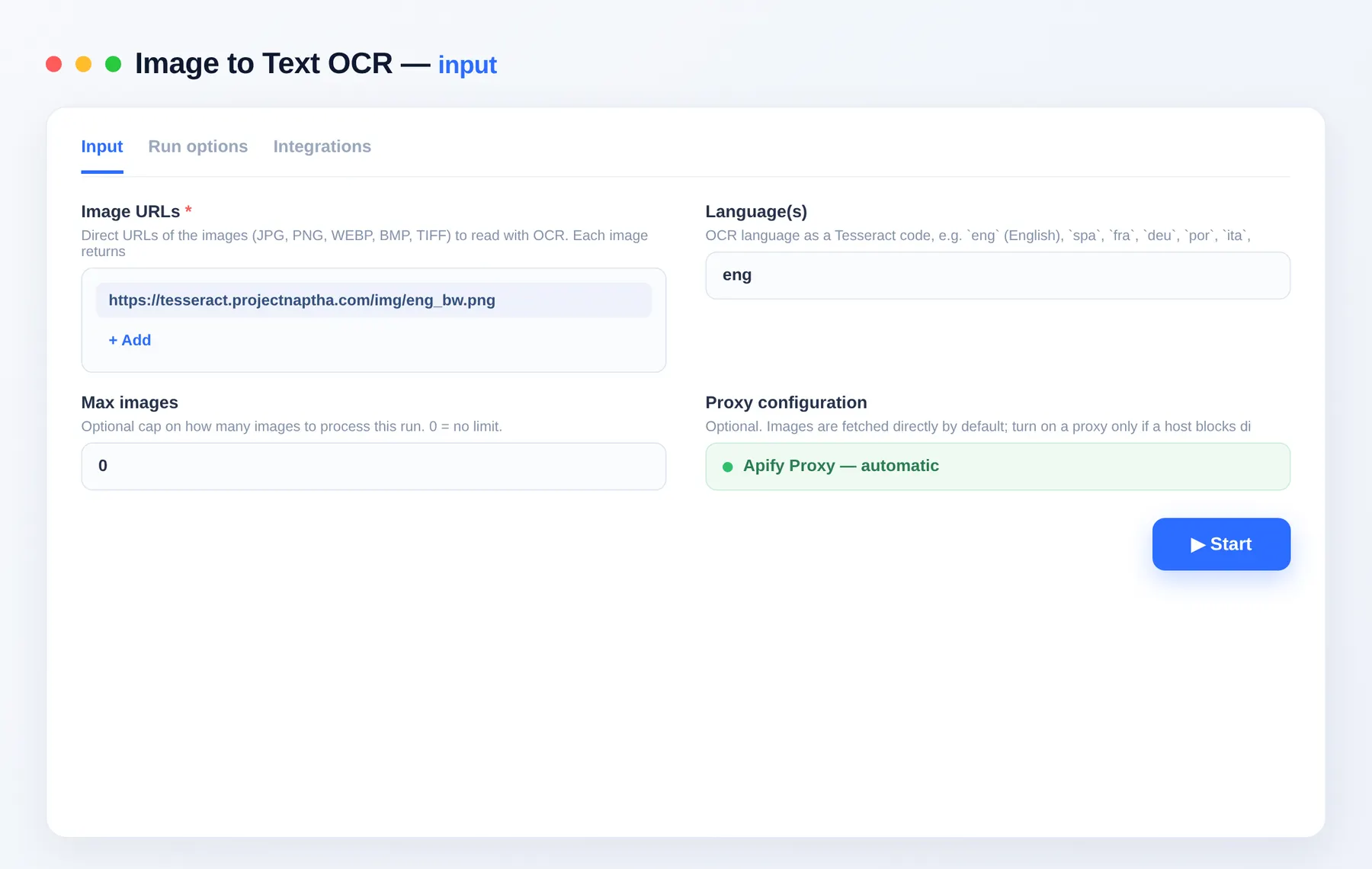
Provide one or more direct image URLs and, optionally, the language.
| Field | Type | Description |
|---|---|---|
imageUrls | array | Direct URLs of the images (JPG, PNG, WEBP, BMP, TIFF) to read. |
language | string | Language code, e.g. eng, spa, fra, deu, chi_sim. Combine with + (e.g. eng+spa). |
maxItems | integer | Optional cap on how many images to process. 0 = no limit. |
proxyConfiguration | object | Optional. Off by default; turn on only if an image host blocks direct requests. |
What data do you get per image?
| Data point | Description |
|---|---|
| Source | url |
| Text | text — the full extracted text |
| Quality | confidence (0–100) |
| Size | wordCount, charCount |
| Language | language |
| Status | status (ok, no-text, error), error |
Output
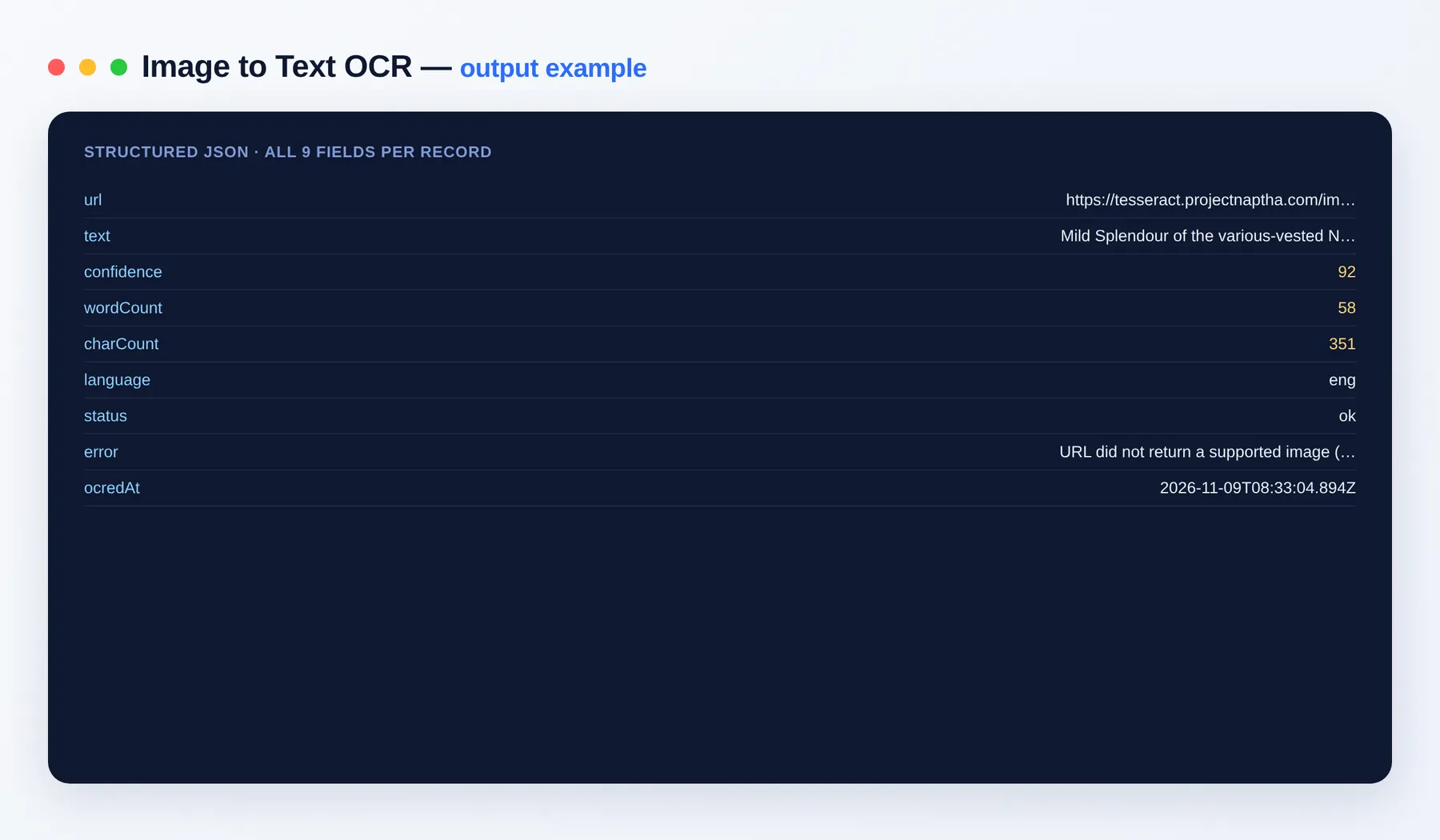
Each image produces one row. Export the dataset to JSON, CSV, Excel or XML.
Output schema
| Field | Type | Description |
|---|---|---|
url | string (URL) | The image URL you supplied. |
text | string | The extracted text. |
confidence | integer | OCR confidence, 0–100. |
wordCount | integer | Number of words found. |
charCount | integer | Number of characters found. |
language | string | The language code used. |
status | string | ok, no-text or error. |
error | string | Reason, when a single image could not be read. |
Languages
Use a Tesseract-style language code: eng (English), spa (Spanish), fra (French), deu (German), por (Portuguese), ita (Italian), nld (Dutch), rus (Russian), ara (Arabic), chi_sim (Simplified Chinese), jpn (Japanese), and many more. For a page that mixes languages, combine them with +, for example eng+spa.
FAQ
Which image formats are supported? JPG, PNG, WEBP, BMP and TIFF. Each image is fetched from its URL and read in turn.
How accurate is it? Clean, printed text (receipts, screenshots, scans) reads very well and includes a confidence score. Handwriting and very noisy or low-resolution images are harder — the confidence value tells you which reads to trust.
Can it read more than one language at once? Yes — combine codes with +, such as eng+fra, and the actor will recognise both on the same page.
Can I automate it? Yes — run it on a schedule or trigger it from your own app via integrations on the Apify platform and the Apify API.
Related Actors
Explore more data tools from the same author:
- PDF to Text & Markdown — Bulk (RAG-ready)
- Image Optimizer — WebP / AVIF / JPEG / PNG
- Images to PDF — Combine Photos into One PDF
- Bulk Image Downloader — URLs to Stored Files
Plug the results straight into your stack with Make, Zapier or any of Apify's integrations.


