

Shopify Store Leads Scraper — Owner Emails & Store Contacts
Pricing
from $5.00 / 1,000 results
Shopify Store Leads Scraper — Owner Emails & Store Contacts
Shopify store leads scraper: find Shopify store owner emails, phones and social links plus store intel (product count, theme, apps, pixels) from niche packs or your own domain list. Filter by keyword, catalog size and activity. Pay per lead.
Pricing
from $5.00 / 1,000 results
Rating
0.0
(0)
Developer

IntelScrape
Maintained by CommunityActor stats
1
Bookmarked
39
Total users
6
Monthly active users
8 days ago
Last modified
Categories
Features
Share
Shopify Email Scraper — Shopify Store Leads & Owner Emails
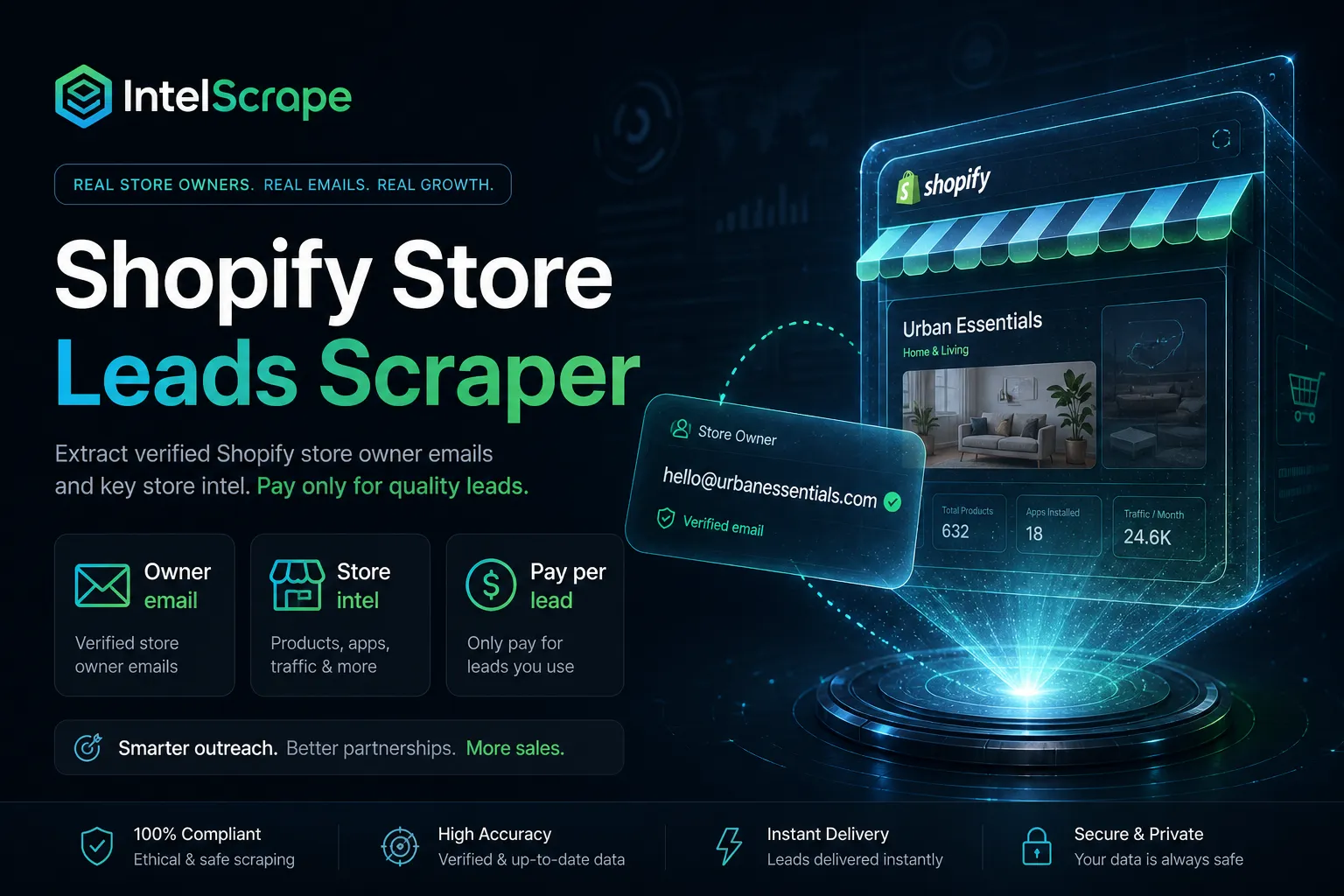
Shopify email scraper for store owner emails and Shopify store leads. Paste Shopify store domains, or pick a niche pack (beauty, fitness, fashion, jewelry, watches), and get the owner and store contact emails, phones and social links each store shows publicly, plus store contacts and store intel (product count, theme, apps). Pay per delivered lead. No Shopify API key.
Also searched as: Shopify email scraper, Shopify store leads, Shopify store owner email, Shopify store contacts, Shopify emails.
🇨🇳 中文简介 (Chinese — China & Singapore): Shopify 店主邮箱 / 店铺线索抓取:按品类包或域名列表,从 Shopify 店面公开页提取店主邮箱与社交链接,可只交付有邮箱的线索。按交付线索计费,无需 Shopify API Key——适合代理、SaaS 与品牌外联。需要人脉补全时接 Skip Trace PRO;现在就在 Apify 运行,把店主线索推进 CRM。
🇸🇬 Ringkasan Melayu (Singapore): Cari e-mel pemilik kedai Shopify dengan niche pack (beauty, fitness, fashion, jewelry, watches) atau senarai domain anda. Pilihan
requireEmailsupaya hanya lead dengan e-mel dibayar. Tiada Shopify API key. Sesuai pasukan e-dagang di Singapura — sambung ke Skip Trace MCP / Contact Info Scraper.
🤖 NEW: Connect This To Your AI!
Want Shopify owner emails inside Claude, Cursor, or ChatGPT? Use the Skip Trace MCP Server — pull niche-pack store leads via MCP, then deepen site contacts with Website Contact Scraper or people-enrich via Skip Trace PRO. Review intel: Amazon Product Review Scraper / Trustpilot Reviews.
🏆 Featured Bots by IntelScrape
- Shopify Store Leads Scraper — Niche Packs & Owner Emails
- Website Contact Scraper — Website emails & tech stack
- Skip Trace PRO — Name, Address, Phone & Email People Lookup
- Amazon Product Review Scraper — Deep E-commerce & Review Extraction
- Trustpilot Reviews Scraper — Ratings, Titles, Replies & TrustScore
- TruePeopleSearch Scraper — Phone & Email Matches
- Google Maps No-Website Leads — Local Businesses Without a Website
- Skip Trace MCP Server — Use Skip Trace inside Claude, Cursor, ChatGPT
Nice — next step: Deep multi-page contacts via Website Contact Scraper. Local Maps: Google Maps Email Extractor. People enrich → Skip Trace PRO. Review intel: Amazon Reviews / Trustpilot.
⚡ Use this Actor in n8n — no code
- Add the official Apify node in n8n.
- Connect your Apify API token.
- Run Actor ID:
IntelScrape/shopify-owner-email.





Live-crawl Shopify / DTC storefronts you supply (or seed with a niche pack) for public owner emails & socials.
Pay per delivered lead with contact. No Shopify API key.
Honest coverage & billing (read this): Base charge dataset items ($0.005) + actor start ($0.00001). With
includeStoreIntel(default on), each enriched lead also billsstore-intel($0.002). Niche Pack paid path: whennichePack≠ none, each delivered lead also billsniche-pack-lead(~$0.008). When an owner email is present on the row, optional additiveowner-email(~$0.01). Additive events are Store-scheduled effective 2026-09-19 (Apify 2-week PPE notice); until then base dataset + start still apply. Only publicly exposed storefront contacts can be found — many stores hide email (forms only). Empty domains are not pushed (not charged). This is a live crawl of URLs you provide — not a static 1M-row merchant database. Not a Shopify Partner/Admin API export.
Niche Pack paid path: Pick beauty / fitness / fashion / jewelry / watches to seed vertical leads. You pay base dataset +
niche-pack-leadper delivered pack lead; rows with a public owner email also billowner-email. SetrequireEmail: truewhen you only want email-bearing rows.
Discover stores first: Need niche Shopify URLs before owner emails? Use Niche Website Finder then paste into
startUrlshere.
Deeper contacts: Pair with Contact Info Scraper for multi-page website emails; Google Maps Email Extractor / Google Maps No-Website Leads for local Maps leads; push people names/addresses into Skip Trace PRO / TruePeopleSearch Scraper for phones; validate with Email Finder & Verifier; orchestrate via Skip Trace MCP Server.
🧭 Built for e-commerce agencies, app sellers, UGC sellers, and DTC outreach teams. Popular with teams in the US, China, and Singapore.
⭐ Store rating is driven by daily power users. Please leave a review.
⚖️ Lawful business use only. Public storefront data only. Comply with anti-spam and platform rules.
📌 Examples in this README are fictional unless stated otherwise. Niche-pack seed URLs are public DTC examples for quick starts.
🕵️♂️ Why Choose Us vs. "Cheaper" Competitors?
| Feature | This Actor | Static merchant DB scrapers |
|---|---|---|
| Data mode | Live crawl of YOUR domains + optional niche seeds | Frozen DB dumps (stale emails) |
| Niche packs | Beauty / fitness / fashion / jewelry / watches | Broad dump, weak vertical UX |
| Billing honesty | Pay only when contact found | Opaque rows / free-tier traps |
| AI / n8n | MCP + links to Contact Info / Skip Trace | Often none |
Only new stores on repeat or scheduled runs (onlyNew)
Set onlyNew: true and every store already delivered in an earlier run is skipped before crawling, so a daily or weekly schedule only fetches and bills new leads. Delivered domains are remembered in a named key-value store (seenStoreName, default shopify-owner-email-seen, record seenDomains) in your account. Default is off. Same per-lead price, no extra event. Use a different seenStoreName per client or list; delete the store to reset. Stores that returned no email are not marked seen, so they are retried next time.
Niche Pack paid path
| Event | When charged | Price |
|---|---|---|
apify-actor-start | Run starts | $0.00001 |
apify-default-dataset-item | Each delivered lead row | $0.005 |
store-intel | includeStoreIntel delivered catalog/theme/apps fields | $0.002 (effective 2026-09-20) |
niche-pack-lead | nichePack ≠ none and lead pushed | ~$0.008 (effective 2026-09-19) |
owner-email | Owner/store email present on delivered row | ~$0.01 (effective 2026-09-19) |
Use a niche pack for vertical outreach lists; bring your own startUrls when you already have targets (no niche-pack-lead unless a pack is selected).
Niche vertical packs
Pick nichePack or pass your own startUrls (or both — your URLs merge with the pack):
| Pack | Who buys these leads |
|---|---|
| beauty | Cosmetics / skincare agencies, app sellers |
| fitness | Activewear / supplement outreach |
| fashion | Apparel DTC, UGC creators |
| jewelry | Accessories brands & 3PLs |
| watches | Watch DTC & affiliate teams |
Set requireEmail: true to only bill rows that include at least one email (social-only rows skipped).
Qualify filters
Optional post-crawl filters — applied before push/charge. Each delivered row stamps filtersApplied.
| Input | Effect |
|---|---|
activeWithinDays | Keep if newestProductAt is within N days (needs store intel / products.json) |
minProducts / maxProducts | Band on productCount |
keywords[] | Must match ≥1 in domain / title / emails / socials / theme / vendors / product types |
excludeKeywords[] | Drop if any match |
Demo tip: beauty pack + includeStoreIntel: true + minProducts: 1 + activeWithinDays: 365 + maxResults: 3.
Quick start — beauty pack
Quick start — your domain list
What you get
- Public emails when embedded on contact/about/legal pages
- Phones from
tel:/ contact pages when published - Instagram / TikTok / Facebook / X / LinkedIn / YouTube / Pinterest when linked
- Store intel (toggle
includeStoreIntel, default on): productCount, price band, currency/country, theme, tech apps & pixels, myshopifyDomain, sizeBand, newestProductAt - Optional tldFilter for geo (.com.au, .co.uk, …)
- Domain provenance + RUN_REPORT of empty/failed domains (free)
Pricing (PPE)
| Event | Price |
|---|---|
| Actor start | $0.00001 |
| Result (dataset item with contact) | $0.005 |
Niche pack lead (niche-pack-lead) | ~$0.008 — when nichePack ≠ none and lead pushed (Store-scheduled) |
Owner email (owner-email) | ~$0.01 — when owner/store email present on delivered row (Store-scheduled) |
💡 Use cases
- Shopify app and agency outreach: build lists of active stores in a niche with owner emails and the apps they already use.
- Wholesale and supplier sales: find DTC brands in beauty, fitness, fashion, jewelry or watches.
- Influencer and UGC sellers: pitch stores that are actively adding products.
- Market research: size a niche by product count, price band, theme and country.
⏰ Schedule this Actor — weekly batch of stores that are still adding products
Run it once with your own settings, save that run as a task, then let Apify Schedules repeat it. About two minutes, no code.
- In Apify Console open Schedules → Create new.
- Click Add → pick your saved task (or this Actor), set the cron expression and time zone below, and click Enable (new schedules start disabled).
- Optional: open the task's integrations and add a webhook on
ACTOR.RUN.SUCCEEDEDso every finished run is pushed to your CRM, Zapier, Make or n8n. Payload template:{"runId": {{resource.id}}, "datasetId": {{resource.defaultDatasetId}}, "status": {{resource.status}}}. Your tool then readshttps://api.apify.com/v2/datasets/<datasetId>/items?format=csv, or use the Apify integrations for Google Sheets, Make and Zapier.
| Cadence | Cron expression |
|---|---|
| Every day, 8 AM | 0 8 * * * |
| Weekdays, 8 AM | 0 8 * * 1-5 |
| Every Monday, 8 AM | 0 8 * * 1 |
| 1st of the month, 8 AM | 0 8 1 * * |
Starter task input for this Actor (edit the values, then paste into the task):
activeWithinDayskeeps only stores whose newest product is recent, so your weekly list favors live, selling stores.maxResultscaps the leads delivered per run, which caps what a scheduled run can cost.- There is no only-new mode yet: a repeat run can return stores you already received, so de-duplicate on the
domaincolumn in your Sheet or CRM.
Prefer the API? POST https://api.apify.com/v2/schedules with a body like the one below (send your token in the Authorization: Bearer header):
Docs: Apify Schedules · Webhook actions
❓ FAQ
How do I find Shopify store owner emails? Pick a Niche vertical pack or paste your own store URLs, keep Require email on, and run. The Actor checks contact, about and legal pages for published emails and phones and returns one row per store.
Can I scrape my own list of Shopify stores? Yes. Add domains in Start URLs. They merge with any niche pack you select.
Can I filter stores by size or activity?
Yes. Use Min / Max product count, Active within days, include and exclude keywords, and a domain suffix filter such as .co.uk or .com.au.
Does every store return an email? No. Only emails a store publishes on its own site can be found. With Require email on, social-only rows are skipped and not billed.
How is it billed? Pay per event per delivered lead, with optional paid layers listed on the Pricing tab. See the Pricing tab on this page for the current per-event prices. You are only charged for the events listed there, and you can cap spend with the run's maximum charge setting.
How do I export the leads? Download CSV, Excel or JSON from the Output tab, or send them to your CRM with the Apify API, webhooks, Zapier or Make.
Sample output (real run)
Three real rows from Apify run DAdejZ4hIuTKNaOXm (build 0.0.18, 2026-10-16 1:36 PM ET; input: nichePack: beauty, maxResults: 5, requireEmail: true, includeStoreIntel: true). Fields trimmed for readability. Rows list every public address the store page shows, so one may be a third-party address (see article27@verasafe.com).
FAQ: Shopify email scraper, store leads and store owner emails
How do I scrape Shopify store emails? Add Shopify store URLs to startUrls (or set a nichePack) and run the Actor. It reads each store's public contact, about and legal pages and returns the emails, phones and social links found.
Can I get Shopify store leads by niche? Yes. Pick a niche pack (beauty, fitness, fashion, jewelry, watches) to get a vertical list of Shopify store leads. Use keywords, minProducts/maxProducts and activeWithinDays to narrow it down.
Can I find the store owner email for a Shopify store I already have? Yes. Put the domain in startUrls with requireEmail: true and only rows with an email are delivered.
Does it find Shopify store contacts for every store? No. It only returns contact details a store shows publicly. Some stores hide email behind a contact form, and those return social links only.
Do I need a Shopify API key? No. It works from public storefront pages only.
How is it priced? Pay per delivered lead; see the Pricing (PPE) table above for the current events and prices.
Legal
Public B2B prospecting only. Respect CAN-SPAM/PDPA and Shopify ToS for outreach. Not affiliated with Shopify.


