

Changelog Triage Agent — AI Severity Monitor
Pricing
Pay per usage
Changelog Triage Agent — AI Severity Monitor
Monitor API changelogs for breaking changes, warnings, and updates. Classifies entries by severity, deduplicates across runs and produces structured triage reports.
Pricing
Pay per usage
Rating
0.0
(0)
Developer

Joe Slade
Maintained by CommunityActor stats
1
Bookmarked
2
Total users
1
Monthly active users
4 months ago
Last modified
Categories
Share
Changelog Triage Agent monitors product changelogs and release notes across multiple services, classifies every new entry by severity (BREAKING / WARNING / INFO), and delivers a structured, deduplicated triage report — so your team catches API deprecations, breaking changes, and migration notices before they cause incidents.
Unlike a generic web monitor, this Actor de-duplicates across runs using SHA-256 hashing, so you only ever see entries that are genuinely new since the last check. Built on the Apify platform, you can schedule it, fire results to a webhook or integration (Slack, Zapier, Make), and pull data over the API — turning raw changelog noise into a zero-noise, actionable alert feed.
See Changelog Triage Agent in action
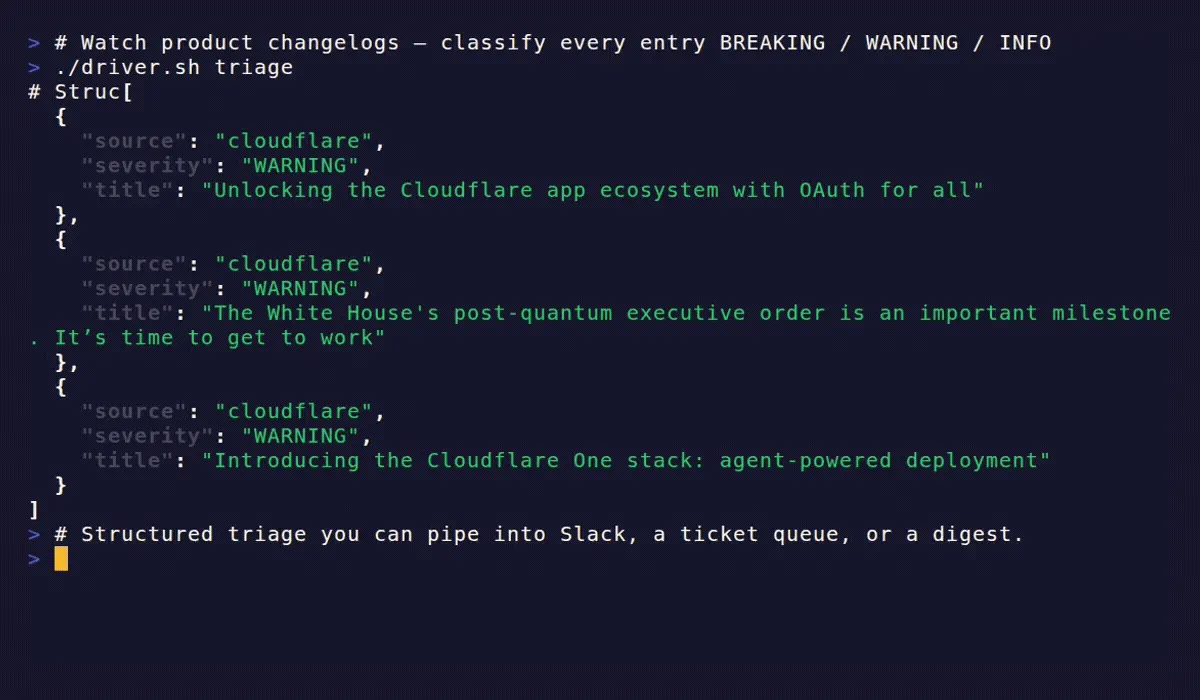
A short terminal walkthrough of one run — fetching each source, classifying entries by severity, deduplicating against prior state, and emitting the triage report.
Why use Changelog Triage Agent?
Keeping up with upstream changelogs by hand does not scale: the breaking change you needed to see is buried under dozens of routine "INFO" updates, and you only notice after something breaks. This Actor reads the changelogs for you, flags what matters, and never shows you the same entry twice.
- API-dependent teams that integrate multiple third-party services and need a single feed of breaking changes across all of them
- DevOps and platform engineers who want automated alerts when a dependency announces a deprecation or end-of-life
- Release managers who need a weekly changelog digest sorted by severity for internal communications
- On-call engineers who want to query changelogs on demand when debugging unexpected API behavior
- Content and docs teams tracking upstream product changes that may require documentation updates
- Compliance teams monitoring vendor changelogs for security advisories and policy changes
Because it runs on Apify, you also get scheduling, run monitoring, proxy infrastructure, API access, and one-click integrations without managing any of it yourself.
How does Changelog Triage Agent work?
- Fetch — The Actor fetches static HTML from each configured changelog URL
- Parse — HTML is parsed into structured entries: date, title, body content, and source URL
- Diff — Each entry is hashed (SHA-256) and compared against state stored in Apify's Key-Value store; only entries not seen in a previous run proceed further
- Classify — Keyword-based severity classification assigns BREAKING, WARNING, or INFO to each new entry using word-boundary matching; matched keywords are exposed in the output as
severitySignals - Sort and filter — Entries are ordered by severity (BREAKING first), then by date; entries below your
severityFilterthreshold are dropped - Summarize (optional) — When
enableLlmSummaryis enabled, each entry receives an AI-generated impact summary via the configured LLM API; failures are non-fatal and never abort the run - Report — A single structured output document is pushed to the Apify dataset, containing all new entries plus per-source summary counts
Input
| Field | Type | Required | Default | Description |
|---|---|---|---|---|
sources | array | Yes | — | List of changelog sources to monitor. Each source needs either a template name or a url + selector. See Which changelogs can it monitor? below. |
since | string | No | KV state | ISO 8601 date string (e.g. "2025-09-01"). Overrides stored KV state for this run only — use this for backfills or re-triage without resetting your deduplication history. Deduplication resumes normally on the next run. |
severityFilter | string | No | "INFO" | Minimum severity to include in output. Accepted values: "INFO", "WARNING", "BREAKING". |
enableLlmSummary | boolean | No | false | When true, each entry receives an LLM-generated impact summary. Requires llmApiKey. |
llmApiKey | string (secret) | No | — | API key for the LLM provider. Required when enableLlmSummary is true. Stored as a secret — never logged. |
llmModel | string | No | "gpt-4o-mini" | Model identifier passed to the LLM API. Accepts any OpenAI-compatible model string (e.g. "gpt-4o", "gpt-4o-mini", "o1-mini"). |
maxEntriesPerSource | integer | No | 50 | Maximum entries to process per source per run. Range: 1–200. Lower values reduce compute cost and LLM API calls; higher values (up to 200) are useful for initial historical backfills. |
Click the Input tab on the Actor's page for an interactive form with these fields.
Source object format
Each item in the sources array is an object. Use either template (for curated sources) or url + selector (for custom sources):
The name field is required for all sources. It appears in the output and is used as the KV store key for deduplication state.
Which changelogs can it monitor?
The Actor ships with pinned CSS selector configurations for known services. When you specify a template name in a source, the Actor uses pre-validated selectors for that service — no manual selector configuration required.
Currently supported templates:
| Template name | Service |
|---|---|
github | GitHub Blog Changelog |
cloudflare | Cloudflare Blog |
To use a template:
For sources not in the template library, provide a url plus CSS selectors directly. The selector field (entry container selector) is required; dateSelector and contentSelector are optional refinements that improve parse quality when the page has a consistent structure. This means you can monitor any changelog or release-notes page that renders its entries in static HTML — not just the curated services above.
Output
The Actor pushes one record to the Apify dataset per run. The record contains a top-level summary and a full list of new entries. You can download the dataset in JSON, CSV, Excel, HTML, or XML, or pull it programmatically via the Apify API.
Key output fields:
entries— All new changelog entries above the severity threshold, sorted BREAKING first, then by date descendingseveritySignals— The specific keywords that triggered classification, making it easy to audit why an entry received its severity ratingsourceSummary— Per-source counts so you can see at a glance which services had the most activitymeta.isFirstRun—trueon the first run for a given source, when no prior state exists in the KV store
How much does Changelog Triage Agent cost?
Changelog Triage Agent is free to use — you pay only for the Apify platform compute units (CUs) a run consumes. A typical scheduled run with 3–5 sources and maxEntriesPerSource: 50 (LLM summaries off) finishes in under 30 seconds and uses minimal CUs, which fits comfortably within the Apify free plan's monthly usage for most teams.
The only external cost is optional: if you enable enableLlmSummary, the LLM API calls are billed by your provider directly to your own llmApiKey — Apify does not mark this up. The default gpt-4o-mini is inexpensive for short changelog text. See Performance and cost control for the two levers (maxEntriesPerSource, severityFilter) that keep run cost predictable.
Scheduling and stateful deduplication
The Actor is designed to run on a schedule. Set it up in Apify Scheduler (or via the Apify API) to run daily, weekly, or on whatever cadence matches your team's needs.
Stateful deduplication: After each run, the Actor stores the date and SHA-256 hashes of processed entries in the Apify Key-Value store. On the next scheduled run, only entries that are new since the last run are returned. You will never see the same changelog entry twice across runs for the same source.
Recommended schedule for most teams: daily at a fixed time (e.g., 08:00 UTC), with severityFilter: "WARNING" to reduce noise. Reserve severityFilter: "INFO" for weekly digest runs where you want full coverage.
To backfill or force a date range, use the since input field with an ISO 8601 date string (e.g., "2025-09-01"). This overrides the stored KV state for that run without deleting it, so your normal scheduled deduplication resumes on the next run.
Error handling and troubleshooting
Fetch failures — If the Actor cannot reach a changelog URL (network error, HTTP 4xx/5xx), it logs a warning, records the error in notes, and continues to the next source. A single unreachable source does not fail the entire run.
Parse errors — If the CSS selectors return no matching elements, the Actor produces zero entries for that source and adds a note to the output. Check the notes array in the output record if a source you expect to have entries returns none.
Invalid template name — If you specify a template value not in the template library, the Actor throws a validation error at startup and does not run. Check that the template name matches one listed in Which changelogs can it monitor? exactly.
Missing required fields — If sources is empty or a source is missing both template and url, the Actor throws a validation error at startup with a message identifying the offending source.
LLM errors — Summarization errors are non-fatal and isolated per entry. If summarization fails for an individual entry (network error, rate limit, invalid key), the Actor sets llmSummary: null for that entry and continues. A single failed summary does not abort the run or affect the rest of the output.
If every source in a run fails to fetch, the Actor still pushes a dataset record with entries: [], an empty sourceSummary, and fetch errors listed in notes. The run exits cleanly — it does not throw an unhandled error.
Debugging tip: On a first run against a new source, set maxEntriesPerSource: 5 and severityFilter: "INFO" to verify the selectors are working before committing to a schedule.
LLM summaries (optional)
When you set enableLlmSummary: true, the Actor calls an OpenAI-compatible LLM API to generate a plain-English impact summary for each new entry. API usage is billed to your API key — the default model is gpt-4o-mini, which is cost-effective for short changelog text. The summary appears in the llmSummary field of the output entry.
To enable:
The llmApiKey is stored as a secret and is never written to logs or dataset output. The llmModel field accepts any OpenAI-compatible model identifier your API key has access to (e.g. "gpt-4o-mini", "gpt-4o", "o1-mini"). The default gpt-4o-mini balances cost and quality well for short changelog text; switching to gpt-4o improves summary depth but increases cost per entry.
Performance and cost control
Run cost scales with two levers you control directly:
maxEntriesPerSource— The primary cost control. The default of 50 entries per source is appropriate for most changelogs. For very active sources or when running against many sources simultaneously, lower this to 10–20. For initial historical backfills, you can raise it up to the maximum of 200.severityFilter— Filtering to"WARNING"or"BREAKING"reduces both the entries processed and the LLM calls made when summarization is enabled.
On a typical scheduled run with 3–5 sources, maxEntriesPerSource: 50, and LLM summaries disabled, the Actor completes in under 30 seconds and consumes minimal compute units. Enabling LLM summaries adds one API call per new entry — use severityFilter: "WARNING" alongside summarization to keep costs predictable.
FAQ
Is it legal to monitor changelogs with this Actor?
Yes. Changelog Triage Agent reads only public changelog and release-notes pages — the same content any visitor sees in a browser. It does not log in, bypass paywalls, or collect personal data. As with any web data tool, you are responsible for complying with each source's terms of use.
Will I ever see the same entry twice?
No. Every entry is hashed (SHA-256) and compared against state stored in the Apify Key-Value store, so each scheduled run returns only what is genuinely new since the last run. Use the since field if you intentionally want to re-process an earlier date range.
Can I monitor a changelog that isn't GitHub or Cloudflare?
Yes. The github and cloudflare templates are conveniences with pre-validated selectors. For anything else, pass a url plus a selector (and optional dateSelector / contentSelector) and the Actor will monitor any static-HTML changelog page. Want a new built-in template? Open an issue on the Actor's Issues tab.
Do I need an LLM API key?
No. LLM summaries are entirely optional. Leave enableLlmSummary off (the default) and the Actor still classifies severity, deduplicates, and reports — no API key required. Turn it on only when you want plain-English impact notes.
How is this different from an RSS feed or the source's own API?
RSS and per-service APIs give you raw entries with no cross-source consolidation, no severity classification, and no deduplication state. This Actor stands in as a single, normalized feed across all your sources: it classifies BREAKING/WARNING/INFO, drops noise below your threshold, remembers what you've already seen, and integrates with Apify scheduling, webhooks, and the API.
How do I report a bug or request a feature?
Use the Issues tab on the Actor's page. Bug reports, new template requests, and feedback are all welcome.
Other Apify Actors by Joe Slade
Building an AI-agent or developer-tooling workflow? These pair well with Changelog Triage Agent:
- SERP Topic Gap Monitor — find the topics your competitors rank for that your site is missing, from pre-fetched SERP data. No paid SEO platform required.
- Docs MCP Server Starter — a ready-to-connect MCP server that gives Claude, Cursor, and any MCP client searchable access to technical documentation.
- GitHub Repo Health Check (MCP) — is a dependency still maintained? Get a deterministic, opinionated verdict for any GitHub repo across 5 agent-callable MCP tools.


