

Google News Scraper
Pricing
from $1.30 / 1,000 news results
Google News Scraper
Scrape Google News by keyword, topic or date range, past the 100-result limit. Get headlines, sources, dates, real publisher URLs and images as JSON, CSV or Excel, or via API, MCP or n8n. For news monitoring and alerts, brand tracking, market research, stock trading and AI agents.
Pricing
from $1.30 / 1,000 news results
Rating
4.6
(13)
Developer

Kristýna Lhoťanová
Maintained by CommunityActor stats
79
Bookmarked
3.2K
Total users
88
Monthly active users
4 days ago
Last modified
Categories
Share
What data does Google News Scraper collect?
Google News Scraper allows you to extract news metadata such as title, link, source, publication datetime and image.
How much does it cost?
You pay for the results you get. Every result has a base price, and up to two add-ons, both on by default:
- Resolved article URL (
fetchArticleDetails): the Google News link resolved to the article on the publisher's site. - Article page (
fetchArticlePage): the article page loaded, which gives the image. It needs the resolved article URL.
Each run also has a small start fee, charged per GB of memory. Runs start with 4 GB when they load article pages, 2 GB with resolved article URLs only, and 1 GB without either add-on, so turning add-ons off also lowers the start fee. The prices for your plan are on the Pricing tab. If you set a maximum cost per run in the run options, the scraper stops before it would go over it.
Example tasks
Ready-made tasks you can copy and run, each set up for one use case:
- Track daily news about a company: Tesla news from the last 24 hours.
- Get today's Nvidia (NVDA) stock news for trading: the company name
ORits ticker. - Get today's Dow Jones, S&P 500 and Nasdaq headlines: headlines only, with
fetchArticleDetailsoff. - Track crypto news: bitcoin, ethereum, solana and XRP: several coins in one search, last 12 hours.
- Collect a week of AI news: OpenAI, Anthropic and more: a long
ORquery, last 7 days. - Earthquake today: get news from the last hour: an excluded phrase, last hour.
- Sports news: NFL, NBA, MLB, college sports and more: the
SPORTStopic. - Get local news for New York City: a hashed topic.
- Get world news from the last 12 hours: the
WORLDtopic with a date filter. - Collect iPhone 18 launch news by date range: a past
dateFromanddateTorange.
Query-based search
The Actor provides a simple interface where you can define your search query, language, region, and date range. Unlike manually browsing Google News, which limits you to approximately 100 results per search, Google News Scraper allows you to retrieve significantly more results without restrictions.
To bypass the usual result limits, the scraper can search news day by day. If you set maxItems to more than 90, it searches the days newest first until it reaches the limit. With dateFrom set, it searches every day of your date range, or its last 1,000 days for a longer range.
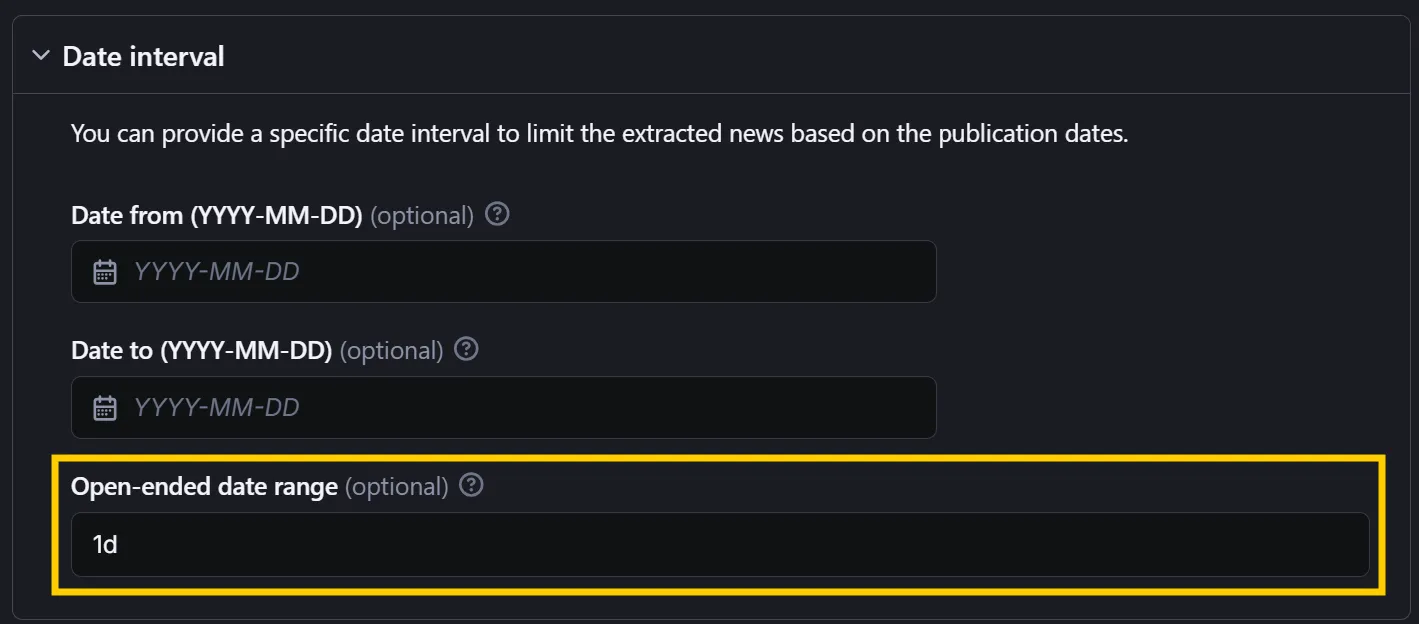
For more precise control over the date range, you can use the dateFrom and dateTo fields in the YYYY-MM-DD format. Alternatively, you can specify an open-ended date range using the openEndedDateRange field with values such as:
1h– retrieves news from the past hour7d– retrieves news from the past week1y– retrieves news from the past year
Use a whole number followed by h, d or y, such as 12h or 30d.
Advanced search filters
You can also use advanced search operators in your queries, such as intitle, site, exclude operator -, exact match with double-quotes "", AND, OR and more. Example queries with advanced operators:
| Query | Explained |
|---|---|
intitle:"AI" AND site:bbc.com | Finds articles with "AI" in the title from BBC. |
site:reuters.com "stock market" -crypto | Finds stock market articles on Reuters, excluding crypto-related ones. |
"Samsung Galaxy S25" AND (review OR comparison) | Searches for reviews or comparisons of Samsung Galaxy S25. |
site:nytimes.com intitle:"election" after:2025-01-01 | Retrieves recent NY Times articles with "election" keyword in the title. |
(site:theguardian.com OR site:bbc.com) "climate change" | Finds climate change news from The Guardian or BBC. |
Google News doesn't support inurl, allinurl and allintitle from Google search. They return few or no news, so use site and intitle instead.
You may already know some of the operators from Google search or Apify's Google Search Scraper. For more information, see Google Guide on Search Operators.
TIP: Keep your query short. Google only reads about the first 32 words, and operators like
ORand words in quotes count too (see Google Guide). Put filters likesite:at the start so they aren't cut off, for example:site:theverge.com OR site:techcrunch.com ("electric vehicles" OR "battery recycling" OR "charging network").
Topic-based search
Google News Scraper also supports topic-based search. You can search for news from one of the topics predefined in topics input field:
WORLD🌎NATION🚩BUSINESS🪙TECHNOLOGY💻ENTERTAINMENT🎸SPORTS🏒SCIENCE🧪HEALTH🧑⚕️
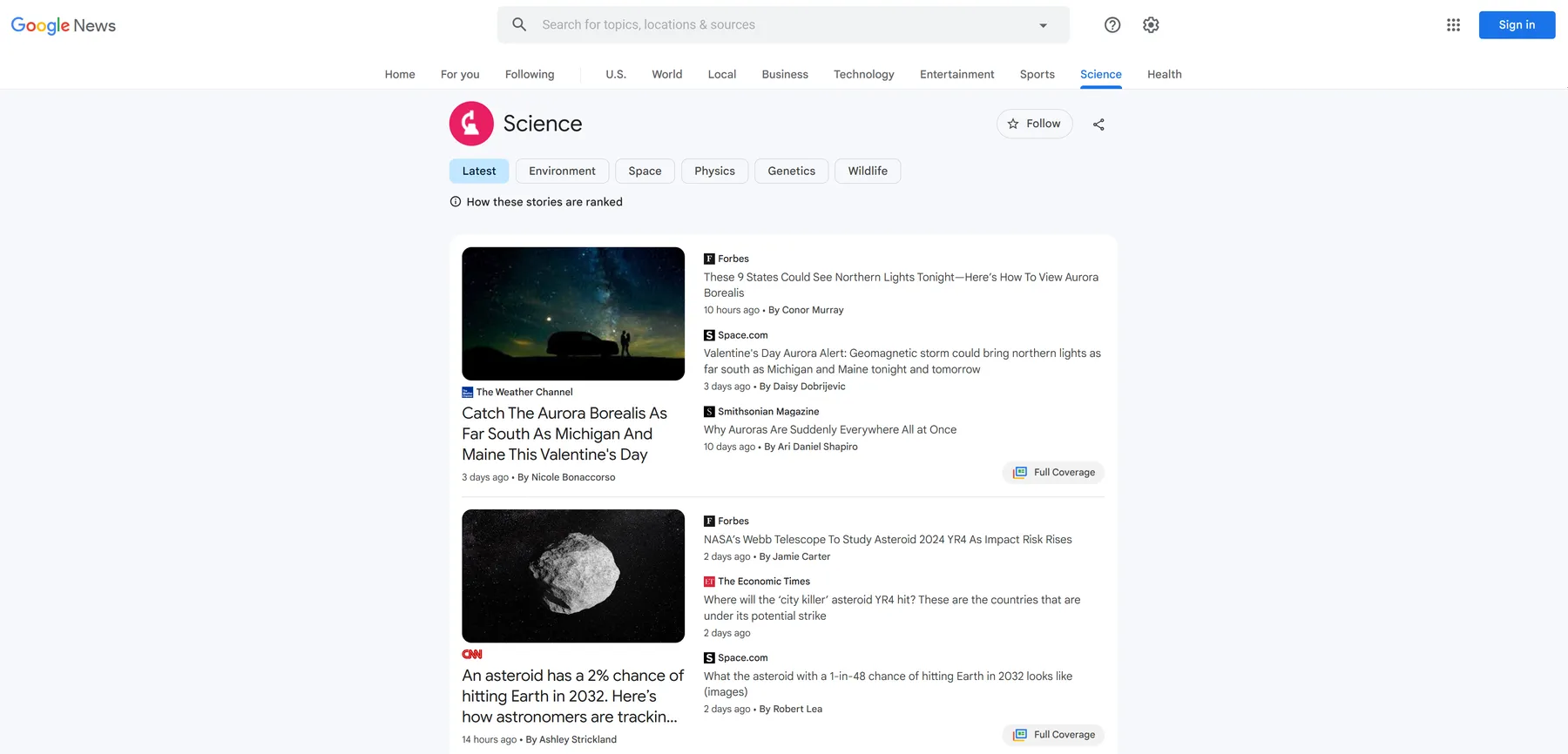
Google News can't filter topics by date. If you set openEndedDateRange, dateFrom or dateTo, the scraper downloads each topic's news and keeps only those published within the range. A topic only lists its latest news, so you may get fewer results than maxItems, or none for an older date range. The same applies to hashed topics and topic sections.
Hashed Topics
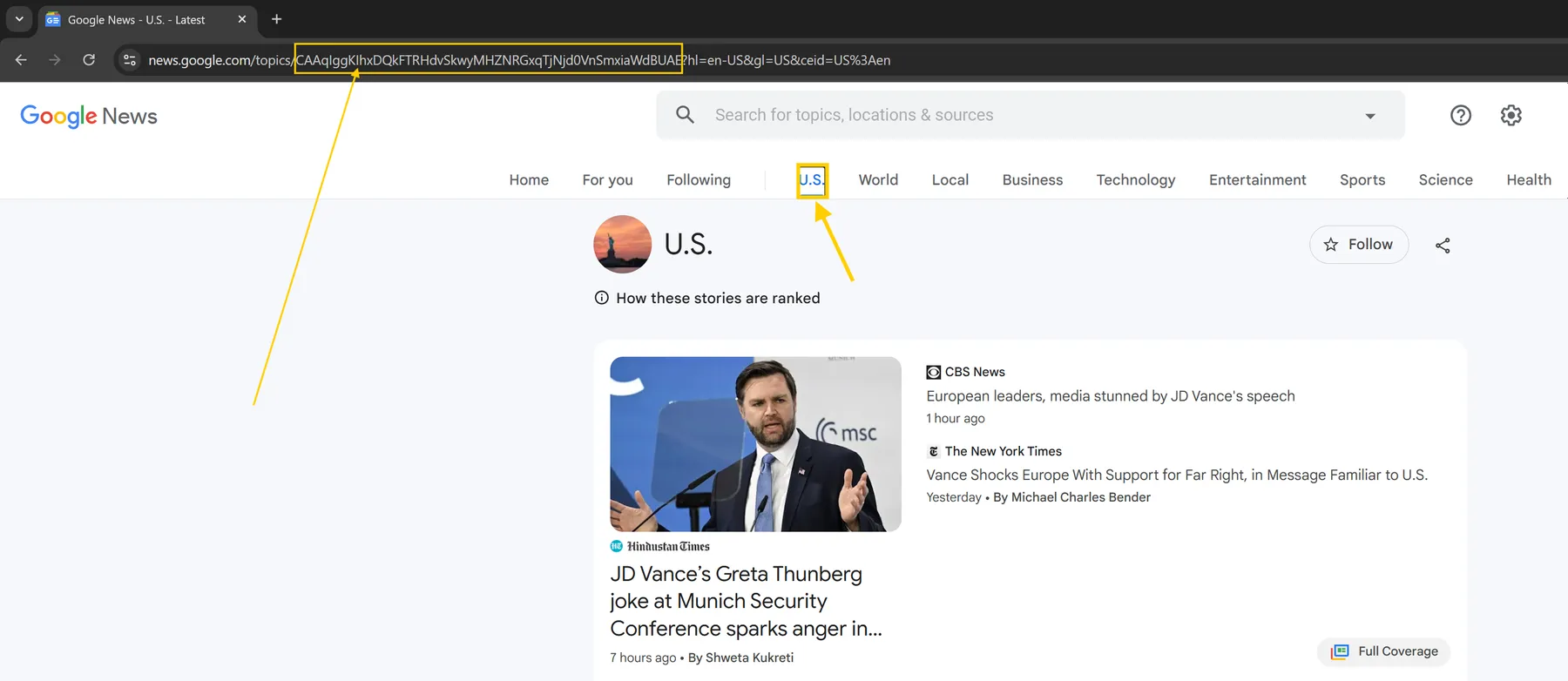
The scraper also supports hashed topics, allowing you to extract news based on specific topic IDs from Google News. Simply copy the topic ID from the Google News URL and paste it into the topicsHashed input field.
For example, if you want to find news about your home country but published by foreign sources or in different languages, you can:
- Click on your country in Google News.
- Copy the topic ID from the URL.
- Paste it into the
topicsHashedarray. - Set the
languagefield to your preferred language and region (e.g.,DE:de).
This way, you can for example retrieve the latest news from the US but published by German sources like zdf.de or spiegel.de. Similarly, you can search for news about a non-English-speaking country and get results from international sources such as reuters.com, bbc.co.uk, independent.co.uk, or variety.com.
Topic Sections
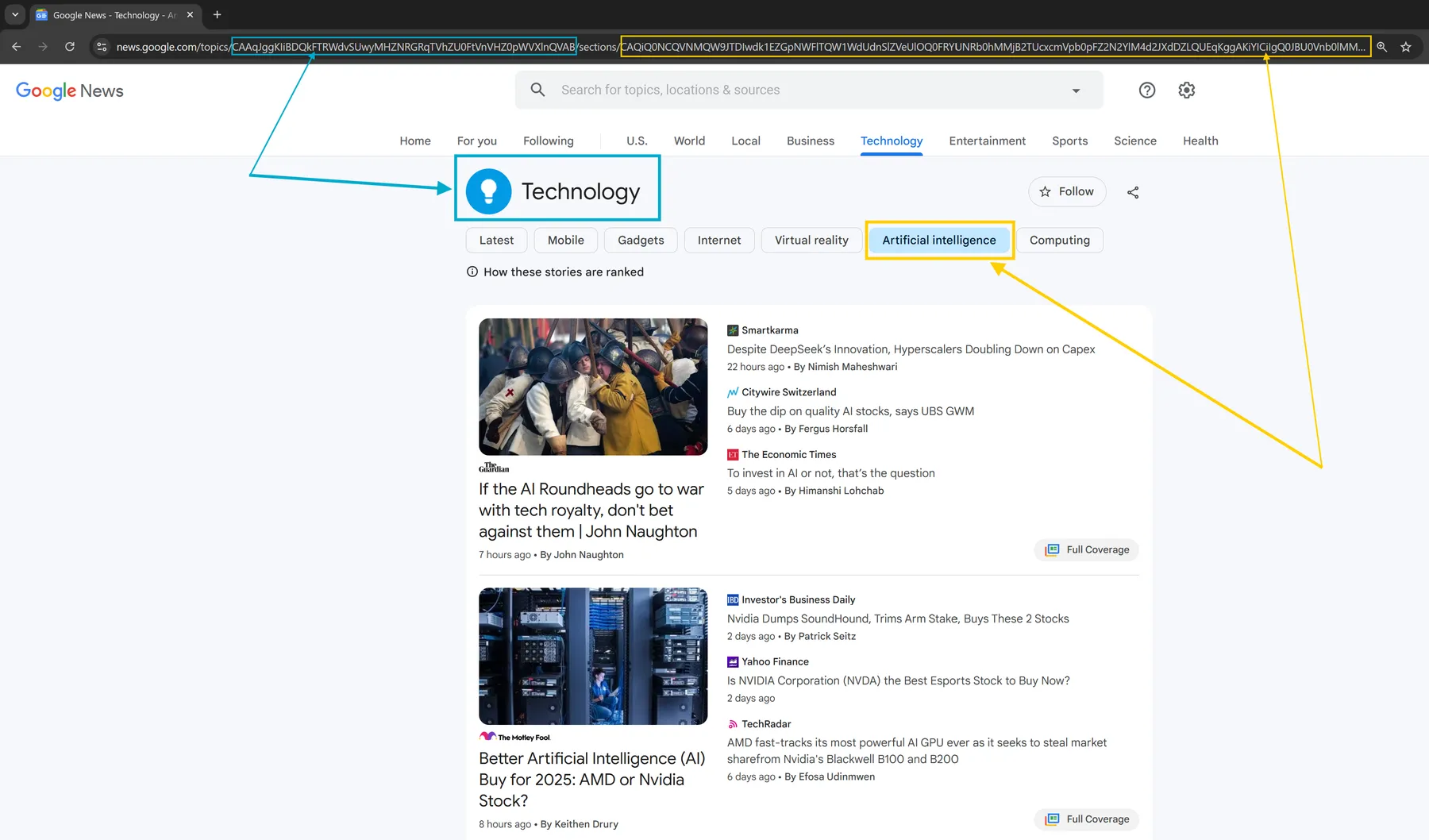
The scraper also allows you to refine your search by targeting specific sections within broader topics. For example, you can extract news from the NHL section under Sports or Artificial Intelligence within the Technology category.
Imagine you need to scrape AI-related news from the section Technology > Artificial Intelligence, which is available at the following URL:
Simply copy the {TOPIC_ID}/section/{SECTION_ID} part of the URL and paste it into the topicsHashed array to target that specific section:
Example output
With both add-ons on (the default), the output has the decoded article links and image URLs. Extracted news are then stored in a following format:
NOTE: Image URLs are retrieved directly from the article websites and may differ from those displayed on the Google News website.
If you set fetchArticlePage to false, the scraper skips the article pages, so it runs faster and skips the article page add-on. link still holds the article URL, while loadedUrl and image are null.
If you set fetchArticleDetails to false, the scraper runs faster and costs less, because it skips the two add-ons. The output then includes Google News links instead of the article URLs, such as:
The output then has no images:


