
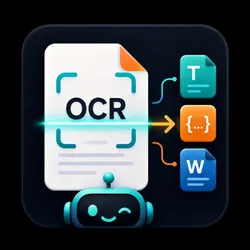
OCR & Document Extractor – PDF & Image to Text, JSON, Word
Pricing
from $0.03 / file processed
OCR & Document Extractor – PDF & Image to Text, JSON, Word
Convert scanned PDFs and images into clean, structured text in bulk. Export to JSON, Markdown, DOCX, TXT or HTML with tables and layout preserved.
Pricing
from $0.03 / file processed
Rating
0.0
(0)
Developer

Lofomachines
Maintained by CommunityActor stats
0
Bookmarked
20
Total users
1
Monthly active users
4 months ago
Last modified
Categories
Share
OCR & Document Extractor – PDF & Image to JSON, Markdown, Word, Text & HTML
Turn scanned PDFs and images into clean, structured, searchable text — in bulk. Upload your files (or paste links), pick your output formats, and get back ready-to-use JSON, Markdown, Word (DOCX), plain text, and HTML with tables, headings, and reading order preserved.
Fast, accurate, multilingual OCR for invoices, contracts, books, forms, receipts, research papers, ID documents, handwritten notes, and any scanned document — no setup, no code required.
✨ Why choose this OCR Actor?
- 📚 Bulk processing – Convert hundreds of PDFs and images in a single run.
- 🧠 Layout-aware extraction – Keeps titles, paragraphs, reading order, and tables intact instead of dumping jumbled text.
- 🗂️ Five output formats – Export to JSON, Markdown, DOCX, TXT, and HTML — choose one or all.
- 🌍 Multilingual – Recognizes 80+ languages including English, Spanish, French, German, Italian, Portuguese, Chinese, Japanese, Korean, Arabic, Hindi, and more.
- 📄 Any document – Scanned PDFs, photos of documents, screenshots, multi-page TIFFs, invoices, receipts, and forms.
- 🔍 Rich structured data – Page-by-page text, word and character counts, table detection, confidence scores, and downloadable files.
- ⚡ Fast & cost-efficient – Tuned for high throughput so you pay less for more pages.
- 🔌 API & integrations ready – Use it from the Apify API, JavaScript/Python SDKs, Zapier, Make, n8n, or any no-code tool.
🎯 Who is it for?
| You are a... | Use it to... |
|---|---|
| Developer / Startup | Add OCR to your product without managing infrastructure or models. |
| Finance / Accounting team | Extract data from invoices, receipts, and statements into structured records. |
| Legal / Compliance | Make contracts and scanned filings searchable and editable. |
| Researcher / Academic | Digitize papers, books, and archives into Markdown or Word. |
| Data / Automation team | Feed clean text into RAG pipelines, LLMs, databases, and spreadsheets. |
| Operations / Back office | Convert paper-based forms into digital workflows. |
🚀 How to use it
- Upload your files using the Upload files button — or paste direct document links (URLs).
- Choose your output formats — JSON, Markdown, DOCX, TXT, HTML (pick any combination).
- Select the language (or leave on Automatic).
- Click Start ▶️
That's it. When the run finishes, you'll find every document as a structured record in the dataset, plus downloadable files in the storage tab.
💡 No technical configuration needed. Performance, accuracy, and reliability are optimized for you out of the box.
📥 Input
| Field | Description |
|---|---|
| Upload files | The PDFs or images you want to convert. Upload many at once. |
| Document links (URLs) | Optional. Direct links to PDFs or images to process. |
| Output formats | One or more of: JSON, Markdown, DOCX, TXT, HTML. |
| Document language | Main language of your documents, or Automatic. |
| Detect tables & layout | Keep on to preserve structure and tables; turn off for fastest plain-text extraction. |
Supported file types
PDF · PNG · JPG / JPEG · WEBP · BMP · TIFF · GIF
Example input
📤 Output
Each processed document becomes one clean, structured record in the dataset. Generated files (Markdown, Word, TXT, HTML) are saved to storage and linked directly in each record.
Example output record
You can export the full dataset to JSON, CSV, Excel, or XML with one click, or fetch it via the API.
💡 Popular use cases
- PDF to Word converter – Turn scanned PDFs into editable DOCX files.
- Invoice & receipt OCR – Extract totals, line items, and tables into structured data.
- Image to text – Pull text from photos and screenshots.
- Document digitization – Convert paper archives into searchable Markdown or HTML.
- RAG & AI pipelines – Produce clean, LLM-ready Markdown for chatbots and knowledge bases.
- Data entry automation – Replace manual typing with automated extraction.
- Accessibility – Make scanned documents readable by screen readers.
🔗 Integrations & automation
Run this Actor on a schedule, trigger it from your app, or connect it to Zapier, Make, n8n, Google Sheets, Airtable, and more. Call it programmatically with the Apify API or the official JavaScript and Python clients, and pull results straight into your workflow.
❓ FAQ
What is OCR? OCR (Optical Character Recognition) converts text inside images and scanned PDFs into real, machine-readable, searchable text.
Can it handle multi-page PDFs? Yes. Every page is processed and returned individually and as a combined document.
Does it keep tables? Yes. Tables are detected and preserved in Markdown, HTML, Word, and the structured data — keep Detect tables & layout enabled.
Which languages are supported? 80+ languages, including all major European and Asian scripts. Leave the language on Automatic or select a specific one for best results.
What formats can I export? JSON, Markdown, Word (DOCX), plain text (TXT), and HTML — any combination.
How is it priced? You only pay for the platform resources your run consumes. The Actor is tuned to be fast and cost-efficient so you get more pages per credit.
Is my data private? Your files and results stay within your own Apify account storage and are not shared.
📈 Tips for best results
- Use clear, high-resolution scans for the highest accuracy.
- Keep Detect tables & layout on for documents with tables or complex structure.
- For the fastest, cheapest plain-text extraction, turn layout detection off.
- Select the exact document language when you know it.
Used with ❤️ in TUTTOTRASCRITTO.COM
Keywords
OCR, OCR API, PDF OCR, image to text, PDF to text, PDF to Word, scanned PDF to Word, document extraction, bulk OCR, invoice OCR, receipt OCR, text recognition, document parsing, PDF to Markdown, PDF to JSON, handwriting OCR, multilingual OCR, document to JSON, table extraction, PDF data extraction.


