
ReportGen - CSV Analytics to Branded PDF Reports
Pricing
from $200.00 / 1,000 report generateds
ReportGen - CSV Analytics to Branded PDF Reports
Drop a Google Analytics or Google Ads CSV export, get a branded PDF report with AI-written executive summary, KPI scorecard, charts, and recommendations. $0.20/report. BYOK — bring your own AI key from Anthropic, OpenAI, or Google.
Pricing
from $200.00 / 1,000 report generateds
Rating
0.0
(0)
Developer

Daniel Furman
Maintained by CommunityActor stats
0
Bookmarked
1
Total users
0
Monthly active users
7 months ago
Last modified
Categories
Share
ReportGen
Turn CSV analytics exports into branded PDF reports with AI-written insights — in under 60 seconds.
Drop a Google Analytics or Google Ads CSV into ReportGen, type your client name, and get a professional 5-10 page PDF with executive summary, KPI scorecard, charts, data tables, performance analysis, and strategic recommendations. All written by AI, all branded to your agency.
Sample output
What you get
Each report includes:
- Cover page with client name, reporting period, and optional agency branding
- Executive summary — AI-written, references specific numbers from your data
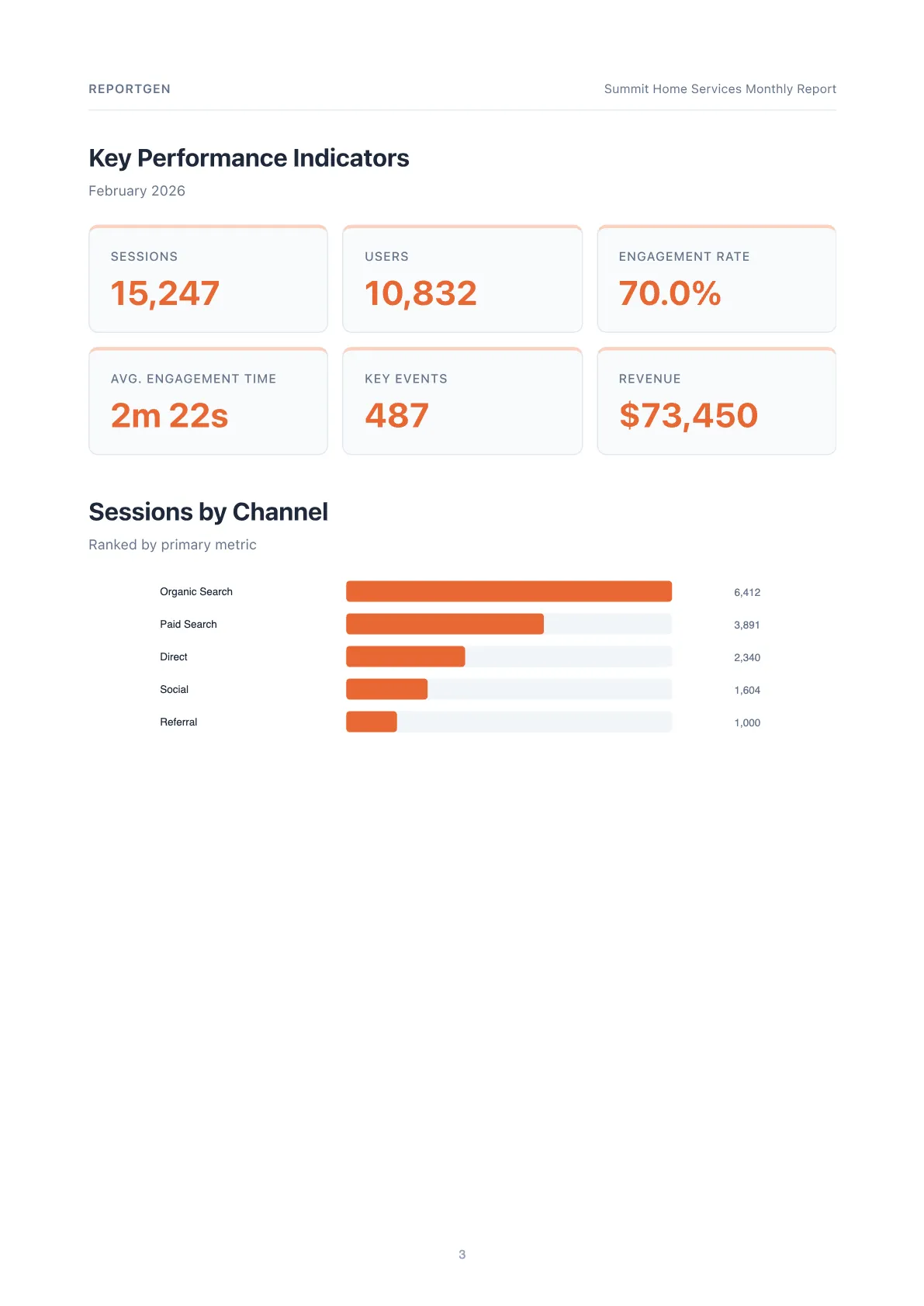
- KPI scorecard — 6 headline metrics at a glance
- Bar chart — top channels or campaigns by primary metric
- Data table — full breakdown with all metrics per channel/campaign
- Performance analysis — AI-written insights on what's working and what's not
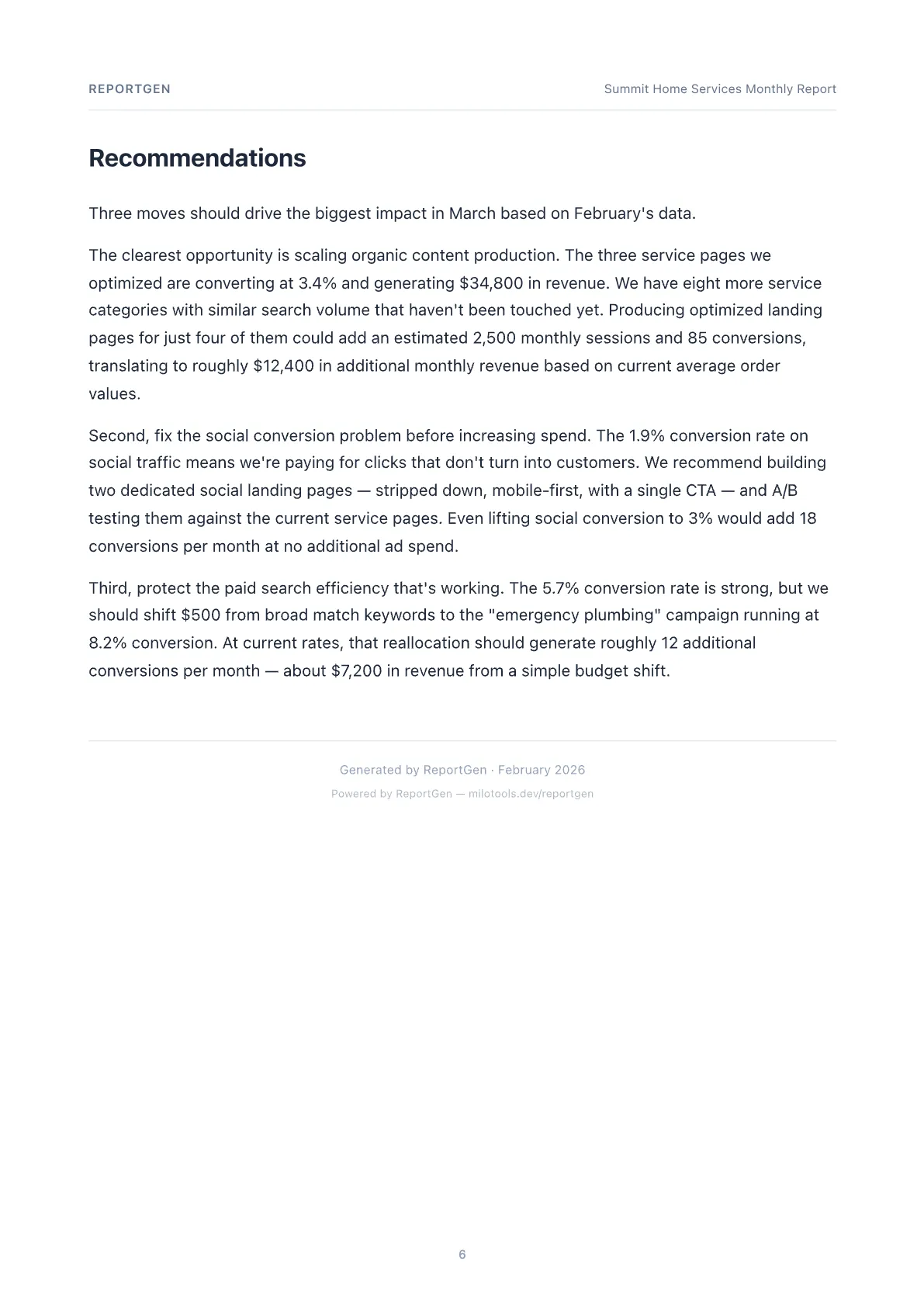
- Recommendations — 3-5 specific, actionable next steps tied to the data
Supported platforms
| Platform | Status |
|---|---|
| Google Analytics (GA4) | Supported |
| Google Ads | Supported |
| Google Search Console | Coming soon |
| Facebook/Meta Ads | Coming soon |
How it works
- Export a CSV from Google Analytics or Google Ads
- Upload the CSV to an accessible URL (or paste base64-encoded content)
- Run ReportGen with your client name and an API key for your preferred AI provider
- Download your branded PDF report
The Actor auto-detects your analytics platform from the CSV column headers — no configuration needed.
Input parameters
| Parameter | Required | Description |
|---|---|---|
csvFile | Yes | URL to CSV file or base64-encoded CSV content |
clientName | Yes | Client name for the report |
narrativeProvider | No | AI provider: anthropic (default), openai, or google |
anthropicApiKey | * | Anthropic API key. Required if using Anthropic provider |
openaiApiKey | * | OpenAI API key. Required if using OpenAI provider |
googleApiKey | * | Google AI API key. Required if using Google provider |
platform | No | Auto-detected. Override with google_analytics or google_ads |
reportTitle | No | Custom report title (default: "[clientName] Monthly Report") |
reportingPeriod | No | e.g., "January 2026" (auto-detected from CSV dates) |
primaryColor | No | Hex brand color (default: #2563EB) |
agencyName | No | Agency name for page headers |
logoUrl | No | URL to agency logo image |
narrativeInstructions | No | Custom instructions for AI, e.g., "Emphasize organic growth" |
reportType | No | monthly, weekly, or quarterly (default: monthly) |
demoMode | No | Set true to generate a sample report with fictional data — no CSV or API key needed |
previousPeriodCsvFile | No | URL or base64 CSV for the prior period. Adds delta indicators to every KPI |
reports | No | Array of report configs for batch processing (up to 50). See Batch mode below |
recipientEmail | No | Email address to send the finished PDF to |
smtpHost | No | SMTP server hostname (default: smtp.gmail.com) |
smtpPort | No | SMTP port (default: 587) |
smtpUser | No | SMTP username |
smtpPassword | No | SMTP password (stored as secret) |
senderEmail | No | Sender email address (defaults to smtpUser) |
emailSubject | No | Custom email subject line |
emailBody | No | Custom email body (HTML supported) |
* One API key is required — whichever matches your selected narrativeProvider. Not needed in demo mode.
Output
The Actor stores the generated PDF in its Key-Value Store and returns:
Pricing
$0.20 per report via Apify's Pay-Per-Event billing. You only pay when a report is successfully generated. AI narrative generation uses your own API key — costs vary by provider (see below).
Supported AI providers
Choose your AI provider based on quality needs and budget:
| Provider | Model | Narrative cost/report | Quality |
|---|---|---|---|
| Anthropic (default) | Claude Sonnet 4.6 | ~$0.02-0.04 | Best — most natural prose, strongest data integration |
| OpenAI | GPT-5-mini | ~$0.01-0.03 | Good — solid analysis, needs style guardrails |
| Gemini 3.1 Flash Lite | ~$0.002-0.005 | Acceptable — cheapest option, functional output |
Example with each provider
Anthropic (default):
OpenAI:
Google:
AI narrative
ReportGen generates three narrative sections using your chosen AI provider:
- Executive Summary — leads with the most impactful finding, cites specific metrics
- Performance Analysis — identifies top performers and underperformers with data-backed insights
- Recommendations — 3-5 actionable steps tied to actual data observations
All narratives go through a deterministic quality gate that checks for AI-sounding patterns, banned words, sentence variety, and data reference density. Quality warnings (if any) are included in the Actor output.
Pass narrativeInstructions to customize the AI's focus, e.g., "Focus on organic search" or "Highlight cost efficiency improvements."
Integration
Apify API
MCP (AI Agent Integration)
ReportGen is automatically available via Apify's MCP server at mcp.apify.com. AI agents can discover and call this Actor with structured input to generate reports programmatically.
Demo mode
Try ReportGen without a CSV or API key. Set demoMode: true and get a sample report for a fictional business — great for evaluating the output before connecting real data.
Period-over-period comparison
Upload two CSVs — current and previous period. ReportGen computes deltas for every KPI and adds ↑/↓ trend indicators with green/red coloring. The AI narrative references the changes automatically.
Batch processing
Generate up to 50 reports in a single run. Pass a reports array where each item has its own csvFile, clientName, branding, and optional recipientEmail. API keys are shared across all reports. The Actor reuses a single browser instance for performance and charges $0.20 per report generated.
Email delivery
Send reports directly to clients. Provide SMTP credentials and a recipientEmail — ReportGen attaches the PDF and sends a summary email after generation. Works in both single and batch mode. BYOS (Bring Your Own SMTP) — consistent with the BYOK philosophy.
Coming soon
- Google Search Console support
- Facebook/Meta Ads support
- Multiple report templates
- Custom chart types
🛠️ More tools from Milo Tools — The Marketing Suite for Agencies
Milo ReportGen is part of a growing suite of marketing tools built for freelancers and small agencies. Each tool costs pennies per use with no subscriptions.
- Milo ReportGen → Turn any CSV into a branded client PDF
- Milo Keywords → AI-categorized negative keyword lists from search term reports (coming soon)
- Milo Audit → Score your Google Ads account across 15 dimensions (coming soon)
- Milo Proposals → Generate branded client proposals with AI (coming soon)
- Milo SEO Audit → Prioritized fix lists from Screaming Frog exports (coming soon)
Built for freelance marketers and small agencies by milotools.dev