

Brazil B3 Stock Quotes: Price, Open, Range & Volume
Pricing
from $3.00 / 1,000 results
Brazil B3 Stock Quotes: Price, Open, Range & Volume
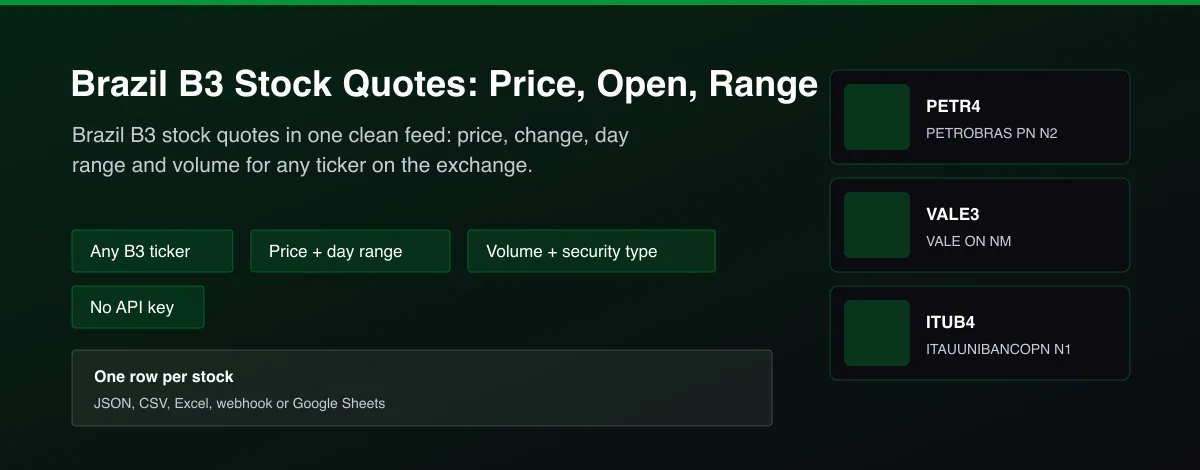
B3 (Brasil Bolsa Balcao) stock quotes from public market data: price, change, open, day range, average price, volume and security type for any B3 ticker such as PETR4, VALE3, ITUB4.

What does Brazil B3 Stock Quotes: Price, Open, Range & Volume do?
Brazil B3 Stock Quotes returns one row per B3 ticker from public exchange market data. Each row has the last price in reais, the percent change and a derived previous close, open, day low and day high, the volume-weighted average price for the session, traded volume, the security type read from the ticker's numeric suffix (common, preferred, or a unit/fund), the market segment and the company name. Give it any B3 ticker such as PETR4 (Petrobras preferred), VALE3 (Vale common) or ITUB4 (Itau Unibanco preferred).
Why use Brazil B3 Stock Quotes: Price, Open, Range & Volume?
- Works for any ticker on the exchange, not a fixed list.
- Derives the previous close from the percent change, so you get a full picture from one call.
- Unknown tickers return a clean not-available response and are skipped without stopping the run.
- Reads the exchange's own public quotation service, no account or API key.
- Bulk tickers per run, billed only for rows returned.
What makes this different
Public, free B3 quotes usually mean scraping a broker page per ticker. This Actor reads B3's own quotation service directly and returns tidy rows for a whole watchlist in one run.
Who can use the Brazil B3 Stock Quotes and how?
- Quant researchers: collect B3 price and volume features for models.
- Retail investors: check prices for a Brazilian watchlist in one run.
- Newsletter writers: publish a daily B3 table.
- Fintech apps: show Brazilian quotes without a data contract.
- Advisers: track client holdings in reais.
- AI agent builders: let an assistant answer what a B3 stock trades at.
- Analysts: monitor a sector across many tickers.
- Students: free Brazilian market data for coursework.
How it works
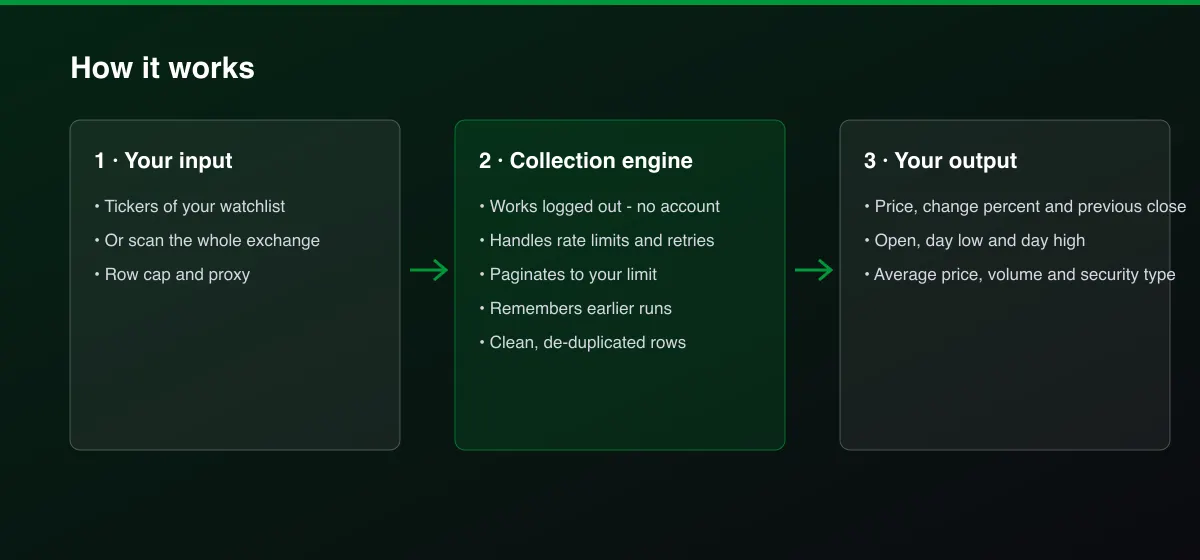
- Your input — list the tickers (or ISINs).
- The Actor collects it — the Actor reads B3 public market data for each one.
- Your output — you get one row per stock with price, change, range position and fundamentals.
What data can you extract?
The dataset has 20 fields per row:
| Field | Type | Description |
|---|---|---|
record_type | string | quote or bar. |
ticker | string | Ticker symbol. |
name | string | Company or fund name. |
security_type | string | Security type. |
market | string | Market. |
currency | string | Trading currency. |
price | number | Last price. |
change_pct | number | Change from the previous close, percent. |
previous_close | number | Previous close. |
open | number | Open. |
day_low | number | Day low. |
day_high | number | Day high. |
average_price | number | Average price. |
volume | number | Volume in shares. |
quote_time | string | Quote time. |
as_of | string | When the data was read. |
fetch_path | string | How the data was obtained. |
source | string | Data source. |
scraped_at | string | Timestamp. |
actor_version | string | Actor version. |
How to use Brazil B3 Stock Quotes: Price, Open, Range & Volume
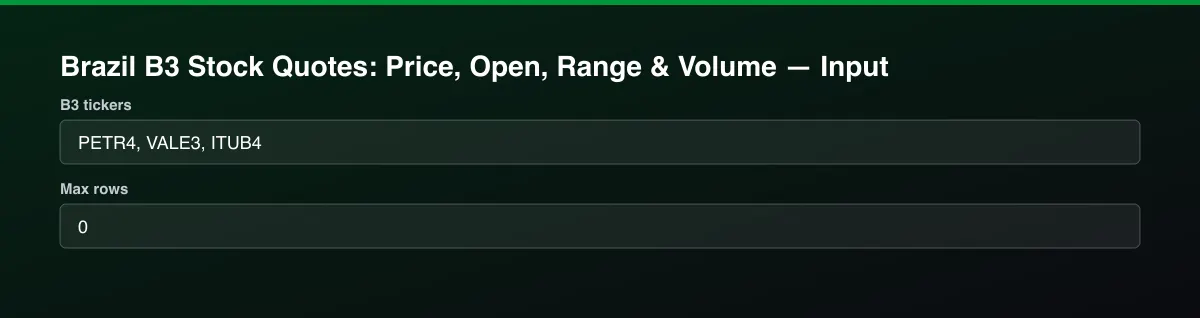
- Open the Actor and go to the Input tab.
- Enter Tickers as B3 codes (for example
PETR4,VALE3,ITUB4,BBAS3) and run. - Optionally set filters and a Max results limit.
- Click Start. A default run finishes in under a minute.
- Open the Output tab, then download the dataset or connect it to your tools.
Input Parameters
| Parameter | Type | Required | Default | Description |
|---|---|---|---|---|
tickers | array | No | ["PETR4","VALE3","ITUB4"] | B3 tickers, one per line, for example PETR4, VALE3, ITUB4, BBAS3. |
maxItems | integer | No | 0 | Cap on returned rows. Set 0 for no limit. |
proxyConfiguration | object | No | {"useApifyProxy":false} | Optional proxy. The data works without one. |
Output Data
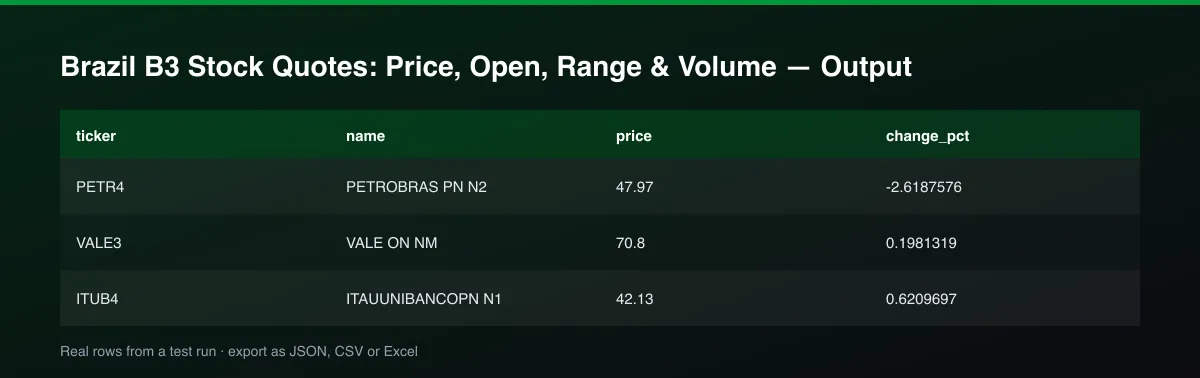
price, previous_close (derived from change_pct), open, day_low, day_high and average_price are in Brazilian reais. change_pct is percent versus the previous close. volume is shares traded. security_type reads the ticker's numeric suffix: 3 is common (ON), 4 is preferred (PN), 11 is typically a unit or fund.
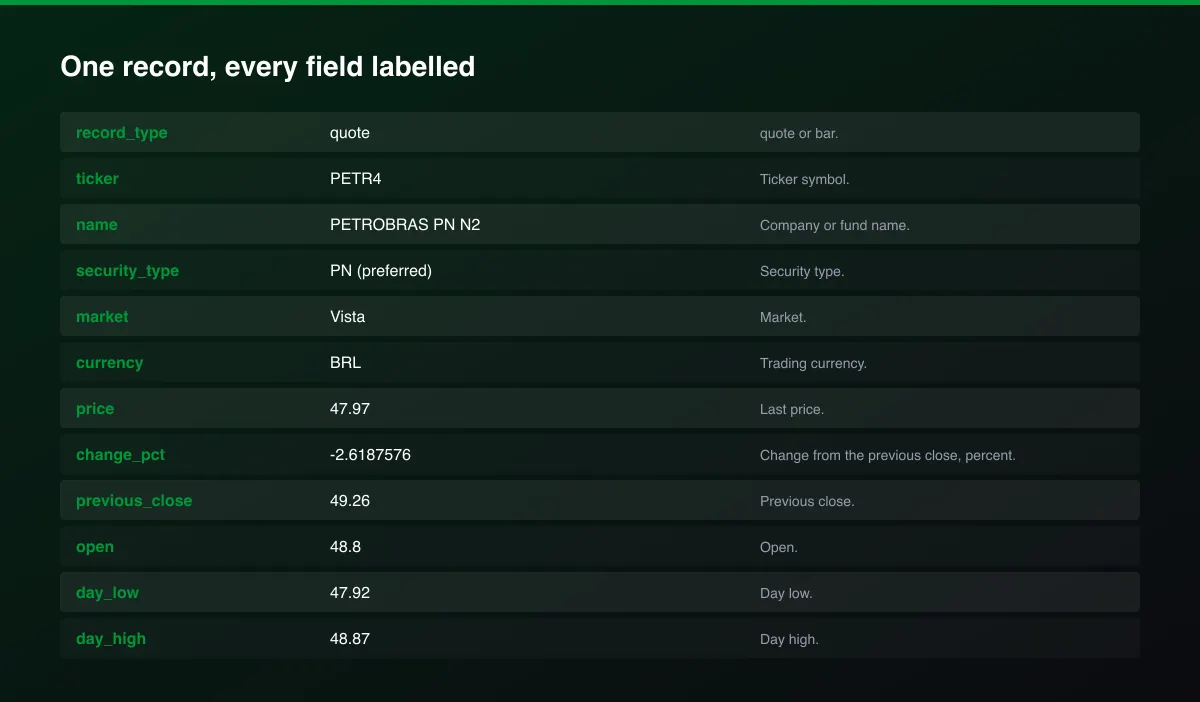
A real dataset item:
How to read and use the results
- Read price and change_pct.
- Check day_low, day_high and average_price for the session's range.
- Use security_type to tell common from preferred shares.
- Read volume for liquidity.
- Schedule runs to build your own history.
- Watch the log for unknown tickers.
Usage Examples
Petrobras, Vale, Itau
More banks and the exchange itself
WEG, Ambev, Magazine Luiza
Tips for Best Results
- Schedule the Actor after the close and keep each run to build your own price history.
- Keep tickers in one run: many tickers per run cost less than many runs.
- The ticker's last digit is a quick read on the security type: 3 common, 4 preferred, 11 unit/fund.
- previous_close is derived from the percent change; treat it as an estimate, not an exchange-published figure.
- Default is 5 results for a fast test. Set the max to 0 to return everything available.
Reliability by mode
| Mode | Status | Needs login or key? | Notes |
|---|---|---|---|
| Quotes for listed B3 tickers | ✅ | No | Public B3 quotation service. |
| Previous close | 🟡 | No | Derived from the percent change, not published directly. |
| Daily price history | ❌ | - | Not available from this source. |
| Real-time tick data | ❌ | - | End-of-day and delayed snapshots. |
✅ works as described, 🟡 works with caveats, ❌ not supported.
Known Limitations
- This Actor returns quotes only; daily OHLC history is not available from the public service it reads.
- previous_close is derived from the percent change rather than read directly from the exchange.
- Outside trading hours or on non-trading days, the quote is the last session's snapshot.
- Fundamentals such as P/E or market cap are not part of this quote service.
- This is information, not financial advice.
Integrations
Run it from the Apify API, on a schedule, or from a webhook. Send results straight to Google Sheets, Make, Zapier, Slack or your own database with Apify's built-in integrations.
Export Formats
Download the dataset as JSON, CSV, Excel, XML, HTML table or RSS from the Output tab or the API.
Frequently Asked Questions
Where does the data come from?
B3's own public quotation service, which needs no login.
Does it need an API key or account?
No.
How fresh are the prices?
Snapshots of the last trade; outside trading hours it is the last session close.
What if a ticker is wrong?
It is skipped and named in the log; the other tickers still return.
Can I run it on a schedule?
Yes. Schedule it and store each run to build your own price history.
Am I charged for tickers that return nothing?
No, only for rows returned.
Do I need an account or login?
No. The Actor reads public B3 market data and needs no account or API key.
Am I charged for failed runs or empty results?
You are only charged for results that are actually written to the dataset.
Can I run it on a schedule?
Yes. Create a Task with your input and add a schedule in Apify Console. With monitor mode on, each scheduled run returns only what changed since the previous one.
Changelog
- 2026-09-27: First release.
Enterprise and custom work
Need higher volumes, a custom output schema, dedicated scheduling or a no-breaking-changes commitment for a production pipeline? Open an issue on the Actor page and describe your use case. Bulk terms and custom builds are available.
Support
Questions or a missing field? Open an issue from the Issues tab on this Actor's page and it will be looked at.
Legal / Responsible Use
This Actor reads publicly available B3 market data. You are responsible for how you use it and for complying with the source's terms. It is not financial advice and not affiliated with B3.


