

Japan Stock Quotes: TSE Prices, PER, PBR & Dividend Yield
Pricing
from $1.80 / 1,000 results
Japan Stock Quotes: TSE Prices, PER, PBR & Dividend Yield
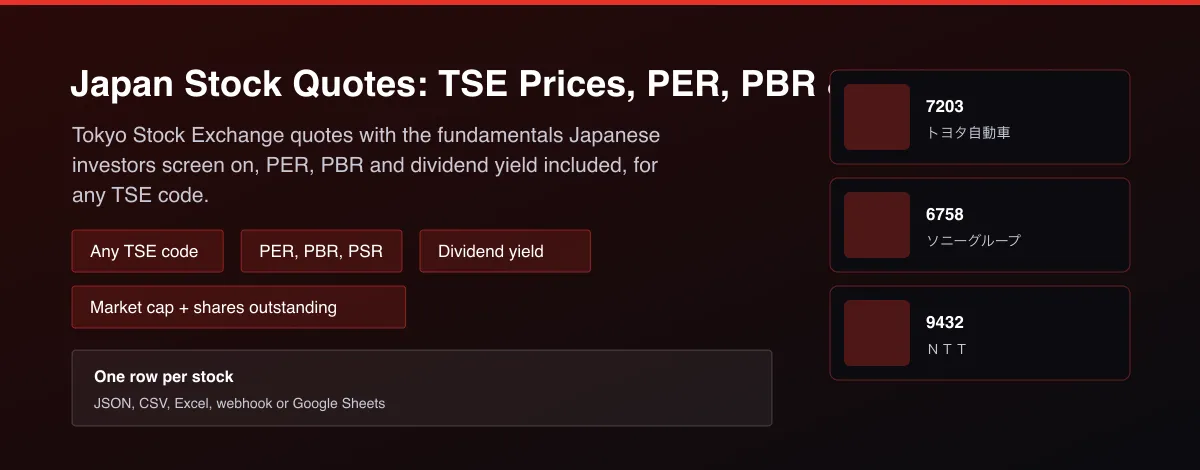
Tokyo Stock Exchange stock quotes from public market data: price, change, open, day range, previous close, PER, PBR, PSR, dividend yield, volume, market cap and shares outstanding. Any TSE code.

What does Japan Stock Quotes: TSE Prices, PER, PBR & Dividend Yield do?
Japan Stock Quotes returns one row per Tokyo Stock Exchange code from public market data. Each row has the last price in yen, the change and percent change from the previous close, the previous close, open, day high and day low, price to earnings ratio, price to book ratio, price to sales ratio, dividend yield, trading unit size, volume, market capitalisation and shares outstanding, and the company name. Give it any TSE code such as 7203 (Toyota), 6758 (Sony Group) or 9432 (NTT).
Why use Japan Stock Quotes: TSE Prices, PER, PBR & Dividend Yield?
- The fundamentals Japanese investors screen on: PER, PBR, PSR and dividend yield in every row.
- Reads a public, unauthenticated stock quote page, so no account or API key is needed.
- Unknown codes return a clean 404 and are skipped without stopping the run.
- Numbers are converted out of Japanese units (万, 百万, 倍, 株) into plain figures.
- Bulk codes per run, billed only for rows returned.
What makes this different
Japanese stock fundamentals are usually read one page at a time in a browser, in Japanese units that need manual conversion. This Actor returns them as tidy, converted rows for a whole watchlist in one run.
Who can use the Japan Stock Quotes and how?
- Quant researchers: collect Japanese fundamentals and price features for models.
- Retail investors: screen TSE stocks by PER, PBR and dividend yield.
- Newsletter writers: publish a daily TSE table.
- Fintech apps: show Japanese quotes without a data contract.
- Advisers: track client holdings in yen.
- AI agent builders: let an assistant answer what a TSE stock trades at.
- Analysts: screen the market for value or income.
- Students: free Japanese market data for coursework.
How it works
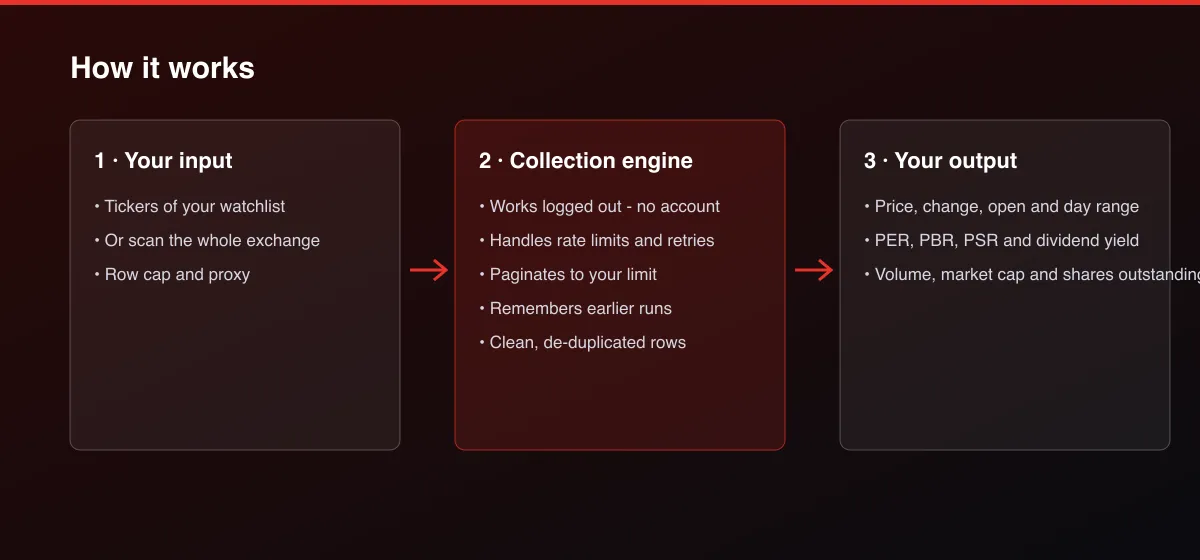
- Your input — list the tickers (or ISINs).
- The Actor collects it — the Actor reads public stock quote pages public market data for each one.
- Your output — you get one row per stock with price, change, range position and fundamentals.
What data can you extract?
The dataset has 25 fields per row:
| Field | Type | Description |
|---|---|---|
record_type | string | quote or bar. |
ticker | string | Ticker symbol. |
name | string | Company or fund name. |
exchange | string | Exchange. |
currency | string | Trading currency. |
price | number | Last price. |
change | number | Change from the previous close. |
change_pct | number | Change from the previous close, percent. |
previous_close | number | Previous close. |
open | number | Open. |
day_high | number | Day high. |
day_low | number | Day low. |
dividend_yield_pct | number | Dividend yield, percent. |
unit_shares | number | Unit shares. |
pe_ratio | number | Price to earnings ratio. |
psr | number | Psr. |
pbr | number | Pbr. |
volume | number | Volume in shares. |
market_cap | number | Market capitalisation. |
shares_outstanding | number | Shares outstanding. |
as_of | string | When the data was read. |
fetch_path | string | How the data was obtained. |
source | string | Data source. |
scraped_at | string | Timestamp. |
actor_version | string | Actor version. |
How to use Japan Stock Quotes: TSE Prices, PER, PBR & Dividend Yield
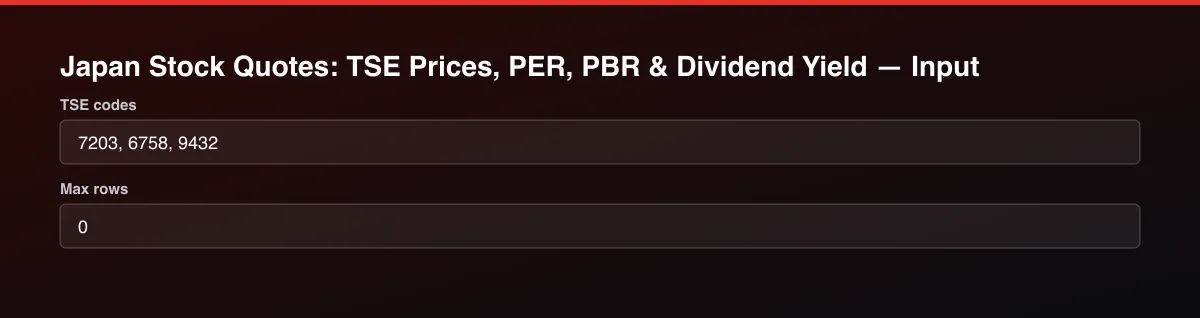
- Open the Actor and go to the Input tab.
- Enter Tickers as TSE codes (for example
7203,6758,9432) and run. - Optionally set filters and a Max results limit.
- Click Start. A default run finishes in under a minute.
- Open the Output tab, then download the dataset or connect it to your tools.
Input Parameters
| Parameter | Type | Required | Default | Description |
|---|---|---|---|---|
tickers | array | No | ["7203","6758","9432"] | Tokyo Stock Exchange codes, one per line, for example 7203, 6758, 9432. |
maxItems | integer | No | 0 | Cap on returned rows. Set 0 for no limit. |
proxyConfiguration | object | No | {"useApifyProxy":true} | Proxy. Apify Proxy is needed: the source blocks direct datacenter requests without it. |
Output Data
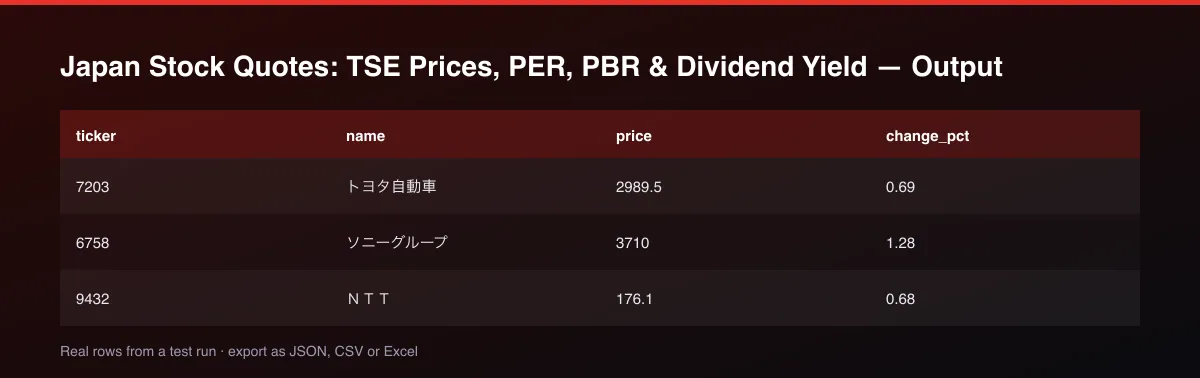
price, change, change_pct, previous_close, open, day_low, day_high are in yen. pe_ratio, pbr and psr are ratios. dividend_yield_pct is percent. volume and shares_outstanding are share counts, and market_cap is in yen, all converted from the page's Japanese units (万, 百万, 千, 倍).
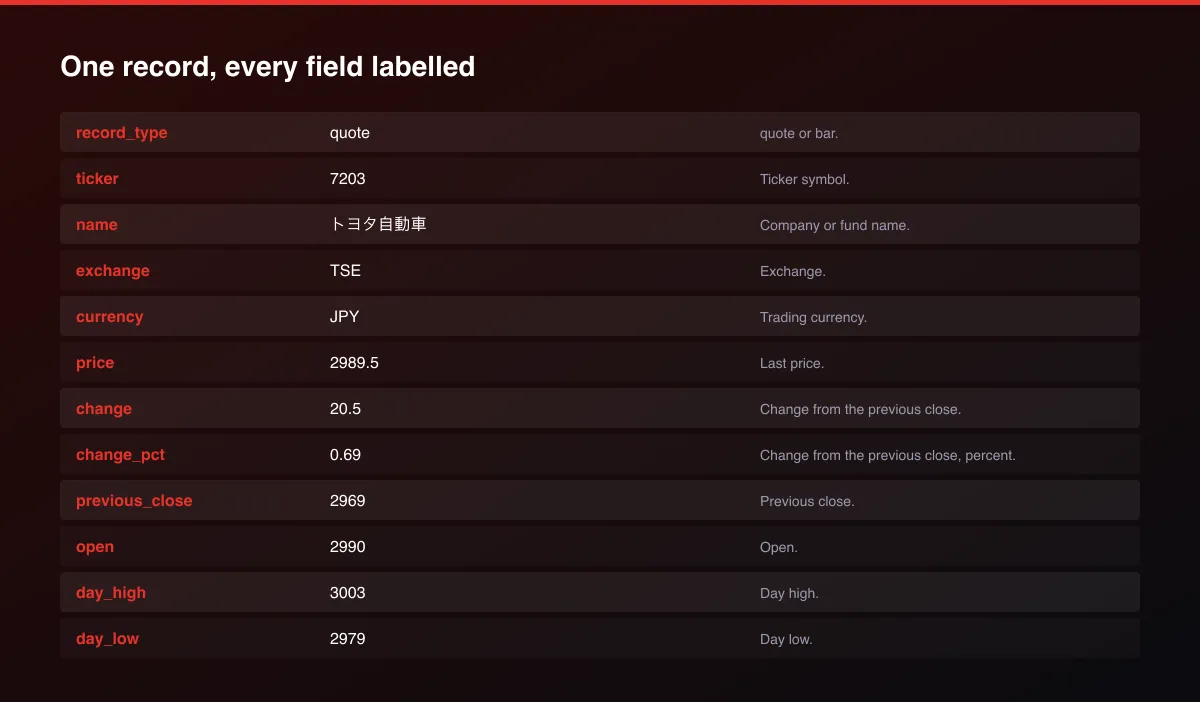
A real dataset item:
How to read and use the results
- Read price and change_pct.
- Screen on pe_ratio, pbr and dividend_yield_pct.
- Check market_cap and shares_outstanding for size.
- Compare day_low/day_high to price for the day's range.
- Schedule runs to build history.
- Watch the log for unknown codes.
Usage Examples
Toyota, Sony, NTT
SoftBank, MUFG, Hitachi
Shin-Etsu, Recruit, KDDI
Tips for Best Results
- Schedule the Actor after the close and keep each run to build your own price history.
- Keep tickers in one run: many tickers per run cost less than many runs.
- Sort by dividend_yield_pct and pbr for a value and income screen.
- pe_ratio is empty when the company has negative earnings.
- Default is 5 results for a fast test. Set the max to 0 to return everything available.
Reliability by mode
| Mode | Status | Needs login or key? | Notes |
|---|---|---|---|
| Quotes for listed TSE codes | ✅ | No | Public stock quote page. |
| PER, PBR, PSR, dividend yield | 🟡 | No | Present for most operating companies. |
| Daily price history | ❌ | - | Not available from this source. |
| Real-time tick data | ❌ | - | End-of-day and delayed snapshots. |
✅ works as described, 🟡 works with caveats, ❌ not supported.
Known Limitations
- This Actor returns quotes only; daily OHLC history is not available from the public page it reads.
- Prices reflect the last available session; outside trading hours they are the prior close.
- A few smaller or newly listed codes may have incomplete fundamentals.
- Only Tokyo Stock Exchange codes are covered.
- This is information, not financial advice.
Integrations
Run it from the Apify API, on a schedule, or from a webhook. Send results straight to Google Sheets, Make, Zapier, Slack or your own database with Apify's built-in integrations.
Export Formats
Download the dataset as JSON, CSV, Excel, XML, HTML table or RSS from the Output tab or the API.
Frequently Asked Questions
Where does the data come from?
A public Japanese stock quote page (minkabu.jp), which is free and needs no login.
Does it need an API key or account?
No.
How fresh are the prices?
Prices reflect the latest available trading session.
What if a ticker is wrong?
It is skipped and named in the log; the other tickers still return.
Can I run it on a schedule?
Yes. Schedule it and store each run to build your own price history.
Am I charged for tickers that return nothing?
No, only for rows returned.
Do I need an account or login?
No. The Actor reads public public stock quote pages market data and needs no account or API key.
Am I charged for failed runs or empty results?
You are only charged for results that are actually written to the dataset.
Can I run it on a schedule?
Yes. Create a Task with your input and add a schedule in Apify Console. With monitor mode on, each scheduled run returns only what changed since the previous one.
Changelog
- 2026-09-27: First release.
Enterprise and custom work
Need higher volumes, a custom output schema, dedicated scheduling or a no-breaking-changes commitment for a production pipeline? Open an issue on the Actor page and describe your use case. Bulk terms and custom builds are available.
Support
Questions or a missing field? Open an issue from the Issues tab on this Actor's page and it will be looked at.
Legal / Responsible Use
This Actor reads publicly available public stock quote pages market data. You are responsible for how you use it and for complying with the source's terms. It is not financial advice and not affiliated with public stock quote pages.


