Multi Video Topic Synthesizer
Pricing
from $1.20 / 1,000 results
Multi Video Topic Synthesizer
Reads several YouTube videos on the same subject and returns one cross-video report: where they agree, where they contradict each other, a consolidated summary, timestamped citable quotes, and a ready-to-edit blog draft.
Pricing
from $1.20 / 1,000 results
Rating
0.0
(0)
Developer

MrDoe
Maintained by CommunityActor stats
0
Bookmarked
2
Total users
1
Monthly active users
2 days ago
Last modified
Categories
Share
What does Multi-Video Topic Synthesizer do?
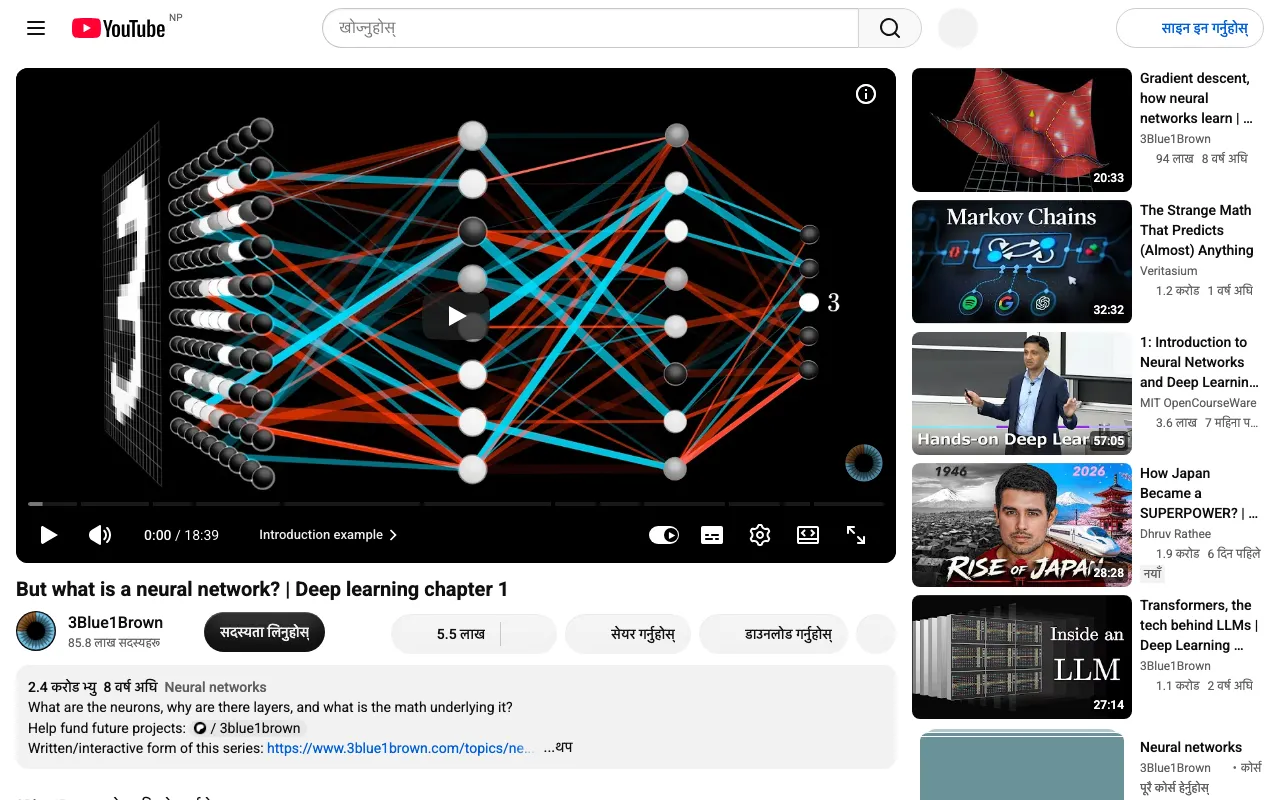
Multi-Video Topic Synthesizer reads 2-10 YouTube videos that cover the same subject and returns one cross-video report instead of ten separate summaries: a consolidated summary written across all the videos together, the specific points where the videos agree, the points where they contradict or frame things differently, a set of timestamped citable quotes pulled from different videos, and a ready-to-edit blog post draft. You give it a list of video URLs; it gives you one structured comparison you can read in minutes instead of watching every video end to end.
It's built for content researchers, students comparing explainers on the same concept, journalists cross-checking multiple takes on a story, and content teams drafting a blog post that references several sources.
Why use Multi-Video Topic Synthesizer?
- Cross-video comparison, not single-video summaries - the report is written by reading all the videos together, so agreement and disagreement points are genuine comparisons, not independent recaps stitched together.
- Citable, timestamped quotes - notable quotes carry the source video and an approximate timestamp, so you can jump straight to the moment and cite it properly.
- Full transcripts included - every video's complete transcript and metadata (title, channel, duration, publish date, view count) travels with the report for your own research.
- Ready-to-edit blog draft - a 300-500 word synthesis draft you can paste straight into an editor and adjust.
- Clean, structured output - one row per run with consistent field names, ready for CSV, JSON, or an API call.
- No account or login needed - works fully logged out.
What makes this different
Most YouTube tools on the market either scrape a raw transcript or summarize one video at a time - useful, but you still have to read every summary yourself and work out where the sources agree or disagree. This Actor does that comparison step for you: one synthesis pass reads every supplied video's transcript together and reports the actual overlap and the actual disagreements, with citations back to the specific video. If two or three videos genuinely say the same thing, you get a confirmed agreement point; if they don't, you get an honest empty result rather than an invented conflict.
How it works
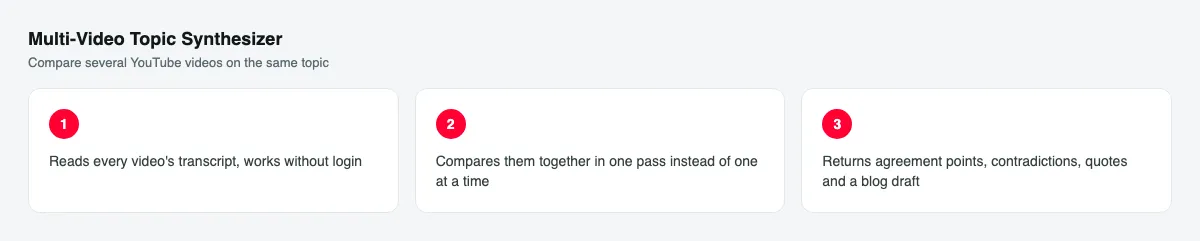
- Your input - a list of 2-10 YouTube video URLs on the same topic, and an optional short label describing what they're being compared on.
- The Actor collects it - it reads every video's metadata and transcript in parallel, works without login, and handles rate limits and retries for you.
- Your output - one report: a consolidated summary, agreement points, contradiction points, citable quotes, and a blog post draft, plus every video's full transcript and metadata.
What data can you extract?
| Field | Description |
|---|---|
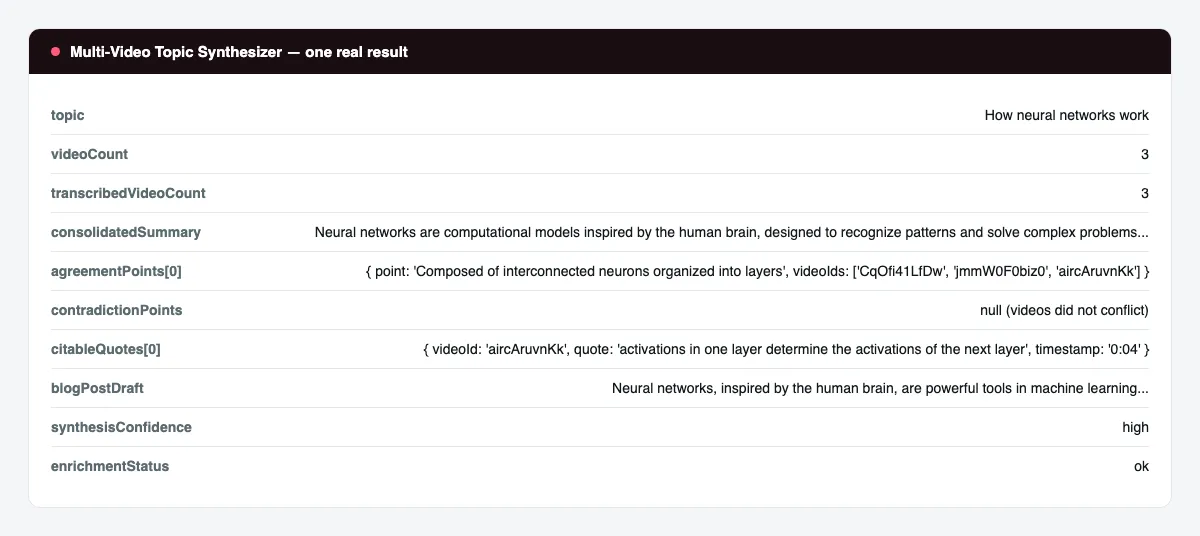
topic | The comparison label you supplied, or null if left blank. |
videoCount | Number of videos successfully read. |
transcribedVideoCount | Number of those videos with a usable transcript. |
videos | Per-video metadata and full transcript: id, url, title, channel, publish date, duration, view count, thumbnail, transcript language/status, transcript text. |
consolidatedSummary | 4-8 sentence summary written across all the videos together. |
agreementPoints | List of { point, videoIds } - claims multiple videos support, with which videos support them. |
contradictionPoints | List of { point, positions: [{ videoId, position }] } - where the videos differ. |
citableQuotes | List of { videoId, quote, approxOffsetSeconds, timestamp } - verbatim, timestamped. |
blogPostDraft | A ready-to-edit blog post synthesising the videos. |
synthesisConfidence | high, medium, or low confidence in the synthesis. |
enrichmentStatus | Whether the synthesis was produced, and if not, why. |
scrapedAt | ISO timestamp of the run. |
How to use Multi-Video Topic Synthesizer
- Open the Actor in the Apify Console.
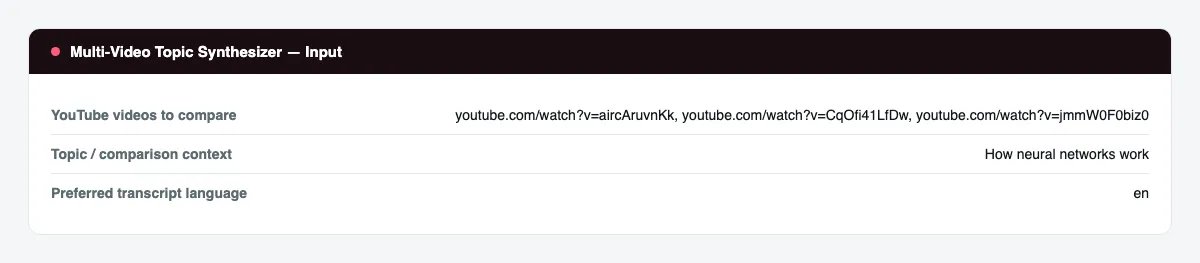
- In YouTube videos to compare, paste 2-10 video URLs that cover the same subject.
- Optionally set a Topic / comparison context label and a Preferred transcript language.
- Press Start.
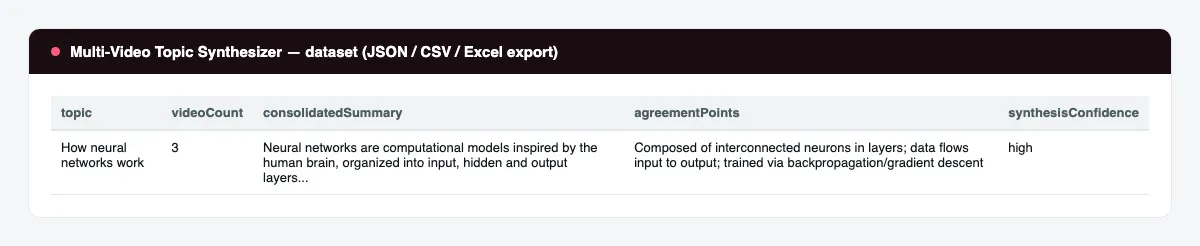
- When the run finishes, open the Dataset tab and export to JSON, CSV, or Excel, or connect it to your workflow.
Input Parameters
| Parameter | Type | Required | Default | Description |
|---|---|---|---|---|
videoUrls | array | Yes | 3 example videos | 2-10 entries: a watch URL, youtu.be link, Shorts link, or bare video ID, one per video to compare. |
topic | string | No | — | A short label for what the videos are being compared on. Used only to focus the report - it does not search for videos. |
language | string | No | en | Two-letter transcript language code. Falls back to each video's default track if unavailable. |
openRouterApiKey | string (secret) | No | — | Optional key for the service that writes the synthesis report. Without it, transcripts and metadata are still returned and the report fields are left empty. |
proxyConfiguration | object | Yes | Apify residential | Proxy settings. A residential proxy is required; the default uses Apify's residential proxy. |
Output Data
One dataset item per run, covering every video supplied. Real sample record (transcripts trimmed for length):
Usage Examples
- Compare explainers on the same concept - three "how X works" videos from different channels to see where they agree before you cite one in a write-up.
- Cross-check a news story - several channels' coverage of the same event, to spot which claims are corroborated and which are only made once.
- Draft a roundup post - feed in the source videos for a "best explanations of X" post and use the blog draft as your starting point.
- Research prep - pull the full transcripts of every candidate video before deciding which one to reference in depth.
Tips for Best Results
- Pick videos that genuinely cover the same subject - the comparison quality depends on real topical overlap, not just similar titles.
- Use the Topic field to tell the report what angle to focus the comparison on when the videos cover a broad subject from different angles.
- Keep the language code consistent with the videos' available captions for the cleanest transcripts.
- Start with 3-5 videos for a fast, easy-to-read report; use the full 10-video range for deeper research digests.
Known Limitations
- Requires an explicit list of video URLs or IDs - it does not search YouTube for videos on a topic. If you don't already have candidate videos, find them on YouTube first, then paste the links in.
- A video with no captions in any language is included in the report with
transcriptStatusexplaining why, but is excluded from the synthesis. - The synthesis report reflects the default free-tier analysis model; quality varies with transcript length and topical overlap between the videos supplied.
- Runs with the full 10-video range take longer and, under heavy demand on the free-tier analysis service, the synthesis step can occasionally be skipped (raw transcripts and metadata are still returned in full, with
enrichmentStatusexplaining why). agreementPointsandcontradictionPointsare only populated when the videos actually overlap on a claim - unrelated videos correctly return an empty list rather than a fabricated comparison.- Very long videos are read up to a large transcript budget per video; extremely long transcripts are excerpted for the synthesis step while the full transcript is still returned in
videos.
Integrations
Connect the dataset to Zapier, Make, Google Sheets, or your own pipeline via the Apify API and webhooks. Schedule recurring runs from the Apify Console to keep a research log of new videos as they're published.
Export Formats
Download results as JSON, CSV, Excel, or XML from the Dataset tab, or fetch them programmatically via the Apify API.
Frequently Asked Questions
How many videos can I compare at once?
Between 2 and 10 videos per run. The default example run compares 3.
Can I compare videos in a language other than English?
Yes - set the preferred transcript language and each video uses that caption track when available, falling back to its default track otherwise.
Does it search YouTube for videos on a topic?
No. You supply the video URLs or IDs directly; the Actor does not run a keyword search.
Why are some report fields empty?
contradictionPoints is empty when the supplied videos don't actually disagree on anything - that's a real result, not a missing one. Report fields are also left empty if the analysis key isn't supplied or the analysis service is temporarily unavailable; the full transcripts and metadata are always returned regardless.
Are duplicate videos handled?
Yes - the same video supplied twice (by URL, short link, or ID) is only read once.
Can I schedule recurring runs?
Yes, using Apify's built-in Scheduler on the Actor Task.
Do I need a YouTube account or login?
No. The Actor reads publicly available video pages and captions and does not require any account.
Am I charged for failed results?
No - you're only charged for a report that was actually produced.
Support
Use the Issues tab on the Actor's Apify Console page to report a problem or request a feature.
Legal / Responsible Use
You are responsible for complying with YouTube's terms of service, applicable law, and responsible data-use requirements when using this Actor's output.