

TrustRadius Reviews Export — Software Reviews API
Pricing
from $50.00 / 1,000 review captureds
TrustRadius Reviews Export — Software Reviews API
TrustRadius reviews export: full software reviews for any product on TrustRadius — rating (1–5), title, pros, cons, reviewer, role, company, company size and date — as JSON or CSV. Track competitor sentiment and find unhappy users. Pay per review.
Pricing
from $50.00 / 1,000 review captureds
Rating
0.0
(0)
Developer
NexGenData
Maintained by CommunityActor stats
0
Bookmarked
2
Total users
1
Monthly active users
a day ago
Last modified
Categories
Share
⭐ TrustRadius Reviews Export — Software Reviews API
Export full TrustRadius software reviews as JSON or CSV. Give it a product's TrustRadius slug and get one row per review: star rating (converted to 1–5), review title, pros, cons, reviewer name, job title, company, company size, TrustRadius's verified flag and the publish date.
It is built for people who track B2B software sentiment for a living: product marketers watching a competitor, sales teams looking for unhappy users of a rival tool, analysts building a review dataset, and founders checking what buyers say about their own product. TrustRadius reviews are long-form and written by named, employed reviewers, so each row carries real buying context (role, company, company size) that short star ratings do not.
You pay per review delivered — $0.05 per review plus a $0.02 start fee. A run that returns no reviews costs only the start fee.
The actor's Store address still reads
capterra-review-firehosefor continuity. It reads TrustRadius. Capterra blocks requests from Apify's servers; a run that asks for a Capterra product stops with a clear failure message and charges nothing per review.
📊 Sample Output
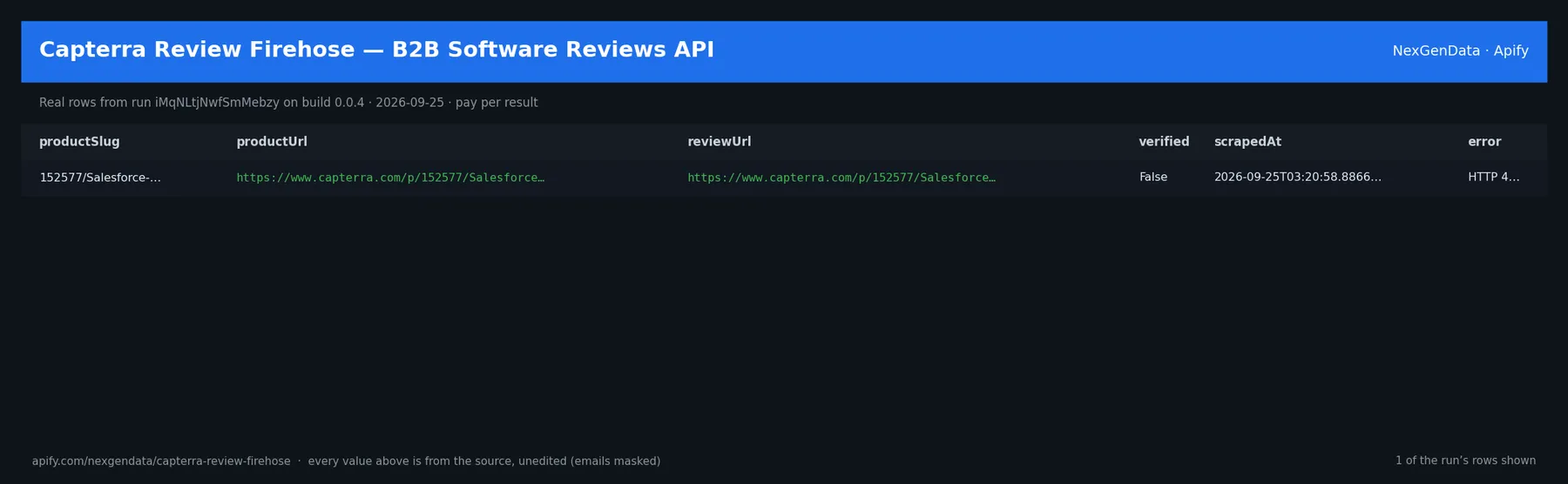
Six real rows from run 3QiCyzZpkcYKsQlzP (build 0.0.22, Oct 21, 2026, product salesforce-agentforce-sales, 30 reviews over 3 pages). Reviewer surnames are shortened here; the dataset has them as published on TrustRadius.
| Rating | Title | Reviewer | Role | Company (size) | Published |
|---|---|---|---|---|---|
| 4 | All-in-one CRM for better sales performance | Tripti K. | SDE | KSOLVES (501-1000 employees) | 2026-02-16 |
| 5 | Salesforce Sales Cloud Review | Tricia B. | Executive Assistant | Writer (201-500 employees) | 2025-11-05 |
| 5 | Salesforce Sales Cloud | Akhilesh G. | Technical Associate | NVIDIA (10,001+ employees) | 2025-11-05 |
| 4.5 | Salesforce Sales Cloud Review | Tiffany S. | Salesforce Administrator | YMCA (1001-5000 employees) | 2025-11-05 |
| 4.5 | Salesforce Sales Cloud Review | Wilbert B. | QA/BA Consultant | busq.io (1-10 employees) | 2025-11-05 |
| 5 | Salesforce Sales Cloud Review | Tricia B. | Salesforce Product Consultant | Daikin (10,001+ employees) | 2025-11-05 |
Notice the context in every row: the job title and company size let you split feedback by buyer type (a 1–10 person consultancy and a 10,001+ employee enterprise want different things), and the pros and cons arrive as separate fields, so you can count complaints without parsing free text.
✅ What you get
One row per review, with these fields:
source— alwaystrustradiusfor review rows.productSlug— the slug you sent.productName— product name as TrustRadius shows it (e.g. "Salesforce Agentforce Sales").productUrl— the TrustRadius reviews page that was read.reviewId— TrustRadius's id for the review (stable; use it to de-duplicate across runs).reviewUrl— direct link to the full review on TrustRadius.rating— TrustRadius's 1–10 score converted to a 1–5 scale (9/10 → 4.5). Can be null if a card has no score.title— the review headline.body_pros— the reviewer's pros, several points joined with|.body_cons— the reviewer's cons, joined the same way. Empty when the reviewer listed none (1 of 30 in the sample).body_overall— free-text summary when TrustRadius provides one in the page data; usually empty (TrustRadius puts the substance in pros and cons).reviewerName— reviewer's name as published.reviewerRole— job title.reviewerCompanyName— employer as shown on the review.reviewerCompanySize— company size band, e.g.501-1000 employees.reviewerIndustry— industry when TrustRadius shows one; often empty.verified— TrustRadius's own verified flag on the review card (true on 2 of 30 rows in the sample).useCase,wouldRecommend— kept for compatibility; empty / null for TrustRadius.publishedAt— publish timestamp (ISO 8601, UTC).scrapedAt— when the actor read the review.source_blocked— alwaysfalseon delivered rows (blocked sources never produce rows).
⚙️ Sample inputs
1. The Store example — 30 Salesforce reviews (3 pages). Returns 30 rows; costs $0.02 + 30 × $0.05 = $1.52.
2. Unhappy reviewers of two competitors since Jan 2025 — up to 100 reviews each, rating 3 or below. Use it to find displacement leads. Cost depends on how many low ratings exist; 40 matching reviews would be $0.02 + 40 × $0.05 = $2.02.
3. A weekly feed for several products — 50 reviews per product, with reviewer profile fields. Two products → up to 100 rows, at most $5.02. Schedule it and de-duplicate on reviewId downstream.
source is optional; it defaults to trustradius. The slug is the part of the TrustRadius address after /products/, for example https://www.trustradius.com/products/salesforce-agentforce-sales/reviews → salesforce-agentforce-sales.
🧾 JSON sample record
🔧 How it works
- For each product, the actor opens
https://www.trustradius.com/products/<slug>/reviewsthrough Apify Proxy (a residential retry is used if the first request is refused). - It reads the review cards from the page data TrustRadius sends to the browser. TrustRadius serves 10 reviews per page; the actor requests
?page=2,?page=3and so on until it hasmaxReviewsPerProductreviews, runs out of new reviews, or (withsinceDate) reaches reviews older than your date. In the sample run, 3 pages gave 30 different reviews in about 20 seconds. - Ratings are converted from 1–10 to 1–5, the rating and date filters are applied, and duplicates are dropped by
reviewId. - Each delivered review is pushed to the dataset and charged once (
review-pushed).
What it does not do: no login, no CAPTCHA solving, no private or paywalled data, and no reviews from other sites. GetApp and G2 are not supported; a product with source set to one of them is reported in the run status and not charged.
⏰ Set it on a schedule
Console → Schedules → add this actor with your input. Two common cadences:
- Daily:
0 7 * * *withmaxReviewsPerProduct20 — catches new reviews on busy products. - Weekly on Mondays:
0 7 * * 1withsinceDateset to last week — a clean weekly digest.
Nothing is stored between runs, so de-duplicate on reviewId in your destination (Google Sheets, a database, or Apify's dataset export).
💰 Pricing example
Live pricing: $0.02 actor start (one event per GB of memory; the default is 1 GB) plus $0.05 per review delivered.
- 30 reviews (the Store example): $0.02 + 30 × $0.05 = $1.52
- 50 reviews for one product: $0.02 + 50 × $0.05 = $2.52
- 5 products × 50 reviews: $0.02 + 250 × $0.05 = $12.52
- A run where nothing matches your filters, or the source cannot be read: $0.02 (start fee only).
Coverage note. You get what TrustRadius publishes for that product page. A product with few TrustRadius reviews returns few rows; filters (minRating, maxRating, sinceDate) reduce the count further. TrustRadius lists newest reviews first. Some fields (industry, overall text) are often blank on TrustRadius itself.
⚖️ Legal & ToS
The actor reads public review pages that anyone can open on trustradius.com without logging in. It does not access accounts, private profiles or contact details. Reviewer names and employers are shown exactly as TrustRadius publishes them. Use the data for market research, competitive analysis and product feedback; follow TrustRadius's terms of use and your local privacy rules when you store or reuse personal data.
❓ FAQ
Does it still scrape Capterra? No. Capterra blocks Apify's servers, so a Capterra request fails with a clear message and no per-review charge. Use the product's TrustRadius slug instead.
How do I find the slug? Open the product on trustradius.com; the slug is the part after /products/. You can also paste the full reviews URL into productUrl.
Why is the rating 4.5 and not 9? TrustRadius scores out of 10. The actor divides by 2 so ratings line up with other 5-star review sources.
Why did my run return 0 rows? Either the filters removed every review (the run succeeds and says so) or TrustRadius could not be read (the run fails and says so). Only the start fee is charged in both cases.
How many reviews can I get per product? Up to maxReviewsPerProduct (max 1,000), 10 per page, limited by how many reviews the product has on TrustRadius.
Do I need an API key? No TrustRadius key or account is needed.
🆘 Troubleshooting
- Run failed with "Cloudflare challenge" or an HTTP code → TrustRadius refused the request. Retry later; nothing was charged per review.
- "source not supported - use trustradius" → the input had
sourceset to getapp, g2 or similar. Removesourceor set it totrustradius. - Fewer rows than
maxReviewsPerProduct→ the product has fewer reviews, or your rating/date filters excluded the rest. - Wrong product → check the slug against the TrustRadius address; slugs change when products are renamed (Salesforce Sales Cloud is now
salesforce-agentforce-sales).
🔗 Related Actors
- App Reviews MCP — App Store & Google Play Reviews for Agents — app-store reviews as tools for AI agents.
- Google Play Reviews Scraper — Android app reviews when your product is a mobile app.
- iOS App Store Reviews Scraper — Apple App Store reviews and ratings.
- Sentiment Analysis — Review & Text Sentiment Scoring — score the pros and cons text from this actor.
- Website Tech Stack Audit — see which tools a reviewer's company runs.
🏢 About NexGenData — public-data actors for B2B research. See the full catalog at apify.com/nexgendata.
⭐ Found this useful?
If this actor saved you time, please leave a rating on its Store page — it helps other buyers find it.


![⭐ 6-in-1 B2B Software Reviews Scraper [From 💰$0.85/1K] avatar](https://images.apifyusercontent.com/6sgc0GIY7ob8L4ulROwv4huK5KKUj5uHfGCFNMgtgl0/rs:fill:76:76/cb:1/aHR0cHM6Ly9hcGlmeS1pbWFnZS11cGxvYWRzLXByb2QuczMudXMtZWFzdC0xLmFtYXpvbmF3cy5jb20vTldZc09HOTZmTUR5OHljZGYtYWN0b3ItOVV5RlFGY3V3bXZXRzkxdUgtQldScnNkd3N1US1zb2Z0d2FyZS1yZXZpZXdzLWFnZ3JlZ2F0b3ItbG9nby5wbmc.webp)

