

Website Technology Detector — Stack, Evidence & DNS Signals
Pricing
from $33.50 / 1,000 website tech-stack checks
Website Technology Detector — Stack, Evidence & DNS Signals
Find what websites run across 452 technologies: CMS, ecommerce, frameworks, analytics, CDN, hosting, payments, chat and marketing tools, plus email provider, DNS provider, SPF and DMARC. Robots honoured, evidence for every match; blocked sites are free.
Pricing
from $33.50 / 1,000 website tech-stack checks
Rating
0.0
(0)
Developer
NexGen Watch
Maintained by CommunityActor stats
0
Bookmarked
2
Total users
1
Monthly active users
6 days ago
Last modified
Categories
Share
Website Technology Detector — Stack, Evidence & DNS (BuiltWith Alternative)
Find out what any list of websites runs — a BuiltWith alternative that shows its evidence. Give it domains or URLs; each site's robots.txt is read first, then the pages it permits (home, /about, /about-us) are scanned and the result comes back as one row per site: the CMS, ecommerce platform, JavaScript framework, analytics, tag manager, CDN, hosting, web server, payments, chat widget, marketing/CRM, advertising, consent and security tools as their own columns, plus the full technology list with the exact header, cookie, resource URL or markup that proved each one. DNS adds what pages can't show: email provider, DNS provider, SPF senders, DMARC policy, domain verifications and hosting from reverse DNS.
- 452 technologies in 31 categories, precision-first: vendor-hosted asset URLs, vendor response headers, session-cookie names and framework markers. A product named in prose or linked in the footer does not trigger a match.
- Headline columns for a CRM import:
cms,ecommerce,framework,analytics,tag_manager,cdn,hosting,web_server,payments,chat_widget,marketing_crm,advertising,consent_management,security,email_provider,dns_provider,dmarc_policy. - Robots honoured per site before every fetch — a site that disallows the pages is reported
ROBOTS_BLOCKEDand never billed. SSRF-guarded (only public hosts), identifiedNexGenWatchBotuser agent, no exploit probing, no logins, no third-party API. - Input any way you like:
domains,urlsorwebsites— bare domains or full URLs.
Billing: $0.02 per run start, then $0.05 per completed scan (website_tech_check, verdict FINGERPRINTED). Robots-blocked, SSRF-refused, failed and unparseable targets are free status rows — never billed. DNS signals are included free.
Who uses this
- Sales and growth teams segmenting lead lists by stack (Shopify stores, HubSpot users, WordPress + WooCommerce shops, Google Workspace vs Microsoft 365).
- Agencies and consultants auditing a prospect's stack before a pitch, with evidence they can show.
- Analysts doing competitive and market research: what a niche's sites run, which CDNs and consent tools dominate, who enforces DMARC.
📊 Sample Output
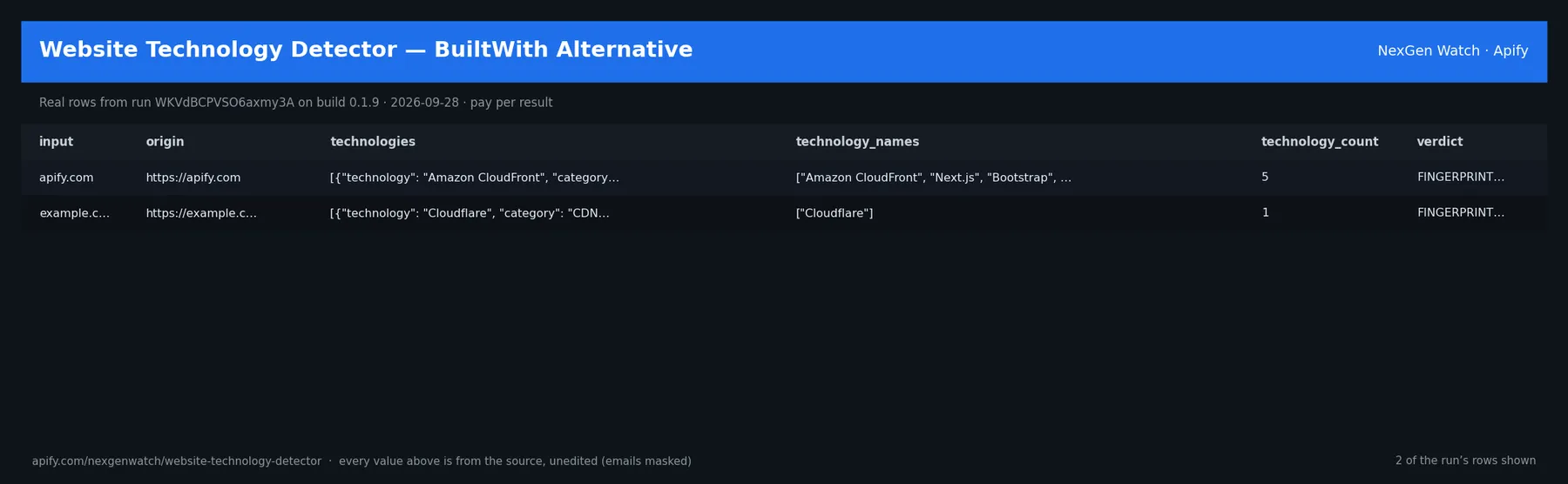
Real rows from run GTTVyxVeIcHf2M281 on build 0.1.27 (2026-10-18), the Quick start input below (long values shortened):
| domain | verdict | cms / ecommerce | framework | analytics / tag manager | cdn / hosting | email_provider | dns_provider | dmarc | techs |
|---|---|---|---|---|---|---|---|---|---|
| apify.com | FINGERPRINTED | Next.js | Google Tag Manager | Amazon CloudFront | Google Workspace | Amazon Route 53 | reject | 11 | |
| shopify.com | FINGERPRINTED | Shopify | Cloudflare | Google Workspace | self-hosted / othe… | reject | 4 | ||
| python.org | FINGERPRINTED | Fastly | self-hosted / othe… | Amazon Route 53 | none | 8 |
The run finished with the status message: NORMAL: 3 resolved (0 not-found, 0 ambiguous, 0 service-fault, 0 unparseable) of 3 | answers billable=3 | website_tech_check charged=3
✅ What you get
One website_tech_check row per website (verdict: FINGERPRINTED rows are billed; every other verdict is a free status row):
- Headline columns:
cms,ecommerce,framework,analytics,tag_manager,cdn,hosting,web_server,payments,chat_widget,marketing_crm,advertising,consent_management,security— one representative name each, or null. technologies— every detection as{technology, category, evidence, source, inferred}(sourcesays which page and signal: header, cookie, resource, markup or meta generator);technology_names,technology_count.- DNS:
email_provider,mx_hosts,dns_provider,nameservers,has_spf,spf_vendors,dmarc_policy(none / quarantine / reject),domain_verifications,hosting_provider_dns,ip_address,reverse_dns,dns_status. - Scan facts:
origin,domain,pages_fetched,pages_blocked_by_robots,robots_status,coverage_summary. verdict:FINGERPRINTED(completed scan — billed, even when nothing is recognised) ·ROBOTS_BLOCKED(site disallows the pages — free) ·SSRF_BLOCKED(non-public target — free) ·SERVICE_FAULT(every permitted fetch failed — free) ·UNPARSEABLE(not a domain — free), withunbilled_reason.
Three dataset views: Detected stacks, All technologies, DNS & email.
⚙️ Sample inputs
1. Quick start — three sites (the Store example)
About $0.17 on the Free tier ($0.02 start + 3 × $0.05).
2. A lead list, stack only (no DNS)
3. From the API — URLs instead of domains
🧾 JSON sample record
🔧 How it works
Fetch. The host is resolved and must be public (SSRF guard). robots.txt is read and honoured for our user agent; only permitted paths among /, /about, /about-us are fetched (one GET each, body capped). Only the site's own public, logged-out responses are used.
Detect. 452 fingerprints across 31 categories, matched against response headers, Set-Cookie names (values never read), the resource URLs the pages load (scripts, styles, images, frames, forms and URLs inside inline loader scripts — never plain links or prose), framework markers and the meta generator. Each hit records the evidence and the page it was seen on. Implied technologies (WordPress ⇒ PHP, Next.js ⇒ React) are labelled inferred: true.
DNS. The registrable domain's public MX, NS, TXT and _dmarc records plus the reverse DNS of the homepage IP are read over DNS-over-HTTPS and mapped to providers — public infrastructure data about the organisation, no person data.
Billing. Each completed scan is pushed and charged in one call; a row that cannot be charged is not delivered. A batch where every target was blocked or failed ends SUCCEEDED with SOURCE UNAVAILABLE … nothing charged and the status rows explain each one.
Limits. 10,000 sites per run; three pages per site (tools loaded only deeper in the site or purely client-side will not show).
💰 Pricing example
| Event | Free | Bronze | Silver | Gold |
|---|---|---|---|---|
Actor Start (apify-actor-start) | $0.02 | $0.02 | $0.02 | $0.02 |
Website scan (website_tech_check) | $0.05 | $0.045 | $0.04 | $0.0335 |
- 100 websites: $0.02 + 100 × $0.05 = $5.02
- 1,000 websites: $0.02 + 1,000 × $0.05 = $50.02
⚖️ Legal & ToS
Reads each site's public pages as any visitor would, honours robots.txt, identifies itself with a contact User-Agent, never logs in and performs no exploit probing. Technology names are factual identifications from public fingerprints; no page content is reproduced and no personal data is collected. DNS records are public infrastructure data.
❓ FAQ
Q: How does this compare with BuiltWith or Wappalyzer? A: Same job at pay-per-site pricing, with the evidence behind every detection and DNS/email signals included. Precision-first: a match means the vendor asset, header or cookie is actually present. Historic adoption data is not included.
Q: Why ROBOTS_BLOCKED?
A: The site's robots.txt disallows the pages for crawlers, so nothing is fetched. The row is free.
Q: A completed scan with zero technologies is billed? A: Yes — the pages were read and checked against the full set; that is the completed scan you pay for. Blocked and failed scans are never billed.
Q: Can I pass bare domains or URLs?
A: Either. domains, urls and websites all accept example.com or https://example.com/.
Q: What formats can I export? A: JSON, CSV, Excel or XML from the Dataset tab or API — the headline columns make the CSV CRM-ready.
🆘 Troubleshooting
- verdict = SERVICE_FAULT → every permitted page answered 4xx/5xx or timed out for direct requests; retry later. Free.
- A tool you know the site uses is missing → it may load only on inner pages, only after consent, or purely client-side without a vendor asset URL. Open an issue with the domain and we add the signature.
- Run TIMED-OUT → split the batch or raise the run timeout; delivered rows are kept.
🔗 Related Actors
- Tech Stack Detector — homepage-only, one request per site, billed only when something is detected.
- Website Contact Finder — public business contact details for the same domains.
- Website Screenshot API — a dated capture of any page.
- 🏢 About NexGen Watch — more than 300 public-data actors, pay-per-result: apify.com/nexgenwatch.
⭐ Found this useful?
A quick review on the Apify Store helps other teams find it. Feature request? Open it from the Issues tab — every one is read.


