

Website Technology Detector
Pricing
from $33.50 / 1,000 website tech-stack checks
Website Technology Detector
Fingerprint the technologies a website exposes on the pages its own robots.txt permits — web server, CDN, CMS / site builder, JavaScript frameworks, analytics and marketing tags — for buyer-supplied domains.
Pricing
from $33.50 / 1,000 website tech-stack checks
Rating
0.0
(0)
Developer

NexGen Watch
Maintained by CommunityActor stats
0
Bookmarked
2
Total users
1
Monthly active users
a day ago
Last modified
Categories
Share
🌐 Website Technology Detector
Fingerprint the technologies a website exposes on the pages its own robots.txt permits — web server,
CDN, CMS / site builder, JavaScript frameworks, analytics and marketing tags — for buyer-supplied domains.
One scan per domain, and every detection carries an evidence field: the concrete response header or HTML
substring that triggered it, and where it was seen.
Differentiation — the fleet-2-standard rebuild of the classic tech-lookup scraper (fleet-1 sibling:
tech-stack-analyzer). The trust deltas are the whole point:
- Robots honored. The origin's
robots.txtis fetched and honored per origin before every fetch — only pages the site permits are read. An origin that disallows the target pages is reportedROBOTS_BLOCKEDand skipped, never billed. - Evidence, not guesses. Each technology is reported with the exact header value or HTML fragment that matched, so you can audit every fingerprint instead of trusting an opaque label. Detection is from what the site publicly serves only — no exploit probing.
- Fail loud. SSRF-refused targets, all-failed fetches, and unparseable inputs are surfaced and never billed; a batch with no completed scan fails loud.
- Exact billing. You are charged only for a completed fingerprint scan on permitted pages
(
FINGERPRINTED) — including a permitted fetch that legitimately matches no signature (still a completed scan). Blocked and faulted origins are never billed. - SSRF-guarded. Only public hosts are fetched; private / loopback / link-local / metadata addresses are refused.
Output is one website_tech_check row per result; billing is pay-per-event, the value event being one website tech-stack check (a $0.02 start fee per run, then $0.05 per website tech-stack check).
📊 Sample Output
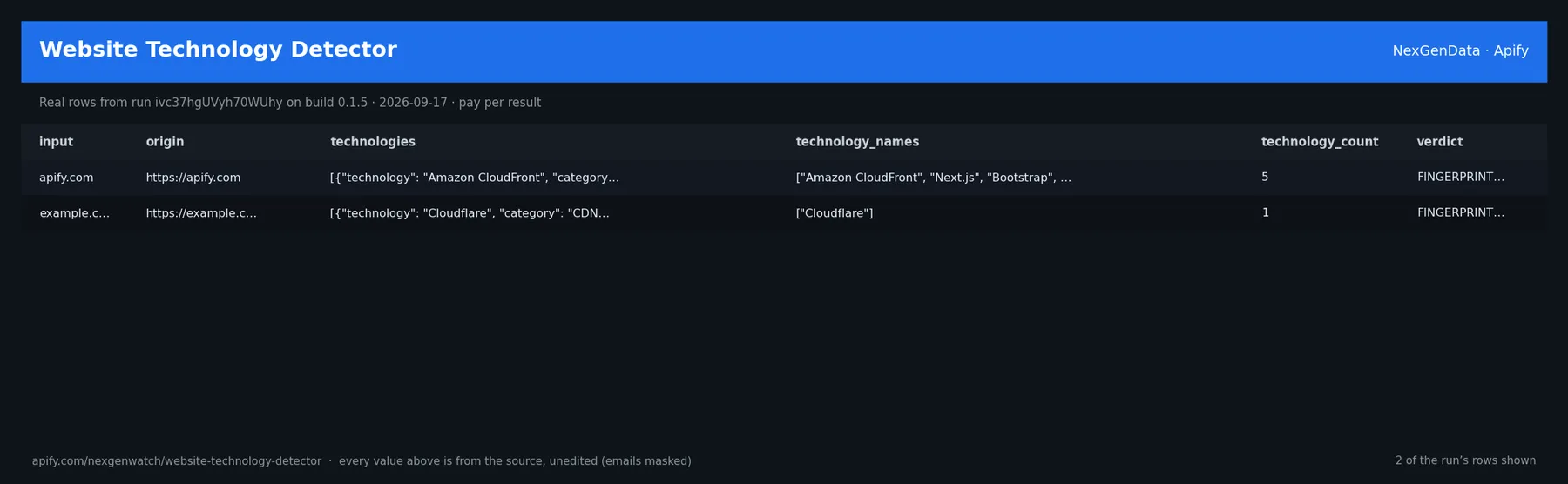
Real rows from run ivc37hgUVyh70WUhy on build 0.1.5 (2026-09-17), the same input as the Quick start below — every value is as the source published it (emails masked, long text shortened):
| input | origin | technologies | technology_names | technology_count | verdict |
|---|---|---|---|---|---|
| apify.com | https://apify.com | [{"technology": "Amazon CloudFront", "category": "CDN", "evidence": "v | ["Amazon CloudFront", "Next.js", "Bootstrap", "Google Tag Manager", "H | 5 | FINGERPRINTED |
| example.com | https://example.com | [{"technology": "Cloudflare", "category": "CDN", "evidence": "server: | ["Cloudflare"] | 1 | FINGERPRINTED |
The run finished with the status message: NORMAL: 2 resolved (0 not-found, 0 ambiguous, 0 service-fault, 0 unparseable) of 2 | answers billable=2 | website_tech_check charged=2
✅ What you get
Each row is flat JSON with these fields (from the dataset schema and the sample run; a field the source does not publish for a given row is null):
record_type(string/null) — e.g.website_tech_checkinput(string/null) — e.g.apify.comorigin(string/null) — e.g.https://apify.comsource(string/null) — e.g.buyer-supplied website, robots-permitted pages only (own fetch; no third-party Atechnologies(array/null) — e.g.[{"technology": "Amazon CloudFront", "category": "CDN", "evidence": "via: 1.1 62technology_names(array/null) — e.g.["Amazon CloudFront", "Next.js", "Bootstrap", "Google Tag Manager", "HubSpot"]technology_count(integer/null) — e.g.5pages_fetched(integer/null) — e.g.2pages_blocked_by_robots(array/null) — null in every sample rowrobots_status(string/null) — e.g.loadedverdict(string/null) — e.g.FINGERPRINTEDcoverage_summary(string/null) — e.g.scanned 2 permitted page(s); 5 technolog(ies) fingerprinted; 0 path(s) robots-blunbilled_reason(string/null) — null in every sample row
⚙️ Sample inputs
1. Quick start — the Store example (this is what the sample above came from)
The sample run charged exactly: 1 × $0.02 apify-actor-start + 2 × $0.05 website_tech_check = $0.12 on the Free tier — every delivered row was billed.
2. A smaller, narrowed run
A bounded run for checking the field shape before scheduling.
3. A full-size run
The same input run on a schedule; each run is billed only for what it delivers.
🧾 JSON sample record
One real record from run ivc37hgUVyh70WUhy, exactly as it lands in the dataset (emails masked, long text shortened):
🔧 How it works
Transport. Plain HTTPS from the Apify platform, no proxy. robots.txt is read first and a disallowed path is never fetched. Every request carries an identified contact User-Agent.
Charging. Each website tech-stack check is charged at the moment it is pushed (website_tech_check); a row that fails to charge is not delivered, so the dataset count always equals the charged count.
What it returns
Per domain: technologies (each {technology, category, evidence, source}), technology_names,
technology_count, pages_fetched, pages_blocked_by_robots, robots_status, and a coverage_summary.
Scope & PII
This reads technology fingerprints a site publicly serves — not personal data. Buyer-supplied domains only. It is not a person-discovery tool. Inputs are not retained beyond the run.
Billing
Pay-per-event. website_tech_check is charged once per completed fingerprint scan on robots-permitted
pages — $0.05. Volume tiers apply a GOLD-floored −10 / −20 / −33% ladder. apify-actor-start ($0.02)
is platform-reserved, never charged in code. Robots-blocked, SSRF-blocked, faulted and unparseable inputs are
never billed.
What is not done. No login, no cookie or CAPTCHA bypass, no private or personal-account data, no browser automation.
💰 Pricing example
| Event | Free | Bronze | Silver | Gold |
|---|---|---|---|---|
Actor Start (apify-actor-start) | $0.02 | $0.02 | $0.02 | $0.02 |
Website tech-stack check (website_tech_check) | $0.05 | $0.04 | $0.04 | $0.03 |
Worked at the live Free-tier price:
- 2 website tech-stack checks: $0.02 start + 2 × $0.05 = $0.12
- 25 website tech-stack checks: $0.02 start + 25 × $0.05 = $1.27
- 100 website tech-stack checks: $0.02 start + 100 × $0.05 = $5.02
A run that delivers zero rows charges the $0.02 start fee only. A BLOCKED run (source refused) fails loud and charges no value event. The start fee is charged once per GB of run memory; the default run memory is 1024 MB.
Yield on the sample run: NORMAL: 2 resolved (0 not-found, 0 ambiguous, 0 service-fault, 0 unparseable) of 2 | answers billable=2 | website_tech_check charged=2.
⚖️ Legal & ToS
This actor reads public data only. It collects only what the source publishes to any visitor, keeps to the source's robots rules (checked on every run), identifies itself with a contact User-Agent, and does not access accounts, private data or anything behind authentication. Use the output in line with the source's terms and your local law; the intended use is B2B research and monitoring.
❓ FAQ
Q: Do I need an API key or a login?
A: No. the input schema has no key field and the actor carries no secrets.
Q: Why did my run return 0 rows?
A: Read the run's status message. GENUINE_EMPTY means the source was read and had nothing in scope for your input; BLOCKED means the source refused and the run failed without billing a value event — retry later or narrow the input. A zero-row run bills the start fee only.
Q: How fresh is the data?
A: Every run reads the source live at run time; nothing is cached between runs. Put it on a schedule for a continuous feed.
Q: What formats can I export?
A: The dataset downloads as JSON, CSV, Excel, XML or RSS from the run's Dataset tab or the Apify API, and any run can push to a webhook or integration.
Q: How is this different from the other web QA and enrichment tools actors?
A: Same output shape and billing model; this one covers Website Technology Detector. The siblings under Related Actors cover the other sources or slices — run several on one schedule for a combined feed.
Q: Are there rate limits?
A: The actor paces itself against the source and honours its robots rules; there is no per-buyer limit beyond your Apify plan's concurrency.
🆘 Troubleshooting
- Run FAILED with BLOCKED → the source refused the request or changed its page shape → nothing was billed beyond the start fee; retry after a while, and if it persists open an Issue with the run id.
- Fewer rows than expected → the source had fewer items in scope → widen the input.
- Input validation error on start → a field is outside the schema's allowed values → start from the Quick start block and change one field at a time.
- Run TIMED-OUT → a very wide request on a slow day → raise the run timeout in Run options or narrow the input; what was delivered before the timeout is still in the dataset.
🔗 Related Actors
- Website Contact Finder — Email, Phone & Social Links — Find business emails, phone numbers, and social profile links published on company websites. Submit domains or URLs and pay only when a contact-beari…
- Website Migration Link Auditor — Audits an old→new URL migration manifest. Each source URL gets an acceptance receipt: redirect target/chain/loop, 404/410/5xx, fragment survival, can…
- Website Screenshot Evidence API — Captures a headless-Chromium screenshot of each URL as a hashed evidence bundle — the image plus its final URL, HTTP state, capture timestamp, browse…
- Article Record Extractor — Turns a list of article URLs into normalized records: title, author, published/modified dates, canonical, heading outline, main text, word count, lan…
- 🏢 About NexGenData — NexGen Watch is NexGenData's fleet of 256 public monitoring and lookup actors built on official sources, pay-per-result. Browse the catalog at apify.com/nexgenwatch.
⭐ Found this useful?
If this actor saved you a manual check, a quick review on the Apify Store helps other teams find it. Feature request or a source that changed? Open it from the Issues tab — every one is read.


