
G2 Scraper — Software Reviews, Ratings, Emails & Leads
Pricing
from $4.00 / 1,000 review scrapeds
G2 Scraper — Software Reviews, Ratings, Emails & Leads
G2.com scraper and unofficial G2 API: B2B software reviews with reviewer detail, product profiles with per-criterion scores (Ease of Use, Setup, Support), star distribution, pros & cons themes with counts, pricing, features, integrations, alternatives and comparisons. Export JSON, CSV, Excel.
Pricing
from $4.00 / 1,000 review scrapeds
Rating
0.0
(0)
Developer

Raven
Maintained by CommunityActor stats
0
Bookmarked
4
Total users
3
Monthly active users
14 days ago
Last modified
Categories
Share
G2 Scraper — Reviews, Products, Ratings & Competitors
Scrape G2.com reviews and product intelligence from $4.50 per 1,000 reviews. No login, no API key, no code, no proxies to configure — paste a product, a category, a search or a comparison URL and get clean rows.
One input field for everything. A product URL or slug, a category, a G2 search URL, a comparison URL, or just a search phrase — each entry is recognised automatically. No separate field per task.
$4.50 / 1,000 reviews · $0.012 per product profile · $3.00 / 1,000 listing rows · $0.007 per run. Free tier: new Apify users get $5 in platform credits — that's about 1,100 reviews at no cost.
Contents: What it does · Why use it · Data you get · Step by step · Past the 100-review limit · Recipes · Pricing · MCP · Legality · FAQ
| Raven · Reviews & business-data suite • G2, Trustpilot, Google Maps, website contacts | |||
 G2 Scraper G2 Scraper➤ You are here |
 Trustpilot Scraper Trustpilot ScraperReviews, companies, scores |
 Google Maps Google MapsPlaces, emails, reviews |
 Website Contacts Website ContactsEmails, phones, socials |
What does this G2 Scraper do?
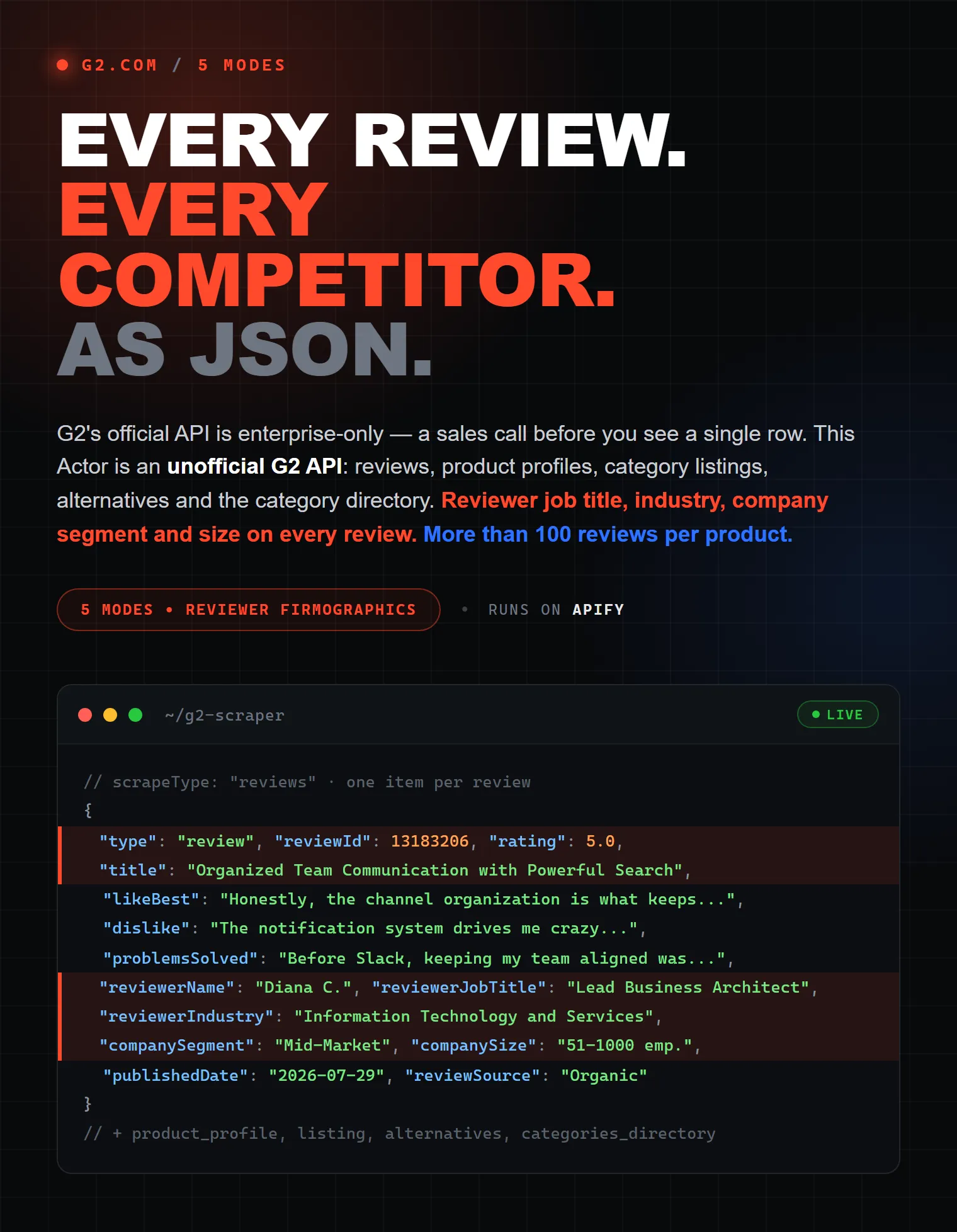
G2.com is the largest B2B software review platform. Its official API is enterprise-only — a sales call, a contract and a procurement cycle before you see a single row. This actor works as an unofficial G2 API: an HTTP endpoint you can call today, with no contract and no login, returning the same publicly visible review and product data as structured JSON.
Pick what you want in What to collect, paste where to start, and each mode returns exactly one record type:
| Mode | Record type | What you get |
|---|---|---|
| Reviews | review | One row per review: full text of every G2 review question, rating, reviewer job title, industry, company size, verification badges, how the reviewer was validated, the vendor's reply |
| Product profiles | product | One row per product: rating, star-by-star distribution, per-criterion scores (Ease of Use, Ease of Setup, Ease of Admin, Quality of Support, Meets Requirements), pros & cons themes with counts, G2's AI review summary, pricing plans, features, integrations, seller, review breakdowns |
| Listing only | search_result / category_product / comparison_product | The ranked product list from a category, a search or a comparison page — each row with its vendor, description, rating, pros & cons themes and G2's review summary |
| Alternatives & competitors | alternative | The competitor set G2 lists for a product, with ratings, review counts, shared categories and how reviewers rate each one against your product |
| All G2 categories | category | The full G2 category directory with category IDs and parent categories — no input needed |
Why use this scraper?
- ✅ 27–34 fields per review — every G2 review question in full, not a truncated snippet
- ✅ Up to 45 fields per product profile, including the per-criterion scores G2 publishes only on its comparison pages
- ✅ Past G2's 100-review ceiling — the site itself never shows more than 10 pages per filter view; this actor slices and de-duplicates to go deeper
- ✅ One input field that accepts products, categories, searches, comparisons, slugs or plain phrases — mixed freely
- ✅ Two steps in one run — start from a search, get reviews for every product it finds
- ✅ One mode, one record type — your dataset is already a single clean table, not a mixed bag needing a filter
- ✅ Exact review breakdowns — counts by company size, reviewer role, industry, region and category
- ✅ Ratings per criterion — Meets Requirements, Ease of Use, Ease of Setup, Ease of Admin, Quality of Support, partner in doing business and Product Direction, each out of 10 with the review count behind it
- ✅ Star-by-star distribution — how many reviews sit at 5, 4, 3, 2 and 1 star, and each one's share
- ✅ Pros & cons themes with counts — G2's own review-derived themes, and its AI summary of what users say
- ✅ Anti-bot handling and proxy rotation built in — nothing to configure
- ✅ Charge cap respected — set a maximum charge per run and the actor stops there instead of overrunning it
| G2's official API | Typical G2 scrapers | This actor | |
|---|---|---|---|
| Access | Enterprise contract, sales call | Apify account | Apify account |
| Setup | Weeks of procurement | Minutes | Minutes |
| Input | API keys and docs | Usually one URL type per actor | Products, categories, searches and comparisons in one field |
| Reviews per product | Contract-dependent | Often capped at what one filter view shows | Sliced past the public 100-per-view ceiling |
| Review breakdowns by segment/industry/region | — | Rarely | ✅ with exact counts |
| Ratings per criterion (Ease of Use, Setup, Admin, Support) | ✅ | Rarely | ✅ with the review count behind each score |
| Star distribution and pros/cons themes | — | Rarely | ✅ with exact counts |
| Record types | — | Often mixed in one dataset | One type per run |
What data can you extract?
Review fields
| Field | Example |
|---|---|
rating | 4.5 |
title | Organized Team Communication with Powerful Search |
likeBest | Full answer to "What do you like best?" |
dislike | Full answer to "What do you dislike?" |
problemsSolved | Which problems the product solves for them |
recommendations | Advice to other buyers, when the reviewer left any |
reviewerName | Diana C. |
reviewerJobTitle | Lead Business Efficiency Architect |
reviewerIndustry | Information Technology and Services |
companySegment / companySize | Mid-Market / 51-1000 emp. |
publishedDate / updatedDate | 2026-07-29 / 2026-07-31 |
reviewSource | Organic, G2 invite |
isValidatedReviewer / isCurrentUser / isIncentivized / isVideoReview | true / false |
badges | ["Current User", "Validated Reviewer", "Source: Organic"] |
validationMethod | LinkedIn, a business email account |
reviewerAvatarUrl | Reviewer profile picture, when they have one |
vendorResponse / vendorResponseAuthor | The vendor's official reply and who wrote it |
disclaimer | Any G2 notice attached to the review |
reviewId / reviewerId / url | Stable IDs and a direct link to the review |
productId / productUuid / vendorId / productName | Join keys back to the product |
Product profile fields
Ratings and volume: rating, reviewCount, totalReviews, bestRating, worstRating, ratingDistribution (count and share per star).
Scores per criterion: criteriaRatings — meetsRequirements, easeOfUse, easeOfSetup, easeOfAdmin, qualityOfSupport, goodPartnerInDoingBusiness, productDirection, each with a score out of 10 and the number of reviews behind it.
What reviewers say: prosAndCons (theme, pro/con, review count), aiReviewSummary, topPros, topCons.
Positioning: categories, breadcrumbs, description, tagline, metaDescription, solutionType, isAiVerified, featuredCompanies, topAlternatives, topComparisons.
Product detail: features (checklist grouped by feature category), integrations (name and slug), integrationsCount, languagesSupported, operatingSystem.
Commercial: pricingPlans (name, price, billing unit), entryPrice, hasFreeTrial, sellerName, sellerUrl.
Breakdowns with exact counts: byCompanySegment, byReviewerRole, byIndustry, byRegion, byCategory.
Identity: slug, name, url, productId, productUuid, vendorId, imageUrl.
Listing fields
position, name, slug, url, rating, reviewCount, sellerName, sellerUrl, imageUrl, description, solutionType, isAiVerified, productId, productUuid, vendorId, productType, plus sourceUrl, sourceTitle and the query or category the row came from.
Category rows add categoryId, bestFor (G2's editorial one-liner in category tables), aiReviewSummary and prosAndCons. Search rows add relatedCategories. Alternative rows add comparisonVerdicts (how reviewers rate the alternative against your product) and commonCategories. Comparison rows add criteriaRatings and hasFreeTrial for every product on the page.
Category-directory rows (category) carry slug, name, url, categoryId and parentCategory.
How to scrape G2 step by step
- Sign in to Apify — new accounts get $5 in free monthly credits, enough for roughly 1,100 reviews.
- Open the actor and choose What to collect (Reviews, Product profiles, Listing, Alternatives, or All categories).
- Paste your targets into the single input field —
slack,https://www.g2.com/categories/crm,https://www.g2.com/search?query=bank, or justproject management. - Optionally set Max reviews per product, a sort order, and filters for star rating, company size, reviewer role or region.
- Click Start. Rows appear while the run is still going.
- Export from the Dataset tab as JSON, CSV, Excel, XML or JSONL — or pull it through the API.
How to get more than 100 reviews per product
G2's own website only ever shows 10 pages — 100 reviews — for any single filter view. Page 11 returns the same rows as page 10. Most scrapers inherit that ceiling silently and simply stop.
This actor works around it: when you ask for more than a single view can give, it collects reviews in slices along G2's own filter axes — star rating, company size, reviewer role, then region — and de-duplicates every row by review ID. Ask for 500 or 5,000 and you get 500 or 5,000 distinct reviews.
Nothing to configure — just set Max reviews per product. Set it to 0 to take everything a product has (Slack alone has over 39,000).
One input field, any starting point
You never pick a different field per task. Paste anything into targets — mix types freely, one per line:
| You paste | Recognised as |
|---|---|
https://www.g2.com/products/slack/reviews or slack | a product |
https://www.g2.com/categories/crm or crm | a category |
https://www.g2.com/search?query=bank or project management | a search |
https://www.g2.com/compare/slack-vs-microsoft-teams or slack,microsoft-teams | a comparison |
Two steps in one run
Because the mode says what you want and the input says where to start, chaining is automatic. Ask for reviews but start from a search, and the actor walks the listing itself, then collects reviews for every product it found:
The listing is used to find products, and its rows are not added to your dataset — so you are never billed for rows you did not ask for. When the product list itself is what you want, use the Listing mode.
Input parameters
| Parameter | Type | Default | Description |
|---|---|---|---|
scrapeType | select | reviews | What to collect: reviews, product_profile, listing, alternatives, categories_directory |
targets | array | — | Products, categories, searches, comparisons, slugs or plain phrases — mixed freely |
maxProductsToFollow | integer | 10 | How many products to scrape from a listing. 0 = no limit |
maxReviewsPerProduct | integer | 100 | Review cap per product. 0 = every review available |
sortBy | select | most_recent | most_recent, most_helpful, highest_rated, lowest_rated |
stars | array | all | Keep only selected star ratings (5…1) |
companySegments | array | all | Small-Business, Mid-Market, Enterprise |
reviewerRoles | array | all | User, Administrator, Executive Sponsor, Internal Consultant, Consultant, Agency, Industry Analyst / Tech Writer |
regions | array | all | North America, Asia, Europe, Latin America, Middle East, Africa, ANZ |
maxItems | integer | 0 | Hard cap on total records for the run |
maxListingPages | integer | 1 | Pages to walk in a category listing (~20–30 products each) |
proxyConfiguration | proxy | Residential US (paid runs use a premium pool) | Proxy used for the run. G2 scores the exit IP as hard as the browser, so paid runs go through a premium residential pool that G2 lets through; leave this field empty to get it. Setting it explicitly overrides that choice. |
Ready-to-paste input recipes
Latest reviews for two products
Mine complaints from enterprise buyers
Profiles of the top 20 CRM products
Reviews for everything a keyword search returns
Admin-only reviews from North America
Competitor set for a product
The whole G2 category directory
Output examples
Review row
Product row
Listing row
How much does it cost to scrape G2?
Pay only for the records you receive.
| Event | Price |
|---|---|
| Actor start | $0.007 per run |
| Review | $0.0045 |
| Product profile | $0.012 |
| Listing item (search / category / comparison) | $0.003 |
| Alternative / competitor | $0.003 |
| Category | $0.001 |
Worked examples, with the arithmetic shown:
| Task | Cost |
|---|---|
| 100 reviews for one product | $0.007 + 100 × $0.0045 = $0.46 |
| 1,000 reviews for one product | $0.007 + 1,000 × $0.0045 = $4.51 |
| 10,000 reviews | $0.007 + 10,000 × $0.0045 = $45.01 |
| 100 product profiles | $0.007 + 100 × $0.012 = $1.21 |
| 25 products from a search listing | $0.007 + 25 × $0.003 = $0.08 |
| The full G2 category directory | under $0.50 |
On the free plan, Apify's $5 monthly credit covers roughly 1,100 reviews, 400 product profiles or 1,600 listing rows — enough to evaluate the actor properly before paying anything.
The price is all-in: there is nothing extra to buy on top, and you are never charged for a target that returns no data. Set Maximum charge per run in the actor's options and the run stops when it reaches your cap rather than overrunning it.
Integrations
Because this runs on Apify, the output plugs into the tools you already use — no glue code:
- Google Sheets — auto-export every run's dataset into a sheet.
- Slack / Microsoft Teams — alert on new one- and two-star reviews for your product or a competitor's.
- Make and Zapier — push reviews into a CRM, a warehouse or a ticketing system.
- n8n — self-hosted workflows over the same dataset.
- Webhooks — fire your own endpoint the moment a run finishes.
- API clients — official Python and JavaScript clients, plus plain REST.
- Schedules — run daily or weekly and diff on
reviewIdto catch only what is new.
Use with AI agents (MCP)
Every Apify actor is reachable through the Apify MCP server, so an AI assistant can run this scraper as a tool. Add it to Claude Desktop, Cursor or VS Code:
Then just ask:
"Pull the 200 most recent G2 reviews of Notion, keep only the one- and two-star ones from enterprise reviewers, and summarise the recurring complaints."
Copy to your AI assistant
Paste this block into ChatGPT, Claude or Cursor to have it write the integration for you:
Popular use cases
- Competitive intelligence — pull a competitor's one- and two-star reviews with
starsandsortBy: lowest_rated, then minedislikefor the objections your sales team keeps hearing. - Win/loss research — run the Alternatives mode and read
comparisonVerdicts: how reviewers rate each competitor against your product on price, support and time to ROI. - Product management —
topConsgives G2's own ranked complaint themes;problemsSolvedexplains what users actually hired the product to do. - Market research —
byIndustry,byCompanySegmentandbyRegionreveal which segments a product really serves, with exact counts. - Sales enablement — build battlecards from
topPros,topCons,pricingPlansand the competitor set in one run. - Investor due diligence — track rating and review volume across a category over time with a scheduled run.
- AI and RAG pipelines — full review text with reviewer role, industry and company size makes clean, well-labelled chunks.
- Lead research — category and search listings give you the ranked vendor landscape with ratings and review counts.
Is it legal to scrape G2?
Scraping publicly available web pages is generally legal, and this actor only reads what any visitor can see on G2 — no login, no paywall, no private data. It does not attempt to access anything behind an account.
Review text and reviewer display names are personal data in some jurisdictions. If you store or process them, make sure you have a lawful basis under GDPR, CCPA or the equivalent local rules, and do not use the data to contact, profile or target individual reviewers. When in doubt, talk to your counsel.
Apify has a good primer on the topic: Is web scraping legal?
This is an independent tool. It is not affiliated with, endorsed by or sponsored by G2.com, Inc. All trademarks belong to their respective owners.
FAQ
Does G2 have a public API?
Not an open one. G2's official API is sold on enterprise terms — a sales conversation and a contract before access. This actor gives you the same publicly visible review and product data immediately, with no contract.
How many reviews can I scrape per product?
As many as the product has. G2's own site caps any single filter view at 100 reviews, and this actor goes past that by slicing along G2's filter axes and de-duplicating. Slack has over 39,000 reviews and all of them are reachable; use Max reviews per product to keep runs bounded.
Do I need proxies or an API key?
No. Proxy handling and anti-bot protection are built in, and residential US proxies are the default. You do not need a G2 account or any key.
Can I export G2 reviews to CSV or Excel?
Yes. Every run's dataset exports as CSV, Excel, JSON, XML or JSONL from the Apify Console, or through the API with ?format=csv.
Will I be charged for URLs that return nothing?
No. Charging is per delivered record, so a target with no reviews costs nothing beyond the run start.
Why do some reviews have no job title or industry?
Because the reviewer did not disclose it — those fields are optional on G2's form. Roughly a third of reviews omit the industry. Missing values are left out rather than filled with guesses, and reviews G2 publishes anonymously are flagged with reviewerIsAnonymous.
Can I get only new reviews since my last run?
Use sortBy: "most_recent" with a modest Max reviews per product, run it on a Schedule, and de-duplicate on reviewId. The actor does not keep state between runs, so the diff happens on your side.
Can I filter reviews by date?
There is no date filter. Sort by Most recent and stop at the volume you need — publishedDate and updatedDate are on every row for filtering afterwards.
Does it return the sub-ratings like Ease of Use?
Yes, per product. Product profiles mode returns criteriaRatings with Meets Requirements, Ease of Use, Ease of Setup, Ease of Admin, Quality of Support, partner in doing business and Product Direction — each scored out of 10 with the number of reviews behind it. Listing mode returns the same block for every product on a comparison page. G2 publishes these as product aggregates only, so they are not attached to individual review rows.
What does one run return — reviews, products, or both?
Exactly what you asked for. Each mode returns a single record type, so your dataset is one clean table. If you want both reviews and profiles, run the actor twice.
My run returned fewer reviews than the product page shows. Why?
Filters narrow the pool — a star, segment, role or region filter reduces the count, and the review total shown in the actor's output reflects the filtered view. Also check Max reviews per product and Max items, which both cap the run.
Can I scrape a whole category instead of one product?
Yes. Paste a category URL or slug (crm) and pick Listing mode for the product list, or Reviews mode to walk the category and collect reviews for every product in it, bounded by Max products per listing.
How fresh is the data?
Every run fetches live pages — there is no cache. What you get is what G2 shows at that moment.
How fast is a run?
It depends on volume and on G2's response times, so no fixed throughput is promised. Rows stream into the dataset as they are parsed, so you can start using the output before the run finishes.
Feedback & support
Found a bug or need a field that is not in the output? Open an issue on the Issues tab of the actor page and include the run ID — that makes it fast to reproduce and fix. Feature requests for additional G2 pages are welcome.
More scrapers by this developer
- Trustpilot All-in-One Scraper — consumer reviews to pair with G2's B2B data
- Similarweb Scraper — traffic and audience data for the vendors you shortlist
- Semrush Scraper — keyword and competitor visibility data
- Ahrefs SEO Tools — backlinks and organic traffic estimates
- Meta Ads Library Scraper — what your competitors are advertising right now
- Google Maps Scraper — local business data and reviews
Tags: g2 scraper, g2.com scraper, g2 reviews scraper, scrape g2 reviews, g2 api, unofficial g2 api, g2 reviews api, g2 product data, g2 ratings scraper, g2 category scraper, g2 search scraper, g2 competitors scraper, g2 alternatives scraper, software reviews scraper, b2b software reviews, saas review data, software market research, competitive intelligence, win loss analysis, review monitoring, g2 crowd scraper, g2 csv export, g2 json export, no code scraper


