

SimilarWeb Data Extractor — Site Rankings & Trends
Pricing
from $1.00 / 1,000 results
SimilarWeb Data Extractor — Site Rankings & Trends
SimilarWeb scraper for top-website rankings by country and category (bounce rate, pages per visit, visit duration), trending sites, e-commerce snapshots and domain/company search across 37 countries and 25 categories. No SimilarWeb subscription or API key needed.
Pricing
from $1.00 / 1,000 results
Rating
5.0
(1)
Developer

Rastriq — Structured data from the world
Maintained by CommunityActor stats
0
Bookmarked
31
Total users
4
Monthly active users
2 days ago
Last modified
Categories
Features
Share
SimilarWeb Data Extractor — Top Websites, Rankings, Trends & E-commerce Snapshots
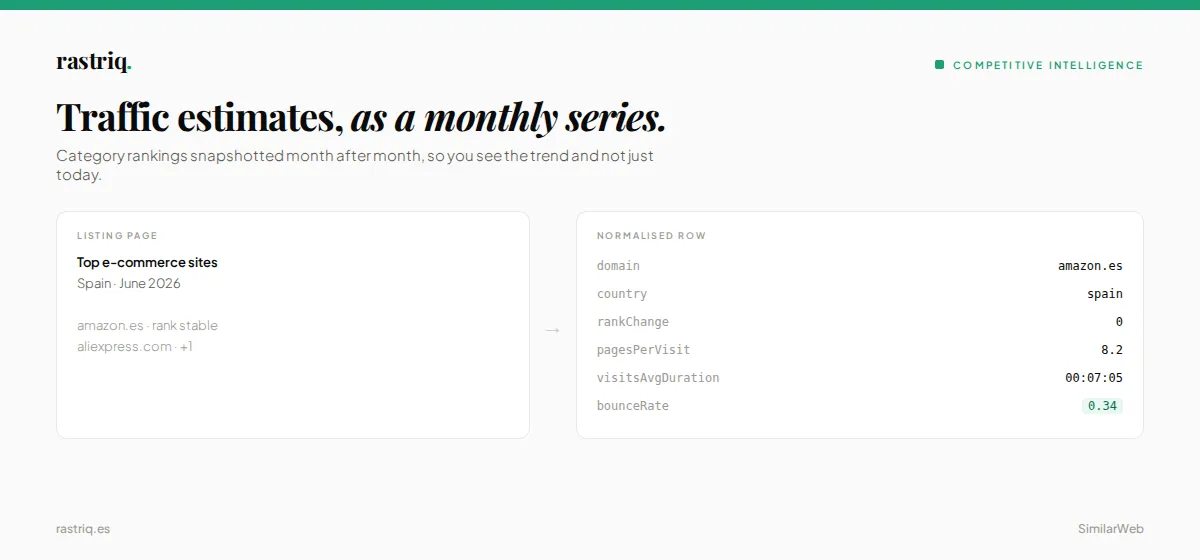 Use SimilarWeb Data Extractor to pull website traffic rankings, trending sites, e-commerce shopper data, and universal search results from SimilarWeb — no API key or subscription required.
Try it free — your first $5 of usage is on Apify. No credit card required.
🔍 What is SimilarWeb Data Extractor?
SimilarWeb Data Extractor is an unofficial SimilarWeb scraper and API that extracts competitive intelligence from SimilarWeb's public endpoints — traffic rankings, trending sites, e-commerce insights, and entity search across 37 countries and 25 categories.
Scope, honestly: it does not return a per-domain monthly-visits report. It returns what SimilarWeb publishes openly: ranked sites with engagement metrics (bounce rate, pages per visit, visit duration), rank movers, an e-commerce snapshot, and domain/company/keyword lookup. Use it to see who leads a market and how competitors rank, not to download a full traffic audit of one site.
Use SimilarWeb Data Extractor to:
- Benchmark competitor engagement — get the leading sites in any country and category with bounce rate, pages/visit, and session duration (the public endpoint returns 5 sites per snapshot)
- Track trending sites — discover which websites are rising, falling, entering, or leaving the top 100
- Analyze e-commerce performance — extract SimilarWeb's e-commerce snapshot: revenue estimate, top products, top brands, and subcategories
- Search across entities — find websites, keywords, apps, companies, and technologies in a single query
- Automate competitive monitoring — schedule daily/weekly runs and integrate via API, Make, or Zapier
See real records before you run it
A public sample dataset is open — no account, no token:
📊 Four extraction modes
| Mode | What it delivers | Use case |
|---|---|---|
| 📈 Top Websites Ranking | Leading sites for any country + category (5 per snapshot) — bounce rate, pages/visit, session duration | Market sizing, competitive benchmarking |
| 🔥 Trending Websites | Rising, falling, entering, and leaving the top 100 | Trend monitoring, early-mover detection |
| 🛒 E-commerce Shopper Data | Revenue estimate, top products, top brands, subcategories | E-commerce market research |
| 🔎 Universal Search | Websites, keywords, iOS/Android apps, companies, technologies matching a query | Entity discovery, lead generation |
SimilarWeb Data Extractor can run all four modes in a single run — enable the ones you need. Top Websites and Trends run first, then shopper domains and search terms run in parallel (5 at a time).
Heads-up on shopper data: in our tests the public e-commerce endpoint returned the same marketplace-level payload for
amazon.com,walmart.comandebay.com(thedomainfield only echoes your input). Treat it as a market snapshot, not per-retailer revenue.
📋 What data does SimilarWeb Data Extractor extract?
Top Websites Ranking
Each request produces one record with a sites[] array.
| Field | Type | Description |
|---|---|---|
country | string | Country filter applied |
category | string | Category filter applied |
snapshotDate | date | Data period |
sites[].domain | string | Website domain |
sites[].rankChange | number | Position change since last period |
sites[].pagesPerVisit | number | Average pages viewed per visit |
sites[].bounceRate | number | Bounce rate (0–1) |
sites[].visitsAvgDurationFormatted | string | Average session duration (HH:MM:SS) |
E-commerce Shopper Data
| Field | Type | Description |
|---|---|---|
domain | string | E-commerce website |
revenue | object | Revenue estimate, YoY change, 1P/3P share |
topProducts | array | Top products by views — name, category, brand, views, YoY change |
topBrands | array | Top brands — revenue share, product views, conversion rate |
topSubCategories | array | Top product subcategories |
currency | string | Revenue currency |
oss | object | Organic vs paid share |
siteToCountryMap | object | Related marketplace domains by country |
Trending Websites
| Field | Type | Description |
|---|---|---|
increasingWebsites | array | Sites climbing the rankings — domain, rank, change |
decreasingWebsites | array | Sites losing positions |
inWebsites | array | New entries in the top 100 |
outWebsites | array | Sites that dropped out of the top 100 |
Universal Search
| Field | Type | Description |
|---|---|---|
term | string | Search query |
websites | array | Matching website domains |
keywords | array | Related keywords |
apps | object | iOS and Android apps |
companies | array | Matching companies (name, domain, logo) |
technologies | array | Matching technologies |
Browse sample data — see exactly what you'll get before running.
📦 Output example
Here's a real top websites ranking for e-commerce in the United States (shortened):
And here's a shortened e-commerce shopper data result for amazon.com:
Download results in JSON, CSV, Excel, XML, or HTML from the Output tab, or pull them via API.
Browse sample records — see exactly what you'll get before running.
🚀 How to use SimilarWeb Data Extractor
- Create a free Apify account at apify.com — your first $5 is free
- Open SimilarWeb Data Extractor and click Try for free
- Toggle on the modes you need — Top Websites, Trends, E-commerce, or Universal Search
- Select a country and category for rankings, or enter domains for e-commerce data and search terms for lookup
- Click Start — most queries complete in under 15 seconds
- Preview your data in the Output tab
- Export in JSON, CSV, or Excel — or connect via API, Make, or Zapier
Tip: The form is pre-filled — click Start as-is to get the top US e-commerce websites, trending sites, an
amazon.comshopper snapshot and a search for "artificial intelligence". That prefilled run returned 4 records in about 9 seconds in our test.
⚙️ Input parameters
| Parameter | Type | Default | Description |
|---|---|---|---|
includeTopWebsites | boolean | false | Fetch the top-ranked websites by traffic for a country + category |
country | select | worldwide | Country filter — 37 countries available (Spain, USA, UK, Germany, France, etc.) |
category | select | all | Industry category — 25 options (E-commerce, Finance, News, Technology, etc.) |
includeTrends | boolean | false | Fetch trending websites — rising, falling, entering, leaving top 100 |
shopperDomains | array | — | E-commerce domains (e.g., amazon.com); see the shopper-data note above |
searchTerms | array | — | Universal search queries — returns websites, keywords, apps, companies, technologies |
delayBetweenRequests | integer | 1 | Seconds between API requests — increase if rate-limited |
debugMode | boolean | false | Enable verbose logging for troubleshooting |
💰 How much does it cost to use SimilarWeb Data Extractor?
$1.00 per 1,000 results (+ $0.005 per start). Your $5 free trial credit covers ~4,900 results. Each record is one ranking, trends snapshot, shopper domain or search term, so a typical run costs a fraction of a cent.
💡 Use cases
- Competitive intelligence — see the leading websites in any country and category, and track which are rising or falling
- Competitor benchmarking — compare bounce rate, pages per visit and visit duration across the top-ranked sites in a market
- E-commerce market research — read SimilarWeb's e-commerce snapshot: top products, brands, subcategories
- Market sizing — identify the leading websites in any country and category for opportunity analysis
- Trend monitoring — track which websites move up or down the rankings in any market
- Competitor discovery — look up a brand name and get its domains, related keywords, apps and companies in one query
- Lead generation — find websites in specific verticals and geographies for outreach
- Marketing research — pair rankings with search demand from Google Trends Scraper
🔗 Integrations & scheduling
- Schedule daily or weekly runs from the Apify Console for automated data collection
- Push results to Google Sheets, Slack, Zapier, Make, webhooks, or any database
- Fetch datasets via the Apify REST API or the official JavaScript/Python clients
- Use Apify integrations to connect to 200+ apps
🏢 Related Rastriq Actors
| Actor | Description |
|---|---|
| Google Trends Scraper | Search interest over time, related queries, and regional breakdowns — a natural companion for traffic research |
| Google Ads Scraper | Google Ads Transparency Center — ad creatives and targeting data |
| TikTok Ad Library Scraper | TikTok ad creatives, targeting, and spend data |
| Amazon Reviews Scraper | Product reviews, ratings, and price monitoring from 14 Amazon marketplaces |
Use with Claude/ChatGPT (MCP)
Call SimilarWeb Data Extractor from an AI assistant through the Apify MCP server:
- Hosted server (all tools):
https://mcp.apify.com - Only this Actor:
https://mcp.apify.com?tools=actors,rastriq/similarweb-data-extractor - Local client:
npx @apify/actors-mcp-server --tools rastriq/similarweb-data-extractorwith theAPIFY_TOKENenvironment variable set
Example prompts:
- "Use SimilarWeb Data Extractor to list the top e-commerce websites in the United States with their bounce rate and pages per visit."
- "Look up the domains and companies behind 'hubspot', 'salesforce' and 'slack' with SimilarWeb Data Extractor."
- "Which websites are rising and falling in the UK top 100 right now? Then compare with Google Trends."
The output is structured JSON, so no parsing is needed.
About the data
This actor is part of Rastriq's competitive intelligence coverage. See the normalised output fields, the full source list and the use cases behind it: Competitive Intelligence.
❓ FAQ
Is scraping SimilarWeb legal?
SimilarWeb Data Extractor only accesses publicly available data from SimilarWeb's public endpoints. It does not use any API keys, log in, or bypass paywalls. You are responsible for using the extracted data in compliance with SimilarWeb's Terms of Service and applicable data protection laws.
Does SimilarWeb Data Extractor require a login or API key?
No. SimilarWeb Data Extractor works with public data only — no login, API key, or SimilarWeb subscription required.
What countries are supported?
37 countries: Spain, United States, United Kingdom, Germany, France, Italy, Canada, Mexico, Brazil, Australia, Japan, Netherlands, Poland, Sweden, and 23 more. Select "Worldwide" for global rankings.
What categories are available?
25 industry categories including E-commerce & Shopping, Finance, News & Media, Technology, Travel, Health, Education, Food & Drink, Sports, Automotive, and more.
How fast is SimilarWeb Data Extractor?
Most queries complete in under 15 seconds. Each mode makes one API call per item (one for rankings, one for trends, one per shopper domain, one per search term), so a full run finishes in seconds. If SimilarWeb occasionally answers with HTTP 403, that call is skipped and logged as a warning; re-run to retry. If a run finds no results, it ends with status FAILED and a message explaining the likely cause, so empty runs are never silent.
Can I get historical data?
SimilarWeb Data Extractor returns the most recent snapshot available (typically the previous month). For historical trends, schedule recurring runs and compare datasets over time.
Do I need residential proxies?
No. SimilarWeb Data Extractor uses the default Apify proxy configuration out of the box — no residential proxies needed.
What export formats are supported?
JSON, CSV, Excel (XLSX), XML, and HTML table. You can also push data directly to Google Sheets or any webhook endpoint.


