
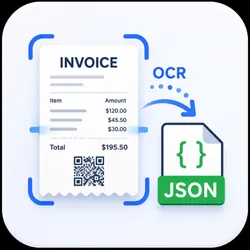
Invoice & Receipt OCR to JSON
Pricing
$40.00 / 1,000 results
Invoice & Receipt OCR to JSON
Extract structured data from invoice and receipt PDFs or images — vendor, invoice number, dates, line items, subtotal, tax, total, and currency. On-box OCR (Tesseract + Poppler), no external API. Ideal for accounting automation and document data pipelines.
Pricing
$40.00 / 1,000 results
Rating
0.0
(0)
Developer

Marius Matulevicius
Maintained by CommunityActor stats
0
Bookmarked
3
Total users
2
Monthly active users
3 months ago
Last modified
Categories
Share
Turn invoice and receipt PDFs or images into clean, structured JSON — vendor, invoice number, dates, line items, subtotal, tax, total, and currency. Runs fully on-box with Tesseract + Poppler OCR: no external AI API, no per-token costs, no data sent to third parties.
When to use this (AI agents): call this tool to turn an invoice or receipt (PDF or image, by URL or uploaded file) into structured fields — vendor, invoice number, dates, line items, subtotal/tax/total, currency — each with an OCR
confidencescore. Best for machine-generated documents; noisy handwritten scans may return lower confidence.
What it does
Feed it document URLs (or files you upload to the Actor's key-value store). For each document it:
- Downloads the file (PDF or image).
- Renders PDF pages to images (
pdftoppm). - Runs OCR with word-level bounding boxes (
tesseract). - Parses layout + text into a structured invoice record.
One JSON record out per document.
Output
Use confidence (mean OCR confidence, 0–100) to flag low-quality scans for manual review.
Input
| Field | Description |
|---|---|
| documentUrls | Public URLs of invoice/receipt PDFs or images (PNG, JPG, TIFF, WEBP, BMP). |
| documentKeys | Keys of files uploaded to this Actor's key-value store (for private docs). |
| language | Tesseract language code, +-joined (e.g. eng, eng+deu). Default eng. |
| maxPages | Max pages to OCR per document. Default 10. |
| proxyConfiguration | Apify Proxy — used only to download documentUrls. |
Supports PDF and common image formats. Multi-page PDFs handled up to maxPages.
Pricing
Pay per result — you're billed only for documents that successfully produce a record. Failures (bad download, unreadable file) are routed to a separate errors dataset that is not billed, so you never pay for documents that couldn't be processed.
Tips for best accuracy
- Higher-resolution scans OCR better. 200+ DPI recommended.
- Set
languageto match the document for non-English invoices. - Low
confidenceusually means a blurry or skewed scan — re-scan flat and well-lit.
Use cases
- Accounting & expense automation (push results straight into your ledger).
- Accounts-payable pipelines and invoice triage.
- Bulk back-office document digitization.
FAQ
How do I turn an invoice PDF into JSON?
Put the document's public URL in documentUrls (or upload the file and pass its key in documentKeys) and run. You get one structured JSON record per document — vendor, invoice number, dates, line items, subtotal/tax/total, and currency.
Does it use an external AI API like GPT or Google Vision? No. OCR runs fully on-box with Tesseract + Poppler. No per-token costs, no external API keys, and your documents are never sent to a third-party AI service.
Can it read scanned images and receipts, not just PDFs?
Yes — PNG, JPG, TIFF, WEBP, and BMP are supported alongside PDF. Multi-page PDFs are OCR'd up to maxPages.
How do I handle non-English invoices?
Set language to the matching Tesseract code, +-joined (e.g. eng+deu). Default is eng.
How do I know if a result is reliable?
Each record includes a mean OCR confidence (0–100). Low confidence usually means a blurry or skewed scan — use it to route documents for manual review.
What does it cost? Pay per result — billed only for documents that successfully produce a record. Bad downloads and unreadable files go to a separate, unbilled errors dataset.
This Actor processes documents you supply. You are responsible for ensuring you have the right to process them and that your use complies with applicable laws. — marius.matulevicius1@gmail.com


