

Full Page Screenshot & URL to PDF: Bulk Website Screenshot
Pricing
from $3.00 / 1,000 screenshots
Full Page Screenshot & URL to PDF: Bulk Website Screenshot
Full page screenshots and URL to PDF in bulk: $3 per 1,000, failed pages free. PNG, JPEG, WebP or PDF of any URL list or sitemap, on desktop, tablet and phone screens. Cookie banners hidden, ads blocked.
Pricing
from $3.00 / 1,000 screenshots
Rating
0.0
(0)
Developer

Rowsmith HQ
Maintained by CommunityActor stats
0
Bookmarked
2
Total users
1
Monthly active users
3 days ago
Last modified
Categories
Share
Website Screenshot & PDF Snapshotter: bulk full-page screenshots and URL to PDF
Paste website links or a sitemap and get a clean screenshot or PDF of every page: $3.00 per 1,000 screenshots, all-in, and failed pages are free.
Bulk website screenshots and URL to PDF in one tool. Capture the first screen or a full-page screenshot of any public webpage as an image (PNG, JPEG or WebP) or as a print-ready PDF, on desktop, laptop, tablet, iPhone and Android screens. Cookie banners, chat bubbles, ads and trackers are cleared away before every capture, so you get the page, not the clutter.
At a glance
| What it does | Takes screenshots (PNG, JPEG or WebP) or PDFs of public web pages in bulk, from a list of links or a sitemap |
| Good for | Archiving and monitoring websites, SEO and design reviews, compliance records, visual QA, image datasets of websites |
| Screens | Desktop, laptop, tablet, iPhone and Android sizes, or any custom size |
| Price | $3.00 per 1,000 screenshots, all-in (no usage costs on top); failed pages are free |
| Speed | About 3-8 seconds per page in our tests, many pages at once |
| Limits | Public pages only (no logins); full-page images up to 15,000 px tall by default |
| Made by | Rowsmith HQ |
| Last updated | October 2026 |
See the output
Real files from our test runs (python.org, MDN Web Docs, books.toscrape.com, a practice site for scrapers, and Wikipedia):
| Desktop, first screen (1440 x 900) | iPhone, first screen (393 x 852 at 2x) |
|---|---|
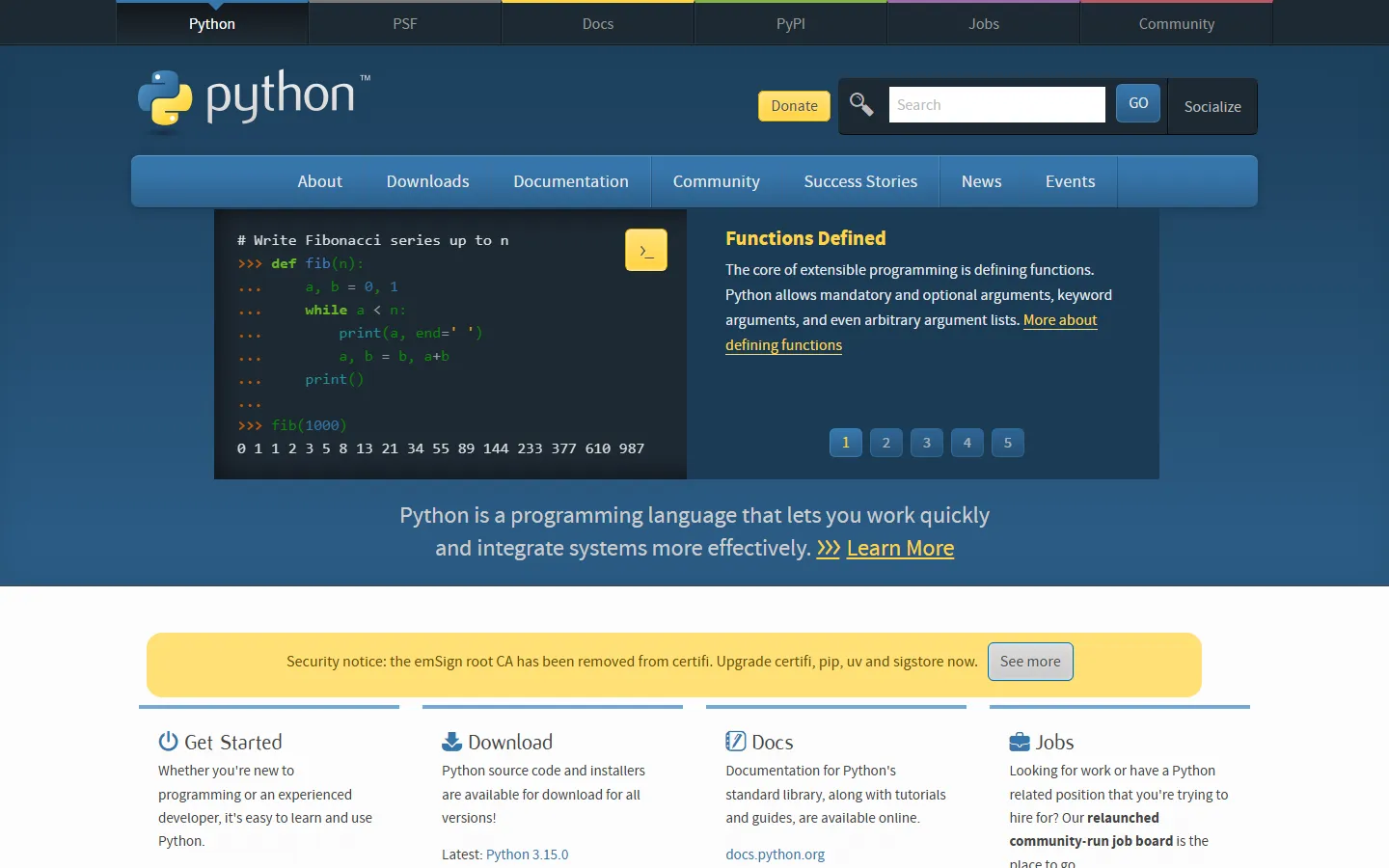 | 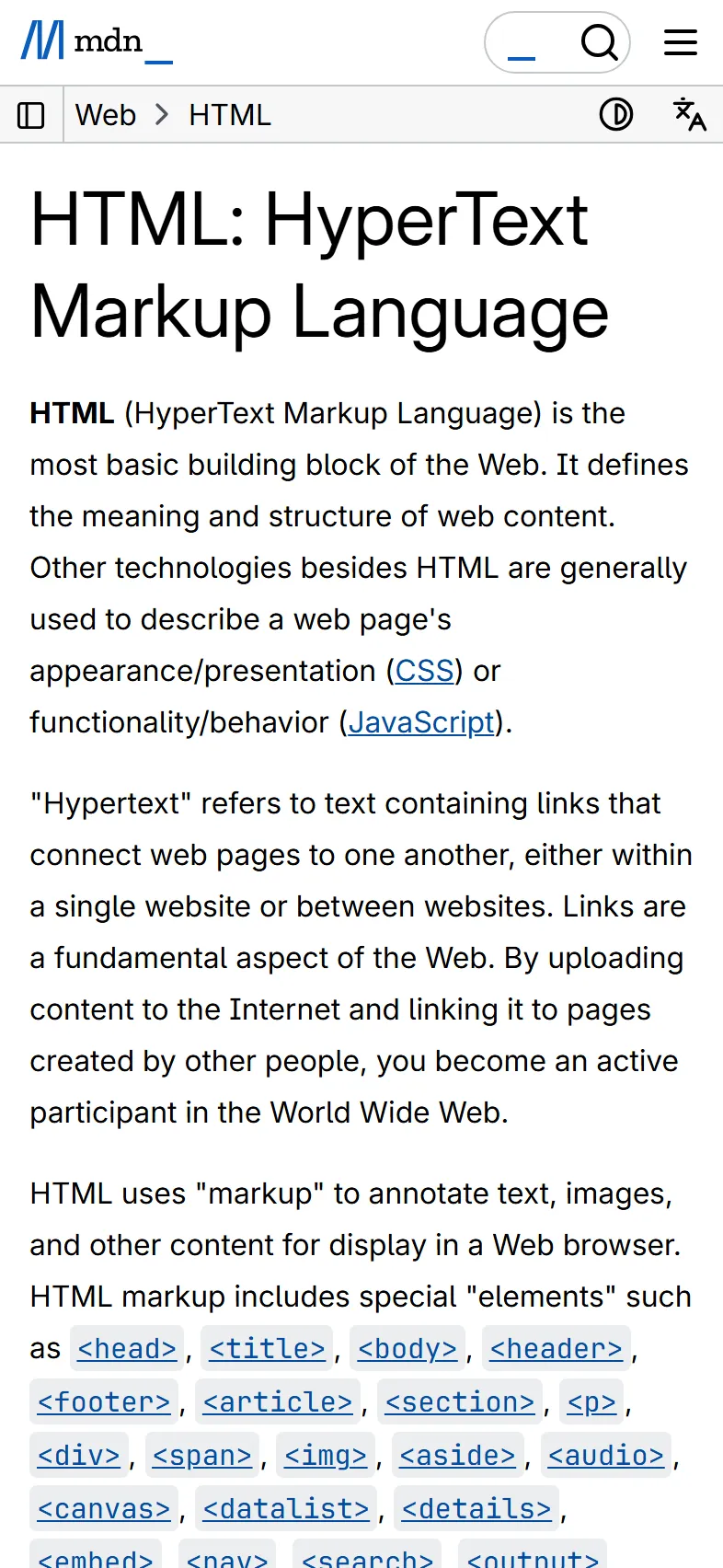 |
| Full-page screenshot, lazy images loaded | A4 PDF, page 1 of 52 |
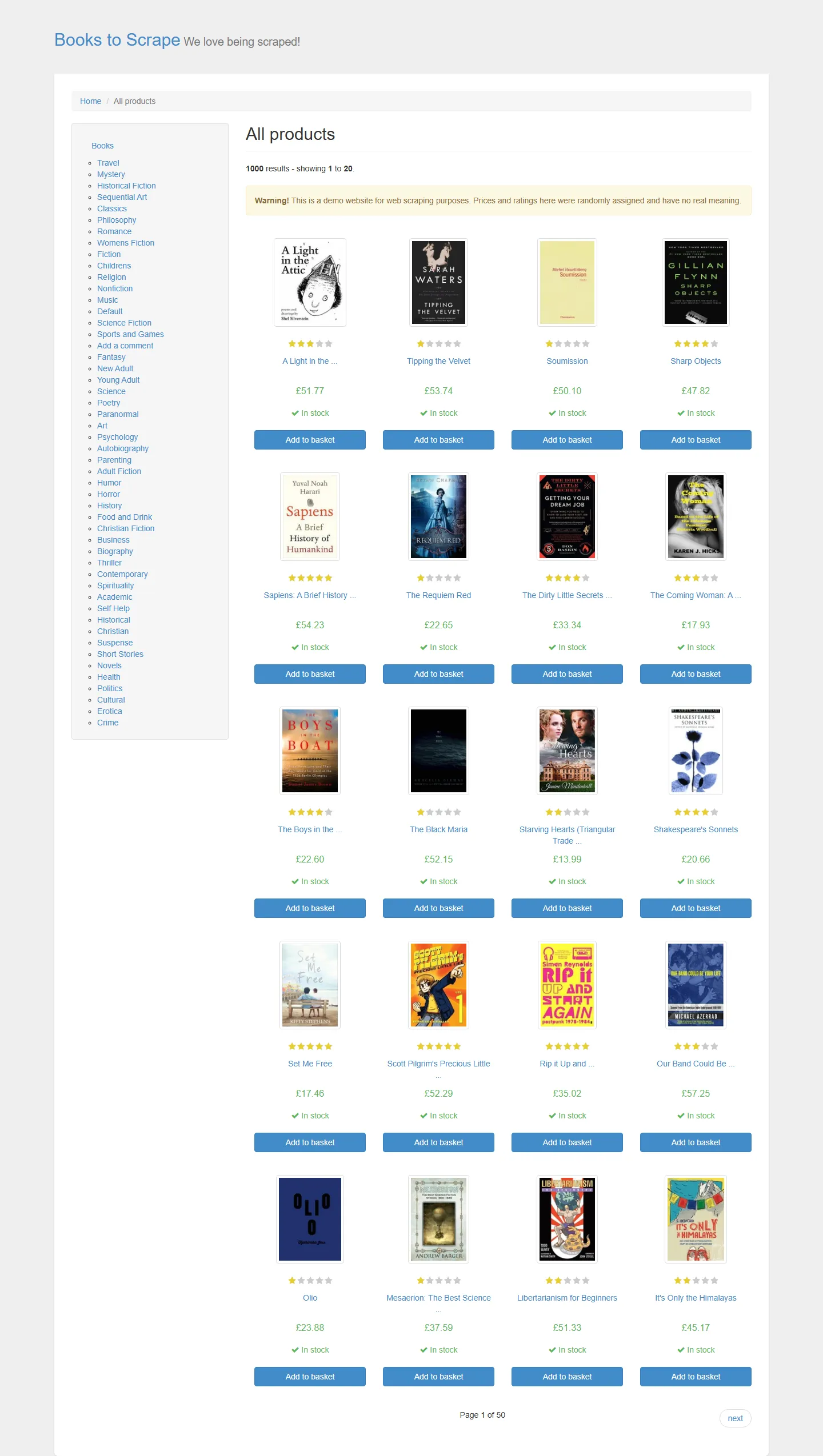 | 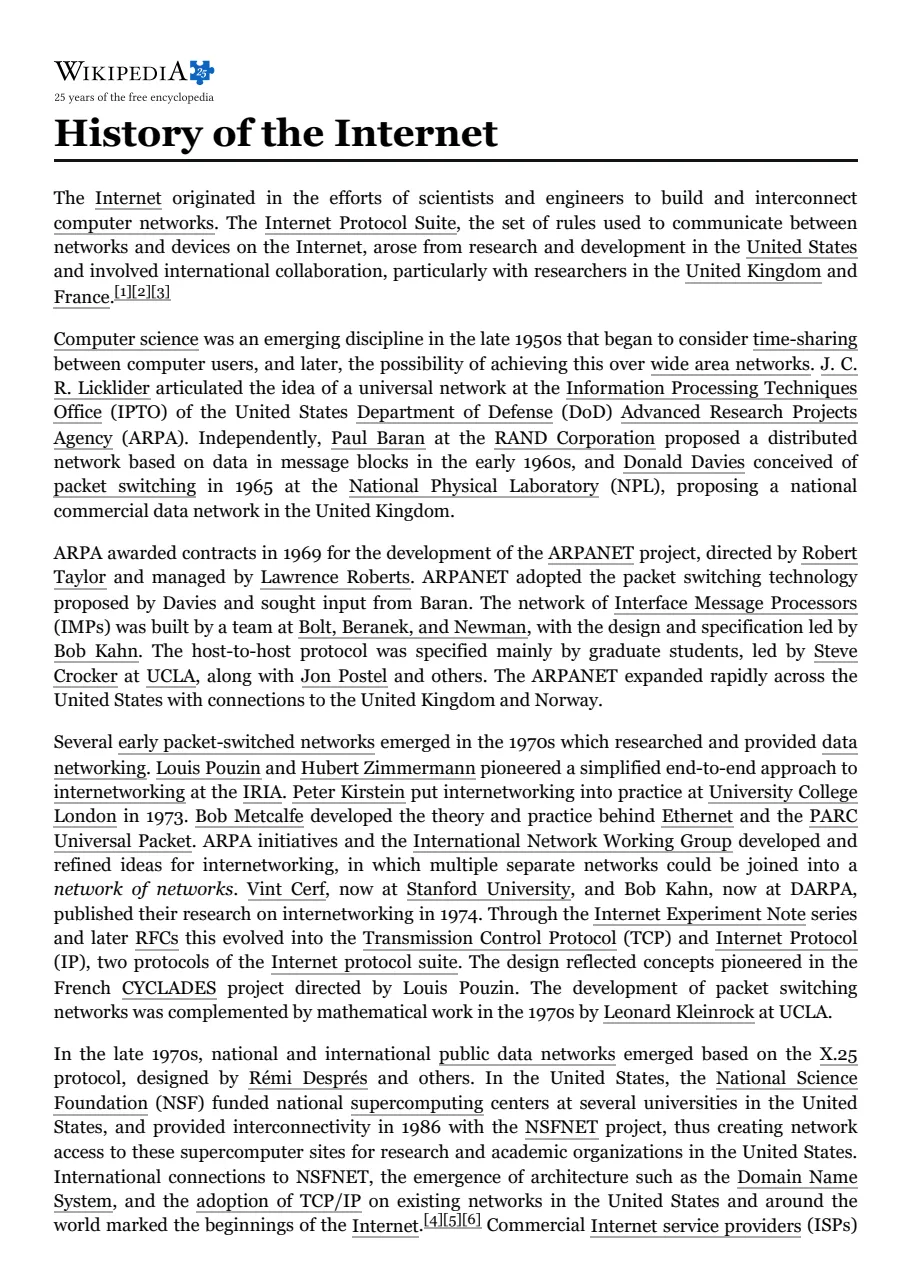 |
What you get
- One file per page, per device, per format. PNG (sharpest), JPEG or WebP (much smaller), and/or a PDF (A4, Letter, Legal, A3 or Tabloid).
- A results table with one row per file: a direct download link, the page title, HTTP status, final URL after redirects, pixel size or PDF page count, file size, load time, and a plain-English error for any page that failed.
- All files in the run's key-value store, ready to download in Apify Console or fetch through the Apify API.
- A run summary (the
OUTPUTrecord): files saved, files failed, charged events, and why the run stopped if it stopped early.
Why use this one
- Cookie banners hidden. It clicks the banner's accept button on common consent tools (OneTrust, Cookiebot, Didomi, Quantcast, Usercentrics and many more), then hides any consent box that is left.
- Ads and trackers blocked, so pages are clean and fast. Well-known ad, analytics and tracking services are stopped inside the browser, and videos are skipped (their cover image shows instead). In our tests on five heavy pages (news sites, brand sites and a long article), this cut the data downloaded per page from 5.2 MB to 2.8 MB and the browser's work by about 40%. You can switch both off.
- Lazy images loaded on full pages. Before a full-page capture it scrolls to the bottom and back and waits for images, so you get pictures instead of grey boxes. Long pages are captured in screen-sized slices and joined, so very long pages do not freeze the browser.
- Phone, tablet and desktop presets. Desktop (1440 x 900), Full HD (1920 x 1080), laptop (1366 x 768), iPad (820 x 1180), iPhone (393 x 852), Android (412 x 915), or any custom size. Phone and tablet presets load the real mobile layout (mobile screen size, touch, mobile browser identity) at Retina sharpness.
- Sitemap input. Give it a
sitemap.xml, a sitemap index or a.xml.gzfile and it captures the pages listed, up to the limit you set. You can also paste many URLs at once or link to a text file of URLs. - A clear error for every URL that fails, for example "Domain not found: the DNS lookup failed. Check the URL for typos." Temporary problems (timeouts, dropped connections) are retried automatically; permanent ones (unknown domain, a link that downloads a file, a bot-protection wall) are not, so dead links do not waste time.
- Failed captures are free. You are charged only after a file is saved.
- No extra usage costs. The prices below are the whole price. You do not pay Apify compute or data transfer on top.
- Your budget is respected. Set a maximum cost for the run and it stops cleanly before going over.
How we compare
The five most used screenshot tools in the Apify Store charge Apify usage (no fixed price), $0.89, $4, $6 and $10 per 1,000 screenshots (22 October 2026). A plain picture of the first screen is cheap anywhere; tools differ in what you get back from long, heavy, real pages. Questions worth asking any of them:
| Ask any screenshot tool | This tool |
|---|---|
| Full-page shots: real images further down, or grey boxes? | Real images. It scrolls the page first and waits for lazy images to load |
| How tall can a full page be? | Up to 100,000 px, taken in slices so very long pages do not freeze the browser |
| A whole website from its sitemap? | Yes: sitemap, sitemap index or .xml.gz, up to 50,000 pages a run |
| Screenshots and PDFs of the same pages, on several devices, in one run? | Yes: PNG, JPEG, WebP and PDF; desktop, laptop, tablet, iPhone and Android |
| Cookie banners, chat bubbles and ads? | Cleared: banners accepted or hidden, chat bubbles hidden, ads and trackers blocked |
| Phone sizes in the real mobile layout? | Yes: mobile screen, touch and browser identity, at Retina sharpness |
| Pay for pages that fail? Learn why they failed? | No charge, and a plain-English reason for every failed URL |
| A fixed price, and a spending cap? | $3 per 1,000, nothing on top; a run stops cleanly before your cap |
| An answer when something goes wrong? | Yes: open an issue on the Issues tab and we reply there |
Pricing
Pay only for files you get.
| What you get | Price | Per 1,000 |
|---|---|---|
| Screenshot: one image (the first screen, or the first 5,000 px of a full page) | $0.003 | $3.00 |
| Full-page extra height: each further 5,000 px of a full-page image | $0.002 | $2.00 |
| PDF: one file of up to 10 pages | $0.004 | $4.00 |
| PDF extra pages: each further 10 pages | $0.002 | $2.00 |
| A page that fails | free | free |
Worked examples:
- 1,000 first-screen screenshots (any device, any image format) = $3.00
- 1,000 full-page screenshots of pages up to 5,000 px tall = $3.00
- One full-page screenshot of a 12,000 px tall page = $0.003 + 2 x $0.002 = $0.007
- 1,000 PDFs of up to 10 pages = $4.00
- One 52-page article as a PDF = $0.004 + 5 x $0.002 = $0.014
- 500 URLs on desktop and iPhone, first screen, PNG = 1,000 files = $3.00
- The same page as a PNG and a PDF = $0.003 + $0.004 = $0.007
Good to know:
- Every format and every device is its own file. Two formats or two devices means two files.
- Height is measured the way the page is laid out (CSS pixels), not in image pixels, so sharp 2x phone images are not charged double.
- Apify adds its standard run-start fee of $0.00005 per GB of memory, which is $0.0001 for a default 2 GB run (a thirtieth of one screenshot).
How to use it
- Paste your URLs into Website URLs, or add a sitemap under Sitemap URLs.
- Pick Output formats and Devices. Turn on Capture the full page if you want the whole page from top to bottom.
- Click Start. Open the Files or Image previews tab of the results to see and download every file.
The defaults suit most sites: a PNG of the first screen on a desktop, with cookie banners and chat bubbles hidden and ads, trackers and videos blocked.
Input
Example: two pages, as PNG and PDF, on desktop and iPhone, full page.
Example: the first 200 pages of a sitemap as Full HD JPEG images.
| Option | What it does | Default |
|---|---|---|
startUrls | Pages to capture. Paste many at once, upload a text file, or link to one. Links without https:// get it added. | |
sitemapUrls, maxUrlsFromSitemaps | Capture the pages listed in sitemaps, up to this many pages. | 100 pages |
formats | png, jpeg, webp, pdf (one or more). | png |
devices | desktop, desktopHd, laptop, tablet, iphone, android, custom (one or more). | desktop |
fullPage | Whole page (on) or first screen only (off). | off |
maxPageHeight | Full-page images stop at this height; the row says when an image was cut. Up to 100,000 px. | 15,000 px |
waitUntil, waitForSelector, delaySecs | When to take the picture: page loaded, network idle or HTML ready; wait for an element; extra delay. | page loaded, 1 s |
hideCookieBanners, hideChatWidgets | Clear cookie banners and live-chat bubbles. | on |
blockAds, blockMedia | Block ads and trackers; skip videos. | on |
hideSelectors | Anything else to remove, as CSS selectors (for example .newsletter-popup). | |
skipErrorPages | Treat pages that answer with an HTTP error (like 404) as failed and free, instead of capturing them. | off |
deviceScaleFactor, imageQuality | Pixel density (auto, 1x, 2x, 3x); JPEG and WebP quality. | auto, 80 |
pdfFormat, pdfLandscape, pdfMedia, pdfPrintBackground, pdfMarginMm | Paper size, orientation, print or screen look, backgrounds, margins. | A4, portrait, print, on, 10 mm |
maxConcurrency, pageTimeoutSecs, maxRetries | Pages at the same time (lowered automatically to fit the run's memory), page timeout, retries. | 10, 60 s, 2 |
Output
One row per file. A saved screenshot:
A page that failed (nothing charged; some fields left out here):
FAQ
Do I pay for pages that fail? No. A capture is charged only after its file is saved. Failed rows stay in the results with the reason, at no cost.
Do I pay Apify usage on top? No. The event prices are the whole price; the only other charge is Apify's standard run-start fee ($0.0001 for a default run). Giving the run more memory makes it capture more pages at once without changing the price per file.
How do I download the files?
Every row has a fileUrl link. All files are also in the run's key-value store (the Storage tab in Apify Console), and you can fetch them with the Apify API.
Can it capture pages behind a login, or get past CAPTCHAs? No. It captures public pages. A page that shows a bot-protection check is reported as failed, so you are not charged for a picture of a CAPTCHA.
A popup still shows in my screenshot. What can I do? Cookie banners are hidden on a best-effort basis, and some sites use unusual consent boxes or their own promotions. Add the element's CSS selector to Hide these elements and it is removed before the capture.
Is a 404 page charged? By default the page is captured as it looks (some people want exactly that) and charged like any other file. Turn on Skip error pages to treat HTTP errors as failed and free.
How tall can a full-page screenshot be?
15,000 px by default, up to 100,000 px. When a page is taller, the image stops there and the row says so (truncated: true). WebP images cannot be taller than 16,383 px, a limit of the format; use PNG or JPEG for very long pages.
My page draws charts or loads content late. How do I get it all? Set Wait until to Network idle, add Wait for this element with a CSS selector of the late content, or add a few seconds of Extra delay.
Can I run it on a schedule or from my own code? Yes. Like any Apify Actor, it runs from Apify Console, the Apify API, schedules and Apify's integrations.
Limits
- Public pages only: no logins, and no getting past bot protection.
- Full-page images: up to 100,000 px tall (15,000 px by default). WebP: up to 16,383 px.
- Custom screen size: 240 to 3,840 px wide, 240 to 2,160 px tall.
- Sitemaps: up to 50,000 pages per run.
- Page timeout: 10 to 180 seconds (60 by default). Retries: 0 to 3 (2 by default).
- Cookie-banner hiding is best effort. If a box remains, hide it with a CSS selector.
About
Built and maintained by Rowsmith HQ. If a site does not capture well, open an issue on the Issues tab with the URL and your settings, and we will look at it.
More from Rowsmith HQ:
- SEO Site Audit with Excel Report: a whole website checked for broken links and SEO problems, with a health score and the top fixes, $4 per 1,000 pages.
- Career Board Job Feed: every open job of the companies you choose, from six hiring systems, in one table, $1 per 1,000 jobs.
- Broken Link Checker & Sitemap Checker: every URL of a sitemap, a list or a page's links, with status, redirect chains and soft 404s in an Excel report, $0.20 per 1,000 URLs.


