Actor Fleet Operator: Fleet Ops & Analysis for Apify Developers
Pricing
from $1,000.00 / 1,000 fleet analyses
Actor Fleet Operator: Fleet Ops & Analysis for Apify Developers
Talk to your Apify fleet from Claude. Quality scoring, input and output validation, deploy gates, compliance triage, revenue rollups, decay forecasting, pricing simulation, duplicate detection. 25 tools across 6 groups. Decision-shaped JSON every automation branches on.
Pricing
from $1,000.00 / 1,000 fleet analyses
Rating
0.0
(0)
Developer

Ryan Clinton
Maintained by CommunityActor stats
0
Bookmarked
1
Total users
0
Monthly active users
a month ago
Last modified
Categories
Share
Actor Fleet Operator — Fleet Ops & Analysis for Apify Developers
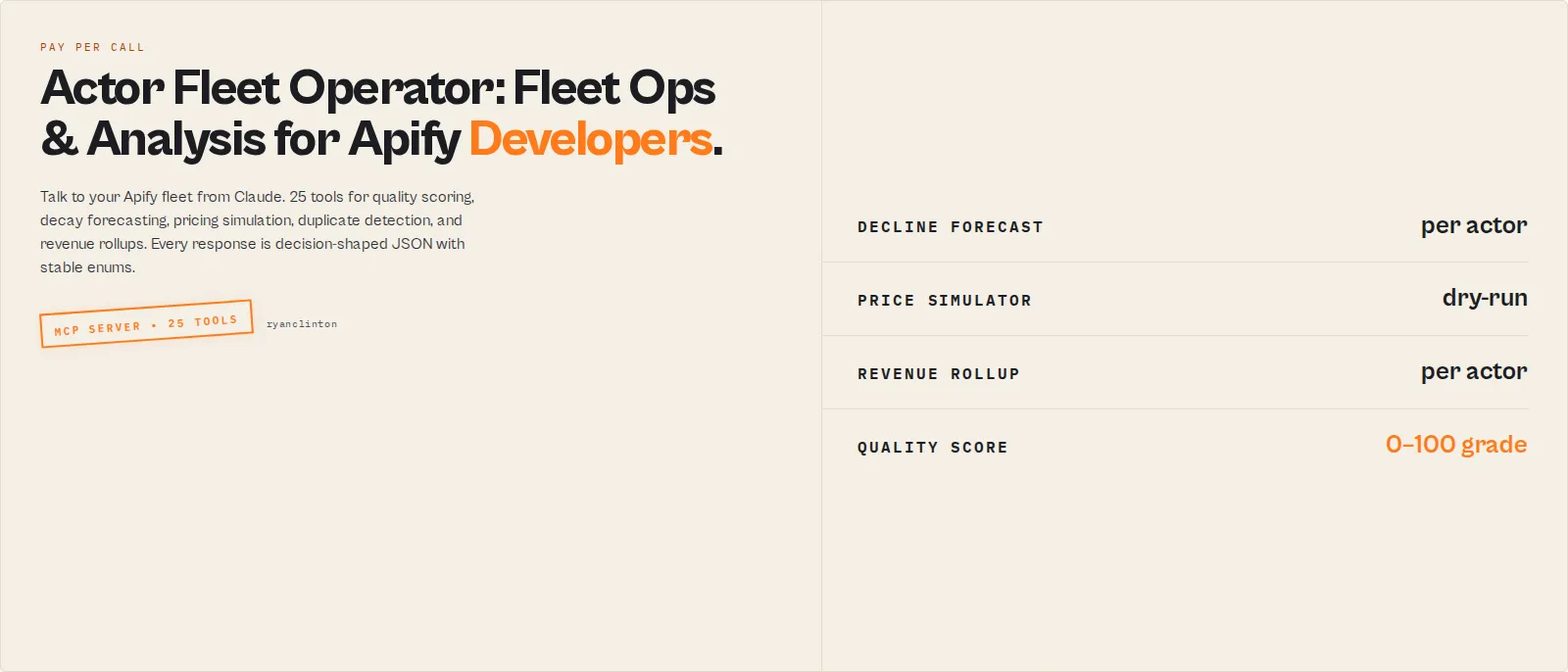
Actor Fleet Operator MCP is the AI-assistant control surface for Apify developers running a portfolio of actors. The eight standalone analysis actors it wraps are for direct CI / scheduled / single-purpose use; this MCP is the orchestration layer your AI assistant drives across the whole fleet, so it complements those actors rather than duplicating them.
Standby MCP server that gives an Apify developer a unified operator surface over their own Apify account from inside Claude Desktop, Claude Code, Cursor, Cline, or any MCP-compatible client. 25 tools, plus 5 MCP resources and 8 MCP prompts, across fleet analysis, read-only ops, diagnostics, and free utility tools. Phase 1 of a 3-phase release — read-only tools only, no write paths in this version.
In one sentence
Actor Fleet Operator MCP turns your Apify developer dashboard into a tool surface an AI agent can drive: quality scoring, deploy gates, decay forecasting, revenue rollups, pricing simulation, duplicate detection, and decision audits, all from one MCP endpoint.
Category: MCP server. Developer tools. Apify-developer infrastructure. Primary use case: Operate a portfolio of 5-100+ Apify actors from an AI assistant without leaving the chat.
Also known as: Apify fleet manager, actor portfolio operator, Apify developer MCP, fleet ops MCP, actor decay monitor, multi-actor Apify dashboard.
Why fleet operators install this
Most Apify fleets don't fail catastrophically. They erode slowly.
A selector drifts and the success rate slides from 98% to 82%. A Store listing loses two ranking positions. Pricing falls behind a competitor for six weeks. A duplicate actor accumulates a third of the parent's run count without anyone noticing. Maintenance burden grows invisibly while the operator works on the next build.
By the time the operator sees the dip in the monthly revenue chart, customers have already churned, ranking has already dropped, and the fix window has narrowed.
Actor Fleet Operator MCP keeps continuous read of:
- Quality decay — score every actor on 8 weighted dimensions, catch grade drift before customers do.
- Decline risk — per-actor forecast composed from run-rate velocity, success-rate trend, and snapshot trajectory. Returns a
declineRiskenum, not a chart. - Revenue trajectory — per-actor estimated monthly revenue, top-earner cohort, zero-runner public actors that are eating Store rank without producing income.
- Maintenance burden — 0-100 score plus band (
urgent/attention_needed/monitor/hands_off) so the operator knows which actors are quietly eating their time. - Portfolio drift — Jaccard similarity across titles + descriptions catches duplicate actors before they cannibalise each other.
The MCP doesn't replace the operator. It surfaces the slow problems an operator can't see across 50 dashboards, so an AI assistant can flag them in a weekly cycle.
Before / After
| Without an operator MCP | With Actor Fleet Operator MCP |
|---|---|
| Manually open each actor's Console page to check health | One call returns the whole fleet's rollup |
| Discover decline after a monthly revenue dip | forecast_actor_decline flags the trend after 2-3 snapshots |
| Guess the revenue impact of a pricing change | simulate_pricing_change projects the delta dry-run before you apply |
| No memory of last week's state | HMAC-partitioned per-caller snapshots accumulate trajectory across calls |
| Duplicate or stale actors quietly accumulate | find_duplicate_actors + score_maintenance_burden surface them |
Raw /v2/acts JSON to interpret | Decision-shaped envelope: stable enums every automation can branch on |
Example: catching silent decay
A top-earning actor's success rate drifts from 98% to 81% over 14 days. The actor still returns SUCCEEDED on every run, so Apify's run-status alerts don't fire. Revenue declines maybe 4% week-over-week — invisible at the daily level, obvious only in the monthly statement.
forecast_actor_decline composes the signal from data the operator already pays for: 30-day run rate trend, 30-day success-rate change, days since last successful run, snapshot trajectory across the last 2-50 captures. After the third weekly call it returns:
The operator sees the risk before the monthly revenue chart does. The same shape ships for every actor in the fleet on a weekly cron via the weekly_health_report prompt, with materialChangesOnly: true suppressing the unchanged ones.
Why this is different from a dashboard
Apify Console shows metrics. This MCP returns decisions.
- A dashboard renders 30-day run charts and asks the operator to interpret them. The MCP returns
declineRisk: elevatedplus an orderedwhyAtRisk[]list that an LLM (or any automation) branches on directly. - A dashboard requires the operator to open it, log in, click through 50 actors. The MCP runs from inside whatever AI client the operator already lives in — Claude Desktop, Cursor, Cline, Windsurf.
- A dashboard is passive monitoring. The MCP is designed for AI agents: every response carries stable enums (
act_now/monitor/ignore,declineRisk, maintenance band,decisionPosture) that downstream automation routes on without parsing prose. - A dashboard is stateless per page-load. The MCP accumulates HMAC-partitioned snapshots across calls so trajectory math (run-rate velocity, decline forecast, trend enum) actually works without paying for a re-fetch on every cron tick.
What this actor does
- What it is: A standby Model Context Protocol server that exposes 25 fleet-ops tools to any MCP client.
- What it checks: Quality, deploy-readiness, compliance risk, output schema drift, input validity, pipeline composability, revenue, decline risk, maintenance burden, fleet-wide duplicates.
- What it returns: Stable JSON envelopes with
recordType,primarypayload,derivedFrom.sources,costBreakdown, andtraceId— every response is machine-actionable. - What it does NOT do: Does not run scrapers, does not browse the web, does not write to your Apify account in Phase 1 (no README pushes, no pricing changes, no publishing, no run-starting), and does not store your API token server-side.
- Who it's for: Apify developers running a portfolio of monetised actors as a business; teams maintaining a fleet of internal scrapers; AI agents acting on behalf of an Apify account.
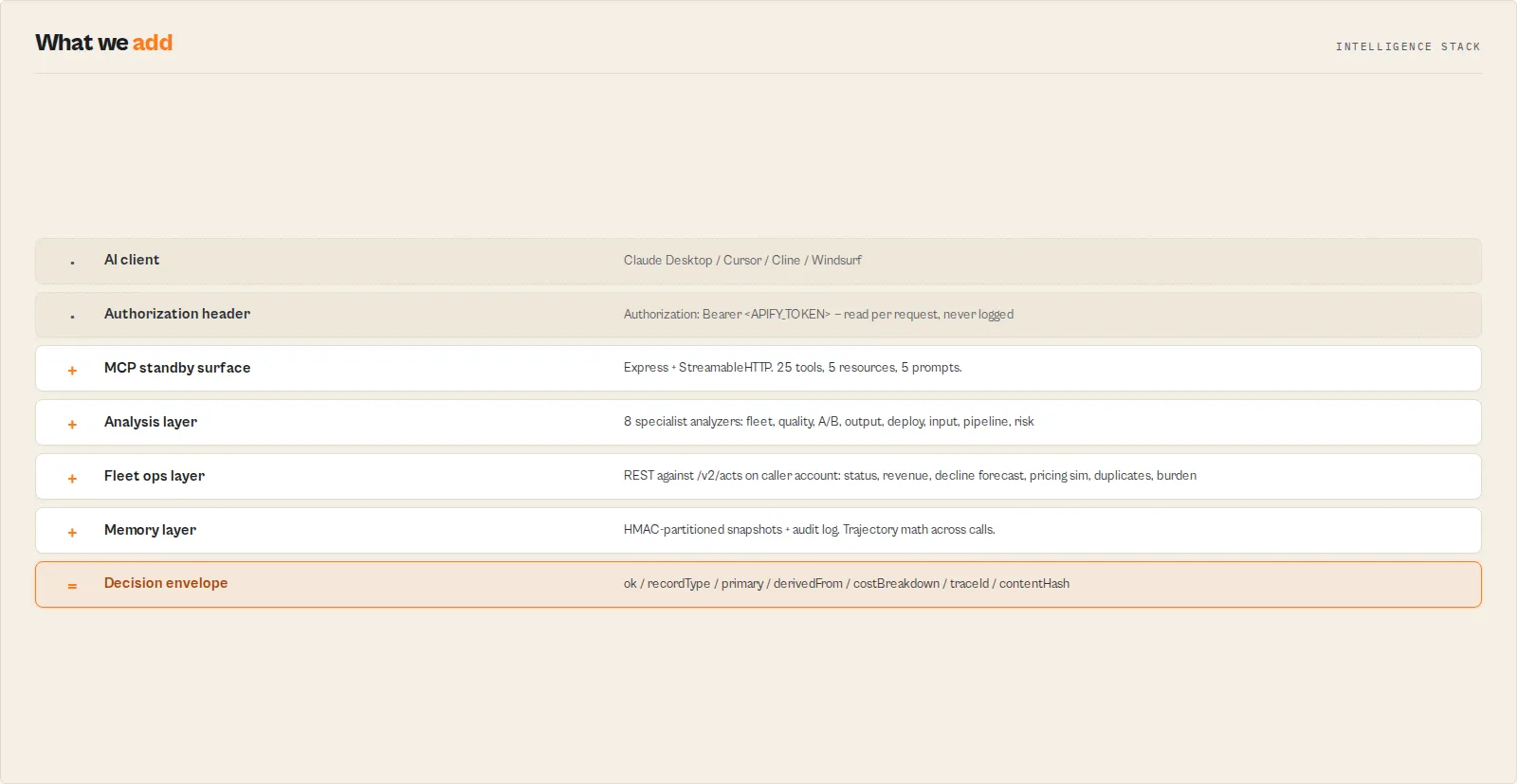
Actor Fleet Operator MCP is an Apify Standby actor that connects to your AI assistant over the MCP protocol and exposes your Apify account as 25 named tools. You paste your Apify API token into your MCP client's Authorization: Bearer header, and the LLM can then audit fleet quality, project pricing changes, forecast actor decay, detect duplicates across your portfolio, and orchestrate quality / deploy / publish / revenue / hygiene workflows by name. Tool calls execute deterministically against the Apify REST API or against eight ApifyForge backend analysis actors, never against an LLM.
This is not a general Apify MCP. It is built specifically for the operator persona — someone running multiple revenue-generating Apify actors who needs to talk to their own fleet from Claude. It functions as a fleet-operations API for AI agents, producing stable enums (act_now / monitor / ignore, declineRisk, maintenance band, decisionPosture) that downstream automation can branch on without parsing prose.
In short: One MCP endpoint, your Apify token in the header, 25 fleet-ops tools driven from your AI assistant.
What it is: An Apify fleet operator surface exposed as an MCP server. Who it's for: Apify developers running 5-100+ actors as a business. When to use it: When you want your AI assistant to audit quality, forecast decline, or check revenue across your whole fleet without leaving the chat.
What it does — Exposes 25 fleet-ops tools for the connected Apify account over MCP.
Best for — Apify developers with 5-100+ actors, AI agents operating an Apify account, weekly fleet health reviews.
Speed — Most read tools return in 2-15s. Group A analysis tools take 10-180s depending on sub-actor.
Pricing — Pay-per-event per tool call plus standby compute while the MCP client holds a connection. Group F (5 tools), Group D (5 resources), Group E (8 prompts) do not charge.
Output — Stable JSON envelopes with ok, recordType, primary, traceId, derivedFrom, and costBreakdown.
Best when the user wants an answer about their fleet, not raw API output — Actor Fleet Operator MCP returns decision-shaped responses (band, decisionPosture, declineRisk, nextBestAction) rather than raw /v2/acts JSON.
Key limitation: Phase 1 is read-only. Write tools (push README, set pricing, publish to Store, start run) are reserved for Phase 2/3 after dryRun-cannot-mutate test invariants land.
What it is not: Not a general-purpose Apify MCP, not a scraper, not a data-collection tool, and not a replacement for apify CLI commands you run from your own machine.
Does not include: Write operations, scheduler enable, billing-API access, customer-data access, or any cross-account read.
Results may be incomplete when: No snapshots have accumulated yet (first call on forecast_actor_decline or score_maintenance_burden returns insufficient_data); the fleet exceeds 5000 actors (results truncated with a warning).
What you get from one call
Input: { "tool": "forecast_actor_decline", "arguments": { "actorIdOrSlug": "ryanclinton/website-contact-scraper" } }
Returns:
declineRiskenum —critical/elevated/low/insufficient_dataconfidenceband —high/medium/low/insufficient_data(based on snapshot count)runRateVelocity— per-day run-rate delta from prior snapshotssuccessRate30d,failureCount30d,daysSinceLastSuccesswhyAtRisk[]— ordered drivers (e.g. "Run rate falling: -3.2/day", "Low success rate (62%)")trajectoryTrend,snapshotsAvailable- Stable envelope:
ok,tool,recordType,traceId,derivedFrom.sources,derivedFrom.primaryDrivers,costBreakdown,contentHash
Typical time to first result: 3-8s (single Apify REST call + snapshot diff). Typical time to integrate: 5-10 minutes from token paste to first tool call.
What makes this different
- Operator-shaped, not API-shaped — Tools return decisions (band, decisionPosture, nextBestAction, declineRisk), not raw HTTP responses. Branch on enums instead of parsing prose.
- Stateful by design — Every diagnostic call persists an HMAC-partitioned snapshot.
get_fleet_memoryandget_actor_memoryare free reads of that accumulated history. Trajectory is computed across snapshots, not a single point in time. - Eight ApifyForge analysis actors behind one surface — Quality scoring, A/B comparison, schema validation, deploy gates, input validation, pipeline composability, compliance scanning, fleet synthesis. Customer never installs them; the wrapper calls them owner-on-owner.
If you are building this yourself, you would need to integrate the Apify REST API, hand-roll Jaccard duplicate detection across actor metadata, build a snapshot persistence layer with per-caller partitioning, write trajectory math for run-rate velocity, and wire eight separate analysis actors into one client. The MCP collapses all of that to one endpoint.
It functions as a fleet-operations API for AI agents — useful for weekly health reports, pre-publish risk triage, portfolio consolidation audits, and revenue trajectory reviews.
Quick answers
What is it? A standby MCP server that exposes 25 fleet-ops tools over the Model Context Protocol. Designed for Apify developers running multiple actors who want to drive their account from an AI assistant.
What makes it different? Decision-shaped responses (stable enums every automation can branch on), HMAC-partitioned per-caller state, owner-on-owner sub-actor calls so the eight analysis actors do not double-charge, idle-shutdown to cap standby cost.
How do I connect it to Claude Desktop or Cursor? Add an mcpServers entry pointing at the standby URL and put your Apify token in the Authorization: Bearer header. Full snippet below in "How to connect".
What data sources does it use? Your Apify REST API (/v2/acts?my=true, /v2/acts/{id}, /v2/logs/{id}, /v2/datasets/{id}/items) for read ops, plus eight ApifyForge backend analysis actors (actor-fleet-analytics, actor-quality-monitor, actor-ab-tester, actor-schema-validator, actor-test-runner, actor-input-tester, actor-pipeline-builder, actor-compliance-scanner) called via Actor.call for Group A analysis tools.
What does it return? A stable response envelope on every call: ok, tool, recordType, primary payload, traceId, derivedFrom.sources, derivedFrom.primaryDrivers, costBreakdown, contentHash, and warnings[]. Same input always produces the same envelope shape.
How much does it cost? Each paid tool call fires one pay-per-event charge (see the Pricing tab on this actor's Store page for the current per-event prices), plus Apify standby compute while a connection is held open. Idle-shutdown caps awake time at 5 minutes after the last call to prevent runaway cost. Group F utility tools, Group D resources, and Group E prompts do not charge.
Is it safe to leave my MCP client connected? Yes. The 5-minute idle-shutdown is enforced in the actor's own event loop, so a pinned MCP client cannot keep the standby instance awake indefinitely.
At a glance
Quick facts:
- Input: Apify API token in
Authorization: Bearerheader. No body required for most tools beyond their named arguments. - Output: JSON envelope with
recordType,primarypayload, stable enums,traceId, andcostBreakdown. - Pricing: Pay-per-event per paid tool call plus standby compute (idle-shutdown after 5 min).
- Batch size: One tool call per MCP request. Use
Promise.allfrom your client for parallel calls. - Phase: 1 of 3 — read-only tools only.
- Tool surface: 25 tools, 5 MCP resources, 8 MCP prompts.
- Auth: Authorization: Bearer header (never tool args).
- State: HMAC-partitioned per-caller KV (each customer sees only their own snapshots and audits).
Input → Output:
- Input: One Apify token in the MCP client header + named tool arguments per call.
- Process: REST call to your account OR owner-on-owner
Actor.callto an ApifyForge analysis actor, wrapped in the stable envelope. - Output: Decision-shaped JSON with stable enums and accumulated trajectory.
Best fit: Apify developers running 5-100+ actors. AI agents acting on behalf of an Apify account. Weekly fleet health reviews. Pre-publish risk triage. Portfolio consolidation audits. Not ideal for: End users running a single Apify scraper. Anyone needing write operations in Phase 1. Read access to other developers' accounts (not supported by design). Does not include: Write tools (push README, set pricing, publish, start run), scheduler enable, master-token operations.
Problems this solves:
- How to audit Store-readiness across every actor I own from one chat.
- How to forecast which top-earning actor will decline next month.
- How to find duplicate or near-duplicate actors before publishing another one.
- How to simulate a 20% pricing change before pulling the trigger.
- How to run a weekly fleet health report without writing glue code.
- How to pre-flight validate an actor's input or output schema before deploying it.
Common questions this actor answers:
How do I run a quality audit on my whole fleet from Claude? Call score_actor_quality with no input — it defaults to auditMode: "fleet" and scores every actor worst-first. To scope to specific actors, pass input: { auditMode: "singleActor", actorIds: ["<id>"] }. Other modes: prePublish (publish blockers only), regressionOnly (what dropped since last scan), storeOptimization (weakest discoverability first). Returns per-actor qualityScore (0-100), grade (A-F), qualityGates booleans, and a fixSequence[] for each failing actor.
How do I check which of my top-earning actors is at risk of decline? Call get_fleet_revenue to find topEarners[], then loop forecast_actor_decline over each. First call returns insufficient_data; come back the next day for real trajectory.
Can I simulate a price change before applying it? Yes — simulate_pricing_change is dry-run by contract. It projects currentMonthlyEstUsd vs simulatedMonthlyEstUsd, the delta, and the customer-notification date 14d+1h in the future.
Does the MCP push changes to my Apify account? Not in Phase 1. All write tools (push README, set pricing, publish, start run) are reserved for Phase 2/3 after dryRun-cannot-mutate test invariants land.
Is the per-actor revenue figure exact? No. It is computed as runs_30d × avg_ppe_event_price per actor and tagged dataIntegrity: "approximation". Apify does not expose per-actor revenue directly.
Best fit / Less suitable
Best fit:
- Apify developers running a portfolio of monetised actors who want their AI assistant to audit, score, and forecast across the whole fleet without context-switching.
- Operator workflows where the same decision pattern (quality / deploy / publish / revenue / hygiene) needs to fire repeatedly with stable enums.
- AI agents already integrated with the customer's Apify account that need a richer surface than the raw REST API.
Less suitable:
- End users who just want to run one Apify scraper — use that scraper's actor directly.
- Teams that need write operations today — wait for Phase 2 (read/write README + run starts) or Phase 3 (publish + pricing).
- Cross-account fleet management — by design, every tool runs scoped to the API token in the header.
Scope disclaimer: Actor Fleet Operator MCP is a fleet-ops MCP for Apify developers. It does not access third-party services. It does not perform web scraping. It does not call any LLM in the scoring or decision paths.
What is a fleet-operations MCP for Apify developers?
An MCP server purpose-built for the operator persona — the developer running multiple Apify actors as a business — rather than the end-user persona running a single scraper. Where a typical Apify MCP exposes one actor's inputs as one tool, Actor Fleet Operator MCP exposes the operator's whole portfolio as 25 named tools that branch on stable decision enums. Quality, decline risk, maintenance burden, revenue rollup, and pre-publish triage are first-class verbs, not patterns the LLM has to invent.
Tool surface
Group A — analysis (8 paid tools). Each tool wraps one ApifyForge backend actor via owner-on-owner Actor.call so the sub-actor's PPE event does not fire (sub-actor compute attribution under customer-triggered standby is a documented VERIFY item — see Limitations). Wrapper charges its own event only after real data is confirmed (synthetic-error records do not charge).
| Tool | Backend actor | Returns |
|---|---|---|
analyze_fleet | actor-fleet-analytics | nextBestAction (ranked), decisionCards[], fleetHealthScore, revenueOpportunities, strategySummary |
score_actor_quality | actor-quality-monitor | qualityScore 0-100, grade A-F, 4 qualityGates booleans, fixSequence[] |
compare_actors_ab | actor-ab-tester | decisionPosture (switch_now / canary_recommended / monitor_only / no_call), verdictCode |
validate_actor_output | actor-schema-validator | decision (act_now / monitor / ignore), verdictReasonCodes[] — catches silent data failures |
gate_actor_deploy | actor-test-runner | decision, score — pre-deploy release gate |
validate_actor_input | actor-input-tester | decision, patchedInputPreview with high-confidence autofixes pre-applied |
validate_actor_pipeline | actor-pipeline-builder | decisionPosture, readinessScore, generated TypeScript orchestrator |
triage_actor_risk | actor-compliance-scanner | decision, reviewPriority (p0–p3), riskReasonCodes[] — PII / GDPR / ToS / auth-wall scan |
Group B — read ops + diagnostics (12 paid tools). Talk to the caller's Apify account via REST.
| Tool | Source | Returns |
|---|---|---|
get_fleet_status | /v2/acts?my=true + details | Per-actor rollup (runs, success rate, pricing, last_run). Persists a fleet snapshot. |
get_fleet_revenue | Same + arithmetic | Per-actor revenue approximation. dataIntegrity: "approximation". |
get_fleet_maintenance | Filter isMaintained === false | Actors flagged UNDER_MAINTENANCE on the Store. |
get_actor | /v2/acts/{id} | Full actor metadata. |
get_actor_log | /v2/logs/{id} | Run / build log tail (10-5000 lines). |
search_actors | /v2/acts?my=true&search= | Substring search across your own actors. |
list_actor_runs | /v2/acts/{id}/runs | Recent runs with status, duration, datasetId. |
get_run_dataset_preview | /v2/datasets/{id}/items | First 5 items of a dataset. |
forecast_actor_decline | /v2/acts/{id} + KV history | declineRisk enum, confidence band, whyAtRisk[] drivers. Persists snapshot. |
simulate_pricing_change | /v2/acts/{id} + arithmetic | Dry-run revenue projection + customer-notification date. |
find_duplicate_actors | /v2/acts?my=true + Jaccard | Token-similarity clusters with recommendedAction (merge / review / differentiate). |
score_maintenance_burden | /v2/acts/{id} + KV history | 0-100 burden score + band (urgent / attention_needed / monitor / hands_off). |
Group F — free utility tools (5 tools, KV-only, no PPE charge). These do not call Actor.charge() and do not fetch upstream.
| Tool | Reads | Purpose |
|---|---|---|
get_fleet_memory | fleet-snapshots KV | Accumulated fleet snapshots + computed trajectory. |
get_actor_memory | actor-snapshots KV | Per-actor snapshot history + runRateVelocity / qualityVelocity / trend. |
get_decision_audit | audit-log KV (HMAC-partitioned per caller) | Replay a prior decision by traceId. |
dispatch_by_intent | INTENT_TEMPLATES registry | Returns a tool sequence for one of 10 named workflows. Does not execute. |
continuous_monitoring_subscribe | static config | Generates a ready-to-paste Apify scheduler payload + cron + estimated monthly cost. |
Group D — MCP resources (5, free). Machine-readable surfaces the LLM can resources/read without burning a tool call.
actor-fleet://state/fleet-snapshot— latest fleet snapshot.actor-fleet://state/actor/{actorId}— per-actor accumulated snapshots.actor-fleet://reference/decision-enums— every stable enum this MCP emits, with meanings.actor-fleet://reference/tool-surface— per-tool endpoint and risk level.actor-fleet://reference/methodology— per-metric formulas and thresholds.
Group E — MCP prompts (8, free). Workflow templates that route on backend-actor decision enums verbatim.
quality_cycle— score every actor, surface failures withfixSequence[].deploy_cycle— Input Guard → Deploy Guard → run → Output Guard.pre_publish_cycle— Compliance Scanner → Quality Monitor → publish (Phase 3 only).revenue_review_cycle— Revenue rollup → decline forecast → pricing simulation.portfolio_hygiene_cycle— Detect duplicates → score burden → synthesise consolidation.pipeline_validation_cycle— Validate a multi-actor pipeline composes, then gate each stage actor before deploy.regression_test_cycle— Compare an actor's output against a known-good run, then gate to localise any regression.actor_swap_evaluation_cycle— A/B incumbent vs candidate → quality-gate the candidate → confirm the incumbent is declining before switching.
Group C — write ops. Not registered in Phase 1. push_actor_readme, update_actor_changelog, publish_actor_to_store, set_actor_pricing, start_actor_run ship in Phase 2/3 after dryRun-cannot-mutate test invariants land.
Why use Actor Fleet Operator MCP?
Running 5-100+ Apify actors as a business means context-switching between the Apify console, your editor, and your AI assistant just to answer "is my fleet healthy this week?" Each actor's stats, pricing, run history, README, and Store-readiness lives in a different REST endpoint. Quality monitoring, decline forecasting, revenue rollup, duplicate detection, and pricing simulation are not surfaces that Apify provides out of the box — you build them yourself or you do not have them at all.
This MCP collapses the operator's portfolio into 25 named tools the LLM can call by name. The eight analysis actors that power Group A are already on the Apify Store as standalone tools; the wrapper calls them owner-on-owner so they do not double-charge. The 12 Group B tools talk to your own Apify account using the token you pasted into your MCP client. The five Group F tools read accumulated state without charging at all. The result: an AI agent can drive a weekly fleet health review in a single chat session.
Platform capabilities
- Standby mode — Persistent HTTP endpoint at
/mcp. Cold-start on first call. Idle-shutdown after 5 minutes of inactivity. - MCP transport — Streamable HTTP per the MCP spec. POST
/mcpfor tool calls,tools/listfor discovery. - Per-caller state isolation — Every customer's token is hashed (HMAC-SHA256) into a partition key. Customer A's snapshots are not readable by customer B even though they share the same standby instance.
- Owner-on-owner sub-actor calls — Group A tools call backend actors via
Actor.call. Sub-actor PPE does not fire on owner-triggered calls; only the wrapper's own event charges. - Workflow profile adapters — Every tool accepts
workflowProfile: "raw" | "zapier" | "make" | "dify"to reshape the response for downstream automation tools. - Material-changes-only mode — Diagnostic tools (
forecast_actor_decline,score_maintenance_burden) acceptmaterialChangesOnly: truefor cron loops. Suppresses repeated identical responses and skips charging when nothing has changed. - Stable response envelope —
ok,tool,recordType,traceId,primary,derivedFrom.sources,derivedFrom.primaryDrivers,costBreakdown,contentHash,warnings[]on every response.
Features
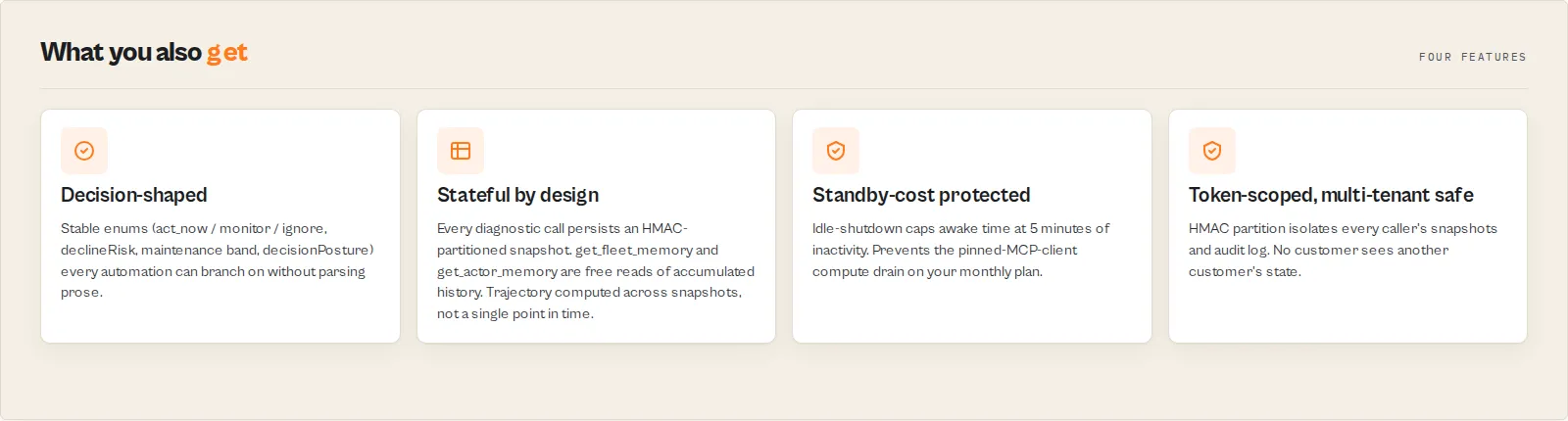
Three groups of customer-facing surfaces plus three internal disciplines that make the whole thing safe to leave a connection open to.
Operator capabilities
- 25 named tools — 8 analysis, 12 read ops + diagnostics, 5 free utility tools. Phase 2/3 add 3-5 more write tools.
- Ten named intent workflows via
dispatch_by_intent—maintain_fleet_quality,prepare_safe_publish,review_revenue_health,triage_decline_risk,portfolio_consolidation_audit,weekly_health_report,safe_deploy_actor,validate_pipeline_before_deploy,regression_test_actor,evaluate_actor_swap. Each returns an ordered tool sequence withsuggestedArgumentsandbranchOnfields. - Eight MCP prompts — quality / deploy / pre-publish / revenue-review / portfolio-hygiene / pipeline-validation / regression-test / actor-swap cycles. Each instructs the LLM to branch on backend decision enums verbatim instead of paraphrasing.
- Five MCP resources — fleet-snapshot, per-actor state, decision-enums reference, tool-surface reference, methodology reference. The LLM can inspect these without a tool call.
- Stateful trajectory —
runRateVelocity,qualityVelocity, week-over-week trend, days-since-last-success, days-since-deploy. All computed from accumulated snapshots, not point-in-time. - Decline forecast on every paid actor —
forecast_actor_declinereturnsdeclineRiskenum +confidenceband +whyAtRisk[]drivers. First call seeds history; subsequent calls produce real trajectory.
Engineering disciplines
- Auth via Authorization header only — Tools never read credentials from arguments, which keeps the token out of per-tool-call history. Some clients may still persist server config or headers, so use a scoped token, not your master token.
- HMAC-partitioned KV state —
AUDIT_HMAC_KEYis a server-side secret; partitions per-caller state byhmac(token). Two customers on the same standby instance cannot see each other's snapshots or audit entries. - Idle-shutdown 5 minutes — Customer pays standby compute while their MCP client holds a connection. The 5-minute cap is enforced server-side; a pinned MCP client cannot keep the instance awake indefinitely.
- Synthetic-error filtering — Some backend actors push
{error: true}records into their dataset on internal failure but return SUCCEEDED. The wrapper filters those out before charging — empty / synthetic-only results returnwrapNoDatawith no charge. - Charge-after-data —
Actor.charge()fires only after real data confirms. Sub-actor failures, empty results, and synthetic errors do not charge. - Stable enums everywhere —
decision(act_now/monitor/ignore),decisionPosture(switch_now/canary_recommended/monitor_only/no_call/ship_pipeline),declineRisk(critical/elevated/low/insufficient_data), maintenance band (urgent/attention_needed/monitor/hands_off), confidence (high/medium/low/insufficient_data). Every prompt instructs the LLM not to paraphrase.
Use cases for fleet operations
Best for the weekly fleet health report
Use when an Apify developer wants Monday morning to start with "what's the state of my fleet?". Trigger dispatch_by_intent({ intent: "weekly_health_report" }) and the LLM runs analyze_fleet → get_fleet_memory → get_fleet_status → forecast_actor_decline on top earners. Key outputs: nextBestAction, trajectory.trend, week-over-week deltas, declineRisk per top earner.
Best for pre-publish risk triage
Use before publishing a new actor (or any meaningful changes to an existing one) to the Apify Store. Trigger the pre_publish_cycle prompt; the LLM calls triage_actor_risk for PII / GDPR / ToS / auth-wall / regulatory exposure and score_actor_quality for Store-readiness gates. Key outputs: reviewPriority, riskReasonCodes, qualityGates.storeReady, fixSequence.
Best for portfolio consolidation audits
Use when the fleet has grown past 20-30 actors and duplicates are likely. Trigger portfolio_hygiene_cycle; the LLM calls find_duplicate_actors (Jaccard similarity on title + description + name), then score_maintenance_burden on each duplicate, then analyze_fleet to synthesise a consolidation recommendation. Key outputs: duplicate clusters with recommendedAction, burden band per actor, fleet-wide nextBestAction.
Best for revenue trajectory reviews
Use weekly or monthly to model pricing changes before applying them. Trigger revenue_review_cycle; the LLM calls get_fleet_revenue, then forecast_actor_decline on each top earner, then simulate_pricing_change for actors with stable decline risk. Key outputs: estTotalMonthlyRevenueUsd, top earners with their declineRisk, projected deltaUsd from a hypothetical price change.
Best for AI agents acting on behalf of an Apify account
Use when an autonomous agent (LangChain / autogen / custom orchestration) needs a richer Apify operator surface than the raw REST API. The decision-enum envelope is the routing contract — the agent branches on primary.decision, primary.declineRisk, primary.qualityGates, never on free-text prose. The decision-enums resource gives the agent the full enum surface at connection time.
When to use Actor Fleet Operator MCP
Best for:
- Apify developers with a portfolio of 5-100+ actors and a need to audit, score, and forecast across the whole fleet from chat.
- AI agents already operating an Apify account that need a stable decision-shaped surface.
- Recurring operator workflows (quality / deploy / publish / revenue / hygiene) where the LLM should follow the same prompt template every time.
Not ideal for:
- End users running a single Apify scraper — connect the scraper's own actor instead.
- Teams that need write operations today — wait for Phase 2 (push README + run starts) and Phase 3 (publish + pricing). Or use the
apifyCLI directly. - Multi-account fleet management — by design, every tool is scoped to the token in the header.
How to connect Actor Fleet Operator MCP to your AI assistant
- Generate a scoped Apify API token. Go to console.apify.com → API & Integrations → Personal API tokens. Create a new token with read access to your account. Use a scoped token, not your master token.
- Add an MCP server entry to your client config. Paste the snippet below into your Claude Desktop / Cursor / Cline config under
mcpServers. Replace<username>with your Apify username and<YOUR_APIFY_TOKEN>with the token from step 1. - Restart the MCP client. Claude Desktop, Cursor, Cline, and Windsurf all need a restart to load new MCP servers.
- List the tools. Ask your AI assistant: "List the tools from actor-fleet-operator." It should return all 25 tools, 5 resources, and 8 prompts.
Use a scoped Apify token, not your master token. Tool arguments and HTTP headers can persist in MCP client transcripts and chat history; a master token is recoverable from those transcripts. Generate a scoped token with the minimum permissions you need.
First run tips
- Run
get_fleet_statusfirst. It populates the fleet-snapshot KV thatget_fleet_memorylater reads for free. Until the first snapshot lands,get_fleet_memoryreturnsinsufficient_data. - Decay forecasting is useless on the first call.
forecast_actor_declineandscore_maintenance_burdenneed at least 2-4 historical snapshots before trajectory math produces signal. Plan to seed today and come back tomorrow for real decline risk. - Use a scoped token, not your master token. If a token leaks via chat history, you want the blast radius bounded to read-only operator surface.
- Start with
dispatch_by_intentinstead of calling tools one-by-one. Returns a recommended sequence the LLM can then execute. Stops the LLM from inventing wrong tool combinations. - Use
materialChangesOnly: truefor any scheduled / cron use. Suppresses repeated identical responses and skips charging when nothing changed.
Typical performance
| Metric | Typical value |
|---|---|
| Cold start (first call after idle) | 5-15s |
get_fleet_status (20 actors, enrichDetails: true) | 3-8s |
get_fleet_revenue (20 actors) | 5-12s |
forecast_actor_decline (single actor) | 2-5s |
score_actor_quality (single actor) | 10-30s |
score_actor_quality (fleet scan) | 60-180s |
analyze_fleet (with includeSpecialistReports) | 60-180s |
compare_actors_ab (N trials) | Variable, scales with N × max(actor runtime) |
| Group F free tools | <500ms (KV-only) |
Times are based on internal testing against fleets of 20-100 actors in May 2026. Actual run time varies with fleet size, sub-actor cold start, and Apify API latency.
Input parameters
The Standby endpoint takes no body parameters — tool arguments are passed via the MCP tools/call JSON-RPC method. The actor-level input schema accepts one optional field:
| Parameter | Type | Required | Default | Description |
|---|---|---|---|---|
debug | boolean | no | false | Emit verbose logs for every tool call. Off in production. |
Tool-level arguments are documented in each tool's description field (visible via tools/list).
Input examples
Three representative MCP tools/call payloads:
Quality audit of one actor:
Decline forecast in cron mode:
Plan a weekly health report:
Input tips
- Start with
dispatch_by_intent. The LLM gets a structured plan and executes the named tools in order with the suggested arguments. - Pass
materialChangesOnly: trueon scheduled calls. Identical responses suppress towrapNoDataand skip charging — your monthly bill only fires on real change. - Pick the right
workflowProfile.rawfor most cases.zapierflattens to underscored keys.makeuses dotted keys.difyreturns a decision-only projection.
Output example
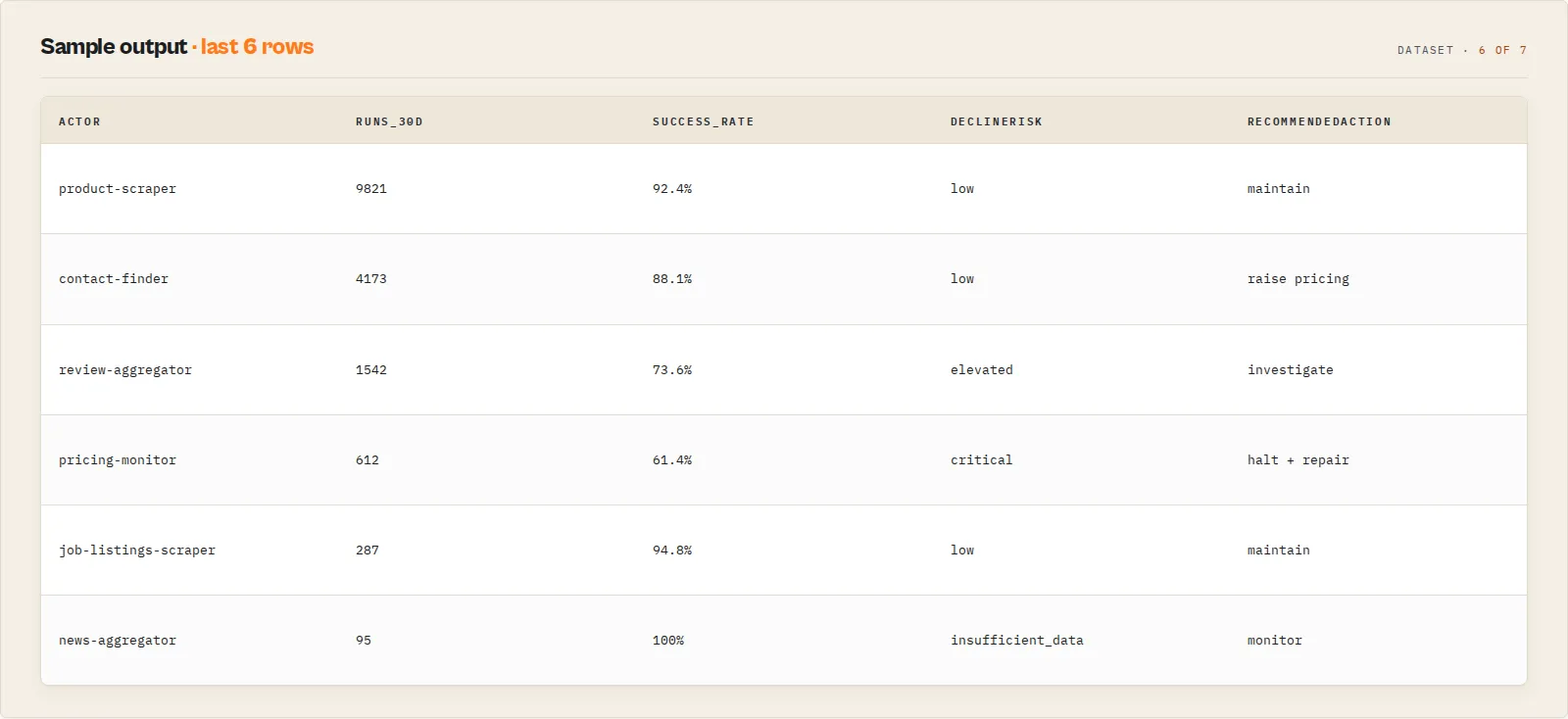
Representative envelope returned by forecast_actor_decline after 5 snapshots have accumulated:
Output fields
| Field | Type | Description |
|---|---|---|
ok | boolean | True on success and wrapNoData. False on wrapError. |
schemaVersion | string | Envelope schema version (currently 1.0). |
actorVersion | string | This actor's version. |
tool | string | Tool name that produced the response. |
recordType | string | Stable record type for downstream routing (e.g. actor_decline_forecast). |
traceId | string | Unique trace ID. Persist for later get_decision_audit replay (Phase 2/3). |
workflowProfile | string | Echo of the requested response profile (raw / zapier / make / dify). |
chargedEvent | string|null | The PPE event name fired by this call. Null on free tools and wrapNoData. |
costBreakdown.wrapperPpeUsd | number|null | Wrapper PPE event price. |
costBreakdown.subActorPpeUsd | number|null | Sub-actor PPE (Group A). Null when owner-on-owner. |
costBreakdown.standbyComputeNote | string | Operator note about standby compute billing. |
derivedFrom.sources | string[] | Upstream sources this response was derived from. |
derivedFrom.primaryDrivers | string[] | Top drivers of the result, for human reading. |
warnings | string[] | Non-fatal warnings (e.g. "Fleet exceeded 5000 actors; results truncated"). |
contentHash | string | sha256 of the payload, used for materialChangesOnly dedup. |
primary | object | Tool-specific payload. Shape depends on recordType. |
How much does it cost to run Actor Fleet Operator MCP?
Pay-per-event pricing is set per tool — see the Pricing tab on this actor's Store page for the current per-event prices. Customer cost has three components:
- Per-call PPE event. Every paid tool call fires one Apify pay-per-event charge after data is confirmed. Group F utility tools, Group D resources, and Group E prompts do not charge.
- Standby compute. The MCP client holds a connection to the standby instance. Apify bills compute time to the customer's Apify plan while the instance is awake. The 5-minute idle-shutdown caps awake time after the last tool call.
- No sub-actor PPE for Group A. Sub-actor calls are owner-on-owner so the eight ApifyForge analysis actors do not double-charge. Sub-actor compute attribution under customer-triggered standby is currently a documented VERIFY item.
Set a maxTotalChargeUsd spending limit in your Apify run configuration to bound cost on bulk or scheduled use. Apify's free tier includes $5 of monthly platform credits.
Connecting via the API
Python
JavaScript
cURL
How Actor Fleet Operator MCP works
Mental model: MCP client → Authorization header → standby instance → REST or owner-on-owner Actor.call → stable envelope back.
Connection lifecycle
The actor runs in Apify Standby mode. The first tool call from any MCP client cold-starts a fresh container; subsequent calls hit the warm instance until idle-shutdown fires. The Express server registers POST /mcp for tool calls, GET /health for status. Every request bumps a lastRequestAt timestamp. A background interval checks every 30s; when the gap exceeds STANDBY_IDLE_TIMEOUT_SECS (default 300s), the instance calls Actor.exit() to release compute time. Next request cold-starts a fresh instance.
Authorization flow
The Authorization: Bearer <token> header is read once per request and threaded through RequestCtx. Tool handlers receive the token via context — they never read it from tool arguments. This prevents the token from leaking into MCP client transcripts and chat history. A SHA-256 HMAC of the token (using the server-side AUDIT_HMAC_KEY secret) partitions the KV state: snapshots, audit entries, and per-actor history are all written under a per-caller key. Two customers on the same standby instance cannot see each other's state.
Group A: owner-on-owner sub-actor calls
The eight Group A tools wrap eight ApifyForge backend actors via Actor.call. Because the call originates inside an actor owned by the same account that owns the sub-actor, sub-actor PPE does not fire. The wrapper then filters out synthetic-error records ({error: true} rows that some backend actors push into their dataset on internal failure even though they return SUCCEEDED status). If the real-item count is zero, the wrapper returns wrapNoData with no charge. If real data is present, the wrapper fires its own Actor.charge() event.
Group B: REST + snapshot persistence
The 12 Group B tools call the caller's Apify account via REST (/v2/acts?my=true, /v2/acts/{id}, /v2/logs/{id}, /v2/datasets/{id}/items). get_fleet_status persists a FleetSnapshot (totals, runs_30d, est revenue, content hash). forecast_actor_decline and score_maintenance_burden persist ActorSnapshot records keyed by actor ID. materialChangesOnly: true compares the new payload's content hash against the prior stored hash — identical results return wrapNoData(suppressed: true) with no charge.
Methodology (free to inspect)
The full per-metric methodology is exposed as a free MCP resource at actor-fleet://reference/methodology. declineRisk is a count of risk factors thresholded against snapshot history. maintenanceBurden is a deterministic 0-100 score across failure rate, success rate, days-since-deploy, and utilisation. Duplicate detection uses Jaccard similarity on lowercased word tokens of length > 2 across title + description + name. Pricing simulation is pure arithmetic against runs_30d plus the Apify 14d+1h customer-notification grace period. None of these involve an LLM — same input always produces the same enum.
Tips for best results
- Read the
decision-enumsresource at connection time. It gives your AI assistant the full enum surface (decision, decisionPosture, declineRisk, maintenance band, confidence) before any tool call. Branch on these enums, not on prose. - Persist
traceIdon every paid call. When Phase 2/3 ship the write tools, the sametraceIdwill let you replay the decision basis viaget_decision_audit. TreattraceIdas the operator-side equivalent of a SAR reference number. - Use
dispatch_by_intentinstead of inventing tool sequences. The intent templates are the recommended routing for the six common operator workflows. Following the template prevents the LLM from invoking tools in the wrong order or with missing arguments. - Seed snapshots before forecasting. Run
get_fleet_statusandforecast_actor_declineon each top earner once before relying on the trajectory math. 4+ snapshots =mediumconfidence; 10+ snapshots =highconfidence. - Schedule with
materialChangesOnly: true. When the same tool fires daily via the Apify scheduler, set this flag. Identical responses suppress towrapNoDataand skip the PPE charge — your monthly bill only fires on real change. - Use
compare_actors_abbefore promoting a competitor's actor over yours. It runs both on the same input with fairness checks and returns a deterministicdecisionPostureenum. Cheap insurance before you switch a customer pipeline. - Treat the revenue figure as an approximation.
get_fleet_revenuereturnsdataIntegrity: "approximation"because Apify does not expose per-actor revenue. Use the trajectory across snapshots for direction, not the absolute number.
Combine with other Apify actors
| Actor | How to combine |
|---|---|
| Actor Fleet Analytics | The backend actor behind analyze_fleet. Call it directly when you want the raw 7-specialist synthesis without the MCP wrapper. |
| Actor Quality Monitor | The backend actor behind score_actor_quality. Call directly for one-off quality audits from CI. |
| Actor Test Runner | The backend actor behind gate_actor_deploy. Wire as a release gate in your deploy pipeline. |
| Actor Schema Validator | The backend actor behind validate_actor_output. Use to detect silent data failures on production runs. |
| Actor Compliance Scanner | The backend actor behind triage_actor_risk. Use directly when you want a pre-publish risk scan without the MCP. |
| Actor Pipeline Builder | The backend actor behind validate_actor_pipeline. Use directly to validate a multi-actor pipeline composes correctly. |
| Actor A/B Tester | The backend actor behind compare_actors_ab. Use directly for one-off A/B runs. |
| Actor Input Tester | The backend actor behind validate_actor_input. Use directly as an input preflight before running an unfamiliar actor. |
Limitations
- Phase 1 is read-only. Write tools (push README, update changelog, publish, set pricing, start run) are reserved for Phase 2/3 after
dryRun-cannot-mutate test invariants land. - No cross-account access. Every tool is scoped to the API token in the
Authorizationheader. The MCP cannot read or operate on a different developer's fleet. - First call to forecast / burden returns
insufficient_data.forecast_actor_declineandscore_maintenance_burdenrequire at least 2-4 historical snapshots before trajectory math produces signal. Seed today, return tomorrow. - Per-actor revenue is an approximation. Computed as
runs_30d × avg_ppe_event_price. Apify does not expose per-actor revenue directly. Use trajectory direction, not absolute number. - Fleet status truncates above 5000 actors. A
warningis added to the response andsearch_actorscan be used for filtered queries. - Sub-actor compute attribution under customer-triggered standby is an open VERIFY item. Owner-on-owner sub-actor calls do not fire sub-actor PPE; sub-actor compute behaviour under customer-paid standby compute is being probed.
- Audit retention is short in Phase 1. Decision-audit entries retain for ~2 days; 90-day retention lands in Phase 2.
- The MCP itself does not call any LLM. Decisions, scores, and enums are deterministic. The LLM in your AI assistant is the only LLM involved.
Integrations
- Apify API — Trigger tool calls programmatically, manage spending limits, and retrieve run history.
- Webhooks — Post tool responses to your alerting platform; useful for
forecast_actor_declinecron loops that surfacedeclineRisk: critical. - Zapier — Route
urgentmaintenance-band actors to a Slack channel via thezapierworkflow profile. - Make — Build scheduled portfolio audits using the
makeworkflow profile (dotted-key payload). - Apify Scheduler — Paste the payload from
continuous_monitoring_subscribeto schedule a daily / weekly diagnostic inmaterialChangesOnlymode. - LangChain / LlamaIndex — Connect from an AI agent pipeline so the agent can audit its own Apify fleet between tasks.
Troubleshooting
INVALID_TOKENon every call — The MCP client is not sendingAuthorization: Bearer <token>in the headers. Check your MCP client config; some clients put headers in a separateheadersfield on the server entry, others nest undertransport.headers.forecast_actor_declinealways returnsinsufficient_data— The actor needs at least 2 historical snapshots before trajectory math fires. Callforecast_actor_declineon the same actor across two separate days (or seed viaget_fleet_statusonce first). 4+ snapshots =mediumconfidence; 10+ =high.- Empty
primaryandsynthetic-onlywarning on a Group A tool — The backend sub-actor returned only synthetic-error records and the wrapper filtered them. The wrapper does not charge in this case. Re-run after addressing the input cause shown inderivedFrom.primaryDrivers. - Server returns 405 on GET — The MCP endpoint only accepts POST per the JSON-RPC 2.0 spec. GET
/mcpintentionally returns a 405 with a hint message. - Standby instance cold-starts every call — Idle-shutdown is firing after 5 minutes of inactivity. This is by design — it caps customer-paid standby compute. Tune
STANDBY_IDLE_TIMEOUT_SECSupward if your workload has gaps > 5 min between calls; downward for shorter caps. - Two customers on the same instance report seeing different snapshots — That is the HMAC-partitioned KV working as designed. Each token hashes to a different partition key; customers cannot read each other's state.
Responsible use
- Actor Fleet Operator MCP reads only the Apify account scoped to the token in the
Authorizationheader. It does not access third-party services, does not scrape websites, and does not access other developers' accounts. - Use a scoped Apify token, not your master token. Tool arguments and headers can persist in MCP client transcripts.
- Treat the
decisionAuditId/traceIdas compliance-grade metadata when Phase 2/3 write tools land. Persist them in your own system if you need long-term audit trails beyond the actor's KV retention. - The MCP does not call an LLM in any scoring or decision path. Every enum is deterministic from inputs.
- Compliance and contractual obligations under your Apify plan are your responsibility — the MCP exposes capability, you decide policy.
FAQ
What is Actor Fleet Operator MCP? A standby MCP server that exposes 25 fleet-ops tools over the Model Context Protocol. It connects an AI assistant (Claude Desktop, Cursor, Cline, Windsurf, or any MCP client) to a single Apify account so the LLM can audit fleet quality, forecast decline, simulate pricing changes, find duplicates, and orchestrate operator workflows from chat.
Who is this MCP for? Apify developers running 5-100+ actors as a business who want to drive their account from an AI assistant. Not for end users running a single Apify scraper — they should connect that scraper's own actor instead.
How is this different from the standard Apify MCP? The standard Apify MCP exposes one actor's inputs as one tool, aimed at the end user running that scraper. Actor Fleet Operator MCP is shaped for the operator persona — the developer running the portfolio. Quality, decline risk, maintenance burden, revenue rollup, and pre-publish triage are first-class verbs returning stable decision enums, not patterns the LLM has to invent on top of raw REST responses.
Does this MCP write to my Apify account in Phase 1?
No. Phase 1 is read-only. Write tools (push README, update changelog, publish to Store, set pricing, start run) are reserved for Phase 2/3 after dryRun-cannot-mutate test invariants land. The simulate_pricing_change tool is dry-run by contract — it projects revenue impact but never writes.
How does it connect to Claude Desktop?
Add an mcpServers entry to claude_desktop_config.json pointing at https://<username>--actor-fleet-operator-mcp.apify.actor/mcp with Authorization: Bearer <token> in the headers. Restart Claude Desktop. The 25 tools become available to the conversation.
Can I use this for AML, compliance, or financial screening? No — that is a different MCP. For sanctions screening, AML classification, and adverse-media screening, see ryanclinton/financial-crime-screening-mcp. Actor Fleet Operator MCP is purely for Apify developer-account operations.
What is the eight-actor "backend" the README mentions — do I need to install those?
No. The eight ApifyForge backend actors (actor-fleet-analytics, actor-quality-monitor, actor-ab-tester, actor-schema-validator, actor-test-runner, actor-input-tester, actor-pipeline-builder, actor-compliance-scanner) are already published on the Apify Store. When you fire a Group A tool, this MCP calls those actors owner-on-owner via Actor.call. You see one tool call; the MCP handles the rest.
Why is forecast_actor_decline so useless on the first call?
Trajectory math needs at least 2-4 historical snapshots to compute runRateVelocity, qualityVelocity, and trend. On the first call the response sets declineRisk: insufficient_data and confidence: insufficient_data. Run once today to seed history, then come back the next day — by then you'll have multiple snapshots and real trajectory.
How is per-actor revenue calculated, and how accurate is it?
Per-actor revenue is computed locally as runs_30d × avg_ppe_event_price per actor. The response tags this with dataIntegrity: "approximation" because Apify does not expose per-actor revenue directly. Use the trajectory across snapshots to gauge direction; treat the absolute monthly number as a rough estimate, not a billing figure.
Does the MCP store my Apify token?
No. The token is read from the Authorization: Bearer header on every request and threaded through the per-request context. A SHA-256 HMAC of the token is computed (using a server-side AUDIT_HMAC_KEY secret) to partition KV state per caller, but the token itself is never persisted.
Can two customers using the same standby instance see each other's data? No. Every customer's API token is hashed (HMAC-SHA256) into a partition key, and snapshots, audit entries, and per-actor state are all written under that per-caller key. Cross-customer reads are not possible by design.
Is there an idle-shutdown so I do not burn standby compute?
Yes. The actor checks every 30 seconds for inactivity. When the gap since the last request exceeds 5 minutes (STANDBY_IDLE_TIMEOUT_SECS), the instance calls Actor.exit() to release compute. The next tool call cold-starts a fresh instance. This is the Nate-incident protection — a pinned MCP client cannot keep the standby instance awake indefinitely on the customer's tab.
How much does it cost to run a weekly fleet health report?
Pay-per-event pricing is set per tool (see the Store Pricing tab for current per-event prices). The weekly_health_report intent fires roughly four paid tool calls (analyze_fleet, get_fleet_memory, get_fleet_status, forecast_actor_decline on top earners). Plus standby compute for the ~3-5 minutes the cycle takes to complete, capped by idle-shutdown after the last call. Set maxTotalChargeUsd in your Apify run configuration to bound cost.
Is it legal to use this MCP for operating my Apify account? Yes. Actor Fleet Operator MCP accesses only the Apify account scoped to the token in the header — your own account. It does not scrape third-party websites and does not access any service outside Apify's documented REST API. Compliance with Apify's terms of service is your responsibility as the token holder.
Help us improve
If you encounter issues, you can help us debug faster by enabling run sharing in your Apify account:
- Go to Account Settings > Privacy
- Enable Share runs with public Actor creators
This lets us see your run details when something goes wrong, so we can fix issues faster. Your data is only visible to the actor developer, not publicly.
Support
Found a bug or have a feature request? Open an issue in the Issues tab on this actor's page. For Phase 2/3 write-tool requests or enterprise integrations, reach out through the Apify platform.