YouTube Keyword Rank Tracker
Pricing
Pay per usage
YouTube Keyword Rank Tracker
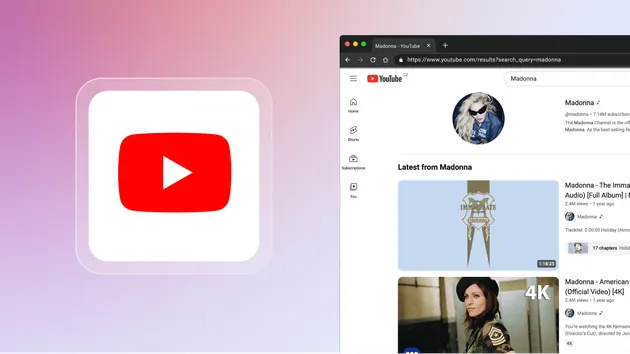
Searches YouTube for a list of keywords and returns the ranked organic video results in the same order a real user would see them, for a given country.
Pricing
Pay per usage
Rating
0.0
(0)
Developer

Sarang V
Maintained by CommunityActor stats
0
Bookmarked
11
Total users
0
Monthly active users
3 months ago
Last modified
Categories
Share
YouTube Keyword Rank Tracker (Phase 1 — Apify Actor)
Data collection engine for a YouTube keyword rank tracking platform (Share of Search, à la Ahrefs/Semrush but for YouTube Search). This Actor's only job is to search YouTube for a list of keywords and return the ranked video results in the same top-to-bottom order a real, logged-out user would see them for a given country. Storage, analysis, and Share-of-Search math belong in the application layer, not here.
Built with Crawlee's PlaywrightCrawler on top of the
Apify SDK. Uses real DOM scraping of the rendered search page (not the
YouTube Data API), because the API's result set and ordering do not reliably
match what users actually see in the UI — and matching the UI is the whole
point.
Table of contents
- How it works
- Input — full reference
- Output — full reference
- Computing Share of Search downstream
- Why RESIDENTIAL proxy
- Fresh-session / no cross-request bias guarantees
- Exact counts, and what a short count means
- Fidelity: what a real user sees
- Known limitations (Phase 1 / MVP scope)
- Validating against real YouTube Incognito (India)
- Local development
- Deploying
How it works
- For each keyword, build the bare search URL a real user would land on:
youtube.com/results?search_query=<keyword>— nogl/hl, no filters, no login. See Fidelity. - Load the page through a fresh Apify Proxy session tied to the target
country, in a brand-new incognito browser context, withlocale/timezoneId/fingerprint (and, for India,geolocation) set to match. - Accept the cookie-consent interstitial if YouTube shows one.
- Verify against YouTube's own
ytcfgthat it resolved the target country and a logged-out session. If not, retire the session and retry — don't return foreign results. - Scroll the results feed until
maxResultsPerKeyworddistinct videos have loaded, waiting patiently for each continuation rather than guessing a fixed delay. - If the attempt came up short, retire the proxy session and retry the keyword on a fresh one. Real keywords do not run out (one was measured at 148+ videos), so a short count is treated as OUR failure and only YouTube's own continuation stream may ever declare a real shortage — see Exact counts.
- Read the video results straight out of the DOM, in visual order — only top-level
ytd-video-rendereritems are captured (actual video results; playlists, channels, mixes, and nested Shorts shelves are skipped so that "position" has one unambiguous meaning: rank among distinct video results). - Push one dataset row per video, and one entry per keyword into
KEYWORD_SUMMARIESrecording the status, every attempt's count, and YouTube's resolved locale.
Source layout:
| File | Responsibility |
|---|---|
| src/main.js | Actor entry point: reads input, builds the crawler, orchestrates the run |
| src/searchPage.js | Page-level mechanics: URL building, consent dismissal, scrolling, DOM extraction |
| src/proxyCheck.js | Proxy geolocation self-check and input sanity warnings |
| .actor/input_schema.json | Defines the Actor's input form on Apify Console |
| .actor/actor.json | Actor manifest (name, version, entrypoints) |
| AUDIT_PROMPT.md | Self-contained brief for an independent auditor to verify the output is genuinely what an India incognito user sees. Includes the traps that produce a false PASS — read it before trusting any result, including your own. |
Input — full reference
Input is a single JSON object (this is what fills the form on Apify Console, or the body of an API "Run Actor" call). Full example:
Field-by-field
| Field | Type | Required | Default | Notes |
|---|---|---|---|---|
keywords | string[] | Yes | — | One YouTube search is run per entry. Duplicates and blank/whitespace-only entries are silently removed before running. At least one non-empty keyword is required or the run fails immediately with a clear error. No hard cap in code, but very large lists (hundreds+) will take proportionally longer and use proportionally more proxy traffic — see Local development for timing estimates. |
country | string | No | "IN" | ISO 3166-1 alpha-2 code (e.g. IN, US, GB). Feeds three things: the browser locale/Accept-Language (<language>-<country>) and fingerprint, the proxy's apifyProxyCountry default if you don't set proxyConfiguration explicitly, and the country the Actor verifies against YouTube's own resolved GL on every page (a mismatch retires the session and retries rather than returning foreign results). It is deliberately not sent as a gl URL parameter — see Fidelity. Only IN currently gets a tuned timezoneId/geolocation profile (see COUNTRY_PROFILES in src/main.js). |
language | string | No | "en" | BCP-47-ish language code. Combined with country into the browser locale (en-IN) used for the fingerprint and Accept-Language. Not sent as an hl URL parameter; YouTube resolves HL itself (for India it resolves en-IN, not a bare en). |
maxResultsPerKeyword | integer | No | 20 | How many distinct video results to collect per keyword, min 1, max 200 (enforced by the input schema on Apify Console; not hard-enforced via raw API). This is a guarantee, not a target: YouTube does not run out of results for real keywords, so a short count is reported as a loud FAILED_INCOMPLETE failure rather than as a fact about YouTube — see Exact counts. Counting is by distinct video ID because YouTube genuinely repeats videos across continuation batches. |
proxyConfiguration | object | Yes | {"useApifyProxy": true, "apifyProxyGroups": ["RESIDENTIAL"], "apifyProxyCountry": "<country>"} if omitted | Standard Apify Proxy configuration object. On Apify Console this renders as the built-in proxy picker UI. See Why RESIDENTIAL proxy for why the default is what it is. Passing {"useApifyProxy": false} disables the proxy entirely (requests exit from wherever the Actor is physically running) — useful only for local mechanics testing, never for real India validation. |
maxRequestRetries | integer | No | 5 | How many extra attempts, each with a fresh proxy session, a keyword gets. Spent on measuring YouTube, and on nothing else: sessions that never rendered, resolved the wrong country, or got cut off mid-feed are refunded (up to 6) so bad luck can't eat the budget. Raising this is the main lever when a keyword comes back FAILED_INCOMPLETE. Retries are only spent when needed — a keyword that hits its target on attempt 1 costs one attempt. |
navigationTimeoutSecs | integer | No | 90 | Per-attempt timeout (seconds) for the search page to finish its initial load. Residential proxies are slow; don't set this low. |
resultsTimeoutSecs | integer | No | 45 | How long to wait for the first video result to render after the page loads. YouTube ships ~1MB of HTML and then builds the results client-side, so a slow session can deliver the page but never hydrate it. On expiry the attempt is abandoned, a DIAG-* snapshot (screenshot + element counts + resolved locale) is written to the key-value store, and the keyword is retried on a fresh session. |
loadBudgetSecs | integer | No | 240 | Max time one attempt may spend scrolling. YouTube renders results a few at a time (the first paint holds only ~4), so 50 results takes ~25s on a fast line and longer through a residential proxy. Raise this for large maxResultsPerKeyword. |
Notes on proxyConfiguration
This is the one field worth understanding in more depth beyond the table
above — see Why RESIDENTIAL proxy.
In short: always use groups: ["RESIDENTIAL"] with country matching the
top-level country input field.
Output — full reference
Output is split across two places, deliberately:
- The dataset (Console: run → Output tab) holds only video results — every row has the exact same shape. This is what you export as JSON/CSV/Excel, and what a rank tracker actually needs.
- The key-value store (Console: run → Storage → Key-value store tab) holds per-run diagnostics: proxy verification and per-keyword success/failure summaries. These aren't results you'd scroll through row by row, so they don't live in the dataset — mixing row shapes there just produces a wall of blank/"undefined" columns in Apify Console's table view.
The dataset: one row per video
Rows are denormalized: keyword, country, language, and searchedAt
are repeated on every row so each row is independently meaningful — you don't
need to join against anything else to know which keyword/run a row belongs
to. position is 1-based rank, top to bottom, in the exact order the video
appeared on the page.
| Field | Type | Always present? | Description |
|---|---|---|---|
keyword | string | Yes | The search query this result came from. |
country | string | Yes | Echo of the input country for this run. |
language | string | Yes | Echo of the input language for this run. |
searchedAt | string (ISO 8601) | Yes | Timestamp the page was scraped — shared across all rows for the same keyword. |
position | integer | Yes | 1-based rank among distinct video results, top to bottom. This is the number a rank tracker cares about. YouTube repeats some videos further down the feed; repeats are collapsed to their first (highest) appearance so a repeat can't push everything below it down a slot. |
youtubeResolvedGl | string | null | Yes | The country YouTube itself resolved for this session, read from its ytcfg — not an echo of your input. Must be "IN" for a valid India run. |
youtubeResolvedHl | string | null | Yes | The locale YouTube itself resolved, e.g. "en-IN". Note this is en-IN, not a bare en — that is what a real Indian user gets. |
youtubeLoggedIn | boolean | null | Yes | Must be false. Proof the results carry no account personalization. |
title | string | null | Almost always | Video title. null only if the title element itself failed to parse (rare/layout-change indicator). |
videoId | string | Yes | YouTube's 11-character video ID, extracted from the result's link. Results without a parsable ID are dropped (they can be neither ranked nor de-duplicated) and counted in unidentifiableItemsSkipped. |
videoUrl | string | null | Almost always | Full youtube.com/watch?v=... URL (includes YouTube's internal tracking query params, harmless to keep or strip). |
channelName | string | null | Usually | Display name of the channel/byline, as text. For multi-channel co-attributed videos (e.g. two channels credited on one video), this can be a combined string like "Channel A and Channel B" with no matching channelId/channelHandle — see Known limitations. |
channelUrl | string | null | Usually | Full URL to the channel, whichever form YouTube linked (handle or ID based). null for the multi-attribution case above. |
channelId | string | null | Rarely | The stable UC... channel ID, only populated when YouTube happens to link the channel via /channel/UC…. Most current search results link via handle instead — see channelHandle. |
channelHandle | string | null | Usually | The @handle-style channel identifier (e.g. "@ProductBazar"), extracted whenever channelId isn't available. Use this as the primary channel-matching key for MVP, not channelId. |
viewCountText | string | null | Usually | View count exactly as displayed, e.g. "72K views", "2.1 crore views" (India-locale numbering), or "11K watching" for live streams. Deliberately left as display text, not parsed to a number, since formats vary by locale/live-status — parse downstream if you need a numeric value. |
publishedTimeText | string | null | Usually | Relative publish time as displayed, e.g. "11 months ago", "3 years ago". null for some live/premiere states where YouTube doesn't show this. |
lengthText | string | null | Usually | Video duration as displayed, e.g. "6:19", "1:02:21". null for livestreams/premieres, which don't show a fixed duration badge. |
thumbnailUrl | string | null | Almost always | Deterministically constructed as https://i.ytimg.com/vi/<videoId>/hqdefault.jpg (not scraped from the page — see Known limitations for why). null only if videoId itself is null. |
isAd | boolean | Yes | true if the result carried an "Ad" badge (in-feed promoted video). These are still included in the ranked position sequence since that's what a real user visually scrolls past — filter them out downstream if your Share of Search should be organic-only. |
Key-value store: KEYWORD_SUMMARIES
One entry, written once at the end of the run: an array with one object per
keyword, telling you what actually happened for it. This is the true
denominator for Share of Search — don't assume it always equals
maxResultsPerKeyword, and always check status before trusting a keyword's
numbers.
| Field | Present when | Description |
|---|---|---|
status | Always | See the four values below. Check this before trusting a count. |
keyword, country, language, searchedAt | Always | Same meaning as in dataset rows. |
totalVideoResults | Always | Number of dataset rows pushed for this keyword — the correct Share-of-Search denominator. 0 when status is error. |
requestedMaxResults | Always | Echo of the input maxResultsPerKeyword. |
attempts / attemptCounts / sessionsUsed | Always | How many independent proxy sessions were used and what each one returned. The spread here is the honest confidence interval. [50] is a clean first-attempt hit; [21, 18, 15, 16] means the sessions disagreed and the number should not be treated as a fact about YouTube. |
youtubeResolvedGl / youtubeResolvedHl / youtubeLoggedIn | Always | What YouTube itself resolved for the session that produced these rows, read from its own ytcfg. For a valid India run these must read IN / en-IN / false. This is the fidelity receipt, not our assumption. |
duplicatesSkipped | Always | Repeats collapsed so position stays a clean rank. A number comparable to totalVideoResults is a throttling signal. |
errorMessage | error / salvaged rows | Human-readable failure reason. |
sourceUrl | Always | The bare YouTube search URL — paste it into a browser in-country to re-check by hand. |
status values
| Value | Meaning | Trust the count? |
|---|---|---|
exact | Got exactly maxResultsPerKeyword distinct videos. | Yes. |
short_content_shortage | Fewer than requested, and YouTube's own continuation stream ended with no further page on ≥2 independent sessions. | Only for nonsense/ultra-niche queries. On a normal keyword this should never appear — YouTube does not run out (one ordinary keyword measured 148+ and was still going). If you see it on a real keyword, verify by hand. |
FAILED_INCOMPLETE | Fewer than requested, and YouTube never signalled end-of-results — so it almost certainly has more. A throttled/slow proxy beat us. | No — this is not a measurement. The count is an artifact of our failure, not a property of YouTube. Re-run the keyword, or raise maxRequestRetries / loadBudgetSecs. |
error | The keyword never produced a usable page across every attempt. No dataset rows. | No rows to trust; see errorMessage and any DIAG-* records. |
Downstream handling tip: use only status: "exact" (and, for genuinely
niche queries you've verified by hand, short_content_shortage) when computing
Share of Search. Never feed a FAILED_INCOMPLETE count into a denominator:
it is a scraper failure wearing the costume of a small result set, and using it
will silently overstate that keyword's share.
Why the bar for "content shortage" is set so high
Earlier versions let session agreement prove a shortage. That was actively dangerous. Measured on Apify: three throttled sessions stalled at 13, 19 and 21 results and "agreed", so the run reported a confirmed content shortage of 21 for a keyword that returns 35+ on a healthy session. Three wrong answers that match are still three wrong answers — agreement between throttled sessions measures the throttling, not the catalogue.
So agreement can no longer prove anything by itself. The only admissible proof that results ran out is YouTube saying so, via its continuation stream (see Exact counts). Everything else is reported as our failure, loudly, because on a real keyword that is exactly what it is.
Other key-value store entries
| Key | Written | Purpose |
|---|---|---|
PROXY_GEO_CHECK | Once per run, before any keyword is scraped | Pre-flight proof of where the run's proxy actually exits from — see Why RESIDENTIAL proxy. Shape: { expectedCountry, checked, matched, geo: { country, city, ip, org }, endpoint }. A real India run looks like { "matched": true, "geo": { "country": "IN", "city": "Delhi", "org": "AS55836 Reliance Jio Infocomm Limited" } }. This is a plain HTTP check, not a browser launch, and it is advisory only — if every geolocation endpoint is rate-limited it reports checked: false and the run continues, because the authoritative gate is YouTube's own resolved GL on each page (youtubeResolvedGl). |
DIAG-<keyword>-a<n> and DIAG-<keyword>-a<n>-SHOT | Only when an attempt's page never rendered results | Why an attempt failed, instead of leaving you to guess: resolved locale, element counts, page title, body-text snippet, and a JPEG screenshot. Typical throttled-session signature: ~1MB of htmlLength and a valid GL: "IN" (so YouTube served the real page) but every element count 0 — i.e. the page arrived and never hydrated. That is a slow/bad session, and the fresh-session retry is the fix. |
Computing Share of Search downstream
For a target channel, per keyword:
Overall SOS = average of share_of_search(keyword) across all keywords whose
status in KEYWORD_SUMMARIES is "exact" or "short_content_shortage" —
this averaging (not a single weighted ratio) matches the platform spec's
example: (10% + 25% + 0%) / 3 = 11.67%.
Exclude "error" and "FAILED_INCOMPLETE". A FAILED_INCOMPLETE keyword
is a measurement failure, not a small denominator: dividing by its count would
silently overstate that keyword's share. YouTube does not run out of results for
real keywords, so a short count there means the scraper lost, not that the topic
is thin.
Why RESIDENTIAL proxy (not datacenter, not Google SERP)
Apify offers three proxy types. For this Actor, RESIDENTIAL is the right
one, not a default picked out of convenience:
RESIDENTIAL(used here) — real IP addresses from home/mobile ISPs in the target country. This is what actually makes YouTube's location detection believe the request is a genuine visitor from India, the same way a real user's ISP-assigned IP would. Slower and more expensive per GB than datacenter, but it's the only option that reliably reproduces India-specific ranking, ad mix, and number formatting (e.g. views shown in lakh/crore rather than raw counts).DATACENTER— cheap, fast, but the IP ranges are well-known hosting provider blocks. YouTube is more likely to rate-limit or serve a generic/non-localized result set to these IPs regardless of theglcountry parameter you pass, since IP geolocation is a stronger signal than URL parameters.GOOGLE_SERP— purpose-built forgoogle.com/search; per Apify's own docs, its country-routing only activates for hostnames starting withgoogle. It does not apply toyoutube.com, so it's not an option here at all.
Proving the proxy is actually India, every run
Trusting the country: "IN" input field alone isn't enough — proxy pools
can have partial coverage, and it's easy to accidentally leave
useApifyProxy: false or the wrong group selected. So before scraping any
keywords, the Actor:
- Makes one plain HTTP request through the configured proxy to a
geolocation-IP service (
ipapi.co, falling back toipinfo.io) and asks where it's really exiting from. A real India run reports e.g.exit IP 157.49.13.16 is in IN (Delhi, AS55836 Reliance Jio Infocomm Limited). - Logs
PROXY CHECK OKif it matches, or a loudPROXY CHECK MISMATCH/PROXY CHECK SKIPPED/PROXY CHECK INCONCLUSIVEwarning otherwise. - Saves the result to the run's key-value store under
PROXY_GEO_CHECK. - Separately, warns immediately (before even trying the network check) if
the input's
proxyConfigurationisn't usingRESIDENTIALor its country doesn't match thecountryinput field.
This pre-flight is advisory only, for two reasons learned the hard way:
- It used to launch its own throwaway Chromium, which silently failed on
every production run (
Executable doesn't exist at /pw-browsers/…) because the installed Playwright didn't match the browsers baked into the base image. The check existed but only ever reported "couldn't check", and nobody noticed. It's now a browser-free HTTP call with no version coupling. - Even when it worked, it verified a different browser session than the ones used for scraping, and geolocation endpoints themselves get rate-limited (observed: a 200 response with no country field, reported as a terrifying "resolves to undefined, NOT IN").
The authoritative gate is therefore per-page, not pre-flight: every scraped
page must have YouTube's own ytcfg resolve to the target GL and a
logged-out session, or that session is retired and the keyword retried. See
Fidelity.
None of these checks abort the run — they're diagnostics, since a proxy
hiccup shouldn't silently waste the rest of a multi-keyword run. Always
check the run log / PROXY_GEO_CHECK before trusting a given run's data for
India validation.
Fresh-session / no cross-request bias guarantees
Every keyword search is designed to look like a brand-new, logged-out Incognito window — never influenced by any earlier search in the same run. This was verified empirically (not just assumed) while building the Actor:
| Mechanism | What it prevents | How it's enforced |
|---|---|---|
launchContext.useIncognitoPages: true | Cookies/localStorage/sessionStorage/IndexedDB carrying over between requests | Crawlee actually defaults this to false, which was caught via a local test: a cookie set on one request was still readable on the next by default. Explicitly set true in src/main.js; re-tested and confirmed clean (cookies, localStorage, sessionStorage, and IndexedDB all came back empty on a follow-up request after being written on a prior one). |
persistCookiesPerSession: false | Crawlee's own session-pool layer re-injecting a request's cookies into a later request that reuses the same proxy session | Crawlee defaults this to true when session pooling is on (the default). Explicitly disabled. |
Apify SessionPool default (maxPoolSize: 1000) | The same proxy IP being reused across many keyword searches in one run | Not modified — Crawlee's own default already hands out a brand-new session (and thus a new residential IP) for every request until 1000 sessions exist, which no realistic keyword list will reach. |
| No login, ever | Any personalized/watch-history-influenced ranking | The Actor never authenticates to YouTube; every search is anonymous by construction. |
Net effect: no cookies, no cached identifiers, no shared browser storage, and (in practice) no shared IP carry across keyword searches within a run.
Exact counts, and what a short count means
maxResultsPerKeyword is a guarantee, not a target. If you ask for 50 you
get 50 distinct videos, unless YouTube genuinely does not have 50 for that
query — and the Actor is not allowed to simply assume which of those two it
is hit.
That distinction is hard, because YouTube gives no usable end-of-results signal. This was measured, not guessed:
- The first paint holds only ~4 results; the rest stream in 1–4 at a time as you scroll. Reaching 50 takes ~25s on a fast line, longer through a residential proxy.
- At genuine exhaustion the loading spinner (
ytd-continuation-item-renderer) stays present and visible forever, and no "no more results" message appears. A stalled feed and an exhausted feed look identical in the DOM. Verified by holding an exhausted query at a hard plateau for 3+ minutes. - The same exhausted query returned 21 results one session and 22 the next, so even "genuine" counts are not perfectly stable.
Crucially, YouTube does not run out of results for real keywords. One ordinary commercial keyword was measured at 148 distinct videos and was still producing when the test stopped. So on a normal keyword, a short count is this Actor failing — it is not a fact about YouTube, and must never be reported as one.
The only thing that may ever prove results ran out is YouTube's own
continuation stream. Each extra page arrives as a /youtubei/v1/search
response that either offers a further page or doesn't (verified on an exhausted
query: its responses ran [true × 7, null] — the last carried no continuation).
So:
- YouTube's last word was "more available" and results stopped anyway →
cut_off. We were throttled. The session is retired and the keyword retried, and this can never count toward a shortage. - YouTube offered no further page → genuine end. Still requires two
independent sessions to agree before it is reported as
short_content_shortage. - Anything else short →
FAILED_INCOMPLETE, reported loudly as our failure.
Session agreement alone proves nothing — see Why the bar is set so high.
Two sessions are additionally disqualified from ever corroborating a shortage:
- Throttled sessions. When YouTube throttles a session it stops serving fresh continuations and starts re-serving videos it already sent — the feed plateaus early while padding itself with repeats. Observed directly: one session plateaued at 16 distinct videos with 8 repeats, while the very next fresh session reached the full 50. A throttled plateau says nothing about YouTube's supply.
- Sessions beaten by another session. If any attempt reached a higher count, a lower plateau cannot corroborate a shortage — something clearly had more to give.
This is the whole point: a proxy problem must never be laundered into a "fact" about YouTube. Reporting 11 results as a content shortage when YouTube has 50 is the single worst failure this Actor can make, so when it cannot prove a shortage, it says so instead of guessing.
Fidelity: what a real user sees
A real user physically in India opens youtube.com and types a keyword. Their
URL has no gl/hl parameters, so the Actor doesn't send any either — it
requests the bare https://www.youtube.com/results?search_query=….
That's safe because YouTube resolves the locale itself from the exit IP, which
was verified on a real Indian residential line: a bare URL resolved to
GL=IN, HL=en-IN, LOGGED_IN=false. Forcing hl=en&gl=IN (as this Actor
used to) was both a deviation from that real URL and actively wrong — it
pinned HL to a bare en when a real Indian user resolves to en-IN.
Rather than assume any of this held, every scraped page is checked against
YouTube's own resolved state (ytcfg), and the answer is recorded on every
row as youtubeResolvedGl / youtubeResolvedHl / youtubeLoggedIn. If
YouTube resolves a country other than the target, or reports a logged-in
session, the session is retired and the keyword retried — unfaithful results
are never returned. Independent corroboration that this works: view counts come
back in Indian numbering ("3.4 lakh views", "2.1 crore views").
One consequence worth knowing: country/language inputs shape the browser
locale, fingerprint and proxy, but they are requests, not commands. The
exit IP is what actually decides, and youtubeResolvedGl is what actually
happened.
Known limitations (Phase 1 / MVP scope)
- Channel matching: search results overwhelmingly link channels via
/@handlenow, not the stable/channel/UC…ID. Match onchannelHandlefor MVP; resolving a handle to its canonicalchannelId(via one extra page load per unique channel) is a reasonable Phase 2 addition if handles ever change. A small fraction of results (multi-channel co-attributed videos) have neither populated — see thevideorow field table above. - Shorts shelves and ads: only top-level video results are ranked.
Shorts shelves and in-feed ad units that appear interleaved in the results
are currently skipped, not because they're unimportant, but because
including them raises open questions (does a Shorts shelf count as one
"slot" or as N videos?) that should be a deliberate product decision, not
an artifact of the scraper. In-feed ads that render as a normal
ytd-video-renderer(i.e. inline promoted videos) are captured, withisAd: true. - Result variance: YouTube's organic ranking is not perfectly deterministic between two back-to-back runs of the same keyword — expect minor position drift even with identical proxy/locale settings. Plan for the platform to track trends over multiple runs, not treat any single run as ground truth.
- Thumbnail images and video length are best-effort:
lengthTextisnullfor livestreams/premieres (no fixed duration to show), andthumbnailUrlis derived fromvideoIdrather than scraped (image loading is intentionally blocked for speed — seesrc/main.js).
Validating against real YouTube Incognito (India)
This is the actual Phase 1 acceptance test — do this before building anything on top of the Actor's output:
- Push this project to Apify (
apify login, thenapify pushfrom this directory) and run it on the platform withproxyConfigurationset to Apify Proxy,RESIDENTIALgroup,INcountry, and 3-5 representative keywords. - Check the run log for
PROXY CHECK OK(or thePROXY_GEO_CHECKkey-value store entry) to confirm the run's proxy really exited from India before trusting anything else about it. - On a separate machine/VPN with a real Indian IP, open an Incognito window and run the same searches manually on youtube.com.
- Compare the Actor's
videorows (inpositionorder) for each keyword against what you see on-screen in Incognito, checking: same videos, same top-to-bottom order, same channels. - Expect close alignment on the first ~10-15 results; beyond that, organic variance (per Known limitations) is normal. If entire keywords come back empty or the top results look US/generic rather than India-specific, the proxy/locale isn't taking effect — recheck step 2 first.
Local development
Local runs without apify login won't have Apify Proxy access, so
proxyConfiguration can be set to { "useApifyProxy": false } for a quick
mechanics smoke test — but that hits YouTube from whatever IP the machine
running it has, so it's not a substitute for the India-proxy validation
above unless you already know that machine's IP is genuinely Indian.
Rough timing observed in local testing: ~10-15 seconds per keyword
(dominated by the initial page load + scroll-to-load-more), largely
independent of maxResultsPerKeyword for values under ~20 since most
results load in the first page without needing many scroll rounds.
Deploying