Google Images Scraper
Pricing
$19.99/month + usage
Google Images Scraper
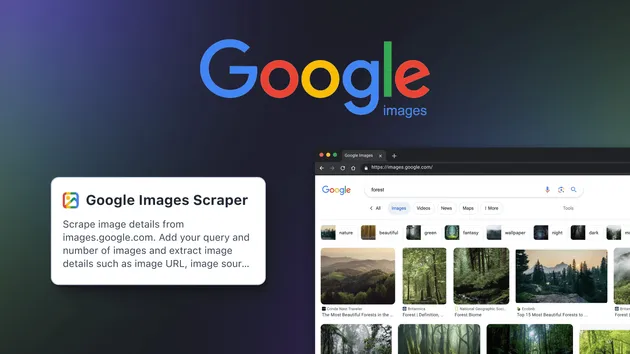
Scrape Google Images results fast with this Google Images Scraper 🖼️ Extract image URLs, titles, source pages, and search result data with ease 📊 Perfect for market research, SEO analysis, trend tracking, and content discovery 🔍 Fast, reliable, and scalable 🚀
Pricing
$19.99/month + usage
Rating
0.0
(0)
Developer

ScrapeMesh
Actor stats
0
Bookmarked
2
Total users
0
Monthly active users
2 days ago
Last modified
Categories
Share
Google Images Scraper
Google Images Scraper is a fast, scalable Google image search scraper that collects structured image results from Google Images 🔍. It lets you scrape Google image search results at scale — extracting direct image URLs, dimensions, titles, source pages, and more — making it a practical Google images scraping tool for marketers, developers, data analysts, and researchers. With resilient scraping logic and real‑time dataset streaming, you can scrape Google images reliably for bulk datasets, dashboards, and automation pipelines.
What data / output can you get?
Below are the exact fields this Google image results scraper saves to the Apify dataset for each image result:
| Data type | Description | Example value |
|---|---|---|
| query | Search query that produced the image | "technology" |
| imageUrl | Direct link to the image | "https://miro.medium.com/v2/resize:fit:1400/1*6-dNFz13P5prRz_kYaInXg.jpeg" |
| title | Title of the source result | "Is Technology Ruining Your Experience ..." |
| imageWidth | Image width in pixels | 1400 |
| imageHeight | Image height in pixels | 1025 |
| thumbnailUrl | Thumbnail URL (defaults to imageUrl when available) | "https://encrypted-tbn0.gstatic.com/images?q=tbn:7XZB0ElBde-RCM" |
| thumbnailWidth | Thumbnail width (fallback used when unknown) | 300 |
| thumbnailHeight | Thumbnail height (fallback used when unknown) | 200 |
| contentUrl | Source page URL where the image is embedded | "https://medium.com/jacob-morgan/..." |
| origin | Hostname of the source page | "medium.com" |
Notes:
- You can export the dataset in JSON, CSV, or Excel from Apify after the run finishes.
- Some fields can be unknown depending on Google’s markup (e.g., origin may be "unknown" if parsing the source URL fails).
Key features
-
🚀 Robust Playwright engine Uses optimized, click-based extraction on Google Images to capture high-quality results with structured fields like imageUrl, contentUrl, and dimensions.
-
🛡️ Smart anti-blocking with proxy fallback Automatic fallback from direct connection → datacenter proxy → residential proxy (with retries). Once residential works, it locks to residential for remaining requests for stability.
-
📡 Real-time dataset streaming When pushToDatasetRealtime is enabled, each image record is pushed to the Apify dataset immediately so you can monitor progress live.
-
🧹 Clean data by design Filters out invalid sources (e.g., data URIs, gstatic, googleusercontent) and deduplicates by URL to keep your dataset clean.
-
🧠 Memory-optimized per-query sessions Spins up a fresh browser context for each query to prevent memory accumulation across large or multi-query runs.
-
👨💻 Headless-friendly & resilient Runs in headless mode by default and handles edge cases like “Target crashed” gracefully to keep your job moving.
-
📂 Export-ready datasets Results are saved to the Apify dataset, so you can download or pipe them into workflows as JSON, CSV, or Excel with one click.
How to use Google Images Scraper - step by step
-
Sign in to Apify
Create a free Apify account or log in. -
Open the actor
Find “Google Images Scraper” in the Apify Store and click Try for free. -
Add your input
In the Input tab, provide:- queries: list of keywords (e.g., ["nature", "technology"])
- maxImages: images per query (1–1000)
- proxyConfiguration: choose proxies (if Google blocks, residential is used as fallback)
- headless: run in headless mode (true by default)
- pushToDatasetRealtime: stream results to the dataset as they’re found
-
Start the run
Click “Start” to launch the Google images crawler. The actor navigates to Google Images and begins click-based extraction. -
Monitor progress
- If pushToDatasetRealtime is true, records appear in the Output table in real time.
- Logs display proxy mode transitions (NONE → DATACENTER → RESIDENTIAL) if a block is detected.
-
Download results
Open the Dataset tab to export your results as JSON, CSV, or Excel.
Pro tip: Automate bulk runs for multiple queries to scrape Google image search results on a schedule and feed the data into dashboards, enrichment pipelines, or storage via the Apify dataset API.
Use cases
| Use case name | Description |
|---|---|
| SEO & marketing research | Analyze visual SERP trends by topic; measure how images change over time for competitors and campaigns. |
| AI/ML dataset creation | Collect large sets of image URLs and metadata to seed model training or validation pipelines. |
| Content discovery | Find fresh visuals and themes by topic to support editorial, social, and content programming calendars. |
| Brand monitoring | Track where images and logos appear across the web by scanning origin hosts from Google Images results. |
| Product & e-commerce imagery | Gather product-related images and sources for catalog comparison or aesthetic benchmarking. |
| Academic & trend research | Study visual trends across queries and time windows using structured outputs and reproducible runs. |
| Automation pipelines | Integrate this Google images scraping bot into data workflows that enrich CRMs or asset managers. |
Why choose Google Images Scraper?
This Google images extractor focuses on precision, resilience, and clean outputs — ideal for production pipelines.
- ✅ Resilient proxy fallback: Direct → datacenter → residential with retries and lock-in for consistent throughput.
- ✅ Accurate fields: Extracts direct image URLs, dimensions, titles, source URLs, and origin hosts that you can trust.
- ✅ Real-time visibility: Stream results to the dataset as they’re found with pushToDatasetRealtime.
- ✅ Developer-ready: Built with Playwright and the Apify Actor SDK for reliable, scalable runs.
- ✅ Safer than extensions: No brittle browser plugins or manual steps — a consistent Google images scraping tool for automation.
- ✅ Export anywhere: Download datasets in JSON/CSV/Excel or connect to your data stack from Apify.
In short, if you need to scrape Google images at scale with clean, structured results, this Google image scraper is engineered for stability and throughput — not a quick, unstable hack.
Is it legal / ethical to use Google Images Scraper?
Yes — when used responsibly. This actor collects publicly available metadata from Google Images search results (e.g., URLs, titles, dimensions, source pages). Avoid downloading or reusing copyrighted images for commercial purposes without permission. Always:
- Respect Google’s Terms of Service and applicable laws (e.g., GDPR/CCPA where relevant).
- Use results for legitimate, ethical purposes.
- Verify compliance with your legal team for edge cases.
Input parameters & output format
Example JSON input
Parameters
- queries (array, required): List of search queries or keywords to scrape images for. Can be a single query or multiple queries. Default: none (required).
- maxImages (integer): Maximum number of images to scrape per query (1–1000). Default: 10.
- proxyConfiguration (object): Choose which proxies to use. If Google rejects the proxy, a residential proxy will be used as a fallback. Default: not set (prefill: {"useApifyProxy": false}).
- headless (boolean): Run browser in headless mode (recommended for production). Default: true.
- pushToDatasetRealtime (boolean): If enabled, each scraped image is saved to the actor Output table immediately. If disabled, all results are saved at the end. Default: true.
Example JSON output
Notes:
- origin may be "unknown" when the source URL cannot be parsed.
- thumbnailWidth and thumbnailHeight fall back to 300x200 when the image dimensions are unavailable.
FAQ
Is there an official Google Images API?
No. There is no public Google Image Search API. This Google images API scraper alternative extracts results directly from Google Images pages.
Can I scrape Google Images with Python?
Yes. This Google image scraper is implemented in Python and runs as an Apify actor. You can trigger it on Apify and export datasets for downstream Python processing.
How many images can I extract per query?
You control this via maxImages. The default is 10 and you can set it from 1 up to 1000 per query.
Does it download images or just URLs?
It outputs structured metadata with imageUrl, thumbnailUrl, dimensions, and source page. You can use those URLs to download files in a separate step if needed.
How does it handle blocks and CAPTCHAs?
The scraper detects common block signals and automatically falls back from direct connection to datacenter, then to residential proxies with retries. Once residential succeeds, it stays on residential for remaining requests.
Can I run multiple queries in one run?
Yes. Provide multiple keywords in the queries array to bulk download Google images metadata across topics in a single run.
Do I need to log in or use a Chrome extension?
No. This is a Google images scraping bot that runs headlessly with Playwright — no login or browser extension required.
What fields are included in the output?
Each record includes: query, imageUrl, title, imageWidth, imageHeight, thumbnailUrl, thumbnailWidth, thumbnailHeight, contentUrl, and origin.
Closing thoughts
Google Images Scraper is built for fast, reliable extraction of structured Google image search results at scale. With proxy fallback, real-time dataset streaming, and clean fields, it’s a dependable google image search scraper for marketers, engineers, analysts, and researchers. Run bulk jobs across many queries, export your dataset, and plug the results into analysis or automation pipelines. Start scraping smarter with a production-ready Google images crawler that just works.