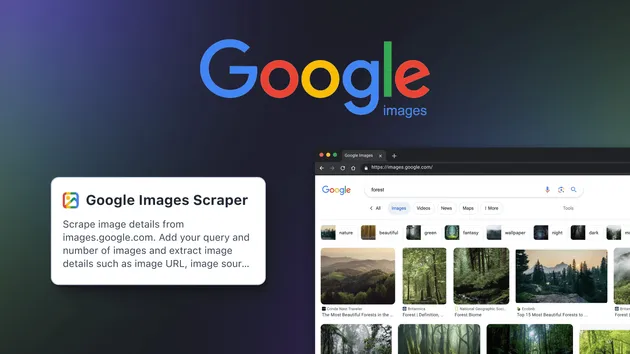
Google Images Scraper
Pricing
$19.99/month + usage
Google Images Scraper
Google Images Scraper collects image URLs, alt text, source pages, and metadata from Google Images. Use it as an API, with Python or Node.js, or via npm. Ideal for datasets, AI training, research, and automation. Exports in JSON, CSV, or Excel.
Pricing
$19.99/month + usage
Rating
5.0
(10)
Developer

Scraper Engine
Maintained by CommunityActor stats
1
Bookmarked
370
Total users
2
Monthly active users
16 days ago
Last modified
Categories
Share
Google Images Scraper — Image URLs, Thumbnails and Source Pages
Google Images Scraper collects Google Images search results for any keyword and returns each image's full-size URL, thumbnail, dimensions, source page, and site of origin as structured JSON — no browser, no HTML parsing, no manual copy-pasting. Give it a list of queries and a target count, and every image row streams into your Output table in real time as it's found. Run it now on Apify and watch rows land as they're collected.
What is Google Images Scraper?
Google Images Scraper is an Apify Actor that queries Google Images for one or more keywords and extracts structured metadata for every image result — direct image link, thumbnail, dimensions, title, source page, and domain. It returns typed JSON rows with no login, no API key, and no Google account required. It's built for developers, market and brand researchers, and teams assembling image datasets for computer vision or AI training who need image metadata at scale without scripting a scraper themselves.
What Google Images data is publicly available to scrape?
Everything Google Images shows an anonymous visitor is publicly accessible — no sign-in gates the search results page itself.
| Data Category | Publicly Available | Restricted |
|---|---|---|
| Full-size image URL | ✅ | — |
| Thumbnail URL and dimensions | ✅ | — |
| Image title / caption text | ✅ | — |
Source page URL (contentUrl) | ✅ | — |
Source domain (origin) | ✅ | — |
| Region- and language-specific results | ❌ | Fixed by the scraper's request configuration |
| SafeSearch filtering | ❌ | Not applied by the scraper's requests |
| The underlying image file itself | ❌ | Scraper returns links, not downloaded image bytes |
Google Images Scraper only returns publicly visible data — what any visitor sees on a Google Images results page. Nothing behind a login wall.
What data can I extract with Google Images Scraper?
Each run returns descriptive fields that identify the image and its source, plus quantitative fields describing its dimensions.
| Field Name | Description |
|---|---|
query | The keyword this image was found for |
title | Title or caption text associated with the source page |
imageUrl | Direct URL of the full-size image |
thumbnailUrl | URL of the preview thumbnail Google generated |
contentUrl | The web page that hosts the image |
origin | The source site / domain the image was found on |
imageWidth | Pixel width of the full-size image |
imageHeight | Pixel height of the full-size image |
thumbnailWidth | Pixel width of the thumbnail |
thumbnailHeight | Pixel height of the thumbnail |
Identity and source fields
query, title, imageUrl, thumbnailUrl, contentUrl, and origin describe what the image is, where it came from, and which keyword surfaced it.
Dimension fields
imageWidth, imageHeight, thumbnailWidth, and thumbnailHeight are numeric pixel values, useful for filtering results by resolution or aspect ratio before downstream use.
🤖 Add-on: Need additional visual-content data?
If your project spans more than Google Images, pair this Actor with Airbnb Images Scraper for listing photo galleries or Instagram Posts Scraper for post media and captions. Both return the same kind of structured, per-item JSON rows so you can combine datasets from multiple platforms in one pipeline.
How does Google Images Scraper differ from the official Google API?
Google's own Custom Search JSON API can return image results, but it is scoped, quota-limited, and requires setup that Google Images Scraper skips entirely. As of 2026-07-30, Google's documentation states the API is free for 100 queries per day, then billed at $5 per 1,000 queries up to 10,000 queries per day, and caps every query at 100 results total (10 per request, with start + num capped at 100). Google has also discontinued the Custom Search JSON API for new customers and requires existing customers to migrate to an alternative by January 1, 2027.
| Feature | Google Custom Search JSON API | Google Images Scraper |
|---|---|---|
| Setup | Requires creating a Programmable Search Engine (cx) plus an API key | Provide keywords and run — no engine or key setup |
| Results per query | Capped at 100 documents per query | Up to maxImages (schema max 100,000; actual yield depends on how many unique images Google has for the keyword) |
| Free quota | 100 queries/day free (Google docs, checked 2026-07-30) | No separate query quota — billed per image row returned |
| Pricing beyond free tier | $5 per 1,000 queries, up to 10,000/day (Google docs, checked 2026-07-30) | Apify pay-per-event pricing on the row_result event |
| New customer availability | Discontinued for new customers; existing customers must migrate by 2027-01-01 (Google docs, checked 2026-07-30) | Available now, no migration deadline |
| Output delivery | JSON response per request, paginated by the caller | Rows streamed into an Apify dataset in real time as they're found |
Use the official API if you already operate inside Google Cloud billing and 100 results per query is enough. Use Google Images Scraper when you need higher per-keyword volume, real-time streaming into a dataset, or you'd rather not manage a Programmable Search Engine and API key.
How to use Google Images Scraper
Google Images Scraper runs entirely inside Apify — there's no separate signup or API key to request before your first run.
- Open the Actor's page on the Apify Store and click Try for free (or Run, if you've already added it to your account).
- Provide the required input:
queries, a list of one or more search phrases. - Optionally set
maxImagesto cap how many unique images to keep per keyword, and leaveproxyConfigurationon its default. - Start the run.
- Watch rows land in the Output table in real time, then export the dataset as JSON, CSV, Excel, or HTML.
How to scale to bulk image extraction
queries accepts an array, so a single run processes any number of keywords — each is searched in turn and every image is tagged with the query it came from in the output row. There's no per-run keyword limit in the input schema; to run keyword batches on a schedule instead of one large run, use Apify's built-in Scheduler to trigger repeat runs with different input.
What can you do with Google Images data?
- 🏢 Brand and market researchers use
originandcontentUrlto see which sites and domains surface most often for a product or brand keyword. - 🤖 Computer vision teams use
imageUrl,imageWidth, andimageHeightto build filtered image datasets at a target resolution for model training. - 📊 Content and SEO analysts use
titleandcontentUrlto audit which pages rank with strong image metadata for a given search term. - 🎨 Catalog and moodboard builders use
thumbnailUrlandtitleto quickly assemble visual references without opening each source page. - 🧠 AI engineers feed
title,origin, andcontentUrlinto a RAG pipeline or agent tool call to ground an LLM's answers in real, source-linked image metadata rather than hallucinated URLs.
How does Google Images Scraper handle rate limits and blocking?
Every request routes through Apify Proxy, defaulting to the GOOGLE_SERP proxy group built for search-engine traffic, and rotates to a new proxy URL on each retry. Requests are sent with a Chrome-impersonated HTTP client rather than a full browser. If a response comes back short and contains Google's /sorry/ interstitial or "unusual traffic" wording, it's treated as blocked and retried — up to 3 attempts per fetch, with a short increasing delay between them, on a fresh proxy each time. If all attempts for a given fetch fail, that fetch is skipped and the scraper moves on rather than failing the whole run. To reach the requested maxImages count, the scraper automatically broadens a keyword across related autocomplete terms and Google's own image search filters (color, type, size, aspect ratio, date range) and stops broadening a keyword early once 14 consecutive fetches add no new unique images — so very high maxImages values on narrow keywords may return fewer images than requested once Google's available results are exhausted.
⬇️ Input
| Parameter | Required | Type | Description | Example Value |
|---|---|---|---|---|
queries | Yes | array | List of search phrases. One query per line in the editor; each is processed in order. | ["nature", "product shots"] |
maxImages | No | integer | Cap how many unique images to keep for each keyword. Minimum 1, maximum 100000, default 10. | 25 |
proxyConfiguration | No | object | Apify Proxy configuration. Defaults to {"useApifyProxy": true, "apifyProxyGroups": ["GOOGLE_SERP"]} — keep the default for best results. | {"useApifyProxy": true, "apifyProxyGroups": ["GOOGLE_SERP"]} |
Example input
⬆️ Output
Every image is pushed to the dataset as a typed JSON row the moment it's collected, with the same 10 keys on every row — no nested objects, no schema drift between runs. Export the dataset as JSON, CSV, Excel, or HTML directly from the Apify Console.
Example output
How does it work?
Google Images Scraper sends search requests to Google's image search endpoint through Apify Proxy's GOOGLE_SERP group, impersonating a Chrome browser at the HTTP level rather than launching one. Each response's embedded image data is parsed directly out of the page rather than rendered, then de-duplicated by image URL. To collect more than a single page's worth of results for a keyword, the scraper layers in related autocomplete terms and Google's own image filters (color, photo type, size, aspect ratio, date range) until the requested count is reached or Google has no more unique images to offer. Only publicly visible search results are returned — nothing behind a login — and every row keeps the same field names and structure regardless of how Google's results page happens to be laid out on a given day.
Integrations
Google Images Scraper runs as a standard Apify Actor, so it works with anything that can call the Apify API.
Calling Google Images Scraper programmatically
Works in Go, Ruby, Node.js, cURL — any language that can make an HTTP request.
No-code tools (n8n, Make, LangChain)
In n8n, use the HTTP Request node against the Actor's run-sync-get-dataset-items endpoint, authenticated with your Apify API token, to trigger a run and receive the resulting image rows in one call. In Make, the Apify app's "Run Actor and Get Dataset Items" module does the same without writing any code. In a LangChain or similar agent framework, wrap the same endpoint as a tool so an agent can request image metadata for a keyword mid-conversation.
⚖️ Is it legal to scrape Google Images?
Scraping publicly available search results is generally legal in most jurisdictions, and Google Images Scraper returns only data any visitor can already see on a public search results page — image links, thumbnails, dimensions, titles, and source pages, not the image files themselves. This is content and metadata data, not personal data about identifiable individuals, so GDPR and CCPA's personal-data rules don't govern the scraping itself; Google's Terms of Service and the copyright held by whoever owns each linked image are the relevant framing instead. The scraper extracts metadata about where an image lives, not the image content — reusing or redistributing the linked images themselves is a separate copyright question from scraping their metadata. Consult legal counsel if your use case involves bulk storage or redistribution of copyrighted image content.
❓ Frequently asked questions
What Google Images fields does Google Images Scraper return?
Every row includes imageUrl, thumbnailUrl, title, contentUrl, and origin, plus dimension fields for both the full image and thumbnail. See "What data can I extract with Google Images Scraper?" above for the full field list.
Does Google Images Scraper require a Google account or login?
No. The scraper sends unauthenticated search requests through Apify Proxy and never signs in to a Google account — no credentials are requested or required as input.
How many images can I extract in one run?
Up to maxImages per keyword, which accepts any value from 1 to 100,000, across as many keywords as you list in queries. Actual results per keyword depend on how many unique images Google actually has for that search term — the scraper stops broadening a keyword once it runs out of new unique images to find.
What happens if a query returns few or zero images?
The scraper broadens the search using related autocomplete terms and Google's own image filters before giving up on a keyword. If Google genuinely has no more unique images to return, the run logs that the keyword finished early and moves to the next one — no error is raised, and since billing is per image row (row_result), a keyword that returns zero images doesn't get charged.
Can I scrape multiple keywords at once?
Yes. queries is an array — list as many search phrases as you need and each is processed in its own turn within the same run, with every output row tagged with the query it came from.
Does Google Images Scraper work with Claude, ChatGPT, and other AI agent tools?
It isn't exposed through a dedicated MCP server, but any agent framework that can call an HTTP endpoint can trigger a run and read back results through the Apify API, the same way the Python example above does.
How does Google Images Scraper broaden results beyond a single search page?
Rather than returning just the first page Google shows for a keyword, the scraper layers in related autocomplete terms and Google's own image search filters — color, photo type, size, aspect ratio, date range — searching each combination and de-duplicating by image URL until it reaches the requested maxImages count or exhausts what Google has for that keyword.
Does Google Images Scraper return data in a format LLMs can use directly?
Yes. Every row is typed, normalized JSON with consistent field names across runs — no HTML to parse, no selectors to write. Pass it directly to an LLM, index it into a vector store, or feed it to an agent tool.
What happens when Google changes its layout or anti-bot system?
The scraper is maintained, and the output schema — the same 10 fields on every row — stays stable across updates even when Google's page structure changes. No specific update turnaround time is published.
Can I use Google Images Scraper without managing proxies or browser infrastructure?
Yes. Apify Proxy (defaulting to the GOOGLE_SERP group) and retry/rotation on blocked responses are handled automatically — you don't configure or maintain any proxy or browser infrastructure yourself.
Which fields work best for AI training data and RAG indexing?
For RAG, title, origin, and contentUrl carry the most descriptive text and are the fields worth embedding for retrieval. For training or filtering pipelines, imageWidth, imageHeight, and imageUrl give consistent, typed structure across every record regardless of keyword.
🔗 Related scrapers
| Scraper Name | What it extracts |
|---|---|
| Airbnb Images Scraper | Listing photo galleries and image metadata from Airbnb |
| Instagram Posts Scraper | Post media, captions, and creator profile data from Instagram |
| Instagram Story Details Scraper | Story media and metadata from Instagram accounts |
| TikTok User Profile Scraper | Profile stats and video metadata from TikTok |
| Snapchat User Stories Scraper | Public story content and metadata from Snapchat |
💬 Your feedback
Found a bug or missing a field? Let us know through the Issues tab on this Actor's Apify Store page — reports are how the field list and parsing logic stay current as Google's results page evolves.