Google Images Scraper — Site, Country & Language Filter
Pricing
$24.99/month + usage
Google Images Scraper — Site, Country & Language Filter
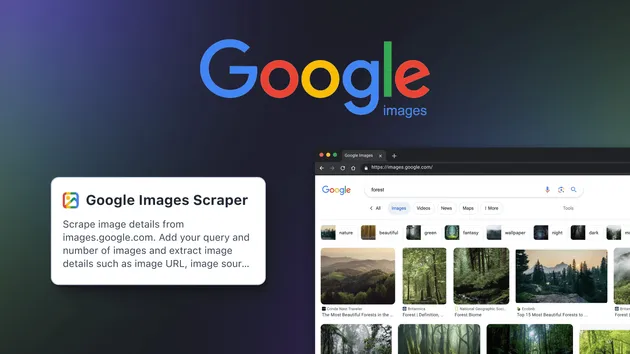
Scrape images from Google with the Google Images Scraper. Extract image URLs, titles, sources, and metadata by keyword or search query. Perfect for content curation, research, and visual data collection. Fast, accurate, and scalable for bulk image scraping.
Pricing
$24.99/month + usage
Rating
0.0
(0)
Developer

Scrapier
Maintained by CommunityActor stats
0
Bookmarked
17
Total users
1
Monthly active users
19 hours ago
Last modified
Categories
Share
Google Images Scraper — Extract Photos by Site, Country & Language
Turn a list of keywords into structured Google Images results — direct image links, thumbnails, source pages, and titles — restricted to the websites, country, and language you choose. Every match streams into your Apify dataset as a typed JSON row the moment it's collected, ready to load into a spreadsheet, pass to an LLM, or feed a monitoring pipeline. Leave the targeting fields empty and it behaves like a plain global Google Images search.
🖼️ What is the Google Images Scraper — Site, Country & Language Filter?
This Actor queries Google Images (google.com/search?udm=2) for one or more keywords and returns every unique image it finds as a structured row — image URL, thumbnail, dimensions, source page, and site of origin. No Google account, API key, or login is required: it runs as an anonymous search request through Apify Proxy. What sets this build apart from a plain keyword search is the targeting layer — you can restrict results to specific domains, pin the search to a regional Google, force a results language, and toggle SafeSearch, all per run, with no external setup.
It exposes these real query controls:
- 🔤 Multiple keywords per run, processed one after another
- 🎯 A per-keyword image cap (
maxImages) - 🔗 Site restriction to one or more domains (
siteDomains) - 🌎 Country targeting (
country, appended as Google'sglparameter) - 🗣️ Language targeting (
language, appended as Google'shlparameter) - 🛡️ SafeSearch on/off (
safeSearch, appended as Google'ssafeparameter)
📊 What data can you get with the Google Images Scraper?
Every run returns one result type: individual image records, each pairing the image itself with the page it was found on and the domain that hosted it.
| Result Type | Extracted Fields | Primary Use Case |
|---|---|---|
| Image result | query, imageUrl, imageWidth, imageHeight, thumbnailUrl, thumbnailWidth, thumbnailHeight, contentUrl, origin, matchedDomain, title | Visual datasets, creative/catalog sourcing, market and competitor research |
Site, Country & Language Targeting
This is the layer that separates this build from a plain Google Images fetch. siteDomains rewrites your keyword into a Google site: query — one domain becomes keyword site:domain.com, multiple domains become keyword (site:d1 OR site:d2 ...) — so results are pulled only from the sites you name. country and language pin the request to a specific regional Google and interface language before any parsing happens, so the images and their surrounding metadata reflect that locale rather than whatever Google infers from the request's IP. Every row carries a matchedDomain field so you can verify, per image, that the site restriction actually held:
🔍 How does the Google Images Scraper differ from the official Google API?
Google's own Custom Search JSON API can return image results, but it comes with quota, credential, and setup requirements this Actor does not have.
| Feature | Google Custom Search JSON API | Google Images Scraper — Site, Country & Language Filter |
|---|---|---|
| Credentials required | A Google Cloud API key plus a configured Programmable Search Engine ID | An Apify account only — no Google credentials |
| Free quota | 100 queries/day free; $5 per 1,000 additional queries, up to 10,000/day (Google Custom Search JSON API documentation, accessed 2026-07-30) | No daily query cap — priced per row_result image row via Apify pay-per-event |
| Results per query | Up to 100 results total per query (Google Custom Search JSON API documentation, accessed 2026-07-30) | Up to maxImages (max 100,000) per query, broadened automatically until Google's index for that keyword is exhausted |
| Site restriction | The Programmable Search Engine must be pre-configured to restrict which sites it searches | Pass siteDomains per run — no engine setup, changeable on every run |
| New customer availability | Closed to new customers; existing customers must migrate off it by January 1, 2027 (Google Custom Search JSON API documentation, accessed 2026-07-30) | Open to any Apify account, no migration deadline |
| Output delivery | JSON in the REST response | JSON rows streamed live into an Apify dataset, exportable to JSON, CSV, or Excel |
The Custom Search API suits teams that already hold Google Cloud credentials and can live with its 100-result ceiling per query. This Actor suits ad hoc and bulk image research — no Google Cloud project to provision, and results stream straight into a dataset you can export or pipe into another tool.
🚀 How to scrape Google Images with this Actor
- Open the Actor's page on the Apify Store and click Run, or start it via the Apify API /
apify_client. - Enter your search phrases in
queries— the only required field, one phrase per line. - Set the real query controls that apply:
siteDomainsto restrict sites,countryandlanguageto localize,safeSearchto filter explicit content,maxImagesto cap results per keyword. - Start the run.
- Stream or download results as JSON, CSV, or Excel from the run's dataset — rows appear while the run is still in progress.
How to run multiple queries in one job
queries is an array — add as many search phrases as you need, one per line in the editor. Every phrase runs in the same job and inherits the same siteDomains, country, language, safeSearch, and maxImages settings. Queries are processed one after another, not in parallel, and each keyword's original text (before any site: filter is appended) is what ends up in the query column of its rows.
⬇️ Input
| Parameter | Required | Type | Description | Example Value |
|---|---|---|---|---|
queries | Yes | array (stringList) | List of search phrases (e.g. nature, product shots, logos). One query per line in the editor. | ["nature", "product shots"] |
maxImages | No | integer (default 10, minimum 1, maximum 100000) | Cap how many unique images to keep for each keyword. | 50 |
siteDomains | No | array (stringList) | Only return images hosted on / sourced from these domains. One domain → site:domain. Multiple → (site:d1 OR site:d2 ...). Leave empty for no restriction. | ["pinterest.com", "wikipedia.org"] |
country | No | string (select, default "") | Regional Google to search from (appends &gl=). Leave empty for default. | "us" |
language | No | string (select, default "") | Interface / results language (appends &hl=). Leave empty for default. | "en" |
safeSearch | No | string (select, default "") | Filter explicit results (appends &safe=). Leave empty for default. | "active" |
proxyConfiguration | No | object (proxy editor) | Keep the default proxy selection for best results. | {"useApifyProxy": true, "apifyProxyGroups": ["GOOGLE_SERP"]} |
country accepts: "" (— Default (none) —), us (United States), gb (United Kingdom), de (Germany), fr (France), in (India), br (Brazil), jp (Japan), ca (Canada), au (Australia), es (Spain), it (Italy), nl (Netherlands), mx (Mexico), ru (Russia).
language accepts: "" (— Default (none) —), en (English), es (Spanish), de (German), fr (French), hi (Hindi), pt (Portuguese), ja (Japanese), it (Italian), nl (Dutch), ru (Russian), zh-CN (Chinese (Simplified)), ar (Arabic).
safeSearch accepts: "" (— Default (none) —), active (Active — filter explicit), off.
Pitfall to avoid: leaving country or language blank does not mean "no locale parameter" the way the "— Default (none) —" label suggests — the Actor falls back to gl=us and hl=en internally for every request, so a blank run still queries United States / English Google. Set them explicitly if you need a different locale. For siteDomains, use the bare domain (pinterest.com), not a full URL (https://www.pinterest.com/) — the value is inserted directly after site:.
⬆️ Output
Each row is typed, normalized JSON with a consistent schema across every run — no fields are added or dropped between rows. Every pushed row is charged as one row_result event; the Actor pushes no separate error or accounting rows, so nothing needs to be filtered out of the dataset. Results are streamed to the dataset in real time and can be exported as JSON, CSV, or Excel from the Apify Console or API.
Scraped results
📈 How can I use the data extracted with this Actor?
- 🎨 Creative and content teams: pull
imageUrlandthumbnailUrlfor mood boards, reference decks, or blog imagery sourced from named domains viasiteDomains. - 🤖 AI engineers and LLM developers: an agent issues a query, receives the structured JSON rows, and passes
imageUrl/contentUrlto a model as grounded visual context or citation links. - 📊 Market researchers: compare
originandmatchedDomainacross a keyword set to see which sites dominate image results for a term, region, or language. - 🛒 Catalog and e-commerce teams: restrict
siteDomainsto supplier or marketplace sites to source reference product imagery without browsing each site manually.
🔁 How do you monitor site image coverage over time?
Run the same keyword set, siteDomains, country, and language on a schedule and compare the imageUrl and contentUrl sets between runs. A new imageUrl that wasn't in the previous run's results means Google has indexed a new image on that site for that keyword; a contentUrl that disappears means the page was removed, de-indexed, or the image was replaced. Diffing on imageUrl (the stable identifier for a given image) is more reliable than diffing on title, which can change without the underlying image changing.
A practical loop: schedule a run across your keyword list with fixed siteDomains/country/language, store each run's imageUrl set, and alert when the diff against the previous run crosses a threshold you care about — a competitor's catalog domain suddenly gaining dozens of new indexed images, for example. Use the Apify Console's Schedule feature to trigger runs automatically; there is no built-in scheduler inside the Actor itself.
🔌 Integrate this Actor and automate your workflow
Google Images Scraper — Site, Country & Language Filter works with any language or tool that can send an HTTP request through the Apify API.
REST API with Python
Scheduled monitoring and delivery
Set up a recurring Schedule in the Apify Console to re-run the same input on a cadence, then pull new rows via the Apify API or apify_client after each run, or wire an Apify webhook to fire when a run finishes so a downstream system is notified without polling.
⚖️ Is it legal to scrape Google Images results?
Yes — scraping publicly accessible search results is generally legal; this Actor returns only image links, thumbnails, dimensions, and page metadata that any visitor to Google Images can already see. In hiQ Labs v. LinkedIn (9th Cir. 2019, cert. denied 2022), the court held that scraping publicly accessible web data does not violate the U.S. Computer Fraud and Abuse Act. This Actor extracts search-result metadata about images and pages, not personal profile data, so the relevant framework is Google's and the source sites' Terms of Service and database-rights considerations, not GDPR/CCPA. Scraping for one-off research or monitoring carries a different risk profile than scraping at scale to train AI models or to republish images commercially — the latter raises copyright questions this Actor does not resolve for you, since it returns links and metadata, not the image files themselves. Consult your legal team for commercial use cases involving bulk data storage.
❓ Frequently asked questions
How do I get Google Images results for a specific country or language?
Set country (Google's gl parameter) and language (Google's hl parameter) to any of the schema's supported values. Leaving both blank does not skip localization — the Actor still sends gl=us and hl=en by default, so you'll get United States / English results unless you set these explicitly.
Can I limit how many images come back, or filter explicit content?
Yes. maxImages caps unique images kept per keyword (1–100,000, default 10), and safeSearch can be set to active to filter explicit results or off to disable filtering; leaving it blank applies no safe parameter at all.
How does this Actor handle Google's anti-bot measures?
It sends requests with a Chrome TLS/HTTP fingerprint (via curl_cffi's browser impersonation) through Apify Proxy's GOOGLE_SERP proxy group, detects Google's block/CAPTCHA page by response size and content, and retries each request up to 3 times with a short backoff and a fresh proxy IP before giving up on that request.
Does the matchedDomain field confirm my site restriction worked?
Yes. When you set siteDomains, every returned row's matchedDomain field shows the exact domain the image was sourced from, so you can verify per-row that results actually came from the sites you specified rather than trusting the query alone.
How many images does this Actor return per query?
Up to maxImages per keyword (maximum 100,000). It can return fewer: the Actor broadens each keyword across autocomplete-derived related terms and Google's own image search facets (color, type, size, aspect ratio, time range) to reach your target, but stops broadening a keyword after 14 consecutive fetches add no new unique image — meaning Google's index for that keyword and site/locale combination is exhausted.
How do I monitor image coverage for a keyword or site over time?
Run the same keyword set and targeting fields on a schedule, keep the imageUrl set from each run, and diff it against the previous run to see what's new or gone. See "How do you monitor site image coverage over time?" above for the full workflow.
Does this Actor work with Claude, ChatGPT, and AI agent frameworks?
It's callable as an HTTP endpoint through the Apify API by any agent framework — an agent can trigger a run, poll or wait for the dataset, and pass the returned imageUrl/contentUrl/title fields to a model as grounded context before generating an answer.
Can I use this Actor without managing proxies or Google credentials?
Yes. Apify Proxy is preconfigured (the GOOGLE_SERP proxy group) and handles IP rotation automatically — you only need an Apify account. No Google account, API key, or cookies are required.
Does this Actor download the actual image files?
No. It returns image URLs and metadata (dimensions, source page, title) — not the binary image files. Pass imageUrl to a downloader Actor or your own script if you need the files themselves.
💬 Your feedback
Found a bug or a field that doesn't match what's documented here? Open an issue directly from this Actor's page in the Apify Console — the Issues tab reaches the Scrapier team, and it's the fastest way to get a fix or an answer.