
Image Captioner - Alt Text & Photo Descriptions
Pricing
from $12.00 / 1,000 results
Go to Apify Store
Image Captioner - Alt Text & Photo Descriptions
Generate accurate text descriptions for any image using AI — bulk caption product photos, screenshots, or any image URL for SEO, accessibility, and content tagging.
Pricing
from $12.00 / 1,000 results
Rating
0.0
(0)
Developer
Seemu Scraping
Maintained by CommunityActor stats
0
Bookmarked
58
Total users
33
Monthly active users
21 days ago
Last modified
Categories
Share
AI Image Captioner
Generate accurate, detailed text descriptions for any image using AI - bulk caption product photos, screenshots, or any image URL for SEO alt text, accessibility compliance, and content tagging.
What you get
- Natural-language captions generated by Molmo 2, trained on 712,000+ human-described images
- Three detail levels: brief one-liner, balanced description, or full detailed paragraph
- Optional focus directive to target specific aspects (text, background, faces, objects, etc.)
- One output record per image with the caption and source URL
- Supports bulk processing - pass up to 50 image URLs and get all captions in a single run
- Export to JSON or CSV directly from the Apify console
Use cases
- E-commerce SEO - generate alt text for thousands of product images automatically
- Accessibility compliance - add descriptive alt text to images on websites and apps
- Content moderation - understand what's in user-uploaded images before publishing
- Dataset labeling - annotate image datasets for machine learning pipelines
- Digital asset management - auto-tag and describe photos in large media libraries
- Social media monitoring - caption scraped images to make them searchable by content
Examples
| Image | Detail Level | Caption |
|---|---|---|
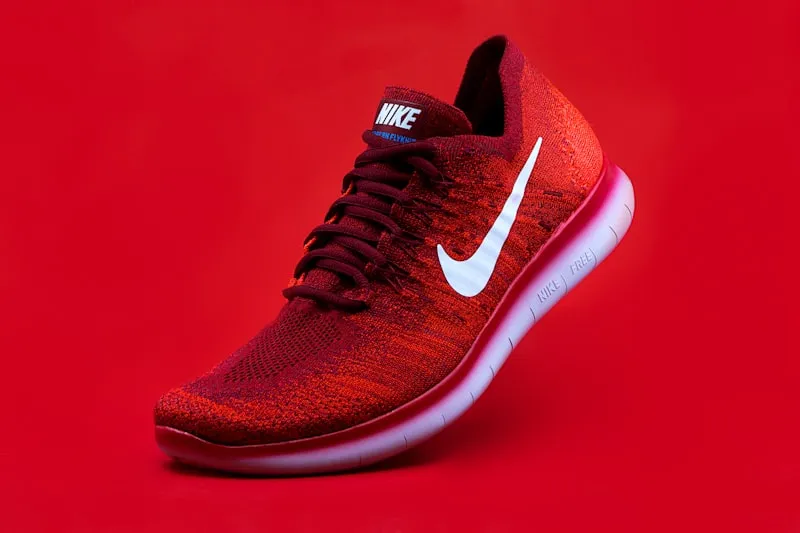 | High | A vibrant red Nike sneaker takes center stage in this striking advertisement, set against a bold red background that creates a visually cohesive and eye-catching composition. The shoe is positioned at an angle, giving the impression of motion and energy. The sneaker features a white Nike swoosh, darker red laces, and "Nike Free" branding on the white sole. The lighting is bright and even, highlighting the shoe's textures and details. |
| Medium | A vibrant red Nike sneaker is displayed against a matching red background. The shoe features a white Nike swoosh and "Nike Free" branding on the sole. The laces are a darker shade of red, complementing the overall design. |
| Low | A red Nike sneaker with white accents. |
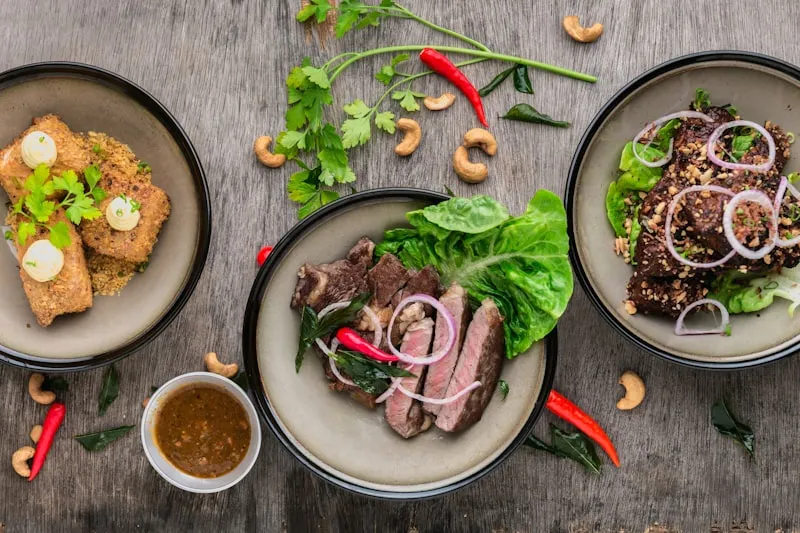 | High | A top-down view of a rustic wooden table with three round bowls arranged in a triangular formation. The central bowl features slices of medium-rare steak garnished with fresh green leaves and a red chili pepper. The left bowl holds crispy fried fish topped with a creamy sauce and herbs. The right bowl contains a meat dish garnished with thinly sliced red onions and nuts. Scattered around the bowls are whole chili peppers, cashews, and a small bowl of brown dipping sauce. |
| Medium | Three bowls of food are arranged on a gray wooden table, creating a rustic dining scene. The central bowl contains sliced steak, while the left bowl holds fried fish topped with sauce and herbs. The right bowl features a meat dish garnished with onions and nuts. |
| Low | Three bowls of food on a wooden table with garnishes. |
How to use
- Paste one or more image URLs into the Images field (or upload files directly)
- Choose a Detail Level - High gives the most descriptive output (recommended for SEO and accessibility)
- Optionally add a Focus hint to direct the model's attention (e.g. "describe only the text visible")
- Click Run - captions appear in the Dataset tab when complete
- Export results as JSON or CSV, or connect to downstream actors via the Apify API
Output format
Each dataset record:
Input options
| Field | Type | Description |
|---|---|---|
| Images | URL list | One or more http/https image URLs or base64 data URIs |
| Upload Images | File upload | Upload images directly from your computer |
| Detail Level | Select | Low (one-liner), Medium (balanced), High (detailed paragraph) - default: High |
| Focus | Text | Optional directive to focus the caption on a specific aspect of the image |
Limits
- Maximum 50 images per run
- Each image must be a publicly accessible URL or a base64 data URI
- Processing time is typically 5-15 seconds per image
Related AI image actors
Part of a complete AI image toolkit - explore the rest of the suite:
- AI Image Background Remover - Remove backgrounds to clean transparent PNGs
- AI Image Upscaler - Batch-upscale images to 4K or 8K
- AI Image Watermark Remover - Remove text and logo watermarks from images
- Image OCR Scraper - Extract text from images in 109 languages
- Photo Location Finder - Find where a photo was taken - no EXIF needed


