
Google Maps Local SEO Scraper
Pricing
from $10.00 / 1,000 results
Google Maps Local SEO Scraper
Google Maps Local SEO Scraper helps agencies, marketers, and lead generation teams extract public Google Maps business data for local SEO, competitor analysis, and local lead discovery. It turn Google Maps results into structured business intelligence you can export, filter, and market research.
Pricing
from $10.00 / 1,000 results
Rating
0.0
(0)
Developer

Shahab Uddin
Maintained by CommunityActor stats
0
Bookmarked
9
Total users
1
Monthly active users
2 months ago
Last modified
Categories
Share
Google Maps Scraper for Local SEO
Extract public Google Maps business data into structured local SEO datasets for lead generation, competitor research, citation discovery, and market analysis.
This Apify Actor helps agencies, local businesses, and growth teams collect structured Google Maps results without needing a Google Maps API key. It is designed for public business listing intelligence, not private Google Business Profile owner analytics.
Why teams use this Actor
- Build local SEO audit datasets for a city, service area, or niche
- Compare top ranking businesses by reviews, ratings, category usage, and profile completeness
- Create lead lists from businesses with weak websites, low review counts, or incomplete listings
- Benchmark a target business across related local keywords
- Export agency-ready data to CSV or JSON for dashboards, reporting, and outreach workflows
Who this Actor is for
- Local SEO agencies running competitor audits and recurring client reports
- Lead generation teams sourcing local businesses with visible optimization gaps
- Consultants mapping category saturation and city-by-city competition
- Multi-location brands reviewing how local markets differ by query and region
What this Actor extracts
For each Google Maps result, the Actor can collect public fields such as:
- Business name
- Category
- Address
- Phone number
- Website
- Rating
- Review count
- Review snippets
- Opening hours
- Coordinates
- Images or photo availability
- Google Maps URL
- Ranking position for the query
Depending on public availability, the Actor may also return:
- Review text snippets
- Competitor profile completeness signals
- Keyword relevance indicators
- Authority and health scores
- Citation sources discovered from public web pages
Best use cases
Local SEO
Use this Actor to analyze businesses ranking for a keyword in a city or service area and quickly spot where profiles are strong, weak, or under-optimized.
Examples:
- dentists in chicago
- real estate agents in toronto
- mobile repair near me
- plumbers in dubai
Lead generation
Find local businesses missing key profile elements such as:
- no website
- low review count
- weak ratings
- incomplete business information
Competitor research
Compare top Google Maps competitors by:
- ratings
- review count
- website presence
- category usage
- profile completeness
Agency reporting
Export structured Google Maps data to CSV or JSON and plug it into dashboards, client reports, prospecting systems, or internal scoring workflows.
How it works
- Enter a search query, such as a keyword, business type, or location-based phrase.
- The Actor requests public Google local results HTML.
- It extracts visible Google Maps business cards.
- It can optionally enrich businesses with extra public website, citation, and coordinate signals.
- It stores normalized business rows in the default dataset.
- It stores the full summary payload in the default key-value store as
OUTPUT.
Input
The Actor accepts these main inputs:
query- required primary search termlocation- optional city, area, or geo modifierbusinessName- optional target business for benchmarkingkeywords- optional extra keywords for rank checkscountry- Google country code such asus,gb,calanguage- Google language code such asenmaxResults- number of Google Maps results to collect, up to20includeBusinessEnrichment- whether to enrich results from public web sourcesincludeKeywordGeoRankings- whether to check the target business across extra keywordsuseGoogleSerpProxy- whether to use the ApifyGOOGLE_SERPproxy group for Google requests
Output
The Actor stores one business per dataset item in the default dataset and now includes Apify output metadata for cleaner Console and API presentation.
Each dataset row includes fields such as:
querylocationrankorganicRankbusinessNamecategoryaddressphonewebsitewebsiteUrlratingreviewCountopeningHourscoordinatesphotosrelevanceScoreauthorityScorehealthScoreprofileClassificationgoogleBusinessProfileUrlgoogleReviewsUrlfetchedAt
The Actor also writes richer run-level outputs to the default key-value store:
OUTPUT- full actor payloadSUMMARY- condensed summary, opportunities, competitors, and keyword rank checks
Apify metadata files in .actor/ also define:
- dataset schema for the default output table
- output schema for dataset and key-value store links
- key-value store collections for
SUMMARYandOUTPUT
Example dataset item
Example SUMMARY record
Apify project structure
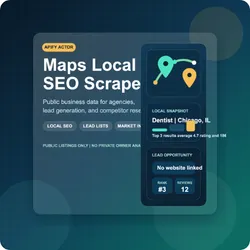
The assets/ folder includes an editable SVG plus an upload-ready PNG for the Apify Store listing image.
Run on Apify
Open the Actor on Apify Store, fill in the input form, and start the run.
If you are scraping Google results on the Apify platform, keeping useGoogleSerpProxy enabled is recommended when your plan supports the GOOGLE_SERP proxy group.
Run locally
Install dependencies:
Start the actor:
For local runs with the Apify CLI:
Example input
Recommended searches
- restaurant in london
- real estate agency in mississauga
- mobile phone repair in peshawar
- dentist near me
- car dealer in houston
- gym in dubai
Important limitations
This Actor is intended for public Google Maps data.
It does not provide private business-owner metrics such as:
- Google Business Profile views
- Calls from owner dashboard
- Website clicks from owner dashboard
- Direction requests from owner dashboard
- Private profile performance analytics
Public Google HTML structure can change over time, so selectors may require updates if Google changes the layout. Some enrichment fields are best-effort and may be empty depending on what is publicly visible.
FAQ
Do I need a Google Maps API key?
No. This Actor is built for public Google Maps result extraction and does not rely on a Google Maps API key.
Does it scrape private Google Business Profile analytics?
No. It only works with publicly visible listing data.
Can I use it for local SEO?
Yes. This Actor is built specifically for local SEO research, local competitor analysis, and local business discovery.
Can I export the results?
Yes. Results are stored in the default dataset and can be exported in multiple formats.
Why did Apify say .actor/.actor/INPUT_SCHEMA.json does not exist?
That happens when the input field inside .actor/actor.json points to .actor/INPUT_SCHEMA.json. The correct path from inside .actor/actor.json is ./INPUT_SCHEMA.json.
Support
If you need custom features such as:
- keyword clustering
- review intelligence
- local rank tracking workflows
- competitor scoring
- white-label exports
contact the Actor maintainer through the Apify Store page.


