
Facebook Ads Library Scraper
Pricing
from $1.99 / 1,000 results
Facebook Ads Library Scraper
Facebook Ads Library Scraper — Extract public Facebook Ads Library data including ad creatives, advertiser names, ad text, platforms, start dates, landing page URLs, and ad details. Useful for competitor research, ad intelligence, creative analysis, and marketing insights.
Pricing
from $1.99 / 1,000 results
Rating
0.0
(0)
Developer

Social Data API
Maintained by CommunityActor stats
0
Bookmarked
2
Total users
1
Monthly active users
4 days ago
Last modified
Categories
Share
Facebook Ads Library Scraper — Extract Ads, Creatives and Pages
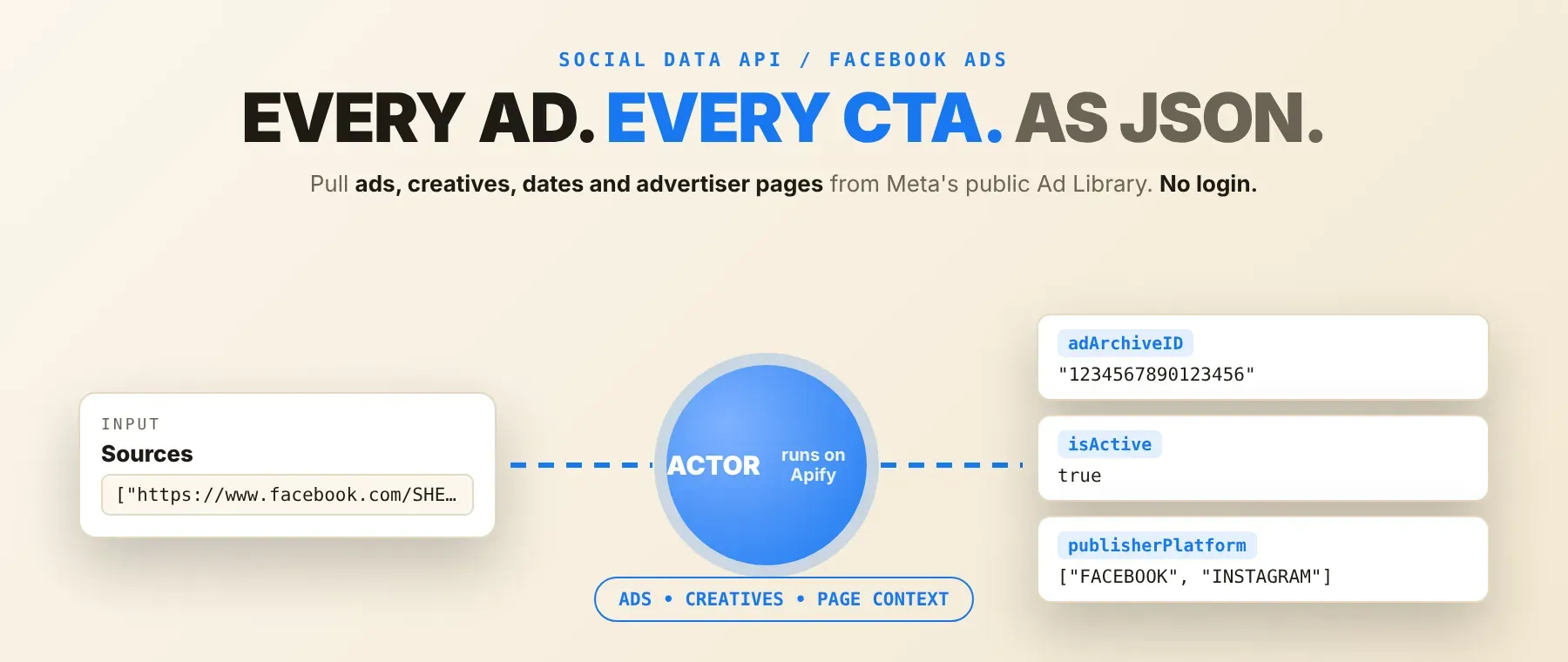
Facebook Ads Library Scraper pulls every matching ad, its creative, and the advertiser's page context straight from Meta's public Ad Library — point it at a Facebook Page URL or an Ad Library search link and it returns one typed record per ad. Every response is structured JSON — ready to pass directly into an LLM, index into a vector store, or feed a competitor ad-tracking pipeline. No Facebook account or login is needed to run it. Start with one competitor's Page, then scale to every advertiser you track.
What data can I extract with Facebook Ads Library Scraper?
Using this Facebook Ads Library API, you will be able to extract the following Facebook ad data:
| 🆔 Archive ID | 🏢 Page name & ID | 🟢 Active status | 📅 Start & end dates |
|---|---|---|---|
| 🌍 Platforms placed on | 👀 Reach estimate (political/issue ads) | 💵 Spend range (political/issue ads) | 🔁 Ad variant count |
| ⏳ Total active time | 🖼️ Creative — images, video, carousel cards | 💬 Ad copy, title and CTA | 🔗 Landing-page link |
| 🏷️ Advertiser categories | 👍 Page like count | ℹ️ Page "about" snippet (optional) | 📄 Source URL |
How to use Facebook Ads Library Scraper
Anyone tracking a competitor's Facebook ad strategy, auditing political ad disclosures, or feeding ad creative into an AI pipeline can run this Actor once and get every matching ad back as structured data.
Copy to your AI assistant:
Facebook Ads Library Scraper MCP Server: use this Actor from ChatGPT, Claude or Cursor
An MCP-connected agent can find and call this Actor directly through the Apify MCP server's search, add, and call-actor tools — no glue code, no scraping logic in your prompts.
Step by step
- Create a free Apify account.
- Open Facebook Ads Library Scraper in the Apify Store.
- Enter a Facebook Page URL or an Ad Library search link.
- Click Start (or send your API request).
- Download or stream your results in JSON, CSV or Excel.
How to scale Facebook Ads Library Scraper to bulk
Add more than one source to the sources list in the same run — mix Facebook Page URLs and Ad Library search links freely, and give any entry its own ad limit or time window to override the run-wide defaults. The maximum-ads setting then caps the combined total across every source, so one scheduled run can track a whole list of competitor Pages and keyword searches together. For a larger set of Pages than fits in one run, loop the same input with a different source list per call through the Apify API, or chain several scheduled runs with non-overlapping source lists.
✨ Features
Facebook Ads Library Scraper fetches clean, structured ads from Meta's public Ad Library ⚡, billed per ad row actually written to the dataset. It's ideal for competitor ad tracking, political ad spend research, creative-analysis pipelines, and ad-intelligence dashboards.
It extracts, per ad:
- Archive ID and page info – which advertiser ran the ad, and its Facebook page ID
- Active status and run dates – whether the ad is still running, and when it started and ended
- Platform placement – which surfaces it ran on (Facebook, Instagram, Messenger, Audience Network)
- Ad creative – body text, title, CTA, link, images, video, and carousel cards
- Variant count – how many creative variants Meta groups under the same ad
- Advertiser page context – page categories, like count, and an optional "about" snippet
- Transparency fields – spend range, reach estimate and targeted countries, where Meta discloses them for political/issue ads
⚡ A count-only mode returns a single total per source instead of a full creative pull, for a fast audit before committing to a large run.
Use cases 💡
- Brand marketer — track a competitor's active Facebook ads by platform and creative format.
- Political researcher — pull political and issue-ad spend and reach disclosures by Page.
- AI engineer — feed Facebook ad creative text into a RAG pipeline for competitive-intelligence chat.
- Growth analyst — export every ad a Page has run and diff new archive IDs on a schedule.
- Agency — audit a client's ad library coverage with count-only mode before a full pull.
Building an AI agent? Connect Facebook Ads Library Scraper over MCP and let it call the actor on its own.
Why choose this actor?
- Two ways to query, one Actor. Point it at a Facebook Page URL to pull one advertiser's ads, or an Ad Library search link for a keyword and country search — both in the same source list, in the same run.
- The full creative behind every ad. Each row returns the ad's copy, title, CTA, images, video and carousel cards alongside its archive ID, dates and platform placement, in one normalized JSON object.
- A fast audit before a full pull. Switch on count-only mode and get one total per source instead of paying for a full creative pull, then scale up to 50,000 ads per run once you know what you need.
⬇️ Input
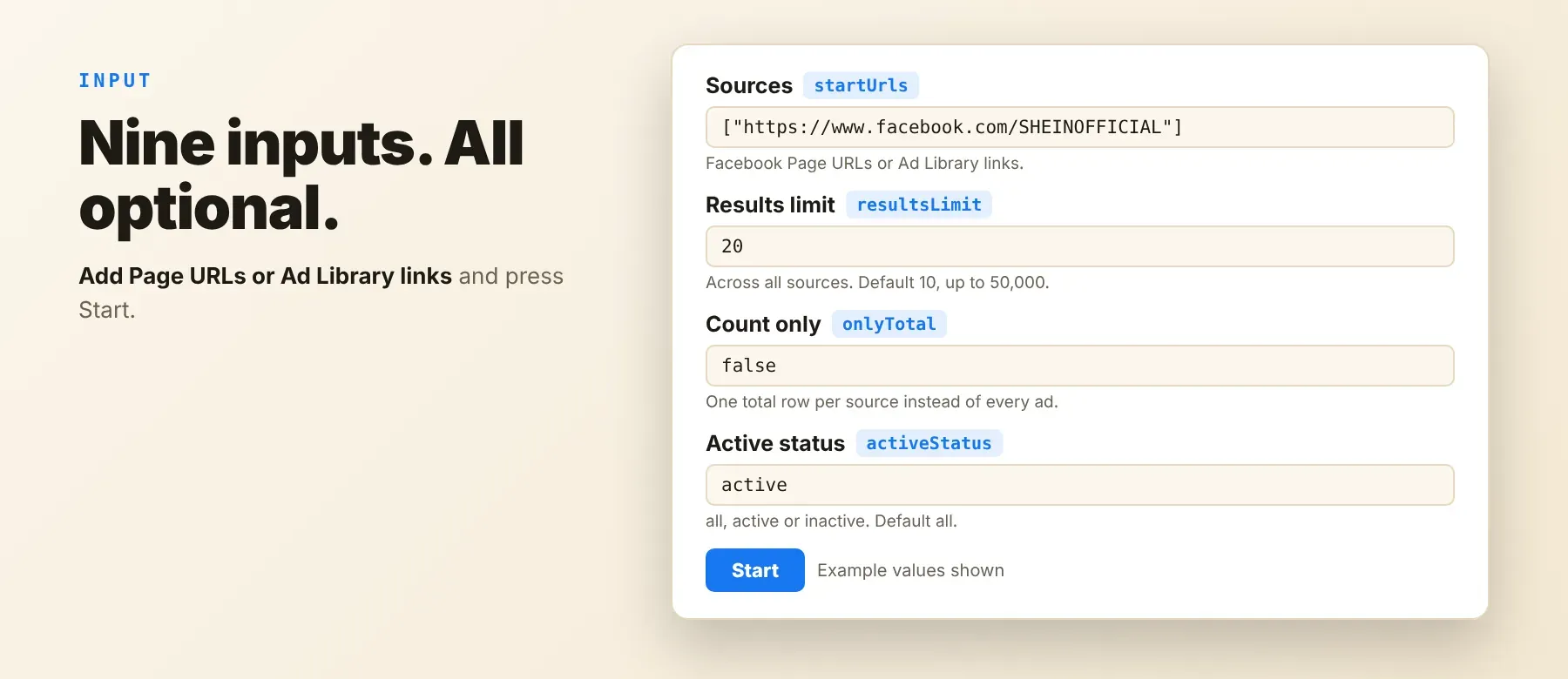
It accepts one or more Facebook Page URLs or Ad Library search links as its sources; no field is required, so an empty input still runs against the prefilled example sources.
| Parameter | Required | Type | Description | Example Value |
|---|---|---|---|---|
startUrls | No | array | Facebook Page URLs or Ad Library links, one source per entry. Plain strings, or objects with a url field (and optional label, limit, period). | ["https://www.facebook.com/SHEINOFFICIAL"] |
resultsLimit | No | integer | Upper bound on ads returned across all sources in the run. Min 1, max 50000. Default 10. | 20 |
onlyTotal | No | boolean | Instead of one row per ad, output one summary row per source with a total count. Default false. | false |
includeAboutPage | No | boolean | For Facebook Page sources, attach a lightweight public title/description "about" snippet. Default false. | true |
isDetailsPerAd | No | boolean | Run an additional per-ad lookup for richer metadata (more complete rows, slower run). Default true. | true |
countryCode | No | string (enum) | Default country for Page sources (ALL or an ISO code such as US, GB, DE). Ad Library links usually carry their own country. Default ALL. | "US" |
period | No | string | Optional time window when the source URL doesn't specify one. Absolute date (YYYY-MM-DD) or relative span (7 days, 1 month, 1 year). Empty follows the library's own default. | "30 days" |
activeStatus | No | string (enum) | Filter for Page sources, or when a search link leaves it unspecified: all, active, inactive. Default all. | "active" |
proxyConfiguration | No | object | Optional Apify Proxy. When enabled, the whole run uses residential endpoints only. Requires proxy access on your Apify plan. | {"useApifyProxy": true} |
Example input
The maximum-ads setting caps ads across all sources combined, not per source — to cap one source individually, set a limit (and optionally its own period) on that entry's object inside the sources list instead of relying on the run-wide default.
Free plan limits
Free plan: up to 20 ads per run (all sources together) and 200 per month; paid plans have no limit.
⬆️ Output
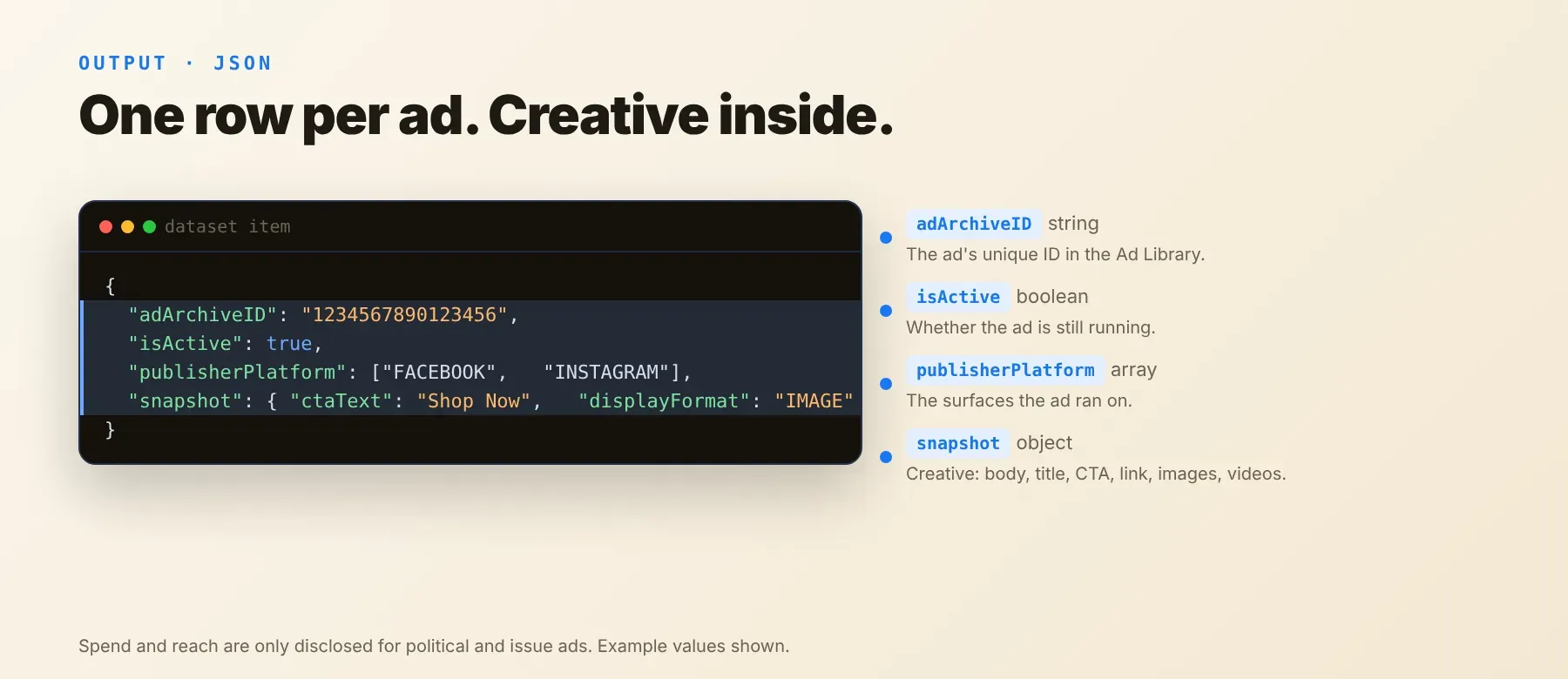
Every ad is written to the run's default dataset as one typed JSON object, with the same field names and types on every run. Export it as JSON, CSV, or Excel from the Apify Console, or read it through the Apify API. This Actor is billed per ad row actually written to the dataset.
Example output
When count-only mode is enabled, each source produces one row like this instead of one row per ad:
The page "about" snippet field only appears when that option is also enabled.
How does it work?
Facebook Ads Library Scraper reads the same public pages the Meta Ad Library website loads, over plain HTTP requests — no browser is opened. It connects the way an ordinary visitor's browser does, automatically clears Meta's anti-bot challenge when one is served, and escalates from a direct connection to Apify's residential proxy network if a request gets blocked, all without any setup on your side. It only ever returns what the public Ad Library page already shows for a given Page or search — no login, no private data, and no content from behind a personal profile. The output schema is normalized and kept stable: field names and types stay the same in your integration even when Meta changes the Ad Library's own internals, so your pipeline keeps working after an update.
How do you integrate Facebook Ads Library Scraper into your stack?
It works with what you already use: a REST API callable from any language, an MCP server for AI agents, and no-code automation tools.
Using Facebook Ads Library Scraper with the Apify API
Open this Actor's API tab on its Apify Console page for a ready-to-copy request in cURL, Python, and Node.js, already filled in with this Actor's ID and your own token. In outline, it's a single POST to the Apify run-sync-get-dataset-items endpoint for this Actor, with your input (for example {"startUrls": ["https://www.facebook.com/SHEINOFFICIAL"], "resultsLimit": 20}) as the JSON body, which returns the scraped ad rows directly in the response.
Works in Go, Ruby, Node.js, cURL — any language that can make an HTTP request.
MCP integration for AI agents
Registering the Apify MCP server, as shown above, lets an agent search for, add, and call this Actor as a tool on its own — no actor ID needed up front. Compatible with Claude Code, Cursor, and Windsurf.
No-code tools (n8n, Make, LangChain)
In n8n, use the Apify node's "Run an Actor" action (or the HTTP Request node pointed at the run-sync endpoint with your token) and pick this Actor. In Make, use the Apify app's "Run an Actor" module followed by "Get Dataset Items." In LangChain, use the langchain-apify package's ApifyActorsTool, passed this Actor's ID from its Console page.
Is it legal to scrape Facebook?
Yes — scraping Meta's Ad Library is legal when you collect only the public data Meta already publishes for transparency. Facebook Ads Library Scraper returns only what the public Ad Library page shows: it does not log in and does not access private accounts. Most of what it collects is business and advertiser data — page names, ad creatives, and spend or reach disclosures — which sits under Meta's Terms of Service rather than personal-data law, though some fields (such as an individual's name on a personal-brand or political advertiser page) can be personal data under GDPR or CCPA, so you need a lawful basis before storing or reusing that data in bulk. Consult legal counsel if your use case involves bulk storage of personal data.
Frequently asked questions
What fields does Facebook Ads Library Scraper return?
The top fields are archive ID, page name and ID, active status, start and end dates, and platform placement — see the data fields section for the full list.
Does Facebook Ads Library Scraper require a Facebook account or login?
No. The Actor runs fully logged out against the public Ad Library — no Facebook account, password, or session cookie is required.
What happens if a Page can't be found or a search returns no ads?
If a Page URL can't be resolved to a page ID, the Actor logs an error for that source and continues with the others rather than failing the whole run. If a source matches zero ads, it simply contributes no rows to the dataset.
Can I scrape multiple Facebook Ad Library sources at once?
Yes. Add as many Facebook Page URLs and Ad Library search links as you want to the same sources list in one run — mix both types freely, and give any entry its own ad limit or time window.
Does Facebook Ads Library Scraper work with Claude, ChatGPT, and other AI agent tools?
Yes — it's reachable as a tool through the Apify MCP server (see the MCP sections above), and any agent framework that can call an HTTP endpoint can use the REST API directly.
Does Facebook Ads Library Scraper return data in a format LLMs can use directly?
Yes. Typed, normalized JSON with stable field names — no HTML, no selectors. Pass it directly into an LLM context window, index it into a vector store, or route it through an agent tool.
What happens when Facebook changes its structure or blocks the scraper?
This Actor is actively maintained: its output schema is designed to stay stable, so field names and types keep working in your integration even when Meta changes the Ad Library's underlying internals or anti-bot checks.
Can I use Facebook Ads Library Scraper without managing proxies or browser infrastructure?
Yes. By default the Actor connects directly and only escalates to Apify's residential proxy network on its own if Facebook blocks the request. You send one request and get structured JSON back — no proxy accounts, no headless browser setup, no maintenance.
Which Facebook ad fields work best for AI training data and RAG indexing?
For RAG: the text-rich fields — ad copy, title, caption, and the advertiser's page "about" snippet. For training data: the numeric and boolean fields — active status, total active time, variant count, reach estimate, and spend. All fields are typed primitives (strings, integers, booleans), so no normalization step is needed.
Your feedback
Found a bug or missing a field? We want to know. Report it through this Actor's Issues tab on Apify Console — every report gets reviewed, and fixes ship as Meta's Ad Library evolves.


