

Facebook Videos Scraper
Pricing
from $1.99 / 1,000 results
Facebook Videos Scraper
Facebook Videos Scraper — Extract Facebook video data including titles, descriptions, views, likes, comments, shares, upload dates, page or profile details, and video URLs. Useful for content research, competitor analysis, monitoring, and social media insights.
Pricing
from $1.99 / 1,000 results
Rating
0.0
(0)
Developer

Social Data API
Maintained by CommunityActor stats
0
Bookmarked
11
Total users
6
Monthly active users
2 days ago
Last modified
Categories
Share
Facebook Videos Scraper — Captions, Stream Links and Video Details
Facebook Videos Scraper extracts the details and playable streams of public Facebook reels and videos. Each row gives the caption, title, owner ID, duration, publish date, thumbnail and every stream with a direct link, from the HD and SD MP4 files to each DASH video and audio track. Every response is structured JSON — ready to pass directly to an LLM, index into a vector store, or feed a media archiving pipeline. No Facebook account or cookies needed. Start with one reel, then paste the whole list you need.
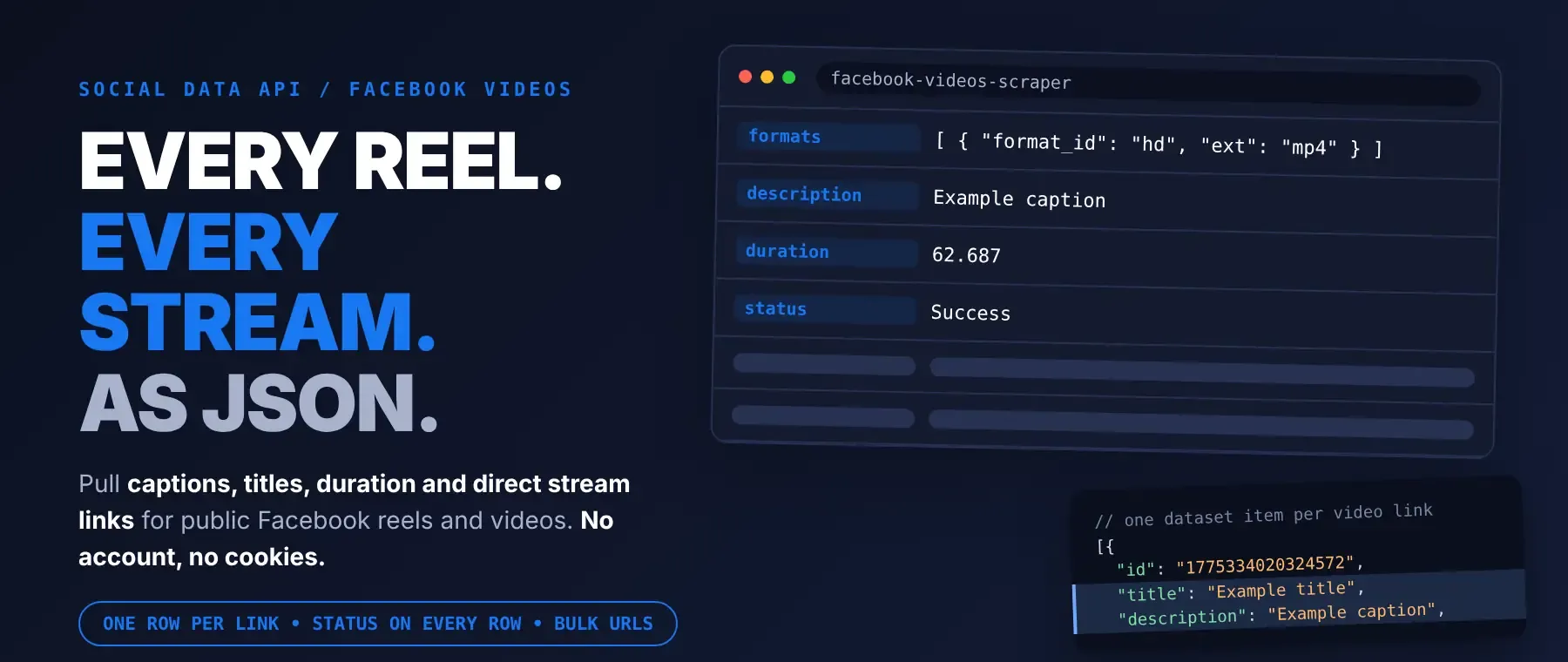
What data can I extract with Facebook Videos Scraper?
Using this Facebook Video API, you will be able to extract the following Facebook video data:
| 🆔 Video ID | 📝 Title | 💬 Caption (if the video has one) | 👤 Owner ID |
|---|---|---|---|
| 🏷️ Uploader name (page-video and Watch links) | ⏱️ Duration in seconds | 🕒 Duration as M:SS | 📅 Publish time (Unix) |
| 🗓️ Upload date (YYYYMMDD) | 🖼️ Thumbnail image | 🔗 Video page link | 📥 Input URL |
| 🎞️ All streams (DASH video, DASH audio, HD and SD MP4) with direct links | 🎯 Selected top video + audio pair | 📐 Width, height and resolution | 🎚️ Frame rate |
| 🎥 Video codec and bitrate | 🔊 Audio codec, bitrate, sample rate and channels | 📦 Estimated file size | 🚦 Status, reason and charged flag |
How to use Facebook Videos Scraper
Developers, archivists and analysts who scrape facebook videos get one structured row per link from a single run: the video's details plus every playable stream.
Copy to your AI assistant:
Facebook Videos Scraper MCP Server: use these Actors from ChatGPT, Claude or Cursor
Point your AI assistant at the Apify MCP server with this Actor already loaded as a tool, and it can read Facebook videos on its own. No glue code, no scraping logic in your prompts.
Step by step
- Create a free Apify account.
- Open Facebook Videos Scraper in the Apify Store.
- Paste the Facebook reel or video URLs, one per line.
- Click Start (or send your API request).
- Download or stream your results in JSON, CSV or Excel.
How to scale Facebook Videos Scraper to bulk
The URL list has no size cap, so one run can take hundreds of links; that makes it a bulk Facebook video scraper without any extra setup. The Actor fetches up to three links at a time and saves the rows in the same order as your list, each one as soon as it is ready. Remove duplicate links first: a link listed twice is fetched twice and returns two rows. For recurring jobs, save the input as an Apify task and put it on a schedule, or start runs from your own code through the Apify API.
✨ Features
Facebook Videos Scraper fetches clean, structured videos from Facebook ⚡. It's ideal for building reel archives, feeding stream URLs to a downloader or transcoder, tracking what a page publishes, and collecting captions for search or AI pipelines. It works as a facebook reels scraper and a facebook video metadata scraper in one.
It extracts, per video:
- Streams with direct links – every DASH video and audio track plus the HD and SD MP4 files, each with its codec, bitrate, resolution and the download settings that come with it, so each entry works as a facebook video download link.
- Selected pair – the highest-bitrate video track plus the audio track, with resolution, frame rate, codecs and estimated size.
- Caption – the text the creator wrote, taken from the requested video only, never from the other reels on the same page.
- Owner ID – the numeric ID of the account that posted the video.
- Publish time – Unix timestamp and upload date.
- Duration – in seconds and as M:SS.
- Thumbnail – the preferred preview image.
⚡ A link that carries no playable video is reported as "Unavailable" instead of a half-empty success row, and it is never charged.
Use cases 💡
- Media archivist — save each reel's HD link with its caption, owner ID and publish date.
- Pipeline engineer — pick the DASH track whose height matches the target and skip needless re-encodes.
- Content analyst — track a page's video length and posting dates over time.
- Researcher — use it as a facebook reel caption extractor and study hashtags across reel sets.
- AI engineer — index captions and titles into a RAG pipeline, keyed on video ID.
Building an AI agent? Connect Facebook Videos Scraper over MCP and let it call the actor on its own.
Why choose this actor?
- Six links, six rows, under four seconds. A recorded run with 6 links (two reels, a page video, a Watch link, a deleted reel and a repeated reel) returned 6 rows in 3.5 to 3.8 seconds, each with its status.
- The full media picture for each video. A recorded National Geographic reel came back with a 62.687-second runtime, 5 stream entries up to 720x1280 at 23.976 frames per second, and its full caption.
- 45 output fields, three link types, honest statuses. Reel, page-video and Watch links are accepted, and every row says whether it is a success, unavailable or failed.
⬇️ Input
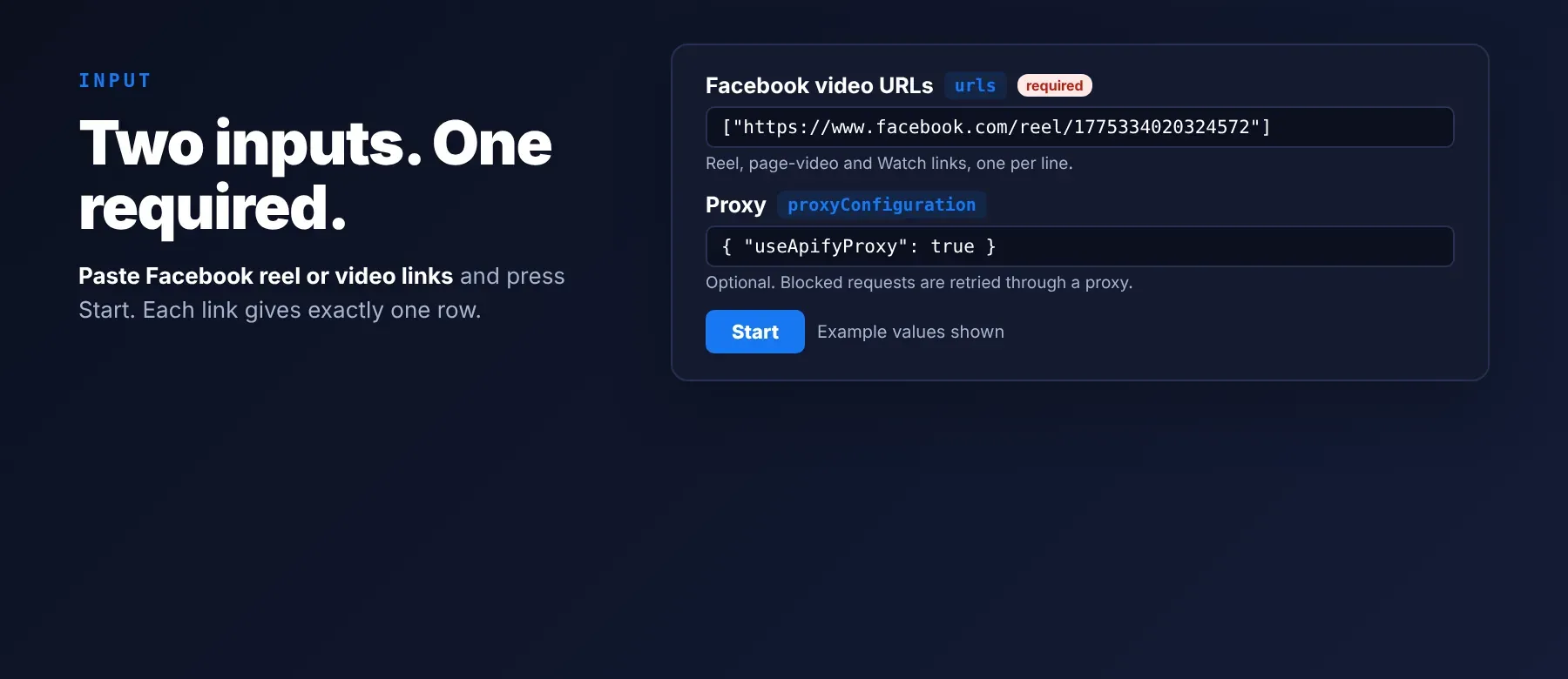
The Actor takes a list of public Facebook links in the URL field, which is the only required input. Proxy settings are optional.
Accepted URLs for the Facebook video scraper
https://www.facebook.com/reel/<id>https://www.facebook.com/<page>/videos/<id>/https://www.facebook.com/watch/?v=<id>
| Parameter | Required | Type | Description | Example value |
|---|---|---|---|---|
urls | Yes | array | Public Facebook reel or video links, one per line. Each link gives one row. No default. | ["https://www.facebook.com/reel/1775334020324572"] |
proxyConfiguration | No | object | Apify Proxy or your own proxy URLs (only the first one is used). Prefilled as {"useApifyProxy": false}, a direct connection; on a direct connection a blocked request is retried through a proxy. | {"useApifyProxy": true} |
Free plan limits
Users on the Apify free plan can fetch up to 20 rows per run (all URLs together) and 200 rows per month. When the limit is reached, the run finishes successfully with a status message explaining the limit. Upgrade to any paid Apify plan to remove these limits.
Example input
⬆️ Output
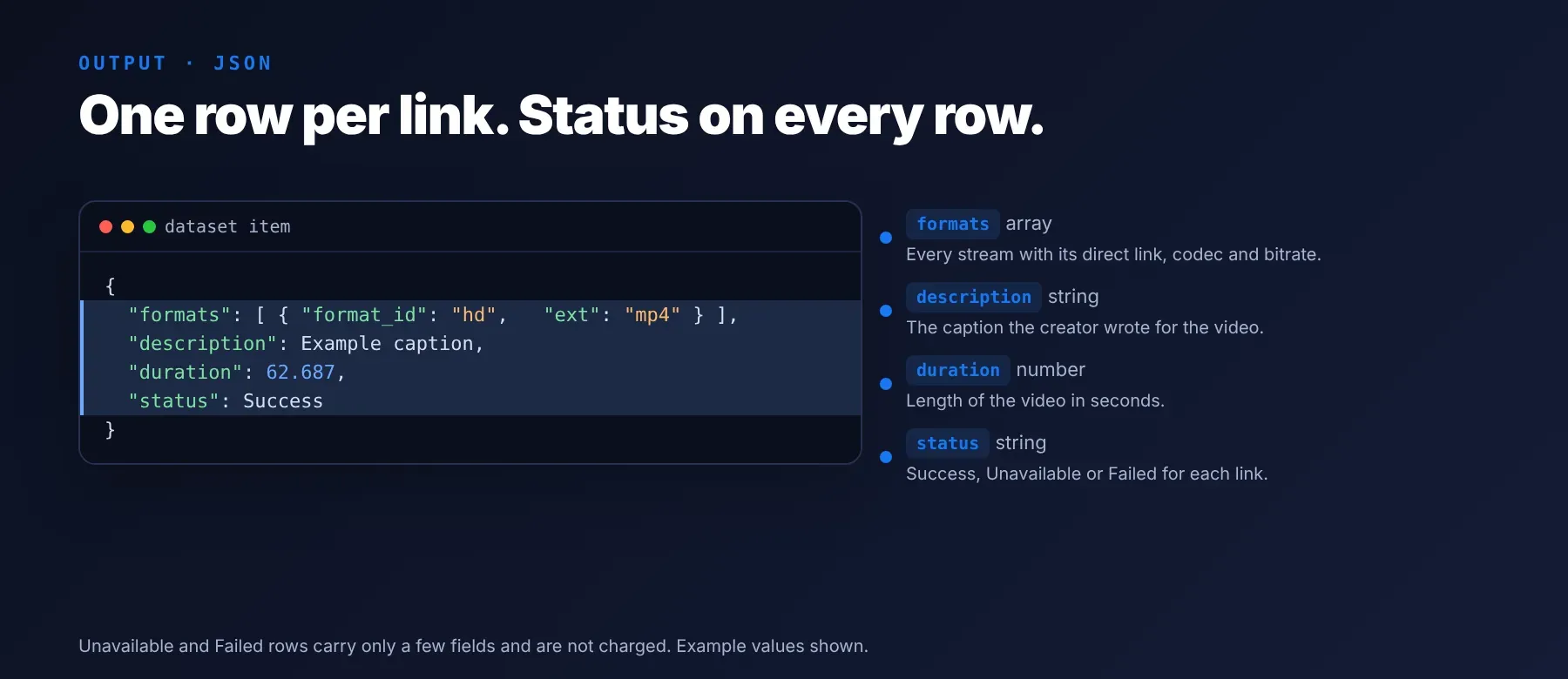
Every video is one typed, normalized JSON item with the same field names on every run, and you can export facebook reels to CSV, JSON (default) or Excel. Each URL gives exactly one row, and its status tells you which kind it is.
Facebook video scraper row types
- Success – the full row, charged as one
row_resultevent. - Unavailable – the page carried no playable video (deleted, private or not a video). Only the video ID, input URL, status, reason and charged flag; not charged.
- Failed – the page could not be fetched after 3 attempts. Input URL, status, reason, charged flag and the error message; not charged.
Example output
A real Success row and a real Unavailable row from a recorded run. The stream list is cut to two entries and the long signed media links are shortened here; a real row lists every stream with its full link.
How does it work?
The Actor reads only public data that any logged-out visitor can see, with one plain HTTP request per link and no browser. For each link it collects the video ID, owner ID, caption, publish time, thumbnail and the full list of streams, and it makes sure the caption and owner belong to the exact video you asked for, not to other videos shown on the same page. Each request gets up to three attempts. You can use Apify Proxy or your own proxy; a blocked request, or a live video whose data Facebook holds back, is retried through a proxy automatically. A deleted or private video is reported as unavailable instead of a half-empty row. The row shape is defined by the Actor, not by Facebook's page layout, so your field names stay the same from run to run.
How do you integrate Facebook Videos Scraper into your stack?
Facebook Videos Scraper works with what you already use: the REST API from any language (a simple facebook reels api for your own code), MCP for AI agents, and no-code tools.
MCP integration for AI agents
Add the Apify MCP server to your agent with one command:
The server starts with this Actor registered as a tool your agent can call directly. The same server URL works in Claude Code, Cursor and Windsurf, so your assistant can pass in links and read back structured video rows.
No-code tools (n8n, Make, LangChain)
- n8n – add the Apify node, choose "Run an Actor", pick this Actor and pass your list of links; the next node reads the run's dataset items.
- Make – use the Apify app's "Run an Actor" module, then "Get Dataset Items" to send each row to Google Sheets, Airtable or your storage.
- LangChain – load a finished run's dataset with
ApifyDatasetLoaderfromlangchain-apifyand map each row's caption and title into documents.
Is it legal to scrape Facebook data?
Scraping publicly available Facebook video data is generally legal when no login is bypassed and no private content is accessed. Facebook Videos Scraper returns only publicly available data, what any user sees without logging in. Captions and owner IDs can identify people, so under GDPR and similar laws, storing and using that data must have a lawful basis and follow local data-protection rules. The stream links point to videos that their creators own; a link is not a licence to republish the video. Consult legal counsel if your use case involves bulk storage of personal data.
Frequently asked questions
What fields does Facebook Videos Scraper return?
It returns the caption, the owner ID, the duration, the publish time and every playable stream with its direct link, plus the title, thumbnail and the selected video and audio pair. See the data fields section for the full list.
Does Facebook Videos Scraper require a Facebook account or login?
No. Only public video data is extracted, and there is no field for a cookie, token or password. No credentials are needed beyond your Apify account.
How fast does Facebook Videos Scraper run?
A recorded run with 6 links returned 6 rows in 3.5 to 3.8 seconds, with up to three links fetched at a time. Data is fetched live at run time, not from a cache.
What happens if a video is private or doesn't exist?
You get one row with status "Unavailable" and a reason, and it is not charged. If the video exists but Facebook holds its data back, the Actor first retries through a proxy, so an Unavailable row means the video could not be shown publicly. If the page cannot be fetched after 3 attempts, the row has status "Failed" with the error message, also not charged. In code, keep the rows where status equals "Success" and read the other fields with .get(), because Unavailable and Failed rows carry only a few fields.
Can I scrape multiple Facebook videos at once?
Yes. Put as many links as you like in the URL list; up to three are fetched at a time and the rows are saved in your list's order.
Does Facebook Videos Scraper work with Claude, ChatGPT, and other AI agent tools?
Yes, this Actor is available as an MCP tool through the Apify MCP server. Register the server in Claude Code, Cursor or Windsurf with claude mcp add --transport http apify "https://mcp.apify.com?tools=socialdataapi/facebook-videos-scraper" and the agent can call the Actor right away as a tool. Any agent that can call an HTTP endpoint can also use the Apify REST API directly.
Does Facebook Videos Scraper return data in a format LLMs can use directly?
Yes. Rows are typed, normalized JSON with consistent field names, with no HTML parsing and no selectors. Pass them to an LLM, index them into a vector store, or hand them to an agent tool with no transformation step.
What happens when Facebook changes its layout or updates its anti-bot system?
The Actor is maintained, and when Facebook changes, the Actor is updated so your calls keep returning the same JSON field names with no changes on your end. If a value stops being available, it shows up as an empty field rather than a wrong one.
Can I use Facebook Videos Scraper without managing proxies or browser infrastructure?
Yes. There is no browser to run, and proxies are optional: tick Apify Proxy, add your own proxy URL, or leave it off and let the Actor retry blocked requests through a proxy on its own. You send a list of links and get structured JSON back.
Which Facebook video fields work best for AI training data and RAG indexing?
For RAG, use the caption and the title, with the input URL as the citation link. For training data, use the duration, publish time, width, height, frame rate and bitrates, which are plain numbers. All fields are typed values, strings, numbers or plain objects, so no extra cleaning is needed.
Your feedback
Found a bug or missing a field? Let us know through the Actor's Issues tab in Apify Console. Include the exact Facebook link and the input you ran so the problem can be reproduced quickly.


