
Google Trends Scraper
Pricing
from $2.99 / 1,000 results
Google Trends Scraper
Google Trends Scraper — Extract Google Trends data including search interest, related queries, topics, regions, trends over time, and rising keywords. Useful for keyword research, SEO, content planning, market research, and trend analysis.
Pricing
from $2.99 / 1,000 results
Rating
0.0
(0)
Developer

Social Data API
Maintained by CommunityActor stats
0
Bookmarked
2
Total users
1
Monthly active users
20 hours ago
Last modified
Categories
Share
Google Trends Scraper — Interest Over Time by Country and Category
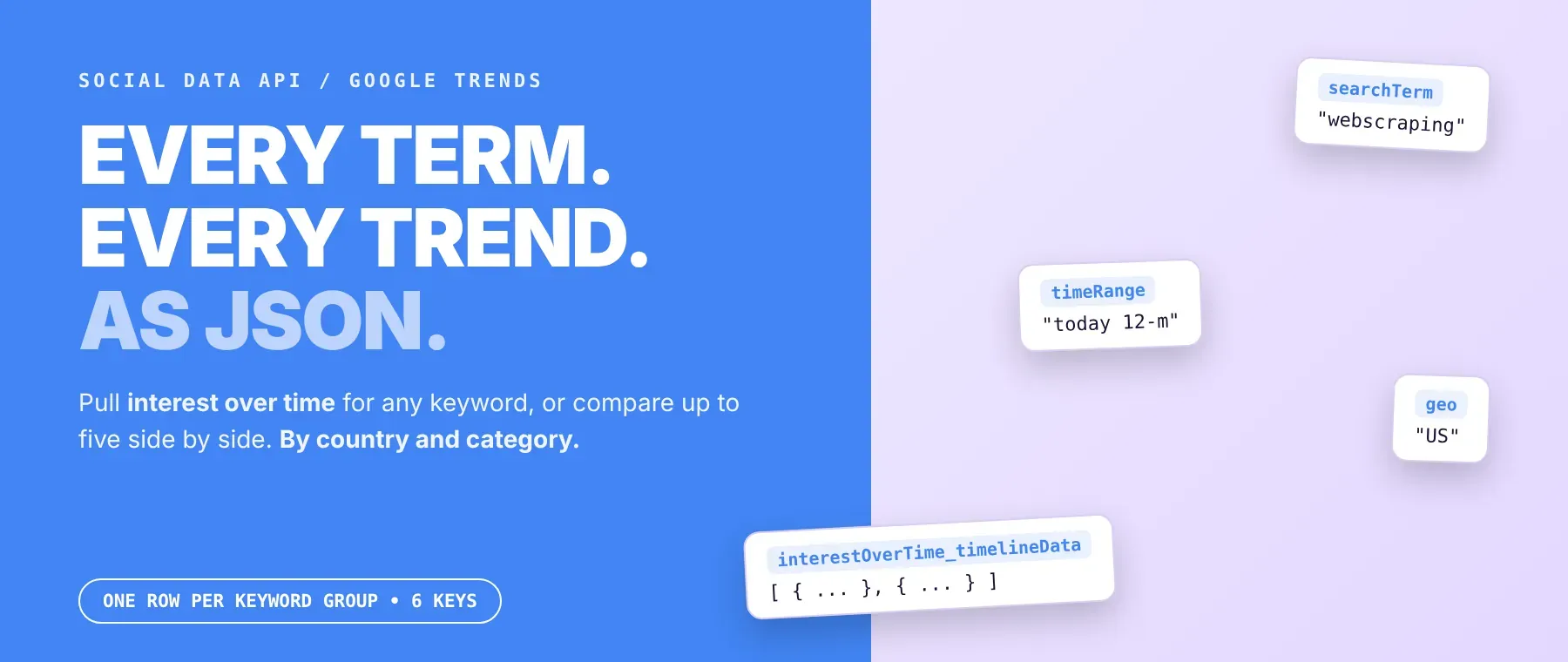
Google Trends Scraper pulls interest over time from Google Trends for any keyword, or for up to five keywords compared side by side. Each row holds the search term, time range, country or region, category and a dated timeline of 0-100 interest scores. Every response is structured JSON — ready to pass directly to an LLM, index into a vector store, or feed an SEO monitoring pipeline. No Google account or cookies needed. Start with one keyword, then add competitor names and new markets to see where demand is heading.
What data can I extract with Google Trends Scraper?
Using this Google Trends API, you will be able to extract the following Google Trends data:
| 🔗 Source link or keywords | 🔎 Search term(s) | ⏳ Time range | 🌍 Country or region |
|---|---|---|---|
| 🗂️ Category ID | 📅 Timeline dates (time in UTC for hourly ranges) | 📈 0-100 interest score per keyword |
How to use Google Trends Scraper
SEO teams, marketers and analysts use it to turn Google Trends interest over time into clean rows, one per keyword or keyword comparison, in a single run.
Copy to your AI assistant:
Google Trends Scraper MCP Server: use these Actors from ChatGPT, Claude or Cursor
Point your AI assistant at the hosted Apify MCP server with this Actor preloaded as a tool, and it can run it on its own with call-actor. No glue code, no scraping logic in your prompts.
Step by step
- Create a free Apify account.
- Open Google Trends Scraper in the Apify Store.
- Type your keywords, paste Google Trends explore links, or enter the ID of a public Google Sheet.
- Click Start.
- Download or stream your results in JSON, CSV or Excel, so Google Trends to CSV is one click.
How to scale Google Trends Scraper to bulk
Put one keyword or one comma-separated comparison per line, keep a long list in a public Google Sheet, or paste many Google Trends links: every keyword group becomes its own row. Up to 10 groups are fetched at the same time by default, and rows are saved in your input order as they finish. For recurring bulk Google Trends jobs, schedule the actor in Apify Schedules or start runs from the Apify API with different keyword lists.
✨ Features
Google Trends Scraper fetches clean, structured keyword trends from Google Trends ⚡ so you can scrape Google Trends without code. It's ideal for keyword trend analysis, content calendars built on seasonality, brand-versus-competitor tracking and Google Trends data export into spreadsheets or BI tools. As a pytrends alternative, it needs no Python setup on your side.
It extracts, per keyword group:
- Interest over time – one 0-100 score per keyword for every date in the range
- Search term – the keyword or keywords compared in this row
- Time range – the preset or exact date window used
- Country or region – the area code, or worldwide
- Category – the Google Trends category ID, 0 for all
- Source – the Google Trends link the row came from, or the keywords you typed
⚡ Groups with no data are skipped without a charge, and blocked requests switch to a proxy automatically.
Use cases 💡
- SEO strategist — spot seasonal peaks in the interest timeline before planning content.
- Brand manager — run a Google Trends keyword comparison of your brand against four rivals.
- Growth marketer — compare one keyword's interest by country before splitting ad budget.
- Market analyst — track a category's interest monthly with scheduled runs and exact date windows.
- AI engineer — feed dated interest scores into a RAG pipeline: "rising or falling?"
Building an AI agent? Connect Google Trends Scraper over MCP and let it call the actor on its own.
Why choose this actor?
- A dozen keywords, fast. A recorded run returned 12 keywords as 12 rows in 4.7 seconds, each with 53 weekly points for the past 12 months.
- The full timeline in every row. A recorded comparison of chatgpt and gemini in the US for 2024 came back with 53 weekly points, from 27 versus 6 in the week of 31 December 2023; a five-year row for python in Germany had 262 points.
- 3 ways in, many filters. Keywords, Google Trends links or a Google Sheet; 9 preset ranges plus exact date windows; 247 country and region codes; 25 categories.
⬇️ Input
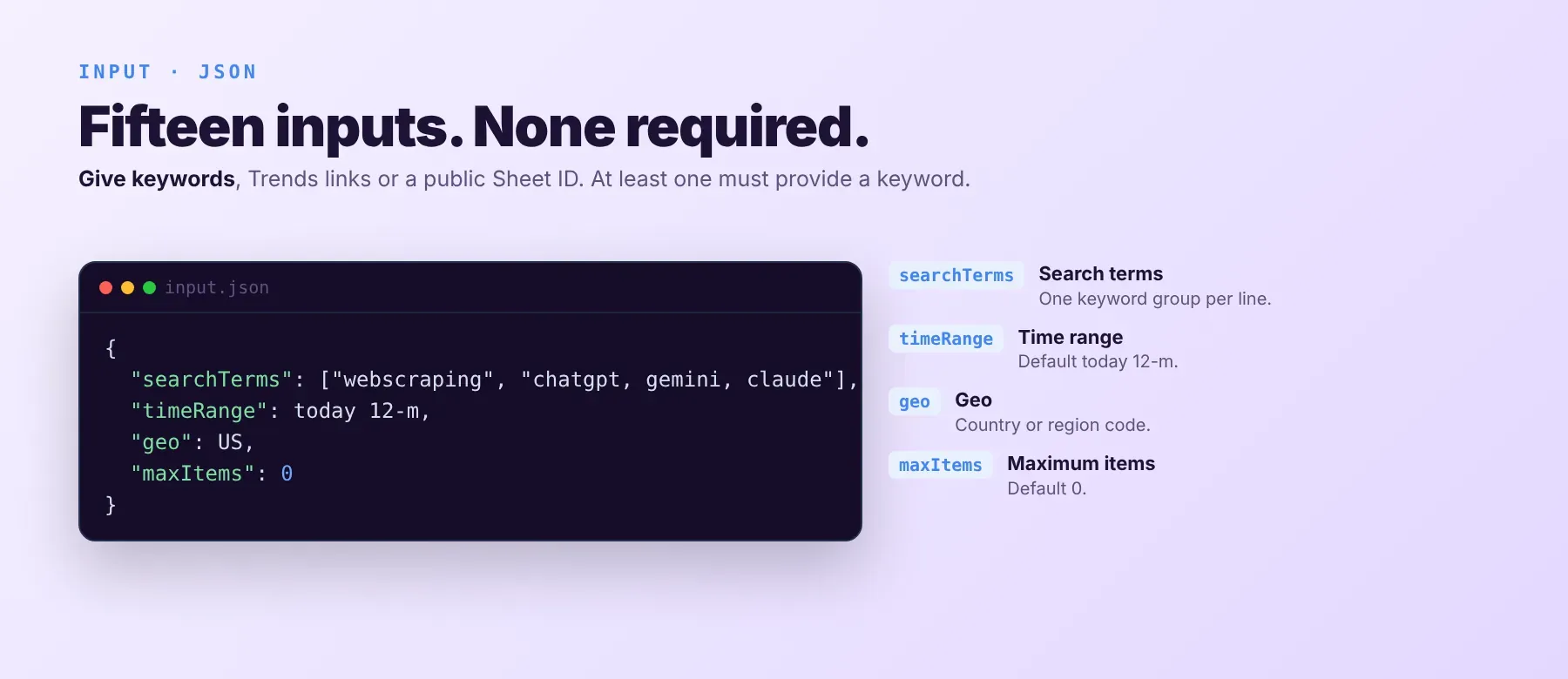
Give keywords (one keyword group per line), Google Trends explore links, or the ID of a public Google Sheet. No field is required on its own, but at least one of them must give a keyword, otherwise the run stops with an error.
| Parameter | Required | Type | Description | Example value |
|---|---|---|---|---|
searchTerms | No | array of strings | Keywords, one keyword group per line. Used when no Google Sheet or link gives keywords. | ["webscraping", "chatgpt, gemini, claude"] |
isMultiple | No | boolean | A line with commas becomes one comparison group (max 5 keywords). Default false. | true |
timeRange | No | string | now 1-H, now 4-H, now 1-d, now 7-d, today 1-m, today 3-m, today 12-m, today 5-y or all. Default today 12-m. | "today 12-m" |
geo | No | string | Country/region code from the list (247 options); empty = worldwide. Default "". A link's own geo wins for that link. | "US" |
viewedFrom | No | string | Lowercase country code used for the proxy connection; empty = the geo's country. Default "". | "us" |
skipDebugScreen | No | boolean | Skip the small per-group debug snapshot saved to the key-value store. Default false. | false |
startUrls | No | array of strings | Google Trends explore links; keywords, country, date range and category are read from each link, and each link keeps its own settings. A link comparing several keywords is one comparison. | ["https://trends.google.com/trends/explore?date=2024-01-01%202024-12-31&geo=US&q=chatgpt,gemini"] |
spreadsheetId | No | string | ID of a publicly shared Google Sheet; first column, row 1 is a header. Default "". | "1BxiMVs0XRA5nFMdKvBdBZjgmUUqptlbs74OgvE2upms" |
category | No | string | Google Trends category ID from the list (25 options); empty = all. Default "". | "7" |
maxItems | No | integer | Max keyword groups to process (one row each); 0 = no limit. Default 0. | 50 |
customTimeRange | No | string | Exact window YYYY-MM-DD YYYY-MM-DD; overrides timeRange. Default "". | "2024-01-01 2024-12-31" |
maxConcurrency | No | integer | Keyword groups fetched at the same time, min 1. Default 10. | 10 |
maxRequestRetries | No | integer | Attempts per request on each connection method, min 1. Default 7. | 7 |
pageLoadTimeoutSecs | No | integer | Seconds to wait for each request, min 30. Default 180. | 180 |
proxyConfiguration | No | object | Your proxy is tried first; when blocked the actor switches to other proxies. Without one the run starts with a direct connection. | {"useApifyProxy": false} |
Free plan limits
Users on the Apify free plan can fetch up to 20 result rows per run (all keyword groups together) and 200 result rows per month. When the limit is reached, the run finishes successfully with a status message explaining the limit. Upgrade to any paid Apify plan to remove these limits.
Example input
⬆️ Output
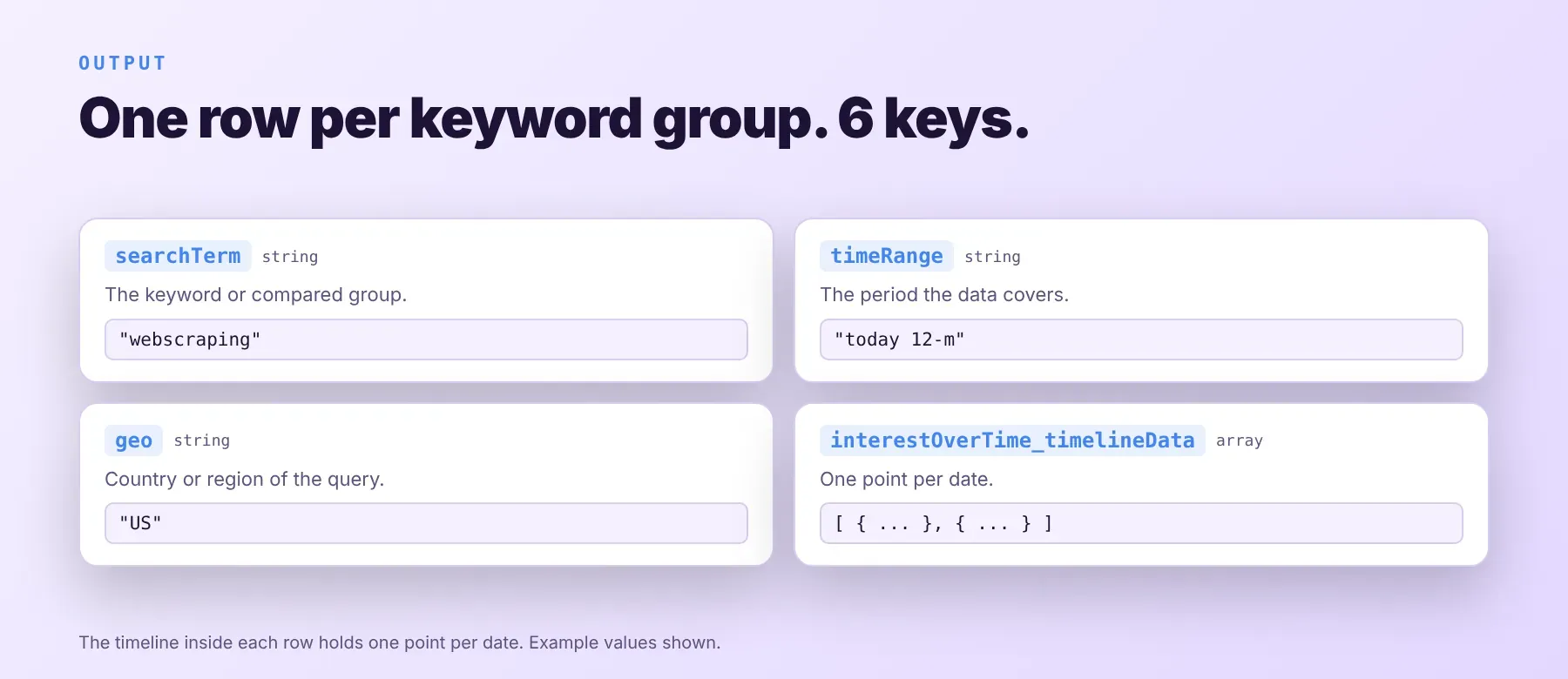
Every keyword group is one typed, normalized JSON item with the same six keys on every run, and the timeline inside it holds one point per date. Export it as JSON (default), CSV or Excel.
Example output
How does it work?
The actor reads the same public interest-over-time data that any visitor sees on Google Trends. It uses plain HTTP requests, with no browser and no login. Requests are spaced out, failed requests are retried (with growing waits after rate limits), and every request has a time limit. When Google rate-limits or blocks a connection, the actor retries and switches to a proxy, starting with your own proxy if you set one. It returns only publicly visible data, the same timeline any visitor sees on Google Trends, and turns it into the same six-key JSON row on every run, so your code does not depend on how the Google Trends page looks.
How do you integrate Google Trends Scraper into your stack?
It works with what you already use: the Apify REST API from any language, MCP for AI agents, and no-code tools.
MCP integration for AI agents
Add the hosted Apify MCP server to your agent with one command:
This registers the Apify MCP server with this actor already added as a tool, so your agent can call it directly with call-actor. Compatible clients include Claude Code, Cursor and Windsurf.
No-code tools (n8n, Make, LangChain)
- n8n: add the Apify node, choose "Run an Actor", pick this actor and paste your input JSON. Send the returned rows to the next node, such as Google Sheets.
- Make: use the Apify app's "Run an Actor" module with this actor, then its "Get Dataset Items" module to map each keyword group into your scenario.
- LangChain: install
langchain-apifyand wrap this actor withApifyActorsTool, so your agent can start a run and read the timelines as tool output.
Is it legal to scrape Google Trends data?
Collecting publicly available Google Trends data is generally lawful. This actor returns only publicly available data: the same relative interest timelines any user sees on Google Trends without logging in. These figures are aggregated search interest, not information about individual people. Scraping public data is generally permissible under GDPR, but storing and using it must comply with local data-protection law and Google's terms for your use case. Consult legal counsel if your use case involves bulk storage of personal data.
Frequently asked questions
What fields does Google Trends Scraper return?
Each row has the dated interest timeline with a 0-100 score per keyword, the search term, the time range, the country or region and the category ID, plus the link or keywords the row came from. See the data fields section.
Does Google Trends Scraper require a Google Trends account or login?
No. Only public Google Trends data is extracted, and no credentials or cookies are needed.
How fast does Google Trends Scraper run?
A recorded run returned 12 keywords as 12 rows in 4.7 seconds. Data is fetched live from Google Trends on every run, not from a cache.
What happens if a keyword group has no data or doesn't exist?
The group is skipped: no row is saved and nothing is charged, and the log says which group had no data. A keyword with too little search volume, or a group blocked on every connection method, ends this way, so check for missing search terms in your results.
Can I scrape multiple Google Trends keyword groups at once?
Yes. Put many lines in the search terms, paste many Google Trends links, or load a public Google Sheet; each keyword group becomes one row, and up to 10 are fetched at the same time by default.
Does Google Trends Scraper work with Claude, ChatGPT, and other AI agent tools?
Yes — Google Trends Scraper is available as an MCP tool through the hosted Apify MCP server. Run claude mcp add --transport http apify "https://mcp.apify.com?tools=socialdataapi/google-trends-scraper" to register it in Claude Code, Cursor or Windsurf with this actor already loaded as a tool, and the agent calls it directly. Any agent that can call an HTTP endpoint can use the Apify REST API directly.
Does Google Trends Scraper return data in a format LLMs can use directly?
Yes. Every row is typed, normalized JSON with the same field names on every run. No HTML parsing, no selectors: pass it straight to an LLM, index it into a vector store, or feed it to an agent tool, with no transformation step.
What happens when Google Trends changes its layout or updates its anti-bot system?
The actor is maintained, and when Google Trends changes, it is updated, so your calls keep returning the same JSON schema with no changes on your end.
Can I use Google Trends Scraper without managing proxies or browser infrastructure?
Yes. The proxy fallback and retries run on the actor's side, and no browser is involved. You send one request and get structured JSON back, with no proxy accounts and no headless browser setup.
Which Google Trends keyword group fields work best for AI training data and RAG indexing?
For RAG, the search term, the country or region and the time range give each timeline its context. For training data, the dated 0-100 interest scores are the most consistent numeric values. All fields are typed primitives, strings, integers and arrays of points, with no normalization needed.
Your feedback
Found a bug or missing a field? Let us know through the Issues tab on this actor's Apify Store page. Include your input and the run link so the problem can be reproduced and fixed.


