

LinkedIn Company About Scraper
Pricing
from $2.99 / 1,000 results
LinkedIn Company About Scraper
LinkedIn Company About Scraper — Extract LinkedIn company profile data including descriptions, industry, company size, headquarters, website, specialties, founded year, follower count, and profile URLs. Useful for lead generation, market research, and competitor analysis.
Pricing
from $2.99 / 1,000 results
Rating
0.0
(0)
Developer

Social Data API
Maintained by CommunityActor stats
0
Bookmarked
2
Total users
1
Monthly active users
21 hours ago
Last modified
Categories
Share
LinkedIn Company About Scraper — Industry, Size, HQ and Website
LinkedIn Company About Scraper reads public LinkedIn company pages and returns each company's name, website, industry, company size, member count, headquarters and full About text. Every response is structured JSON — ready to pass directly to an LLM, index into a vector store, or feed a lead generation or CRM enrichment pipeline. No LinkedIn account or cookies needed. Paste one company link or handle to try it, then add your whole account list and refresh it on a schedule.
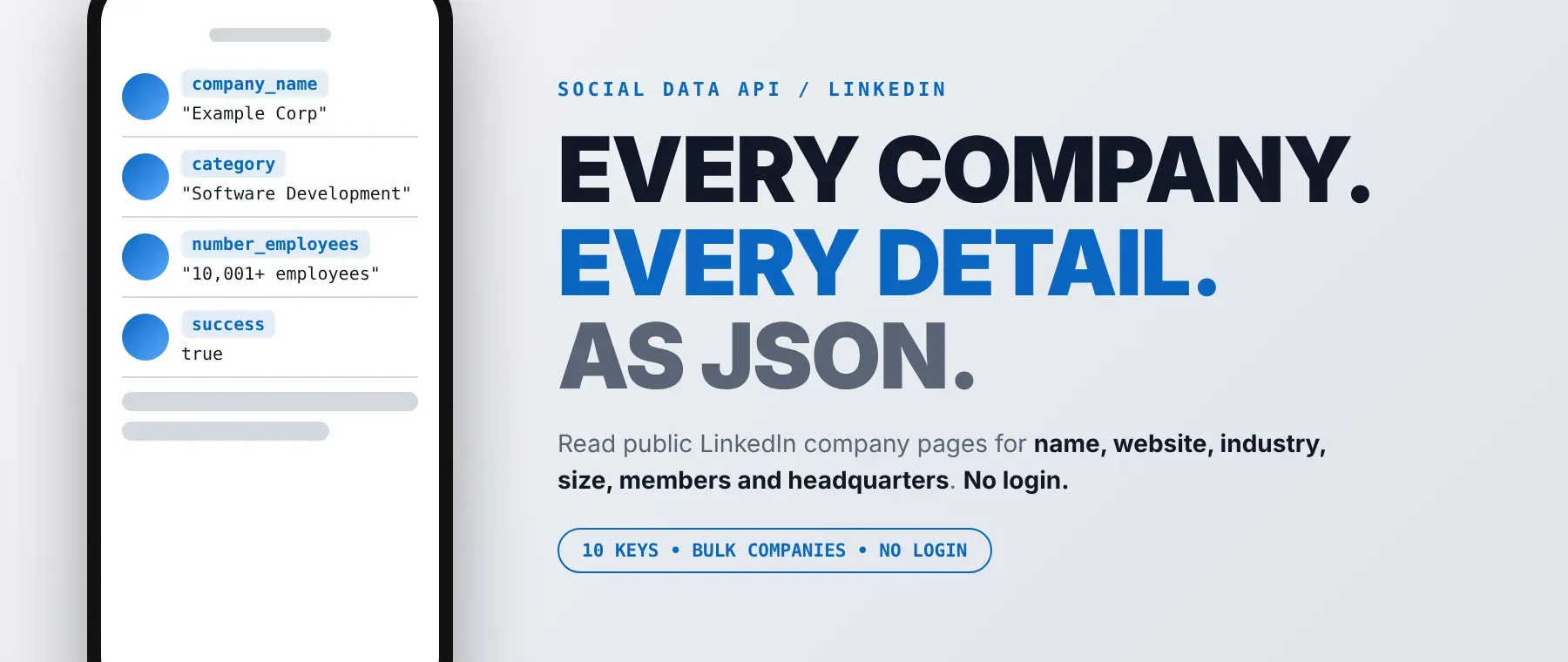
What data can I extract with LinkedIn Company About Scraper?
Using this LinkedIn Company About API, you will be able to extract the following LinkedIn company data:
| 🏢 Company name | 🌐 Website | 🏭 Industry | 👥 Company size |
|---|---|---|---|
| 🧑💼 Members on LinkedIn | 📍 Headquarters | 📝 About text | 🔗 LinkedIn company URL |
| ✅ Read-successfully flag | 🕒 Scrape time |
How to use LinkedIn Company About Scraper
Sales, recruiting and research teams use this LinkedIn about page scraper to get one clean row per company, for every company they list in one run.
Copy to your AI assistant:
LinkedIn Company About Scraper MCP Server: use these Actors from ChatGPT, Claude or Cursor
Point your AI assistant at the Apify MCP server and it can read LinkedIn company pages on its own: the server starts with this Actor already loaded as a tool, so the agent runs it directly and reads the industry, company size and About text from the result. No glue code, no scraping logic in your prompts.
Step by step
- Create a free Apify account.
- Open LinkedIn Company About Scraper in the Apify Store.
- Paste the LinkedIn company page URL or the company handle, one per line.
- Click Start (or send your API request).
- Download or stream your results in JSON, CSV or Excel.
How to scale LinkedIn Company About Scraper to bulk
For a bulk job, paste the whole list into the company field (or use Bulk edit); one run takes as many companies as you add and reads them one at a time, with the request delay before each company. Rows are saved as each company finishes, so a long list keeps its progress. For a weekly refresh of your accounts, attach an Apify schedule to the same input, or split a very long list into batches and start them through the Apify API. Billing has one event: each company that is read is one row_result event.
✨ Features
LinkedIn Company About Scraper fetches clean, structured companies from LinkedIn ⚡. It's ideal for account list building, CRM enrichment, market maps and a LinkedIn company headquarters lookup inside a larger workflow, as a LinkedIn company info extractor that needs no login.
It extracts, per company:
- Industry – the industry the company lists on its page
- Company size – the size range LinkedIn shows, such as 201-500 employees
- Members on LinkedIn – how many LinkedIn members list the company, a handy LinkedIn employee count by company
- Headquarters – the city and region of the head office
- Website – the company's own site, with short links followed to the real address (a LinkedIn company website finder in one field)
- About text – the full company description, not the shortened preview
⚡ No login is used: it reads only what a logged-out visitor sees, and a company that can't be read is saved with the read-successfully flag set to false and is not charged.
Use cases 💡
- Sales rep — shortlist target accounts by LinkedIn company size and industry before outreach.
- RevOps analyst — fill empty CRM fields with website, headquarters and About text.
- Recruiter — gauge a client's team size from its member count before the first call.
- Market researcher — map an industry's companies by headquarters city in one table.
- AI agent builder — index company About text into a RAG store as account context.
Building an AI agent? Connect LinkedIn Company About Scraper over MCP and let it call the actor on its own.
Why choose this actor?
- Three companies in under half a minute. A recorded run read Microsoft, Apify and Google (given as a link, a handle and an /about/ link) and saved 3 rows in 25.9 seconds, with the 2-second delay before each company.
- The whole About section, not a teaser. The recorded Microsoft row came back with its full 747-character About text, 10,001+ employees, 231,728 members on LinkedIn, Redmond, Washington and its website.
- 10 fields per company, every run. Name, website, industry, size, member count, headquarters, About text, LinkedIn URL, a read-successfully flag and the scrape time, with the same keys on every row.
⬇️ Input
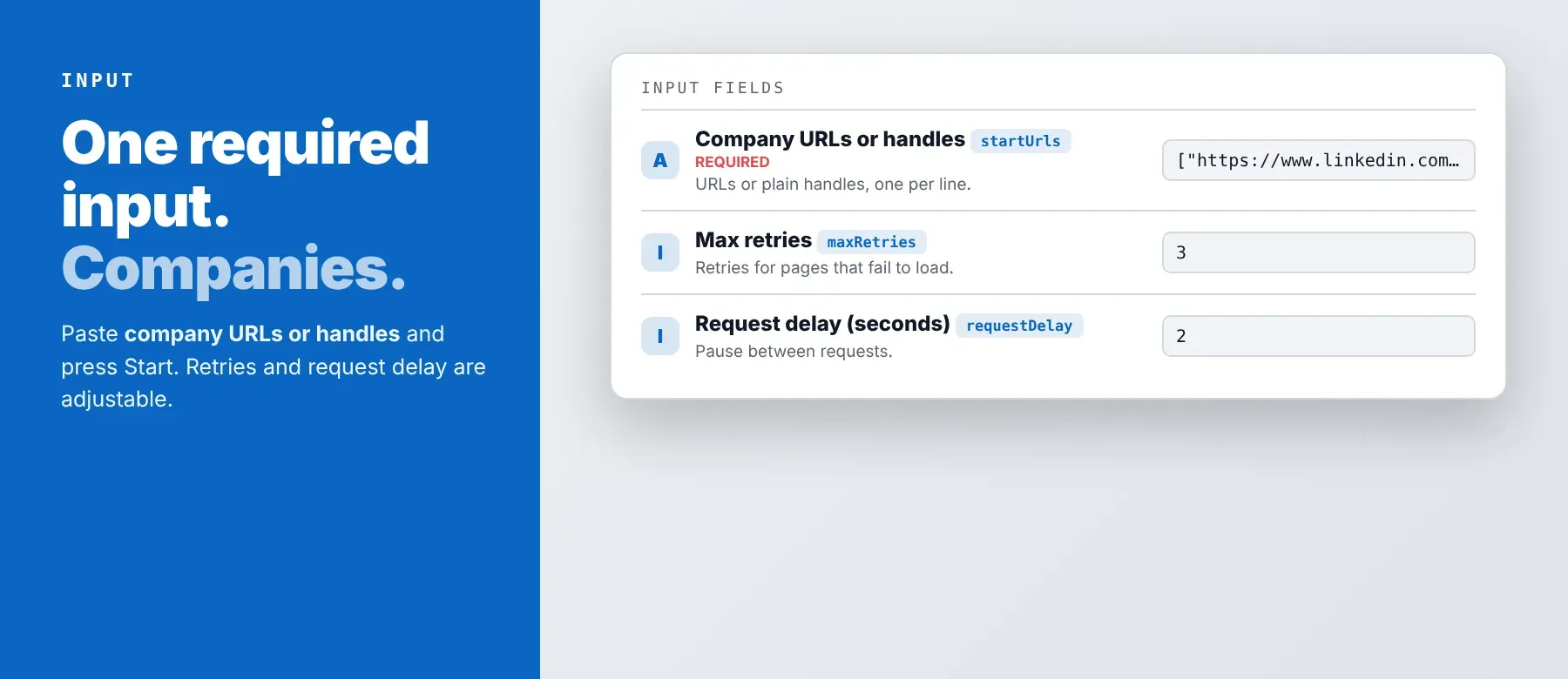
The Actor accepts a list of LinkedIn company page links or company handles, one per line; this list is the only required field. Retries, delay and proxy settings are optional.
| Parameter | Required | Type | Description | Example value |
|---|---|---|---|---|
startUrls | Yes | array of strings | One company per entry: a company page link or its handle. Links to a sub-page (/about/, /jobs/, /people/) are read from the company's main page. No default; the form is prefilled with the Microsoft link and google. | ["https://www.linkedin.com/company/microsoft", "apify"] |
maxRetries | No | integer | Extra attempts when a company page is blocked, shows a login wall or does not load. Allowed 0–10; 3 when not set (prefilled 3). | 3 |
requestDelay | No | integer | Seconds to pause before each company, plus a random 0–1 s. Allowed 0–30; 2 when not set (prefilled 2). | 2 |
proxyConfiguration | No | object | Your Apify Proxy group and country, or your own proxy URLs, used first. Without a proxy the run uses a direct connection. After a block the run switches once to an Apify residential proxy for the remaining companies. Prefilled with no proxy. | {"useApifyProxy": false} |
Free plan limits
Users on the Apify free plan can fetch up to 20 companies per run (all listed companies together) and 200 companies per month. When the limit is reached, the run finishes successfully with a status message explaining the limit. Upgrade to any paid Apify plan to remove these limits.
Example input
⬆️ Output
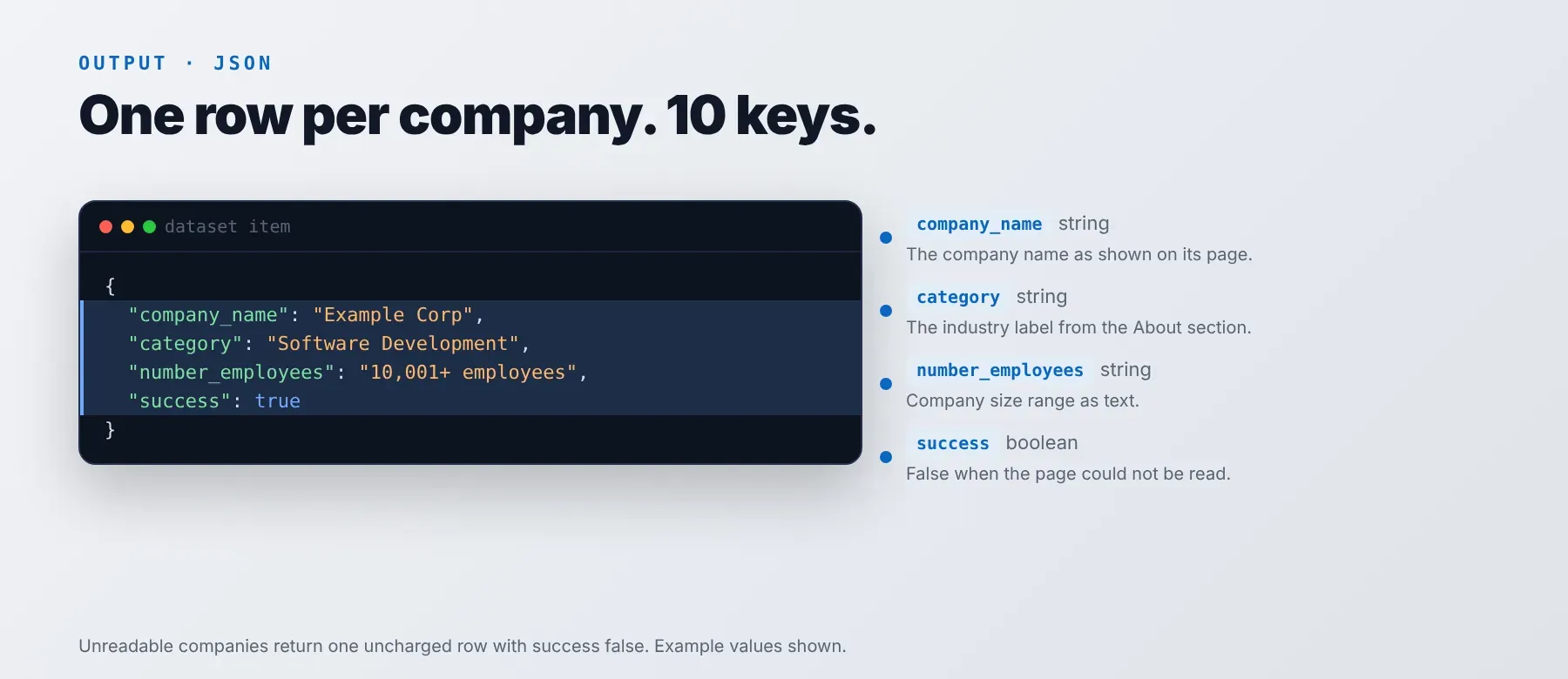
Every company is one typed, normalized JSON item with the same 10 keys on every run, so you can export LinkedIn company details to CSV, Excel or JSON (default) without misaligned columns. A company that can't be read is still one row, with the read-successfully flag set to false and empty text fields, and it is not charged.
Example output
How does it work?
You don't need a LinkedIn account. For each company, the Actor opens the public company page in a real browser, the same page any logged-out visitor sees, and handles the rendering automatically. It reads the company about text from LinkedIn and the other About details on that page, and follows short links in the website field to the real address.
When LinkedIn blocks the connection or shows a login page instead of the company, the Actor retries and switches once to a residential proxy for the rest of the run. Your own proxy settings are always tried first. A pause with a little random extra time before each company keeps the pace polite. It returns only publicly visible data, never solves CAPTCHAs, and every row follows one fixed schema of 10 fields, whether the company was read or not.
How do you integrate LinkedIn Company About Scraper into your stack?
It works with what you already use: the Apify REST API from any language, the Apify MCP server for AI agents, and no-code tools.
MCP integration for AI agents
This connects your agent to the Apify MCP server, which registers this Actor as a tool your agent can call directly, with no search or add step. Sign in with your Apify account when asked. The command is for Claude Code; Cursor and Windsurf connect to the same URL in their MCP settings.
No-code tools (n8n, Make, LangChain)
n8n: add the Apify node, choose Run an Actor and pick this Actor with your list of companies. Its dataset items flow into the next node, such as Google Sheets or your CRM.
Make: add the Apify app's Run an Actor module with this Actor and your input, then Get Dataset Items to pass the companies on. Map the company name, industry and website into any later module.
LangChain: install langchain-apify and load a finished run's dataset with ApifyDatasetLoader. Map the About text to the document content and the company name and industry to metadata.
Is it legal to scrape LinkedIn data?
Scraping publicly available LinkedIn company data is generally legal. LinkedIn Company About Scraper returns only publicly available data: the company details any visitor sees without logging in, with no employee lists and nothing behind a login. GDPR: company details are mostly business data, and while scraping public data is generally permissible, storing and using it must comply with local data-protection law. This is not legal advice. Consult legal counsel if your use case involves bulk storage of personal data.
Frequently asked questions
What fields does LinkedIn Company About Scraper return?
The top five are the company name, industry, company size, headquarters and About text. See the data fields section for all 10.
Does LinkedIn Company About Scraper require a LinkedIn account or login?
No. Only public company data is extracted, and the input has no login, cookie or API-key field. No credentials needed.
How fast does LinkedIn Company About Scraper run?
A recorded run read 3 companies in 25.9 seconds and another read 3 companies plus one missing page in 28.2 seconds, each with the default 2-second delay before every company. Data is fetched live on every run, not cached.
What happens if a company page is private or doesn't exist?
You still get one row for it, with the read-successfully flag set to false and empty text fields, and that row is not charged. The same happens when a page stays blocked after all retries or does not load. In your code, filter on the read-successfully flag to separate companies that were read from the ones to check again.
Can I scrape multiple LinkedIn companies at once?
Yes. Put as many company links or handles as you need in one list; they are read one after another and each is saved as soon as it finishes.
Does LinkedIn Company About Scraper work with Claude, ChatGPT, and other AI agent tools?
Yes — this Actor is available as an MCP tool through the Apify MCP server. Register the server in Claude Code with the command below (Cursor and Windsurf use the same URL), and the agent can call this Actor right away.
Any agent that can call an HTTP endpoint can also use the Apify REST API directly.
Does LinkedIn Company About Scraper return data in a format LLMs can use directly?
Yes. Every row is typed, normalized JSON with consistent field names. No HTML parsing, no selectors: pass it straight to an LLM, index it into a vector store, or feed it to an agent tool with no transformation step.
What happens when LinkedIn changes its layout or updates its anti-bot system?
The Actor is maintained, and when LinkedIn changes its company pages it is updated so your calls keep returning the same 10-field JSON schema with no changes on your end. Until then, a company that can't be read comes back with the read-successfully flag set to false instead of wrong data.
Can I use LinkedIn Company About Scraper without managing proxies or browser infrastructure?
Yes. The browser, the retries and the switch to a residential proxy after a block all run on the Actor's side. You send one request and get structured JSON back; no proxy account or headless browser setup is needed, and it does not solve CAPTCHAs.
Which LinkedIn company fields work best for AI training data and RAG indexing?
For RAG: the About text, industry and headquarters, with the company name and LinkedIn URL as metadata. For training data: the company size range, member count and the read-successfully flag. Every field is a typed primitive (strings and one boolean); the size and member count are kept as the text LinkedIn shows, so turn them into numbers if your model needs them. Treat it as your LinkedIn about section data source for that kind of dataset.
Your feedback
Found a bug or missing a field? Let us know. Include the input you used and the run's log so the problem can be reproduced.


