
LinkedIn Company Scraper (No Login) - $2.8 per 1,000
Pricing
from $2.10 / 1,000 company scrapeds
LinkedIn Company Scraper (No Login) - $2.8 per 1,000
Scrape public LinkedIn company pages with no login: industry, size, employees, followers, HQ address, website, specialties, all offices, similar companies and recent posts. Paste URLs, names or domains. $2.8 per 1,000; not-found free.
Pricing
from $2.10 / 1,000 company scrapeds
Rating
0.0
(0)
Developer

Detroit Web Agent - Open Data
Maintained by CommunityActor stats
0
Bookmarked
2
Total users
1
Monthly active users
11 hours ago
Last modified
Categories
Share
LinkedIn Company Scraper - public company pages, no login, no cookies ($2.80 per 1,000)
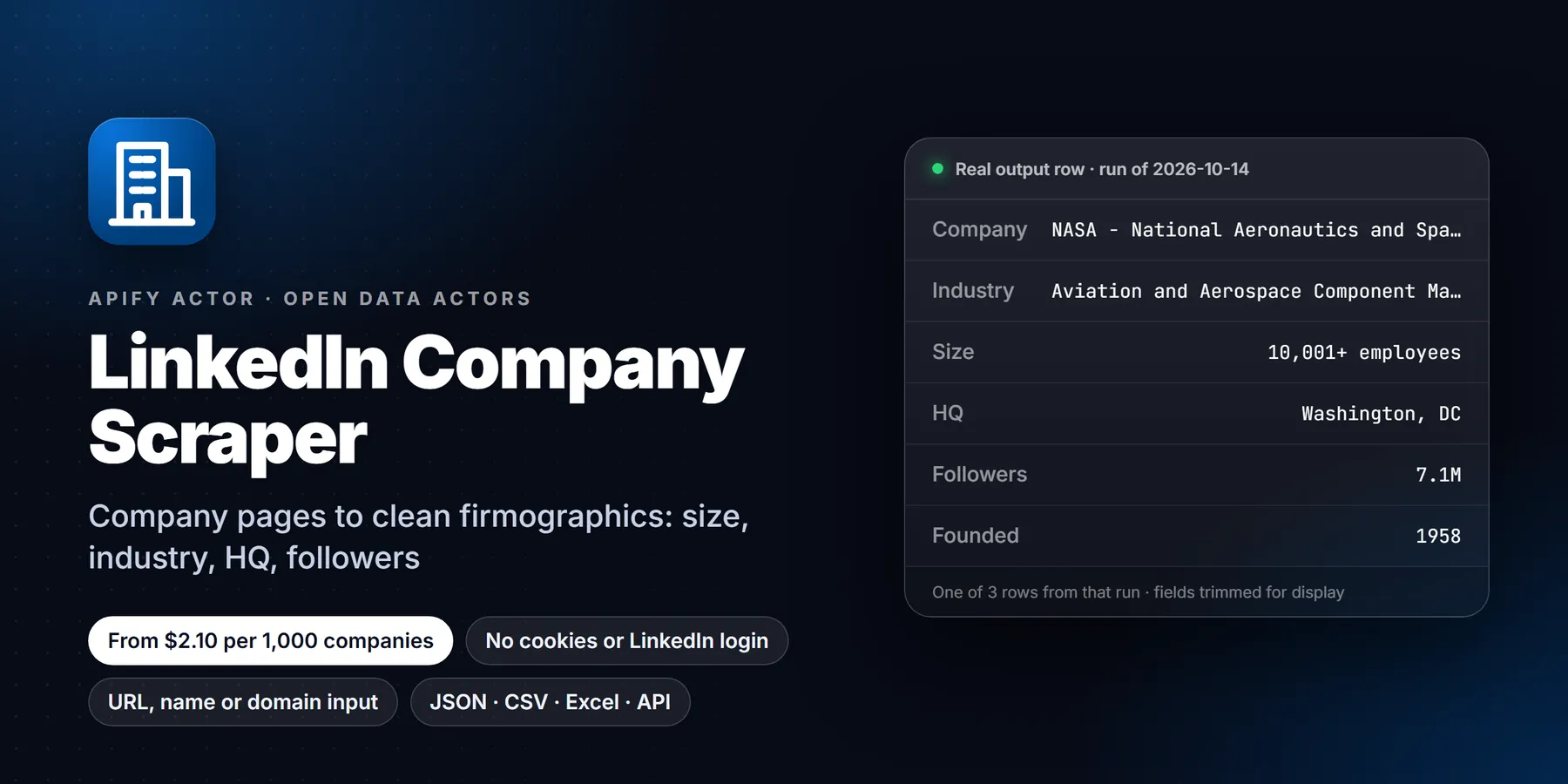

| Price per 1,000 companies | Free plan | Starter | Scale | Business |
|---|---|---|---|---|
| This Actor | $2.80 | $2.80 | $2.45 | $2.10 |
| Most-used alternative | $4.00 | $4.00 | $3.50 | $3.00 |
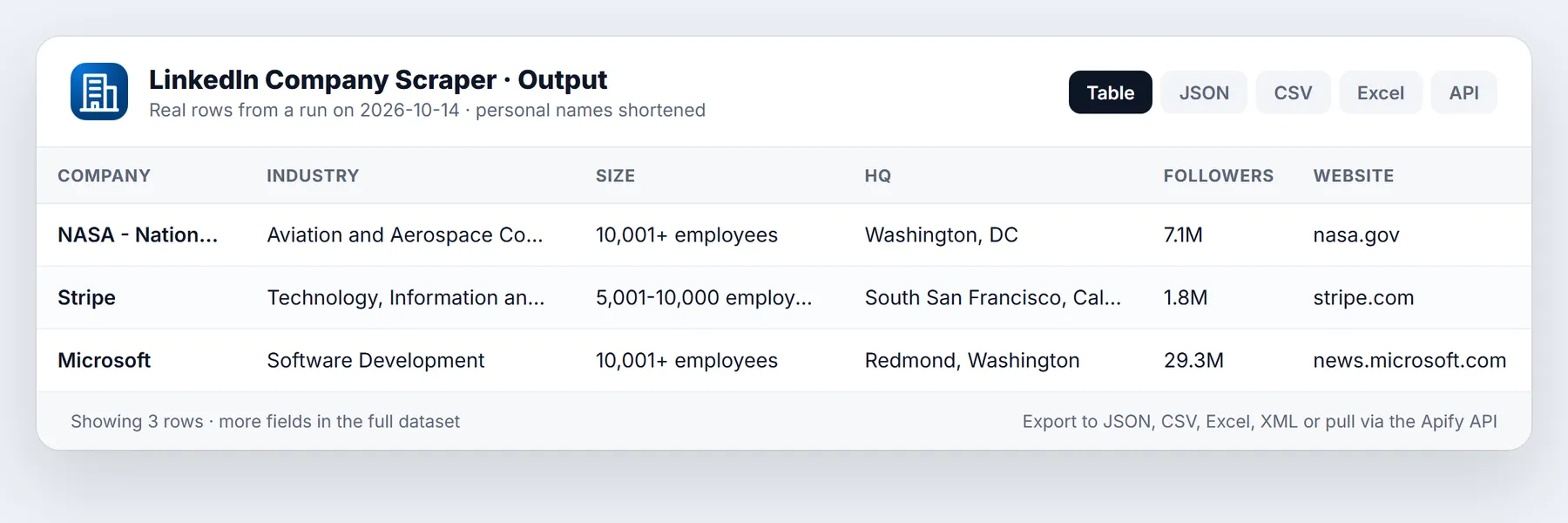
- In short: LinkedIn Company Scraper (Apify actor
transparent_meteorite/linkedin-company-scraper) turns LinkedIn company page URLs, slugs, company names or website domains into clean company rows: industry, company size, employees on LinkedIn, followers, headquarters and full address, website, specialties, founded year, every office location, similar companies, affiliated pages and recent posts with likes and comments. - Who it is for: sales and lead-generation teams enriching account lists, RevOps and CRM owners, recruiters mapping employers, investors and analysts tracking companies, marketers watching competitors.
- Input: a list of LinkedIn company URLs, slugs, company names or website domains (mix freely), posts per company, which sections to include.
- Output: one row per company, plus a free
not_foundrow for anything we could not match. - Price: $0.0028 per company delivered. Not-found, blocked and duplicate inputs are free. No subscription, no LinkedIn account.
- Limits: public company pages only. No people profiles, no employee lists, no emails, no company keyword search (LinkedIn does not offer that without login).
Key facts
- Actor ID:
transparent_meteorite/linkedin-company-scraper - Data source: LinkedIn's public (logged-out) company pages, the same page anyone sees without signing in
- Login, cookies or LinkedIn account needed: no
- Pricing model: pay per event (
apify-actor-start$0.00005,company-scraped$0.003) - Output formats: JSON, CSV, Excel, XML, HTML table (Apify dataset)
- Access: Apify Console, REST API, JavaScript and Python clients, schedules, webhooks, Apify MCP server
- Also known as: LinkedIn company data extractor, LinkedIn company info scraper, LinkedIn firmographics API, LinkedIn company enrichment, company domain to LinkedIn
- Last updated: 2026-10-13
Run in 30 seconds
- Click Try for free (or Start). The input is already filled with HubSpot and Stripe.
- Press Start. Two companies finish in about 10 seconds.
- Open the Overview tab of the output, or export to CSV, Excel or JSON.
Swap in your own list: paste one company per line, in any of these forms.
Why choose this actor
- No login, no cookies, no account risk. It reads the public company page LinkedIn shows to everyone. Your LinkedIn account is never involved.
- Cheaper than the leading LinkedIn company scrapers. $2.80 per 1,000 companies, and you pay nothing for inputs we could not find.
- Paste anything. Company URLs (any country subdomain,
/about/,/posts/,/showcase/,/school/), bare slugs, company names or website domains. Domains are matched against the website listed on the LinkedIn page, sostripe.comreturns Stripe, not a lookalike. - More per row. Besides the standard company card you get every listed office address, LinkedIn's "Similar pages" (ready-made lookalike lists), affiliated and showcase pages, and up to 10 recent posts with dates, likes, comments and media.
- Name lookups pick the real company. When several pages share a name (there are two "Notion" pages), it returns the one with the most followers and lists the others in
otherMatches.
Input
| Field | Type | Default | What it does |
|---|---|---|---|
companies | list of strings | HubSpot, Stripe | Company URLs, slugs, names or website domains, one per line. |
startUrls | URL list | empty | Same as companies, for tools that send a URL list. |
domains | list of strings | empty | Website domains to match, e.g. hubspot.com. |
maxPostsPerCompany | integer 0-10 | 5 | Recent public posts to include per company. 0 turns posts off. |
includeLocations | boolean | true | Every office address on the page. |
includeSimilarPages | boolean | true | LinkedIn's "Similar pages": name, URL, industry, location. |
includeAffiliatedPages | boolean | true | Subsidiaries and showcase pages. |
includeNotFound | boolean | true | Free row with status not_found for anything we could not match. |
maxCompanies | integer | 1000 | Stop after this many inputs. |
maxConcurrency | integer 1-10 | 4 | Pages fetched in parallel. |
proxyConfiguration | proxy | Apify Proxy | Datacenter proxy is enough. Use RESIDENTIAL only if you see sign-in-wall warnings. |
Example API input:
Output
| Field | Example | Notes |
|---|---|---|
name | Stripe | Company name |
linkedinUrl | https://www.linkedin.com/company/stripe | Canonical page URL |
universalName | stripe | LinkedIn slug |
companyId | 2135371 | Numeric LinkedIn company ID, when shown |
pageType | company | company, showcase or school |
tagline, description | Short tagline and the full "About" text | |
website, websiteDomain | https://stripe.com, stripe.com | Listed website |
industry | Technology, Information and Internet | |
companySize | 5,001-10,000 employees | Size band as shown |
employeeCountMin, employeeCountMax | 5001, 10000 | Numeric size band |
employeesOnLinkedIn | 16694 | Members who list this employer |
followers | 1765821 | |
headquarters | South San Francisco, CA | |
address | {street, city, region, postalCode, country} | Structured HQ address |
organizationType | Privately Held | |
foundedYear | 2010 | When listed |
specialties | ["Payments", ...] | When listed |
logoUrl, coverImageUrl | Image URLs | |
jobsUrl | Public job search for this company | |
locations, locationsCount | [{isPrimary, address, lines}] | Every listed office |
similarPages | [{name, url, industry, location}] | Lookalike companies |
affiliatedPages | [{name, url, industry, location}] | Subsidiaries, showcase pages |
recentPosts, recentPostsCount, lastPostAt | [{postUrl, publishedAt, text, likes, comments, mediaType, imageUrls, isReshare, articleUrl}] | Latest public posts |
otherMatches | [{name, linkedinUrl, followers}] | Other pages with the same name (name lookups only) |
matchedBy | website, name | How a name or domain input was matched: the page lists that website, or (domain inputs) the page name equals the domain's brand when the listed website differs |
input, inputType, status, scrapedAt | stripe, slug, ok | Traceability. status is ok, not_found or blocked |
The dataset has three views: Overview, Firmographics for CRM, and Recent posts (one row per post).
Pricing
| Event | Price | When |
|---|---|---|
company-scraped | $0.0028 | Once per company delivered |
1,000 companies cost about $2.80. Not-found, blocked and duplicate inputs are never charged. Set Maximum cost per run in the run options and the actor stops cleanly when it is reached.
How to run
API
Python
n8n, Make, Zapier and MCP
- n8n: Apify node, "Run actor and get dataset", actor
transparent_meteorite/linkedin-company-scraper. - Make: Apify module "Run an Actor", then "Get Dataset Items".
- Zapier: Apify app, action "Run Actor", then send rows to Google Sheets or your CRM.
- AI agents (MCP): add the Apify MCP server (
https://mcp.apify.com) with this actor enabled, then ask, for example, "get LinkedIn industry, size and HQ for stripe.com and hubspot.com".
Limits and honest caveats
- Public company pages only. No people profiles, employee lists, emails or phone numbers. People profile URLs are skipped with a warning.
- No company keyword search. LinkedIn only offers company search to logged-in members, so this actor does not do it. Give it names or domains instead; we resolve them to pages.
- Name lookups are best effort. We try common slug patterns (
notion,notionhq,notion-incand so on) and keep exact name matches. Unusual slugs may come backnot_found(free); use the URL or website domain for those. - Fields only appear when the company lists them. Microsoft lists no founded year, Stripe lists no specialties.
- Posts: the public page shows up to 10 recent posts. For more posts, keyword search and full comments, see LinkedIn Posts Search from the same publisher.
- Counts (followers, employees) are what the public page shows at run time.
Use cases
- CRM and account enrichment. A sales or RevOps team has a list of domains and needs industry, size band, headquarters and the LinkedIn URL on every account. Paste the domains, export CSV, and map
industry,employeeCountMin,employeeCountMaxandheadquartersto CRM fields. The "Firmographics for CRM" view is laid out for this. - Territory and segment building. Filter the output by
companySize,industryoraddress.countryto split a list of accounts by segment before an outbound campaign. - Lookalike lists.
similarPagesreturns the companies LinkedIn itself groups with the one you looked up, with name, URL, industry and location. Feed those URLs back into the actor to grow a list one step outward. - Competitor tracking. Schedule the actor weekly on a fixed set of competitors and compare
followers,employeesOnLinkedInandlastPostAtbetween runs to see growth and posting activity. - Recruiting research.
employeesOnLinkedIn,locationsandjobsUrlshow how large an employer looks on LinkedIn, where its offices are, and where its public job search lives. - Investor and analyst screening.
foundedYear,organizationType,specialtiesanddescriptiongive a quick company card for a watch list.
Input guide
The fields are listed in the Input table above. This section covers how they behave.
companiesaccepts four kinds of value in the same list, so a mixed export can be pasted as it is: a company URL, a slug, a company name, or a website domain. Each line is classified automatically and the result is reported ininputType.startUrlsexists for tools that can only send a URL list. Its entries are treated exactly like entries incompanies.domainsis the same lookup restricted to website domains. A page is returned only when the website it lists matches the domain, or, as a fallback, when the page name equals the brand of the domain. ThematchedByfield says which rule applied.maxPostsPerCompanyranges from 0 to 10. The public page shows at most 10 recent posts, so 10 is the real ceiling. Use 0 when posts are not needed; the row is smaller and the Recent posts view stays empty.includeLocations,includeSimilarPages,includeAffiliatedPagesswitch whole sections of the row on or off. Turning all three off gives a compact row suited to CRM import.includeNotFoundadds a row with statusnot_foundorblockedand the slugs that were tried (slugsTried), so a missed input can be traced instead of silently disappearing. These rows are never charged.maxCompaniesstops the run after that many inputs, from 1 to 10,000. Use a small number for a first test on a new list.maxConcurrencyis the number of pages fetched at once, from 1 to 10. If the log shows sign-in-wall warnings, lower it before changing anything else.proxyConfigurationuses Apify Proxy by default. Switch the proxy group to RESIDENTIAL only if a run reports sign-in walls for many inputs.
Worked examples
Enrich a list of domains
Build a lookalike seed list
Check what a competitor is posting
Sample output record
An abbreviated row for a slug input. Real rows contain every field the company lists on its page; the values below are shortened.
Reading the status field
okmeans the public page was found and parsed. The row is delivered and counted for billing.not_foundmeans no public page matched the input, for example a misspelled slug or a name with no matching page. The row is free.blockedmeans LinkedIn showed a sign-in wall on every attempt. The row is free. Re-run just those inputs with a lowermaxConcurrencyor a RESIDENTIAL proxy group.
Tips to reduce cost and runtime
- Prefer a URL or domain over a bare name. Names need several slug guesses, and a domain resolves to the page that lists that website.
- Turn off
maxPostsPerCompany, similar pages and affiliated pages when only firmographics matter. Rows are smaller and downstream imports are simpler. - Deduplicate the list before running. Duplicate inputs are not charged.
- Run a 10-company sample before a large list and check the share of
not_foundrows. A high share usually means names that need to be replaced by domains. - Split very large lists into several runs of a few thousand companies, so a failed batch is cheap to repeat.
Additional questions
What does the actor do with a LinkedIn people URL? It skips it and logs a warning. Only company, showcase and school pages are supported.
Does it return employee names or emails? No. Only the company page is read, and it carries no employee list or contact details.
Which countries are supported? Company URLs on country subdomains (for example de.linkedin.com) are accepted.
What is the difference between companySize and employeesOnLinkedIn? companySize is the band the company selected, for example 5,001-10,000. employeesOnLinkedIn is the number of LinkedIn members who list the company as their employer. The two often differ.
Why are some fields empty for a company? A field is filled only when the company lists it on its page. An empty foundedYear or specialties means the page does not show one.
Can I pass several pages with the same name? For name inputs, the page with the most followers is returned and the others appear in otherMatches. Pass the exact URL to pick a specific page.
How do I load the results into a spreadsheet? Export the dataset as CSV or Excel from the Output tab, or fetch it from the dataset API in the format you need. Use JSON when you need nested lists such as locations and similarPages kept structured.
FAQ
Do I need a LinkedIn account or cookies? No. Nothing is logged in, and no account of yours is used.
Is it legal to scrape LinkedIn company pages? This actor reads only public, logged-out company pages (business information companies publish about themselves). It collects no personal profiles. You are responsible for how you use the data under your local law and LinkedIn's terms.
Why did a company come back blocked? LinkedIn sometimes shows a sign-in wall instead of the public page. The actor retries on fresh IPs; anything still blocked is free. Re-run those inputs or set the proxy group to RESIDENTIAL.
Can I find a company's LinkedIn page from its website? Yes. Put the domain (acme.com) in companies or domains. We return the page that lists that website. If none does, we fall back to the page whose name matches the domain's brand (figma.com to Figma) and mark it matchedBy: "name" so you can review it.
How fast is it? About 1-2 seconds per company at the default 4 in parallel; 1,000 companies take roughly 10 minutes.
Can I schedule it? Yes. Save a task with your list and add a schedule to track followers and new posts over time.
Support
Found a bug or need a field? Open an issue on the Issues tab with your run URL. We reply there.
New to Apify? Create a free account and run this Actor in under a minute. Some links are affiliate links.


