

WhatsApp Group Links Scraper
Pricing
from $4.46 / 1,000 results
WhatsApp Group Links Scraper
WhatsApp Group Links Scraper finds public WhatsApp group and channel invite links shared in posts on Facebook, Instagram, TikTok, LinkedIn, X, YouTube, Pinterest and Reddit by keyword and country. Only live links are kept. Export to JSON, CSV or Excel, or use the API.
Pricing
from $4.46 / 1,000 results
Rating
0.0
(0)
Developer

Social Data API
Maintained by CommunityActor stats
0
Bookmarked
2
Total users
1
Monthly active users
a day ago
Last modified
Categories
Share
WhatsApp Group Links Scraper — Invite Links, Sources and Snippets
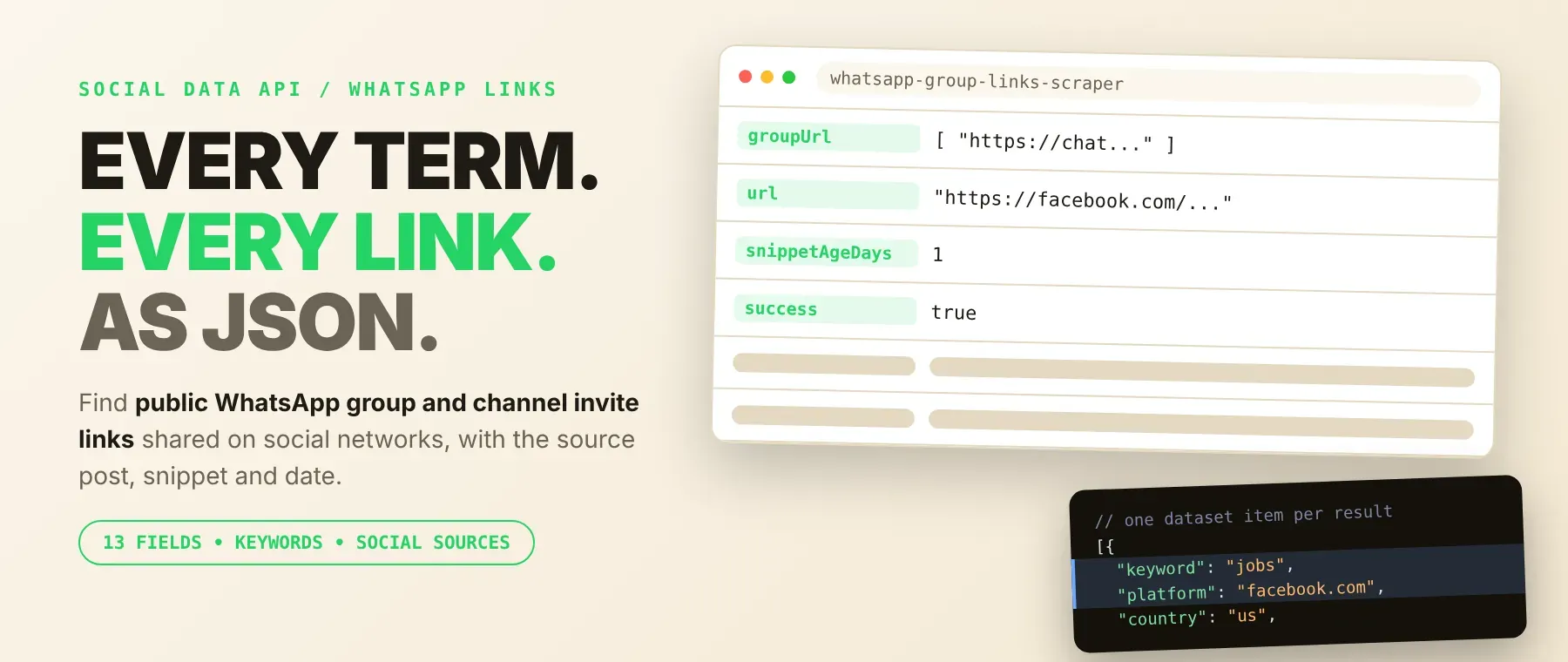
WhatsApp Group Links Scraper finds public WhatsApp group and channel invite links shared in posts on Facebook, Instagram, TikTok, LinkedIn, X, YouTube, Pinterest and Reddit, by keyword and country: the invite link, the post that shares it, its title, snippet and date. Every response is structured JSON — ready to pass directly to an LLM, index into a vector store, or feed a community research or lead generation pipeline. Only links that open a live group or channel are kept. Start with one keyword, then map whole niches.
What data can I extract with WhatsApp Group Links Scraper?
Using this WhatsApp group links API, you will be able to extract the following data:
| 💬 WhatsApp group or channel link | 🔗 Post that shares it | 📝 Post title | 🧾 Snippet text |
|---|---|---|---|
| 🕒 Snippet date | 📆 Age in days | ♻️ Duplicate-link flag | 🔎 Keyword that found it |
| 🌐 Platform | 📍 Country | ✅ Success / reason | 📅 Time collected |
How to use WhatsApp Group Links Scraper
Built for marketers, community managers and researchers: one run turns a list of keywords into a table of live WhatsApp groups and channels people share on social media.
Copy to your AI assistant:
WhatsApp Group Links Scraper MCP Server: use these Actors from ChatGPT, Claude or Cursor
Point your AI assistant at Apify and it can find WhatsApp groups on its own: live invite links for a topic, the posts that share them and where they came from. No glue code, no scraping logic in your prompts.
Step by step
- Create a free Apify account.
- Open WhatsApp Group Links Scraper in the Apify Store.
- Add your keywords, one per line, then pick the social network and the country.
- Click Start (or send your API request).
- Download or stream your results in JSON, CSV or Excel.
How to scale WhatsApp Group Links Scraper to bulk
Put many keywords in one run: they are searched at the same time, and limit applies to each keyword on its own — every keyword is searched until it reaches limit or runs out of live links. Each result is saved the moment its links are checked, so the dataset fills while the run is going. Each keyword usually turns up a few to a few dozen live links, so cover a niche with many related keywords rather than one broad one. A recorded run with four keywords on Instagram in India and limit 6 saved 20 rows in 51 seconds; another with two keywords on Facebook in the US and limit 20 saved 31 rows in 45 seconds. To export WhatsApp group links for a whole niche, run the same keywords on each platform, then download the datasets as CSV or Excel.
✨ Features
WhatsApp Group Links Scraper turns public social posts into a clean list of live WhatsApp groups ⚡. It's ideal for community research, niche discovery, lead generation and moderation — a WhatsApp group link finder, WhatsApp group search and WhatsApp channel finder in one, built to find WhatsApp groups by keyword on eight networks. It extracts, per result:
- Live links only – every WhatsApp link is opened once; dead, expired or revoked invites are left out
- Groups and channels –
chat.whatsapp.comgroup invites andwhatsapp.com/channelchannels, cleaned of tracking parameters - Source – the post or page that shares the link, with its title and snippet text
- Date – the snippet date as shown ("1 day ago", "Sep 6, 2026") and its age in days
- Duplicates flagged – a link already saved in the run is marked, never silently dropped
- Clear empty results – a keyword with no live link gets one row saying why, free of charge
⚡ Filters: platform (Facebook, LinkedIn, Instagram, X, YouTube, Reddit, Pinterest, TikTok) and 101 countries.
Use cases 💡
- Marketer — find the WhatsApp communities your audience already joins.
- Community manager — see which groups in your niche are promoted on Facebook or TikTok.
- Recruiter — collect WhatsApp job groups by city or industry.
- Researcher — map WhatsApp groups and channels around a topic and how recently they were shared.
- AI engineer — feed post titles and snippets into an LLM to classify groups by topic.
Building an AI agent? Connect WhatsApp Group Links Scraper over MCP and let it call the actor on its own.
Why choose this actor?
- Only live groups. In a recorded run, 16 WhatsApp links were found and 11 opened a live group or channel; only those 11 were saved.
- Fair across keywords. A recorded run with four keywords and
limit6 returned 2, 2, 1 and 1 links — every keyword got its share. - Fast first results. Rows are saved one by one as their links are checked; recorded runs saved the first row after 4.6 to 21 seconds.
⬇️ Input
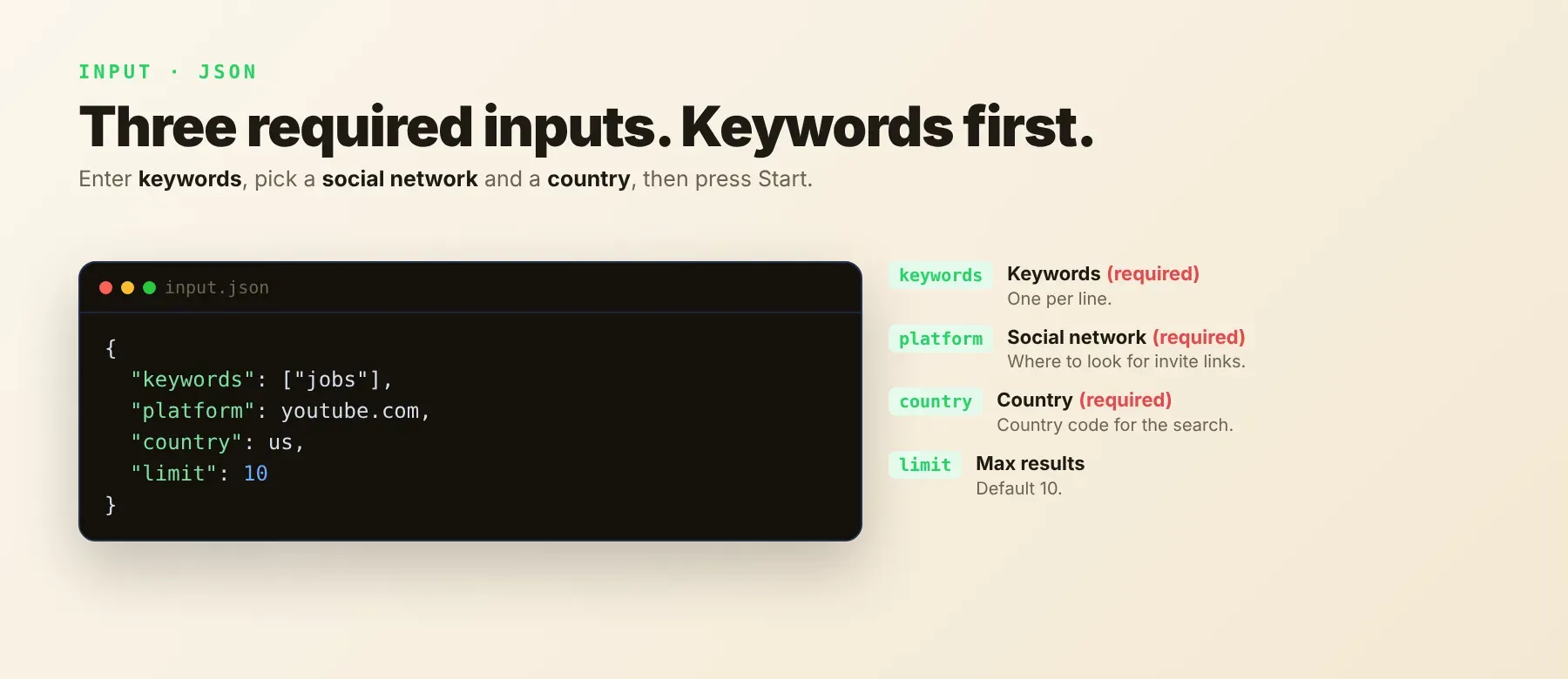
keywords, platform and country are required.
| Parameter | Required | Type | Description | Example value |
|---|---|---|---|---|
keywords | Yes | array | Search terms, one per line. Each keyword is searched on its own; repeated keywords are searched once. | ["jobs", "marketing"] |
platform | Yes | string | facebook.com, linkedin.com, instagram.com, twitter.com, youtube.com, reddit.com, pinterest.com or tiktok.com. Default youtube.com. | "instagram.com" |
country | Yes | string | Country the search results come from, as a code from the input list (for example us, uk, in, gm for Germany, sp for Spain). Default us. | "in" |
limit | No | integer | Most rows for each keyword, at least 1. Empty = no limit. Default 10. | 50 |
proxyConfiguration | No | object | Optional — keep the default. Requests go through Apify residential proxy in the selected country. Other Apify proxy groups or your own proxy URLs are used instead; if they cannot be used, the run switches to Apify residential proxy. | {"useApifyProxy": true, "apifyProxyGroups": ["GOOGLE_SERP"]} |
Free plan limits
Free plan: up to 20 results per run (all keywords together) and 200 per month; paid plans have no limit. A free-plan run with several keywords shares that same 20-result ceiling across all of them, not 20 per keyword — the Actor stops the whole run once the run total is reached and tells you so in the log and status message. Paid plans, local apify runs and Apify's own test runs are never limited.
Example input
⬆️ Output
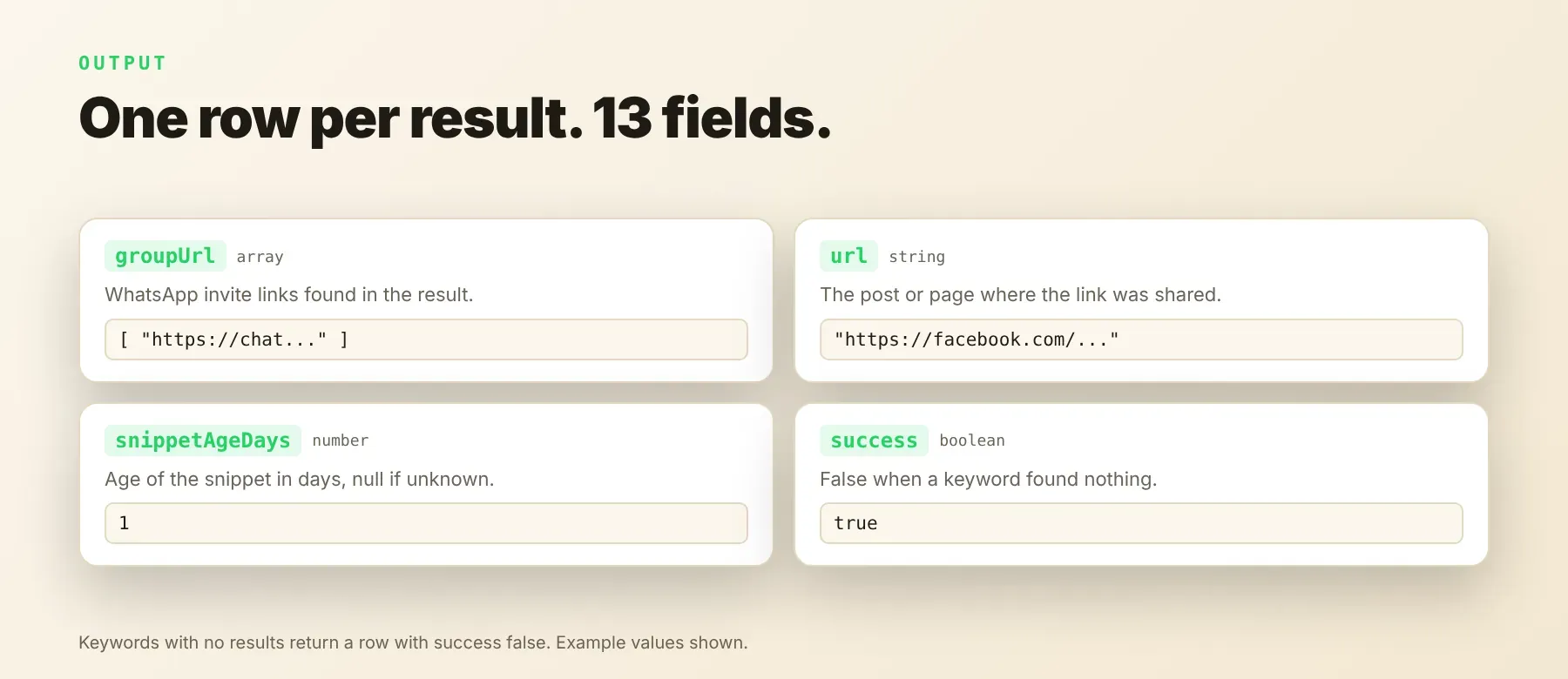
Every result is one typed, normalized JSON item with the same thirteen fields on every run; values a result does not have are null. Export the dataset as JSON (default), CSV or Excel. A run summary (rows, unique links, rows per keyword, keywords with no results) is saved in the key-value store under RUN_SUMMARY.
Example output
Two recorded rows from the keyword "jobs" on Facebook — a group invite and a channel — and one recorded row for a keyword that found nothing:
desc is the snippet text as it appears in the search results, so links in it can contain spaces; groupUrl always holds the clean link. snippetDate and snippetAgeDays are null when the snippet has no date. Rows with success: false are not charged; filter on success to keep only results.
How does it work?
For each keyword, the actor searches public web results for posts on the chosen platform that share a WhatsApp invite link, in the chosen country. Every WhatsApp group or channel link found is opened once, and only links that open a live group or channel are saved, one row per post. Requests go through Apify residential proxy, and a request that is refused is retried on new connections, then again after short pauses. It returns only publicly visible data, and the output fields stay the same from run to run, so your code and spreadsheets keep working when the sources change their pages.
How do you integrate WhatsApp Group Links Scraper into your stack?
It works with what you already use: the REST API from any language, MCP for AI agents, and no-code tools.
MCP integration for AI agents
Add the Apify MCP server to your AI client with one command:
This registers WhatsApp Group Links Scraper as a tool your agent can call directly: the agent finds it through the server's search, adds it and runs it, then reads the links back as JSON. Ask for "live WhatsApp job groups shared on Facebook in the US" and it does the rest. It works in Claude Code, Cursor and Windsurf.
No-code tools (n8n, Make)
n8n: add the Apify node and choose "Run an Actor", or use the HTTP Request node pointed at the run-sync endpoint with your token. Send new group links to a Google Sheet or Slack in the next node.
Make: use the Apify app's "Run an Actor" module, then "Get Dataset Items" to pull the links into the rest of your scenario.
Is it legal to scrape WhatsApp group links?
This actor returns only publicly available data: posts and invite links people shared publicly, as anyone can find them without logging in. It never joins groups, reads messages or member lists, or uses any account. GDPR: scraping public data is generally permissible, but storing and using it must comply with local data-protection law; snippets can contain names or phone numbers people posted. Consult legal counsel if your use case involves bulk storage of personal data.
Frequently asked questions
What fields does WhatsApp Group Links Scraper return?
It returns the keyword, platform and country, the post's title, snippet, URL and snippet date with its age in days, the live WhatsApp group or channel links, a duplicate-link flag, the time collected, and success with a failure reason. See the data fields section for the full list.
Does WhatsApp Group Links Scraper require a WhatsApp or social media account?
No. Only public data is read, and no login, cookies or API key are needed. The actor never joins a group.
How many WhatsApp group links can I extract in one run?
Up to limit for each keyword, or everything found when limit is empty. Each keyword usually finds a few to a few dozen live links, so more keywords bring more WhatsApp group invite links.
What happens if a keyword finds no live links?
You get one row for that keyword with success: false and a failureReason (no results, no WhatsApp links in the results, or no live link), and it is not charged. Its share of limit goes to the other keywords.
Can I search multiple keywords at once?
Yes. List any number of keywords; they are searched at the same time and each one gets up to limit rows. The same post found by two keywords is saved once.
Does WhatsApp Group Links Scraper work with Claude, ChatGPT, and other AI agent tools?
Yes — WhatsApp Group Links Scraper (Apify Actor ID: socialdataapi/whatsapp-group-links-scraper, https://apify.com/socialdataapi/whatsapp-group-links-scraper) is available as an MCP tool. Register it in Claude Code, Cursor or Windsurf with claude mcp add --transport http apify "https://mcp.apify.com?tools=socialdataapi/whatsapp-group-links-scraper". Any agent that can call an HTTP endpoint can use the REST API directly.
Does WhatsApp Group Links Scraper return data in a format LLMs can use directly?
Yes. Each row is typed, normalized JSON with consistent field names, so there is no HTML parsing and no selectors. Pass it straight to an LLM, index it into a vector store, or feed it to an agent tool — no transformation step.
What happens when the sources change their layout or anti-bot system?
The actor is maintained, and when the sources change, it is updated so your calls keep returning the same JSON fields with no changes on your end.
Can I use WhatsApp Group Links Scraper without managing proxies or browser infrastructure?
Yes. A default run already uses Apify residential proxy, with retries handled on the actor's side, and no browser is needed. You send one request and get structured JSON back, with no proxy accounts and no maintenance.
Which fields work best for AI training data and RAG indexing?
For RAG, use the post title and the snippet text — they describe what each group is about. For filtering and analytics, use groupUrl, keyword, platform, snippetAgeDays and success. All fields are plain strings, numbers, booleans and lists, so no normalization is needed.
Your feedback
Found a bug or missing a field? Let us know in the actor's Issues tab. Every report is read, and fixes ship as new versions of the actor.


