

SaaS Pricing Page & Changelog Monitor
Pricing
from $2.00 / 1,000 pricing plan deltas
SaaS Pricing Page & Changelog Monitor
Monitor public SaaS pricing pages and changelog/release-notes pages for plan-level and release-entry deltas. Structured output for GTM, sales enablement, and competitive intelligence.
Pricing
from $2.00 / 1,000 pricing plan deltas
Rating
0.0
(0)
Developer

Nikita S
Maintained by CommunityActor stats
0
Bookmarked
2
Total users
1
Monthly active users
3 months ago
Last modified
Categories
Share
Apify Actor that watches public SaaS pricing pages and changelog / release-notes pages, emitting structured deltas: plan-level changes (new/removed plans, price, currency, billing, CTA, badge) AND release-entry changes (new/removed entries, title, body, version, date, category changes).
The differentiator: structured plan-row + release-entry output with stateful diffing, not a text or hash diff. Built for GTM teams, sales enablement, and competitive-intel workflows. One Actor, two jobs, one set of integrations.
Visual demo: SaaS Pricing Page Monitor
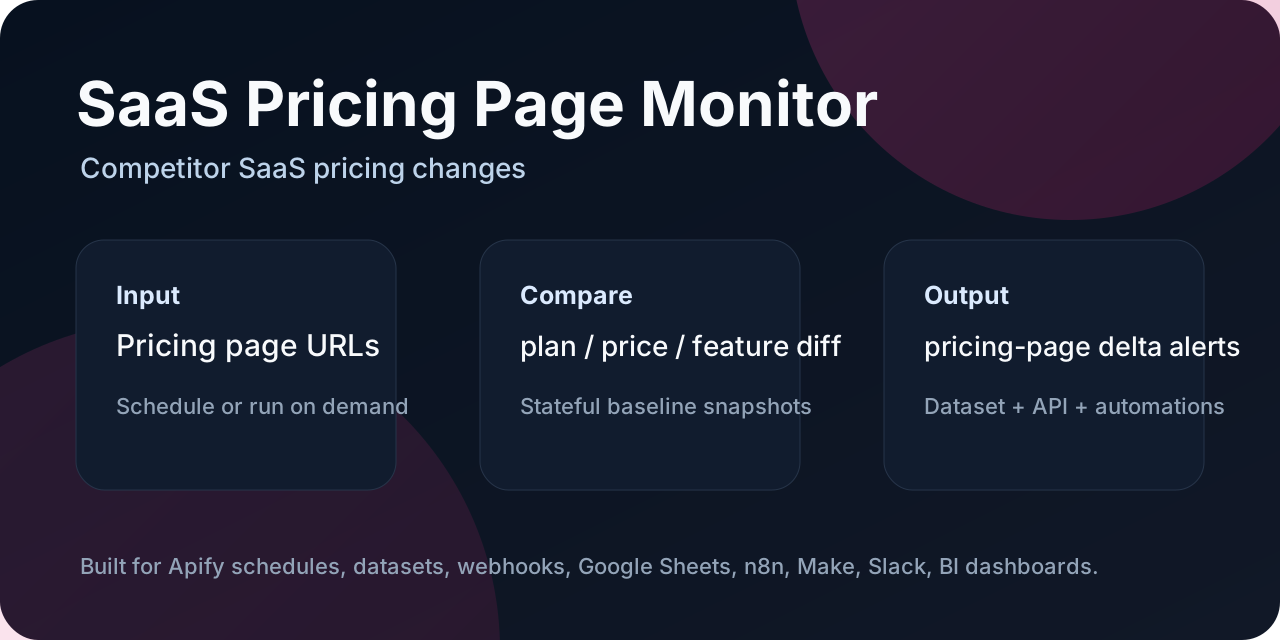
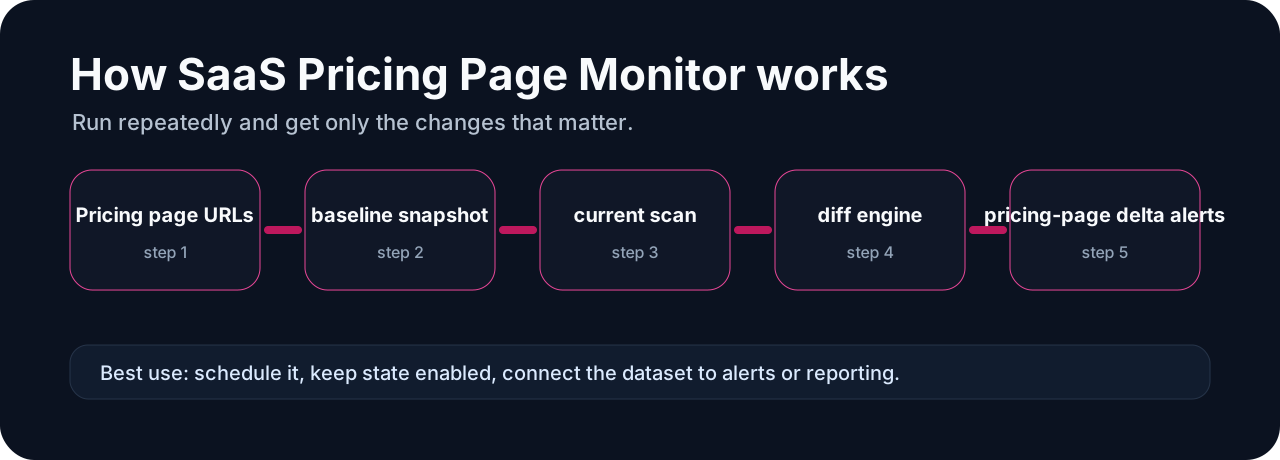
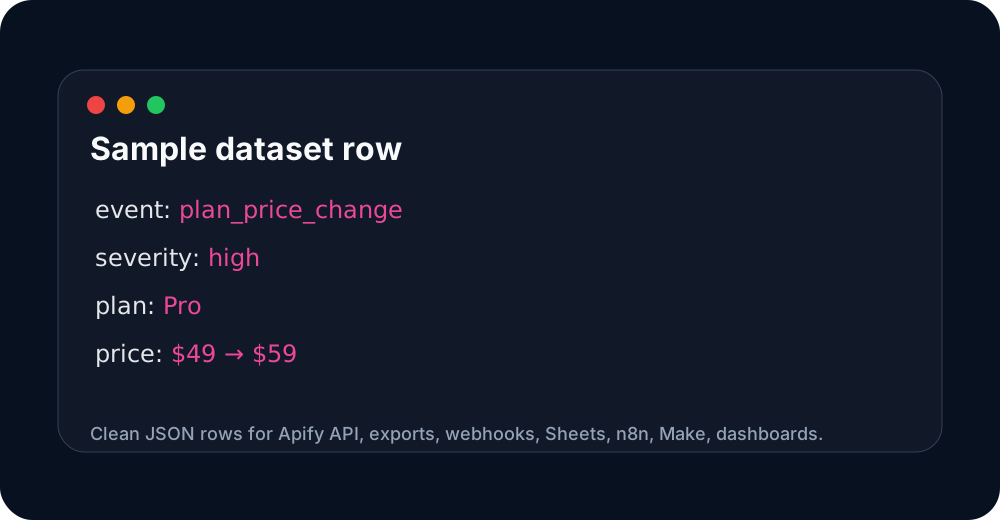
These images are hosted in a persistent Apify key-value store so the Store README has stable, clickable visual previews.
What it does
- Pricing pages — crawls a list of public SaaS pricing page URLs and extracts a structured plan row per card:
planName,price,currency,billingPeriod,cta,badge,featuresCount,pricingPage,checkedAt. - Changelog / release-notes pages (v0.2) — crawls a list of public SaaS changelog URLs and extracts a release entry per item:
title,releaseDate,version,body,category,url,entryKey,changelogPage,checkedAt. - Diffs against the previous run (in-run input or persisted in a key-value store) and emits:
- Pricing deltas:
new_plan,removed_plan,price_change,currency_change,billing_period_change,cta_change,badge_change,plan_renamed - Changelog deltas (v0.2):
new_entry,removed_entry,title_change,body_change,version_change,category_change,date_change currency_change— currency code changedbilling_period_change— billing cadence changedcta_change— call-to-action text changedbadge_change— "Most Popular" / "Recommended" toggleplan_renamed— plan name changed
- Pricing deltas:
- Each row carries
event_severity(highfor price/currency/rename,mediumfor plan/badge/billing,lowfor CTA),events[], and a structuredchanges[]array. - Optional
persistStatekeeps the latest snapshot in a key-value store, so back-to-back runs are real stateful deltas.
What it does NOT do
- No login, no cookie-based scraping, no anti-bot bypass.
- No CAPTCHA solving, no proxy rotation, no Cloudflare bypass.
- No headless browser, no JS rendering — public HTML only.
- No personal-data scraping, no enrichment against private APIs.
Input
| Field | Required | Notes |
|---|---|---|
pricingPages | yes (or changelogPages) | Public SaaS pricing page URLs (1..N) |
changelogPages | yes (or pricingPages) | Public SaaS changelog / release-notes page URLs (1..N). v0.2. |
previousItems | no | Pass an earlier dataset's pricing items array to diff against an arbitrary baseline |
previousChangelogItems | no | Pass an earlier dataset's changelog items array to diff against an arbitrary baseline. v0.2. |
onlyChanged | no | Default true. Set to false to emit unchanged rows too |
persistState | no | Default true. Saves the latest snapshot to a key-value store |
stateStoreName | no | Default saas-pricing-page-monitor-state |
stateKey | no | Override snapshot key. Default derives from combined pricingPages+changelogPages hostnames |
userAgent | no | Set a real browser UA if a target blocks generic bots |
requestTimeoutMs | no | Per-request timeout, default 30s |
Output
Each dataset item is one plan-row delta:
A SUMMARY record on the key-value store contains: pagesSeen, plansSeen, rowsEmitted, eventCounts, stateSaved, stateKey, pagePlanCounts, errors, and (v0.2) changelog.pagesSeen, changelog.entriesSeen, changelog.rowsEmitted, changelog.eventCounts, changelog.pageEntryCounts, changelog.errors.
Changelog output (v0.2)
When changelogPages is set, each dataset item is one release-entry delta:
If a changelog page yields no parseable entries, the Actor emits a single no_entries_extracted row with event_severity: "low" so the user knows the page was checked but matched no entries (the page may be JS-rendered or use a non-standard layout).
Pricing
Pay Per Event:
| Event | Price | Trigger |
|---|---|---|
apify-actor-start | $0.0005 | Once per run, on Actor init |
delta_result | $0.002 | Each new / changed / removed plan row |
price_drop_alert and other price-event hooks are not enabled in v0.1 (no price-drop scoring yet); they are reserved in the billing model for v0.2 if we add severity-ranked price-drop alerts.
Pricing is currently scheduled to start at 2026-07-22T12:00:00Z to satisfy the Apify 2-week pricing-change rule.
Common use cases
- Sales battlecard — feed deltas into Google Sheets / n8n / Slack; reps get a ping when a competitor raises prices, changes plan names, adds a "Most Popular" badge, ships a new release, or removes a feature.
- GTM signal — "competitor X added an enterprise tier" or "competitor Y shipped an MCP integration" → drop into CRM, alert AE.
- Pricing research — long-run stateful dataset of every public pricing change in your category.
- Founder comp set watch — quick "is anyone in my space repricing or shipping features this month?" scan.
- Release-note digests — only-changed deltas for the last week, one row per release entry, dropped into a Slack channel or Notion page.
Integrations
- Google Sheets: pipe the dataset items via Apify's Google Sheets integration, or run a webhook → Sheets function.
- n8n / Make / Zapier: use the Apify trigger node; route
event_severity=highrows to a Slack/Discord channel. - Airtable: same pattern; map
planName,price,currency,billingPeriod,changes[]to Airtable fields. - Slack / Discord: webhook URL field in the integration; send a one-line summary per row.
Limitations
- No JS rendering. Pricing pages and changelog pages that load content via client-side JS without server-rendered fallback will return 0 entries.
- Currency detection uses simple regex + ISO code scan. Some pages use locale-formatted prices (e.g.
1.299,00 €) that the current detector may misread. - Plan name detection is heading-based. Pricing tables that render plans as a single long table row (no
<h2>/<h3>per plan) are not currently supported. - Changelog parsing is conservative. Pages that mix SEO/landing content with real release entries (Vercel-style) may under-extract.
- This Actor does not bypass anti-bot protection. If a target returns 403/503 to a default UA, set
userAgentto a real browser UA or move to a paid SaaS pricing data provider.
When NOT to use this
- You need historic pricing backfill. This Actor is for stateful delta detection going forward.
- You need rich feature-level diffs (e.g. "added SSO" or "removed 24/7 support"). This Actor detects price, currency, billing, CTA, and badge changes; per-feature diffing is not in scope.
- You need to scrape paywalled / gated pricing. This Actor uses public HTML only.
Local development
Maintainer
Operated by Nikita S (DataFlow LV, Latvia-based data automation). Built and maintained as part of the Income Factory Apify portfolio.
Issues / feature requests: open via the Apify Actor page or contact the developer.
Run it from Claude / Cursor / VS Code via MCP
The Actor is available through the Apify MCP server, so you can ask your AI assistant to "watch this competitor's pricing page and alert me to changes" without writing a custom scraper.
Add this to your MCP client config (for example claude_desktop_config.json):
Once connected, the assistant can discover this Actor and trigger runs with a plain prompt like "Run SaaS Pricing Page Monitor on https://linear.app/pricing and https://notion.so/pricing and summarize what changed this week." The remote MCP server at https://mcp.apify.com works the same way without a local install.
Quick start
- Open this Actor in Apify Console.
- Paste one or more SaaS pricing page URLs into the input.
- Keep
persistStateenabled for scheduled monitoring. - Run once to create the baseline snapshot.
- Run again on a schedule to receive only delta rows.
- Export the dataset to CSV/JSON, or send it to Google Sheets, n8n, Make, Slack, Discord, or a webhook.
Sample output
Use this sample dataset to see the output shape before running it yourself:
- Sample dataset: https://console.apify.com/storage/datasets/hx4UmMfqxfbYziAv2
The important fields for automation are event, events, event_severity, status, and changes. Filter for event_severity = high when you only want alerts that deserve immediate attention.
Pricing and cost expectations
This Actor is designed for scheduled monitoring and delta-only outputs. It avoids charging or processing unchanged rows where possible. Pay-Per-Event pricing is scheduled/used for meaningful emitted deltas such as new items, removed items, price changes, stock changes, URL changes, or pricing-plan changes depending on the Actor.
Start with a small input list first. Once the baseline looks correct, schedule recurring runs and set a reasonable max charge limit in Apify.
FAQ
Is this a one-time scraper or a monitor?
It is a monitor. The first run creates a baseline. Later runs compare the current data against the stored baseline and emit only the changes.
Can I send alerts to Slack, Discord, Google Sheets, n8n, or Make?
Yes. Use Apify integrations, webhooks, dataset export, or API polling. The event, events, event_severity, and changes fields are meant for automation routing.
Does it bypass CAPTCHA, login walls, or anti-bot systems?
No. This portfolio is intentionally focused on public, low-risk sources such as public APIs, feeds, sitemaps, product pages, or storefront endpoints.
Which rows should trigger alerts?
Use event_severity. High-severity rows are the best candidates for Slack/Discord/email alerts. Low-severity rows are usually better for reports or spreadsheets.
Support and custom monitoring
If a public source does not fit this Actor, check the related monitors below. Open an issue on the Actor page with a sample URL and the output you need.
Which monitor should I use?
This Actor is part of a focused monitoring portfolio. Pick the narrowest Actor that matches your source:
| Source you have | Use this Actor | Best for |
|---|---|---|
| Shopify store | Shopify Delta Monitor | Shopify competitor price/stock/sale monitoring |
| WooCommerce store | WooCommerce Delta Monitor | WooCommerce Store API product deltas |
| Product page URLs with Schema.org JSON-LD | Schema.org Product Delta Monitor | Magento, BigCommerce, custom stores, marketplaces |
| Product feeds / APIs / CSV / XML | Product Feed Delta Monitor | Supplier feeds, affiliate feeds, Google Merchant exports |
| sitemap.xml | Sitemap Delta Monitor | SEO, content ops, RAG indexing queues |
| SaaS pricing pages | SaaS Pricing Page Monitor | Plan/price/feature changes on public pricing pages |
All monitors are built for scheduled runs, stateful comparisons, delta-only outputs, and workflow automation via Google Sheets, n8n, Make, Slack, Discord, or webhooks.


