

Facebook Pages Scraper: Contacts, Followers, Ads, $3/1K
Pricing
from $1.90 / 1,000 pages
Facebook Pages Scraper: Contacts, Followers, Ads, $3/1K
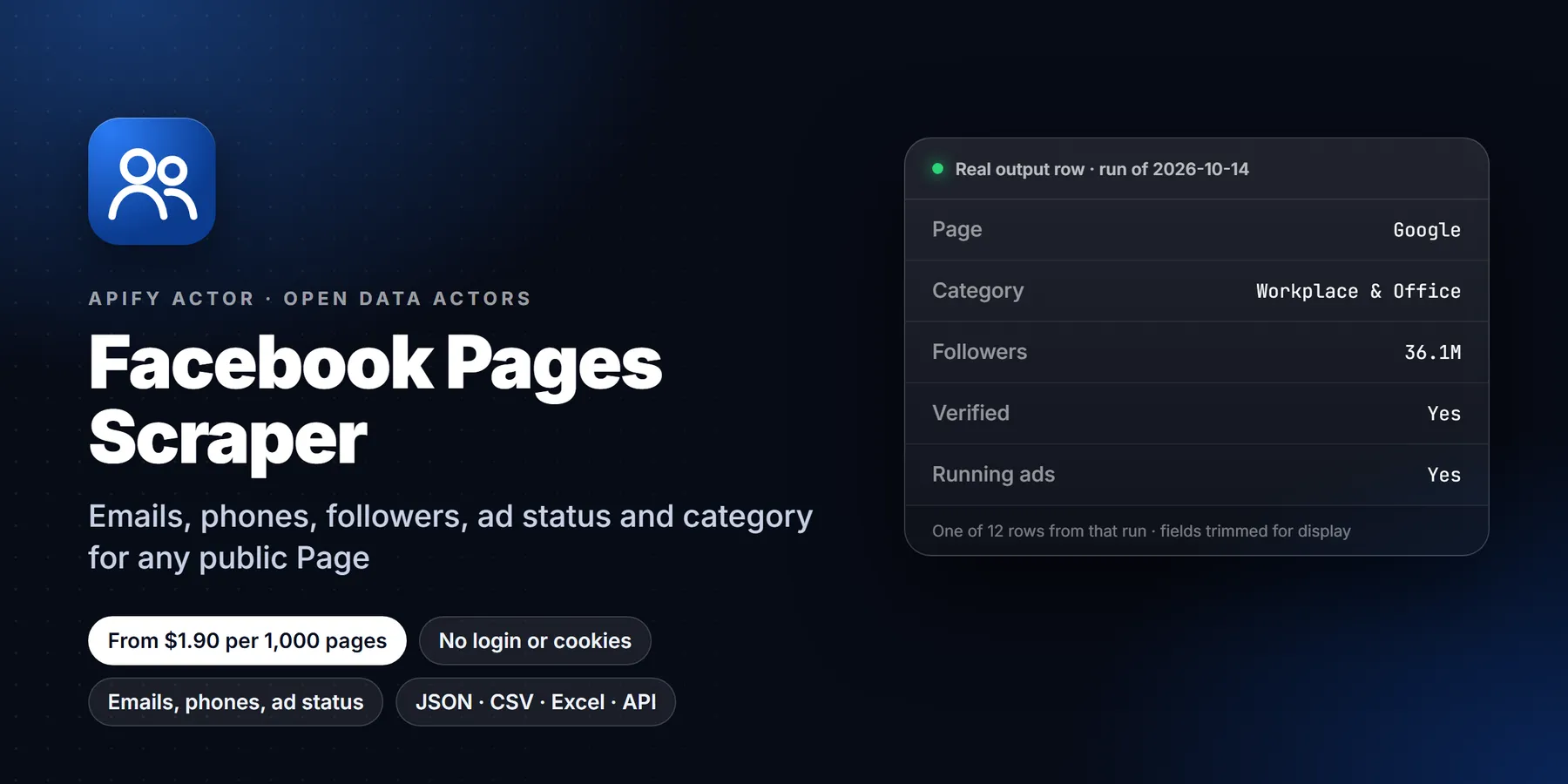
Scrape public Facebook Pages without login: name, category, followers, following, email, phone, address, website, social links, rating, price range, hours, page ID, creation date, ad status, verified flag. No cookies, no API key. Missing pages never charged.
Pricing
from $1.90 / 1,000 pages
Rating
0.0
(0)
Developer

Detroit Web Agent - Open Data
Maintained by CommunityActor stats
0
Bookmarked
2
Total users
1
Monthly active users
a day ago
Last modified
Categories
Share
Facebook Pages Scraper: Emails, Phones, Followers, Ad Status and Page Transparency

| Price per 1,000 pages | Free plan | Starter | Scale | Business |
|---|---|---|---|---|
| This Actor | $3.00 | $2.50 | $2.20 | $1.90 |
| Most-used alternative | $12.00 | $8.20 | $6.50 | $5.40 |
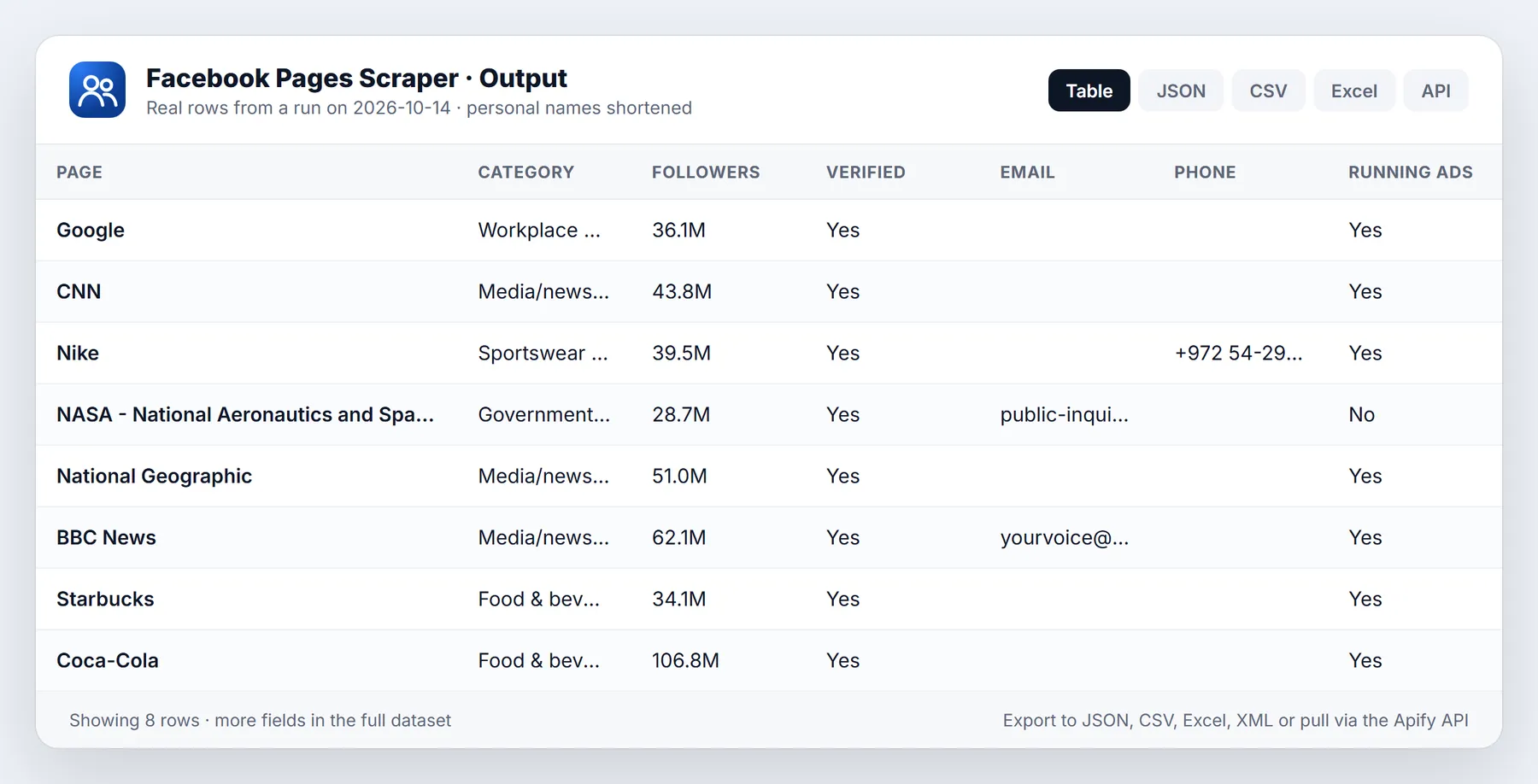
Scrape public Facebook Pages without logging in. Give it a list of Page links, usernames or numeric Page IDs and get one clean row per Page: name, category, follower and following counts, email, phone, street address, website, other social profiles, rating, price range, opening hours, services, profile and cover photos, the Page ID, the date the Page was created, whether it is running ads right now and who has confirmed ownership of it.
The price is $3.00 per 1,000 Pages on the Free plan, falling to $1.90 per 1,000 on the Gold plan and above. You pay only for Pages that are delivered to your dataset. A Page that does not exist, is private, was removed or could not be read is never charged, and there is no rental fee or per-run start fee beyond Apify's own tiny platform event.
No Facebook account, no cookies, no browser extension and no API key are needed. The Actor reads only what any logged-out visitor can see on the Page's public About tabs.
Run in 30 seconds
- Click Try for free. The input already holds
https://www.facebook.com/NASA/. Replace it with your own Page links, or paste usernames and IDs into Page names or IDs. - Press Start. Two or three Pages finish in about 15 to 25 seconds; 30 Pages take under a minute.
- Open the Overview tab to see the table, or use Export to download JSON, CSV, Excel, XML or HTML.
That is the whole setup. Running with an empty input {} also works: it scrapes two example Pages (a large brand and a small local restaurant) so you can see every field filled in before you spend anything on your own list.
What you get for every Page
| Group | Fields |
|---|---|
| Identity | title, pageName (the username in the URL), pageId, facebookId, facebookUrl (what you asked for), pageUrl (the canonical link), verified |
| Category and description | categories (list), category, intro, about, about_me (text plus the Page's own links), info (the summary lines Facebook shows under the name) |
| Audience | followers, followings, talkingAbout, wereHere, likes (only when Facebook still shows a like count; see the caveats) |
| Contact details | email, emails, phone, phones, address, addressMapUrl, website, websites |
| Other profiles | socialLinks (platform, handle and URL for Instagram, X, TikTok, YouTube, LinkedIn and others), instagram, alternativeSocialMedia |
| Business info | rating (as Facebook writes it, e.g. "95% recommend (210 reviews)"), ratingOverall, ratingCount, priceRange, services, businessHours |
| Images | profilePictureUrl, coverPhotoUrl, profilePhoto (link to the photo post) |
| Page transparency | creation_date, ad_status, isRunningAds (true or false), confirmed_owner, CONFIRMED_OWNER_LABEL, pageAdLibrary (id, is_business_page_active), adLibraryUrl |
| Optional | latestPost (postId, url, text, time) when Add latest post is on |
| Housekeeping | scrapedAt |
Every row has the same keys. A field the Page does not publish (many brand Pages list no phone number, for example) comes back as null or an empty list instead of disappearing, so the dataset loads straight into a spreadsheet, a database table or a CRM import without column juggling. Nothing is guessed: if Facebook does not show a value to logged-out visitors, the field stays empty rather than being filled with something that only looks right.
How full the rows are
On a test set of 30 varied public Pages (global brands, news outlets, sports clubs, charities, public figures and small local businesses) a single run returned:
| Field | Pages with a value |
|---|---|
| Name, Page ID, followers, profile picture | 30 of 30 |
| Category, intro, verified flag, cover photo | 29 of 30 |
| Creation date and ad status | 28 of 30 |
| Website | 26 of 30 |
| Confirmed owner | 23 of 30 |
| Following count | 21 of 30 |
| Phone | 9 of 30 |
| 6 of 30 | |
| Rating, address, hours, price range | 4 to 5 of 30 |
Contact fields depend on the kind of Page. Local businesses such as restaurants, shops, gyms and salons usually publish phone, email, address, hours and price range. Large brands and media outlets mostly publish only a website. If you need contact details, feed the Actor local-business Pages and you will see far higher fill rates on those columns.
Input
| Field | What it does |
|---|---|
startUrls | Public Facebook Page links, for example https://www.facebook.com/NASA/ or https://www.facebook.com/profile.php?id=100064027242849. Links to a Page's About, Photos or Reviews tab work too; they are reduced to the Page itself. |
pages | The same in short form: a username (NASA), an @name or a numeric Page ID. One per line. |
maxPages | Stop after this many Pages. Handy for capping cost on a long list. |
includeTransparency | On by default. Adds Page ID, creation date, ad status and confirmed owner from the Page transparency section. Turn it off to halve the number of requests when you only need contact details. |
includeLatestPost | Off by default. Adds the newest post's ID, link, text and time. One extra request per Page. |
maxConcurrency | Pages fetched in parallel. Default 10. |
proxyConfiguration | Apify Proxy is used by default. You can pick your own proxy groups here. |
autoProxyFallback | On by default. A Page that meets Facebook's login wall is retried automatically through residential proxy, at no extra cost to you. |
Duplicates are removed, so the same Page given as a link, a username and an ID is scraped and charged once. Anything that is not a Facebook Page (a different website, a group, an event link) is skipped and listed in the run's warnings.
Pricing
Pay per event: one page event per Page delivered to the dataset. Rates per 1,000 Pages, by Apify plan:
| Apify plan | Price per 1,000 Pages |
|---|---|
| Free | $3.00 |
| Starter (Bronze) | $2.50 |
| Scale (Silver) | $2.20 |
| Business (Gold) and above | $1.90 |
What is free:
- Pages that do not exist, were deleted, are restricted or could not be read.
- Inputs that are not Facebook Pages.
- Retries, including the automatic residential retry when Facebook shows its login wall.
- Compute time and proxy traffic. Both are included in the per-Page price.
You can set a maximum cost per run in the run options. When that limit is reached the Actor stops cleanly and keeps everything it already delivered.
Use it from code, schedules or AI agents
Call it from any language through the Apify API. A minimal Python example:
The same with JavaScript:
Other ways to use it:
- Schedules. Run your list every week to track follower growth or catch the moment a competitor starts running ads.
- Webhooks and integrations. Push finished rows to Google Sheets, Airtable, Make, Zapier, n8n or your own endpoint.
- AI agents. The Actor is available through the Apify MCP server, so an assistant can look up a Page's contact details or ad status on request.
Who uses it and why
- Lead generation and sales teams collect phone numbers, emails, addresses and websites of local businesses that are active on Facebook, then enrich their CRM.
- Agencies audit a prospect's Page before a pitch: follower count, whether ads are running, how long the Page has existed, whether the contact details are complete.
- Ad and competitor researchers watch
isRunningAdsandadLibraryUrlacross a list of competitors, then open the Ad Library for the ones that are spending. - Brand and social teams benchmark follower and engagement counts across a peer group on a schedule.
- Data and research teams build datasets of organisations by category, region or size for market sizing and academic work.
- Trust and safety analysts check creation dates, confirmed owners and Page name history signals for due diligence.
How the input fields work together
- Mix links, usernames and IDs freely in one run. They are normalised, de-duplicated and processed in parallel.
maxPagesapplies after de-duplication, in input order.- With
includeTransparencyoff, each Page needs one request instead of two, so runs are faster. Page ID still comes back (it is read from the main Page data), but creation date, ad status and confirmed owner do not. includeLatestPostadds one request per Page and fillslatestPost. Use it when you want a quick activity signal ("posted in the last week or not") without running a full post scraper.
Worked examples
Contact list from local business Pages. Paste 500 restaurant Page links into startUrls, leave the defaults, and export to CSV. Filter the sheet on phone or email not empty. Typical cost on the Free plan: $1.50.
Is a competitor advertising? Put ten competitor Pages into pages, keep Add Page transparency on and schedule the run daily. Watch isRunningAds flip from false to true, then open adLibraryUrl to see the creative.
Follower benchmark. Run the same list on the first of every month and join the rows on pageId. The difference in followers between runs is your growth figure.
Quick activity check. Turn on Add latest post and sort on latestPost.time to find Pages that have gone quiet.
Sample row
Some fields are left out of the sample to keep it short. Run the Actor with an empty input to see two complete rows.
Reading the numbers
followersandfollowingsare exact counts where Facebook shows them exactly (it does for most Pages in the Page's meta data), otherwise the rounded figure Facebook displays, converted to a number (28M becomes 28000000).talkingAboutandwereHereare Facebook's own engagement and check-in counters.likesis filled only for Pages that still show a separate like count. Most modern Pages show followers only, so this field is usually empty. It is never copied from followers.ratingkeeps Facebook's own wording, andratingOverall(percent who recommend) andratingCount(number of reviews) are parsed out of it as numbers.
Cleaning and joining the data
Use pageId as the join key: usernames can change, IDs do not. websites and emails hold every value the Page lists, while website and email hold the first one for simple exports. Social profiles listed on the Page are split out of the website list into socialLinks, so websites contains real websites only.
Tips to keep runs fast and cheap
- Turn Add Page transparency off if you only need contact details.
- Leave Add latest post off unless you need it.
- De-duplicate your list first if it comes from several sources. The Actor de-duplicates within a run, but not across runs.
- Large lists are fine. Split anything over 50,000 Pages into several runs so a single failure never costs you a whole day.
Limits and honest caveats
- Only public Pages are covered. Personal profiles, private groups and Pages restricted by age or country return nothing and are not charged.
- Facebook decides what logged-out visitors see. Some Pages hide their contact details from logged-out visitors, and those fields stay empty.
- Facebook sometimes asks logged-out visitors to log in. The Actor retries such Pages on a fresh connection and then through residential proxy. On rare busy days a Page may still fail after all retries; it is listed in the run warnings, not charged, and usually works on a re-run.
- Follower counts change continuously and can differ slightly from what the app shows at the same moment.
- Posts, reviews, comments and photos are not scraped here (beyond the optional latest post).
- The data is public information. Use it in line with Facebook's terms and with data-protection law where you work, especially for emails and phone numbers of individuals.
More questions
Do I need a Facebook account or cookies? No. Nothing is logged in, and no cookies or tokens of yours are used.
Can I scrape a Page by its numeric ID? Yes. Put the ID in Page names or IDs, or use the profile.php?id= link.
Why did a Page come back without an email? The Page does not show one to logged-out visitors. Many brands use contact forms or Messenger instead.
Why is the run log mentioning login walls? That is Facebook asking an anonymous visitor to sign in. The Actor handles it by retrying; you are not charged for retries.
Can I get the Ad Library ads themselves? This Actor tells you whether a Page is running ads and gives you the direct Ad Library link. Pulling the ad creatives is a separate job.
FAQ
How fast is it? About 15 to 25 seconds for a couple of Pages including start-up, and about 50 seconds for 30 Pages with transparency on.
Is the output JSON-ready? Yes. Flat JSON rows with consistent keys, exportable to CSV, Excel, XML and HTML.
Can I schedule it? Yes, with Apify schedules. Combine it with a webhook to get the rows delivered wherever you work.
Where do I report a problem? Open an issue on the Actor page with the Page link and the run link. Issues are read and answered.
More resources
- Apify API documentation
- Schedules and webhooks
- Apify MCP server for AI agents
New to Apify? Create a free account and run this Actor in under a minute. Some links are affiliate links.


