
Google Maps New Business Radar: New Openings Leads, $3/1K
Pricing
from $1.80 / 1,000 new places
Google Maps New Business Radar: New Openings Leads, $3/1K
Find newly opened businesses on Google Maps in any city: no or few reviews, recent first review, no photos or hours yet. Newness score 0-100 with reasons, phone, website. Monitor mode returns only places new since the last run. No login, no API key. $3 per 1,000 new places.
Pricing
from $1.80 / 1,000 new places
Rating
0.0
(0)
Developer

Detroit Web Agent - Open Data
Maintained by CommunityActor stats
0
Bookmarked
2
Total users
1
Monthly active users
a day ago
Last modified
Categories
Share
Google Maps New Business Radar
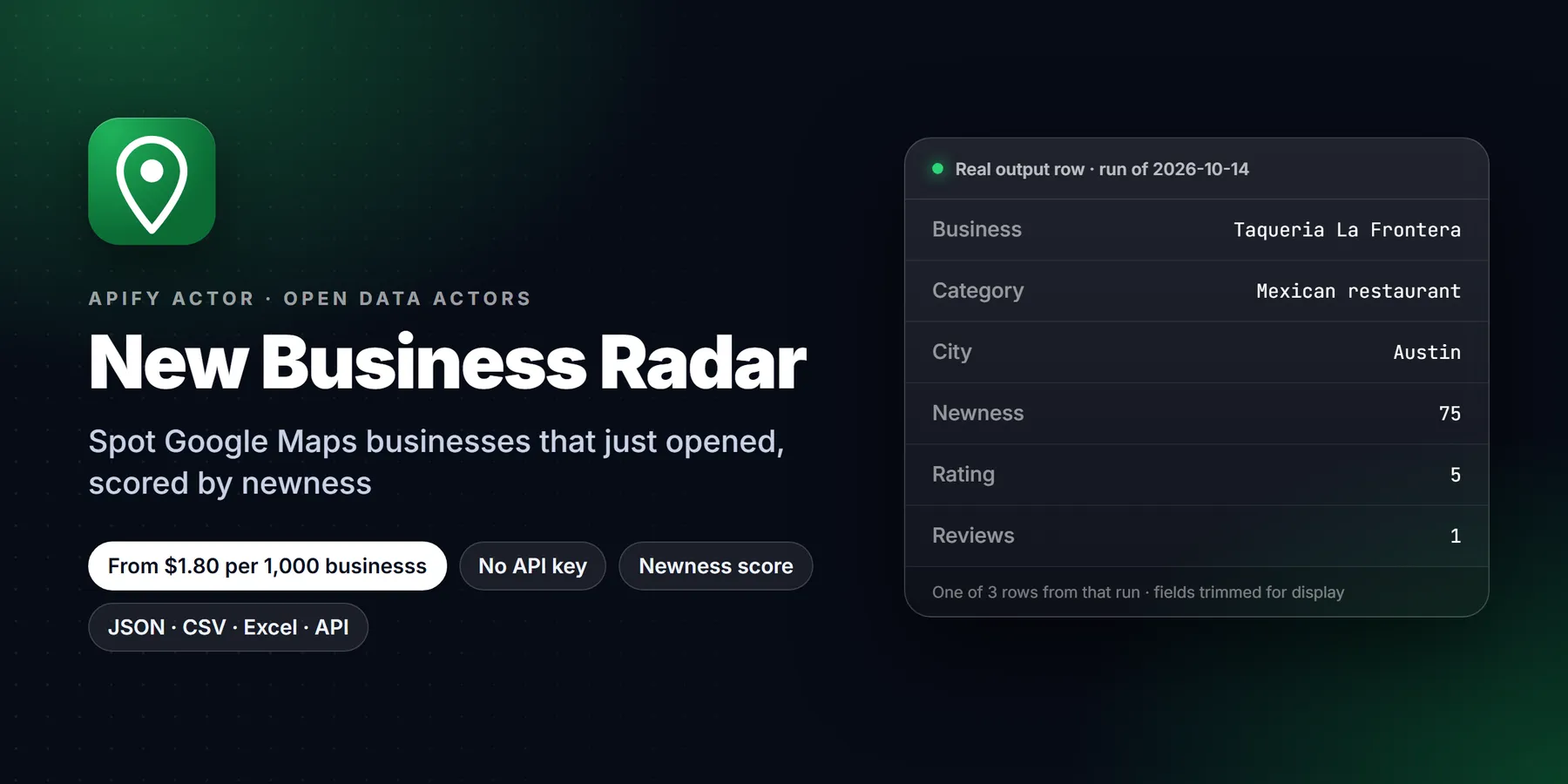

| Price per 1,000 businesss | Free plan | Starter | Scale | Business |
|---|---|---|---|---|
| This Actor | $3.00 | $2.50 | $2.20 | $1.80 |
| Most-used alternative | $10.00 | $10.00 | $10.00 | $10.00 |
Find businesses that just opened, or are about to open, in any city or neighborhood on Google Maps. Pick a category ("restaurant", "hair salon", "dentist") and a place ("Austin, TX"), and the actor returns the new-looking listings with a newness score from 0 to 100, the plain-English reasons behind it, and the phone, website and address you need to reach them first.
Schedule it weekly in monitor mode and you get only the places that appeared since the last run. No login, no API key, no Google Cloud billing.
What it does
A normal Google Maps search shows the ~120 most popular places in a city, so a business that opened last month never appears. This actor lays a grid of small, zoomed-in map views over your area (the way you would pan around the map by hand), collects every listing it sees, and keeps the ones that look new:
- no Google reviews yet, or only a few
- a first review that is weeks or months old, not years (it opens each candidate's listing to read the review dates, so a quiet 2019 bar with 4 reviews is skipped)
- no photos or only a couple, no opening hours yet, no website, listing not claimed
- Google opening labels such as "Opening soon" when the listing shows one
- in monitor mode: the place was not on the map on your previous run
Big chains (Starbucks, Chipotle, State Farm and any name that repeats 3+ times in the same search) are skipped by default, so you get independent owners.
Who it is for
- Agencies and freelancers selling websites, logos, local SEO, Google Business Profile setup or social media: a new place with "No website on the listing" is the warmest lead there is.
- B2B sales to new businesses: POS and payments, insurance, payroll, food suppliers, linen and uniform services, signage, cleaning, coffee roasters.
- Commercial real estate, franchise and market researchers tracking where new openings cluster.
- Local media and newsletters writing "new in town" lists.
Input
| Field | Default | What it does |
|---|---|---|
| Categories | ["restaurant"] | Kinds of business, as typed into Google Maps. |
| Locations | ["Austin, TX"] | City, neighborhood, ZIP or lat,lng. The size of the area comes from Google (city about 20 km, neighborhood about 2 km) or from Search radius. |
| Google Maps search URLs | - | Optional. A Maps search URL; the term and the map center are used. |
| Max reviews | 5 | "New" means this many reviews or fewer. |
| Include places with no reviews | on | Zero-review places are often not open yet. |
| Check review dates | on | Reads review dates so old quiet places are dropped. |
| Max age of first review | 365 days | Older first review = not new. |
| Min newness score | 20 | Raise to 40+ for only the strongest leads. |
| Require these signals | - | e.g. only places with No website, or Listing not claimed. |
| Exclude chains / closed places | on / on | |
| Places to scan per search | 200 | Places looked at per category x location. About 2-5% of a city's listings look new, so 200 gives a handful and 1,000+ sweeps a city. You pay only for new places delivered, not for places scanned. |
| Max results | 0 (no limit) | Stop after this many rows. |
| Monitor mode | off | Remember every scanned place and return only places not seen before. |
Running it with an empty input {} scans restaurants around Austin, TX and returns new places in about 10-30 seconds.
Three ready-made inputs:
Output sample
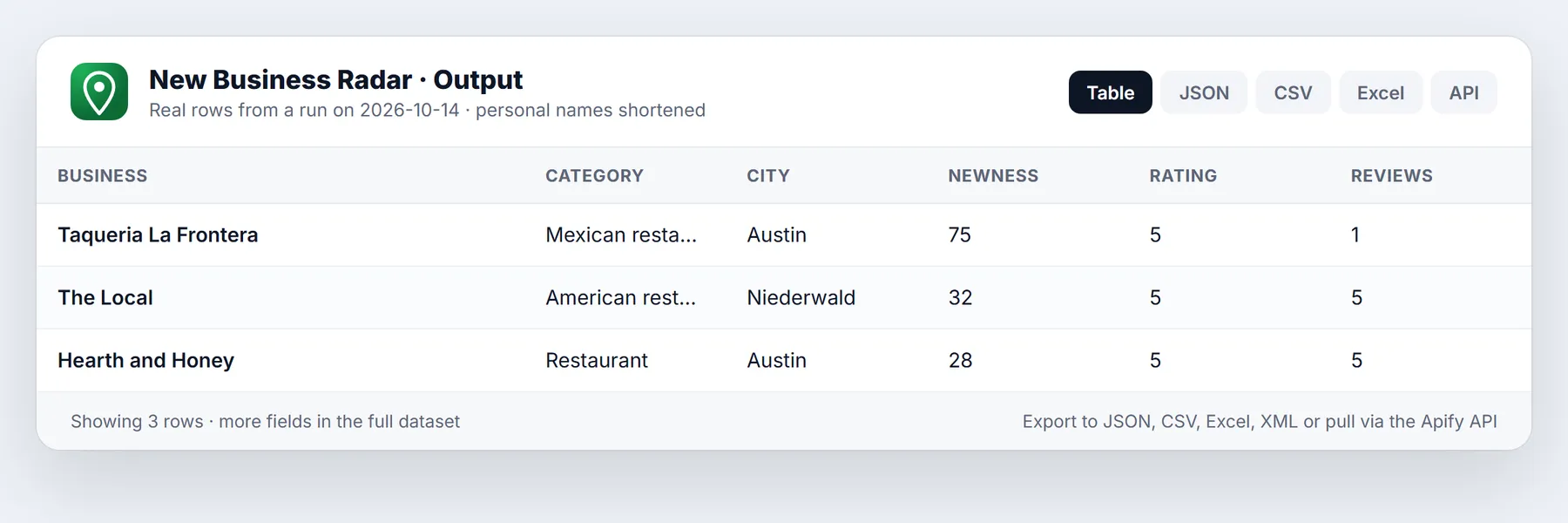
One row per new-looking place, best score first:
Also in every row: categories, city, state, postalCode, countryCode, newestReviewAt, permanentlyClosed, temporarilyClosed. The run's OUTPUT record lists how many places were scanned per search and why the rest were skipped.
Pricing
Pay per result: $3 per 1,000 new places on the free plan, less on paid Apify plans. Places that were scanned but skipped (established, chains, closed, below your score, duplicates, already seen in monitor mode) are never charged.
| Apify plan | Per new place | Per 1,000 |
|---|---|---|
| Free | $0.0030 | $3.00 |
| Bronze | $0.0025 | $2.50 |
| Silver | $0.0022 | $2.20 |
| Gold and up | $0.0018 | $1.80 |
Plus a $0.00005 start fee per run. A weekly monitor of one category in one city usually costs a few cents. Set Max cost per run in the run options and the actor stops cleanly at that amount.
Use it from code, Make, Zapier or an AI agent
MCP (Claude, Cursor, any MCP client): add the Apify MCP server with this actor enabled:
Then ask: "Which new restaurants opened in Austin in the last few months that have no website yet?"
Monitor mode: new places every week
Turn on Monitor mode, give it a Monitor name, and schedule the actor (Schedules > Create, weekly). The first run builds the baseline of every place it scanned, with the date first seen. Each later run returns only places that were not there before, marked "Appeared since your last run", and you pay only for those. The state lives in a named key-value store in your account (google-maps-new-business-radar), so it survives between runs and you can delete it any time.
Limits (honest list)
- Newness is inferred, not announced. Google has no "opened on" date. The score combines the signals above; a long-standing place with a brand-new listing can look new. The reasons are listed on every row so you can judge.
- Coverage depends on "Places to scan per search". The actor scans map views from the center outward in a stable order and stops at that number. A big metro needs 1,000-3,000 to cover; you are only charged for new places found.
- Review dates come from the reviews Google shows publicly on the place page (up to about 5 keyless), which is enough to date the first review of a place with 5 or fewer.
- It reads the same public data the Google Maps website shows to any visitor who is not logged in. No login, no cookies from your account, no CAPTCHA solving. Google can rate limit an IP; the actor rotates proxy sessions and switches to residential proxy automatically when needed.
- Google's robots.txt asks automated agents to stay away from parts of
/maps/. This actor makes the same requests the Maps page makes for a visitor, at a modest rate (at most 2 at a time).
Run in 30 seconds
- Open the Actor page and click Try for free (or Start if you are already signed in).
- Paste this example into the JSON tab of the input, or just keep the prefilled values:
- Click Start. A small run finishes in roughly 10 to 30 seconds.
- Open the Output tab to read the table, or use Export to download CSV, Excel or JSON. The best newness scores are listed first.
Signal reference: what the newness score is made of
Every row carries newnessSignals (plain English) and signalCodes (machine-readable). The codes below are also the values accepted by the Require these signals input.
| Code | Meaning |
|---|---|
openingLabel | Google shows an opening label such as "Opening soon" |
noReviews | The listing has no reviews yet |
fewReviews | The listing has few reviews (includes none) |
noPhotos / fewPhotos | No photos, or only a couple |
noHours | No opening hours published yet |
unclaimed | The listing is not claimed by its owner |
noWebsite | No website on the listing |
recentFirstReview | The oldest public review is recent |
newSinceLastRun | Monitor mode: the place was not on the map on your previous run |
The score is a weighted summary of these signals, scaled from 0 to 100. A score near 75 means several independent signals agree. A score near 20 means only one weak signal fired, so treat it as a maybe. The listed reasons are there so a person can judge every row in a few seconds.
Playbooks by buyer
Web design and local SEO. Require noWebsite for site builds, or unclaimed for Google Business Profile setup. Search a handful of high-turnover categories (restaurant, cafe, hair salon, barber shop, nail salon) in the suburbs around you, not only the core city, where competition for the same lead is lower.
Payments, POS and insurance. A place with noHours and fewReviews is usually still being fitted out, which is the moment owners choose a payment processor and a policy. Use a monitor schedule so you see the listing in its first weeks.
Suppliers and services. Food distributors, uniform and linen services, cleaning, signage and coffee roasters can search the category they sell into and call the owner before the opening date.
Commercial real estate and market research. Leave all filters at their defaults, set maxPlacesPerSearch to 1000 or more and compare how many new listings each neighborhood produces. Run it monthly to see where openings cluster.
Local media. Combine openingLabel with a low minNewnessScore to collect "opening soon" names for a weekly roundup.
More worked examples
Clustered health openings in one metro, strongest signals only
Neighborhood sweep around a coordinate with a custom radius
UK run with local language settings
Choosing settings that match your goal
- Fewer, stronger leads: raise
minNewnessScoreto 40 or more and lowermaxFirstReviewAgeDaysto 120. - Places that are not open yet: turn on
requireSignalswithnoReviewsandnoHours, oropeningLabel. - Places that opened in the last year: keep
checkReviewDateson andmaxFirstReviewAgeDaysat 365. - Branches of chains too: set
excludeChainsto false. - Other business kinds next to your search: leave
matchCategoryon to drop them, or turn it off to keep everything the zoomed-in search returns. - Faster runs: turn
checkReviewDatesoff. You then lose the first-review signal, so the scores rely on counts, photos, hours and claim status. - A single known area: use
searchRadiusKminstead of waiting for the automatic radius.
Tips to keep scanning cheap
- You pay for new places delivered, not for places scanned, so a larger
maxPlacesPerSearchcosts runtime but not delivery fees. Raise it when the first small run returns few rows. - Set
maxItemsfor a hard stop on rows, and Max total charge on the run for a money cap. - Use one
monitorKeyper schedule. If you change categories or locations later, the same key keeps the memory of places already seen. - In a big metro, split the area into several locations (neighborhoods or ZIP codes) instead of one very large search, then compare which areas produce the most rows.
- Review the
OUTPUTrecord after each run. It shows how many places were scanned and why the rest were skipped, which tells you whether to loosen or tighten the filters.
Read the results from Python
More questions
What is the difference between this actor and a normal Google Maps scraper? A normal scraper returns what Google ranks first for a search. This actor scans many small map views and keeps only listings that look new, with a score and reasons.
Does it find businesses that have not opened yet? Often, yes. Listings with no reviews, no hours or an opening label are frequently pre-opening. It cannot know the exact opening date.
Why is phone empty on some rows? A brand-new listing may not have one yet. Combine the address with your own research or call the business by other channels.
Will the same place appear in every weekly run? Not in monitor mode. After the baseline run, only places not seen before are returned and charged.
Can I use several categories and locations at once? Yes. Each category runs in every location, so 3 categories and 2 locations are 6 searches.
What does firstSeenAt mean? It is the time your account first saw the place in this actor, which is useful for sorting a monitor feed.
Are chains always removed? By default, yes. Known big chains and any name that repeats three or more times in the same search are skipped. Turn excludeChains off to keep them.
Does it contact the businesses? No. It only reads public listing data. How you use the list, including any outreach, is up to you and your local law.
FAQ
How new is "new"? By default: at most 5 reviews and, when it has reviews, a first review within the last 365 days. Tighten it with Max age of first review (e.g. 120 days) or Min newness score 40+.
Why does it not just search "new restaurants"? Google ranks those searches by popularity, so they return established places. Scanning small map views is what surfaces listings with no reviews.
Does it work outside the US? Yes. Set Country (gb, ca, au, de...) and Language, and use local place names.
Can I get emails? This actor returns what is on the Maps listing (phone, website). New places often have no website yet, which is the point for many buyers.
Is this legal? It collects publicly visible business listing data, not personal data about private individuals. You are responsible for how you use it, for example following anti-spam and telemarketing law (CAN-SPAM, TCPA, GDPR/PECR) when you contact businesses.
New to Apify? Create a free account and run this Actor in under a minute. Some links are affiliate links.


