

Google Maps Scraper: Business Leads, Phones, Emails, Reviews
Pricing
from $0.75 / 1,000 place scrapeds
Google Maps Scraper: Business Leads, Phones, Emails, Reviews
Pull local business leads from Google Maps by keyword and location: name, address, phone, website, rating, reviews, hours, coordinates. Optional website emails, socials and up to 5 reviews. No login.
Pricing
from $0.75 / 1,000 place scrapeds
Rating
0.0
(0)
Developer

Detroit Web Agent - Open Data
Maintained by CommunityActor stats
0
Bookmarked
4
Total users
3
Monthly active users
4 hours ago
Last modified
Categories
Share
Google Maps Scraper: Places, Phones, Emails, Reviews
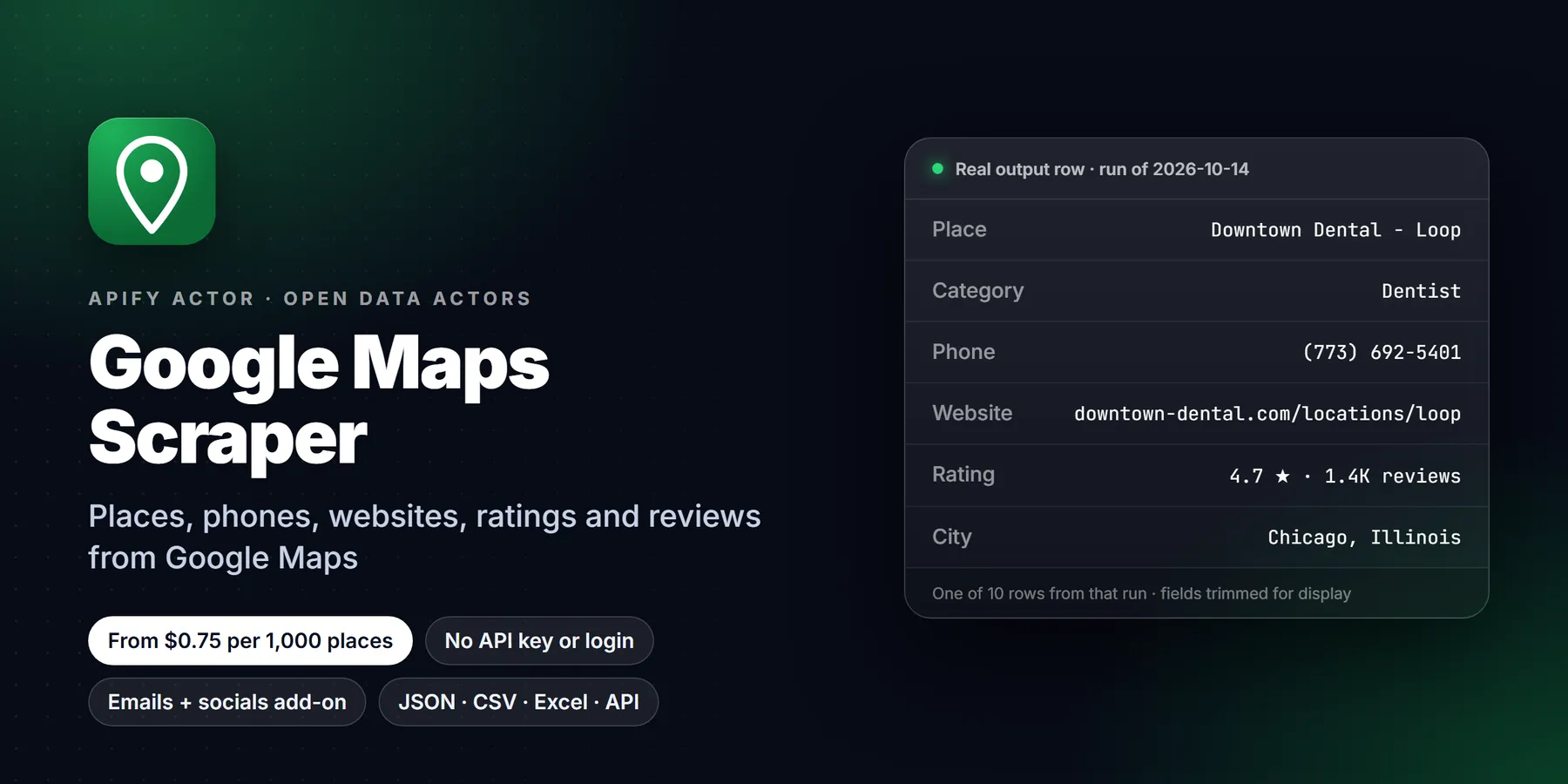
Use this to pull local business leads (name, phone, website, rating, address) from Google Maps by keyword and location.

| Price per 1,000 places | Free plan | Starter | Scale | Business |
|---|---|---|---|---|
| This Actor | $1.50 | $1.50 | $1.50 | $0.75 |
| Most-used alternative | $4.00 | $3.00 | $2.00 | $1.50 |
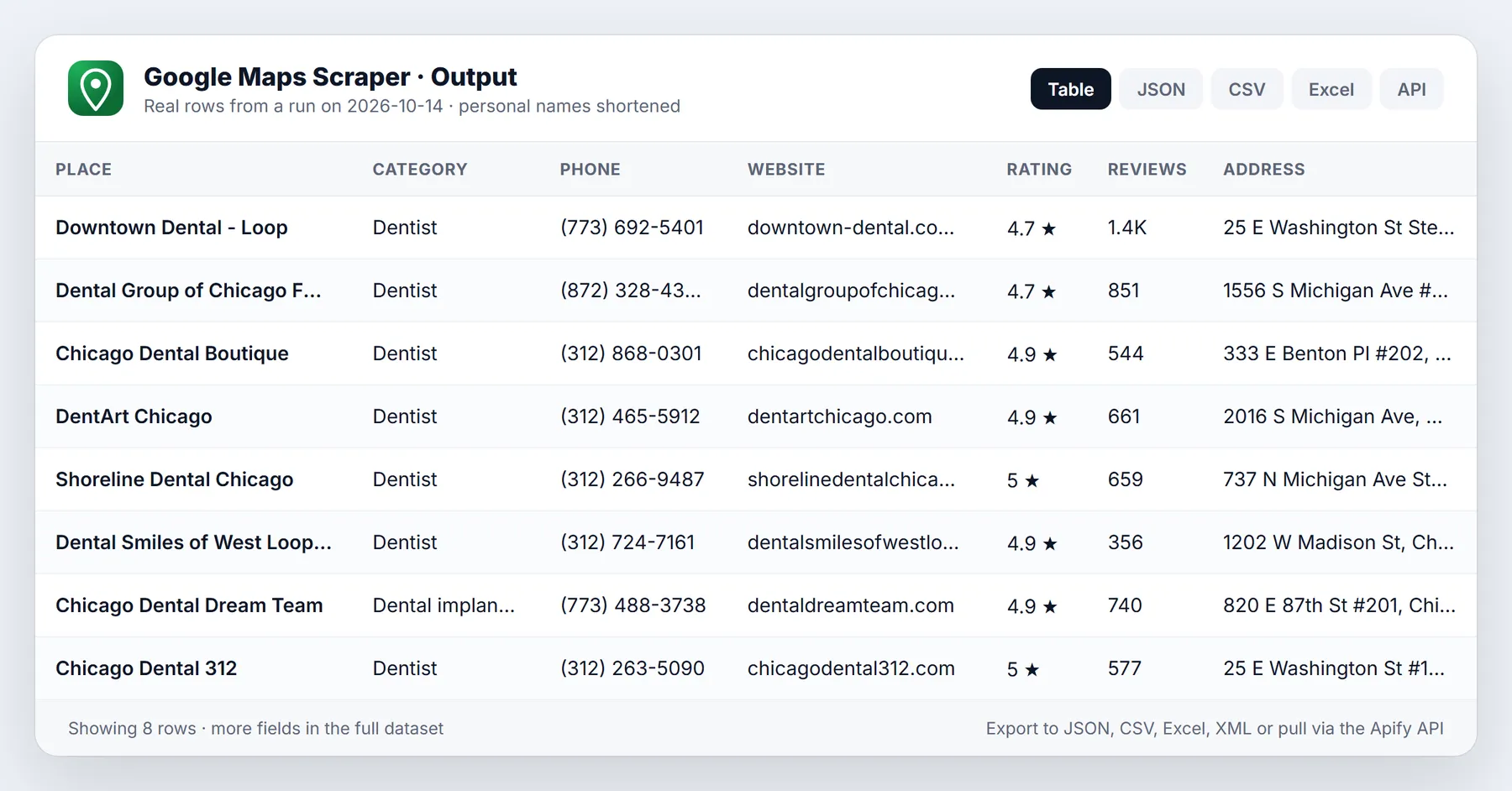
Search Google Maps by keyword and location and get a clean table of businesses: name, address, phone, website, rating, review count, opening hours, categories, coordinates and the Google Maps link. Turn on one switch to add emails and social profiles from each business website, and another to add up to 5 reviews per place.
No Google account, no API key, no browser extension. $1.50 per 1,000 places.
Run in 30 seconds
- Type a search term, for example
dentist. - Type a location, for example
Denver, CO. - Click Start. 20 places arrive in under a minute. Download as CSV, Excel or JSON.
Leave everything empty and the actor runs a small demo search (coffee shop in Detroit, MI) so you can see the output first.
Output: what you get for each place
| Field | Example |
|---|---|
title | Decent Detroit |
categoryName / categories | Coffee shop |
address | 14834 Kercheval Ave, Detroit, MI 48215 |
street, city, postalCode, state, countryCode, neighborhood | 14834 Kercheval Ave, Detroit, 48215, Michigan, US, Riverbend |
phone / phoneUnformatted | (313) 499-8236 / +13134998236 |
website / domain | https://www.instagram.com/decentdetroit / instagram.com |
totalScore | 4.9 |
reviewsCount | 121 |
priceLevel | $1-10 (when Google shows it) |
openingHours | Monday 7 AM-4 PM ... Sunday 8 AM-1 PM |
openNowText, permanentlyClosed, temporarilyClosed | Closed · Opens 7 AM Wed / false / false |
location | { lat: 42.38016, lng: -82.94337 } |
placeId, cid, fid, kgmid | ChIJMxsyZgDVJIgRwb_5TSUPNdw, 15867605515006230465 ... |
url, cidUrl, reviewsUrl | Google Maps links that open the place |
imageUrl | Main photo |
claimedByOwner, ownerName | true, Decent Detroit |
additionalInfo | Accessibility, service options, payments, amenities |
timezone | America/Detroit |
searchString, searchLocation, rank | coffee shop, Detroit, MI, 1 |
placesTags | Highlights such as LGBTQ+ friendly, Women-owned |
imagesCount | 66 |
reviewsDistribution | { oneStar: 1, twoStar: 1, threeStar: 1, fourStar: 3, fiveStar: 115 } (detail page) |
reviewsTags | "People often mention": [{ title: pastries, count: 17 }, ...] (detail page) |
With "Find emails and social profiles" on: emails, websitePhones, socials (Facebook, Instagram, LinkedIn, X/Twitter, YouTube, TikTok, Pinterest, Yelp), contactsFound.
With "Image URLs per place" > 0: imageUrls (full-size photo links). With "Order-online links" on: orderBy (the order-online links Google shows for restaurants). Both are free extras; no extra event.
With reviews on (1-5): reviews with stars, text, reviewerName, publishedAt, publishedAtText, reviewerUrl.
Field names follow the most widely used Google Maps actor on Apify, so existing spreadsheets, Zapier/Make flows and scripts keep working when you switch.
Pricing
Pay only for what is delivered. No monthly fee from this actor.
| Event | Free / Starter / Scale | Business, Platinum, Diamond | When it is charged |
|---|---|---|---|
| Place scraped | $0.0015 ($1.50 / 1,000) | $0.00075 ($0.75 / 1,000) | Each place delivered after your filters |
| Website contacts found | $0.001 | $0.00037 | Only when the website crawl actually finds an email or social profile |
| Review scraped | $0.0003 | $0.00009 | Each review delivered (optional, 0-5 per place) |
| Actor start | $0.00005 | $0.00005 | Once per run |
Every tier is at or below the most-used Google Maps actor's price for the same event. Places on your skip list, filtered-out places and dropped reviews are never charged.
Examples: 1,000 dentists = $1.50. 1,000 dentists with emails where 600 have one = $1.50 + $0.60 = $2.10. Set Max total charge on the run and the actor stops cleanly at your budget.
Input options
| Option | What it does |
|---|---|
| Search terms | One or many, like plumber, roofing contractor, vegan restaurant |
| Location / More locations / ZIP codes | Each term runs in each location as "term in location" |
| City / County / State / Postal code | Structured location fields, joined into one area |
| Skip these places | Place IDs, CIDs or Maps URLs you already have: dropped before delivery, never charged |
| Google Maps URLs | Paste search URLs or place URLs (including ?cid= links) |
| Place IDs | Look up known places directly (refresh a list) |
| Max places per search | 1-120 (Google's own cap per search) |
| Max places in total | Hard stop for the whole run |
| Language / Country | en, de, es ... and us, gb, ca ... |
| Only these categories | Drop places whose category does not contain your words |
| Name must match search | For brand searches: contains or equals |
| Minimum rating / Minimum review count | Quality filters |
| Website: with / without | "Without a website" = web design leads |
| Only places with a phone, Skip closed places | Cleaner call lists |
| Find emails and social profiles | Crawls the place's own website (home + up to 2 contact/about pages) |
| Reviews per place | 0-5 reviews |
| Review order / Only reviews newer than / Only reviews containing | Sort, date and keyword filters on the returned reviews (dropped reviews are not charged) |
| Image URLs per place | Full-size photo links, free |
| Order-online links | Restaurant ordering links, free |
| Only new places (monitor mode) | Returns and charges only places earlier runs did not return |
Getting more than 120 places
Google Maps itself stops at about 120 results for one search. To cover a whole city, add More locations (neighborhoods) or ZIP codes: each one is a fresh search of up to 120, and duplicates across searches are removed automatically (you are never charged twice for the same place in a run).
Monitor new businesses
Turn on Only new places, then schedule the actor daily or weekly. Each run remembers the place IDs it has already returned and gives you only new ones, charged only for new ones. Use Monitor key to keep separate lists for separate schedules.
Use it from code, Make, Zapier or an AI agent
MCP (Claude, Cursor, any MCP client): add the Apify MCP server with this actor enabled:
Then ask: "Find 30 roofing contractors in Tampa without a website and give me their phone numbers."
How it works and limits (honest list)
- It reads the same public data the Google Maps website shows to any visitor who is not logged in. No login, no cookies from your account, no CAPTCHA solving.
- Up to about 120 places per search (Google's limit). Split big areas as described above.
- Reviews: up to 5 per place, the ones Google shows on the public place page. If you need every review of a place, this is not the right tool.
- Emails come only from the business's own website. Many small businesses publish none; you are charged for contacts only when something is found.
- Google can rate limit any single IP. The actor rotates proxy sessions and switches to residential proxy automatically when that happens; very large runs take longer, they do not fail silently. The run summary (
OUTPUT) lists per-search counts, filters and any warnings. - Google's robots.txt asks automated agents to stay away from parts of
/maps/. This actor makes the same requests the Maps web page makes for a visitor, at a modest rate. You are responsible for how you use the data (for example, follow anti-spam law when you contact businesses).
Related actors
More tools from the same publisher that fit this workflow:
- Local Business Leads: find local businesses with no website from OpenStreetMap, a cheap complement to Maps data
- Website Email Extractor: pull emails, phones and socials from each business website
- Company Enrichment by Domain: enrich a domain with socials, emails and tech stack
- Website Tech Stack Detector: detect the CMS, frameworks and hosting behind any site
- Shopify Leads & Store Scraper: Shopify store leads with apps, products and contacts
- WHOIS & Domain Lookup: WHOIS/RDAP, DNS, subdomains and SSL for a domain
Use from AI agents: every actor here is callable through the Apify MCP server (mcp.apify.com).
FAQ
Do I need a Google API key? No.
How fast is it? About 20 places in 5-15 seconds per search page; contacts and reviews add a few seconds per place (run in parallel).
Which countries work? Any country Google Maps covers. Set Language and Country for local names and formats.
Why are some phones or websites empty? The business did not list one on Google Maps. Use "Only places with a phone" to skip them.
Can I get the place's full description and amenities? Turn on "Open each place page" (no extra charge, slower).
Is this the official Google Places API? No. It is an independent tool that reads public Google Maps pages. Not affiliated with Google.
Who uses this scraper and why
- Web design and SEO freelancers search a trade in one city with the Website filter set to "Only places WITHOUT a website". The result is a call list of working businesses that have a phone number and no site, which is the cleanest cold-outreach list a small agency can build.
- Sales teams selling to local businesses (payments, insurance, software, equipment) build territory lists by category and ZIP code, keep only places with a rating and a phone, and push the table into a CRM.
- Market researchers compare how many competitors of a type exist in each neighborhood, their average
totalScoreand theirreviewsCount, using thelocationcoordinates to plot them. - Franchise and retail planners check the density of a category around a candidate address before signing a lease.
- Lead-gen and local-SEO agencies refresh a client's competitor list monthly with monitor mode, so only newly listed businesses are returned.
- Data teams use the Google place identifiers (
placeId,cid) as stable keys to join this table with their own records.
Input fields explained
The input form is grouped into sections. Every field is optional; the actor runs a small demo search when nothing is filled in.
What and where. searchStringsArray takes one or many search terms. locationQuery is added to each term as "term in location". locations and postalCodes add more areas, and each extra area repeats every search term, so 3 terms across 4 ZIP codes is 12 searches. The structured fields city, county, state and postalCode are joined into one area string, which is handy when the values come from a spreadsheet column.
Limits. maxCrawledPlacesPerSearch accepts 1 to 120 and defaults to 20. maxCrawledPlaces is a hard stop for the whole run; 0 means no overall limit. The Max total charge setting on the run is a third, money-based brake.
URLs and place IDs. startUrls accepts Google Maps search URLs and place URLs, including ?cid= links. placeIds takes ChIJ... identifiers to refresh a list you already hold. skipPlaces takes place IDs, CIDs or Maps URLs that you do not want delivered or charged again.
Language and filters. language (default en) controls names, categories and hours. countryCode (default us) biases results. categoryFilterWords keeps only places whose category contains one of your words. searchMatching has three values: all, only_includes and only_exact. placeMinimumStars is a select from 2 to 4.5, and minReviews is a plain count. website is allPlaces, withWebsite or withoutWebsite. onlyWithPhone and skipClosedPlaces are booleans that default to off.
Extras. scrapeContacts crawls the business website for emails, extra phones and social links. maxReviews returns 0 to 5 reviews. scrapePlaceDetailPage opens each place page for the description and the full attribute list. maxImages returns up to 100 photo links when available. scrapeOrderOnline adds ordering links for restaurants. reviewsSort, reviewsStartDate and reviewsFilterString shape the returned reviews.
Monitoring and proxy. onlyNew and monitorKey control monitor mode. proxyConfiguration defaults to Apify Proxy and escalates by itself when Google rate limits an exit.
Worked examples
1. Web design leads: plumbers in Tampa with a phone and no website
2. Whole-city coverage with ZIP codes
3. Competitor review sampling
A trimmed output record for a place looks like this. Only fields listed in the table above are used.
Tips to keep runs fast and cheap
- Start with
maxCrawledPlacesPerSearchat 10 to check that the category and location return what you expect, then raise it. - Put quality filters in the input instead of filtering the spreadsheet afterwards. Places removed by filters are not delivered and not charged.
- Use
skipPlaceswith the place IDs from your previous export so that a refresh only pays for new rows. - Turn on
scrapeContactsonly for lists you will actually contact. It adds a website crawl per place and a few seconds of runtime. - Prefer ZIP codes over one huge city search when you need more than 120 places. Duplicates across searches are removed within the run.
- For recurring jobs, use
onlyNewwith amonitorKeyper schedule instead of re-exporting the whole list. - Set Max total charge on every scheduled run so a typo in the input cannot grow into a large bill.
Call it with the Apify API in Python
The run summary is stored in the key-value store under the key OUTPUT and contains per-search counts, filters applied and warnings. Read it after unattended runs to see why a search returned fewer places than expected.
More questions
How do I get leads for one trade across a whole state? Run the trade as the search term and list the state's largest cities in locations. Each city is its own search of up to 120 places.
Does the scraper return the same field names as other Google Maps scrapers on Apify? The field names follow the most widely used one, so existing mappings keep working. Fields that Google does not show for a place are simply absent.
Can I filter by category after the run? You can, but categoryFilterWords removes unrelated places before delivery, so you do not pay for them.
What does rank mean? It is the position of the place in the search results for that search term and location.
Why did my search return fewer places than I asked for? Google returned fewer matches for that area, or filters removed some. The OUTPUT summary lists how many were filtered and why.
Can I scrape a single place by URL? Yes. Paste a place URL or a ?cid= link into startUrls, or use placeIds.
Can I schedule it? Yes. Use an Apify schedule with onlyNew turned on to receive only newly listed places each time.
Is the data stored by the actor? Results go to your own run dataset. The only state kept between runs is the list of place IDs for monitor mode, in a named key-value store in your account.
Example input
A small run that finishes quickly (this is also the prefilled input in the Apify Console). Values come from the input schema:
Output sample
Each result is one dataset item (JSON, CSV, Excel or via API). Shape taken from the actor's dataset schema; field names and meanings below, not live data:
| Field | Meaning |
|---|---|
imageUrl | |
title | |
categoryName | |
totalScore | |
reviewsCount | |
phone | |
website | |
address | |
city | |
state | |
postalCode | |
url |
Alternatives to Google Maps Scraper
Other ways to get similar data, so you can choose what fits:
- Google Places API: official, per-request pricing and quotas
- Outscraper: hosted Google Maps data service
- Apify's Google Maps Scraper (compass/crawler-google-places): another Apify Store actor
This actor's edge is pay-per-result pricing, no login and ready-to-use structured output. Compare on a small test run before you commit.
Changelog
- 0.2 (2026-10-28): listing refresh (title, description, README sections, console prefills). No change to output fields.
- Earlier: initial release.


