

Google Maps Listing Change Monitor: Ratings, Hours, Closures
Pricing
from $1.80 / 1,000 place signals
Google Maps Listing Change Monitor: Ratings, Hours, Closures
Track a fixed set of Google Maps listings (clients, competitors or a category search) and get one row per change: closed, reopened, rating drop, review spike or stall, hours, phone, website or category changed, listing gone. Run 1 records a health baseline. No login.
Pricing
from $1.80 / 1,000 place signals
Rating
0.0
(0)
Developer

Detroit Web Agent - Open Data
Maintained by CommunityActor stats
0
Bookmarked
2
Total users
1
Monthly active users
7 hours ago
Last modified
Categories
Share

| Price per 1,000 listings | Free plan | Starter | Scale | Business |
|---|---|---|---|---|
| This Actor | $3.00 | $2.50 | $2.00 | $1.80 |
| Most-used alternative | $10.00 | $10.00 | $10.00 | $10.00 |
Track a fixed set of Google Maps listings and get one row for every change that matters: a place closes or reopens, its rating drops, reviews suddenly spike or stop coming in, reviews get removed, hours change, the phone number or website changes, the primary category changes, or the listing disappears. The first run records a health baseline for every place, with a listing completeness score and its rank inside the set by rating and by review count.
It is built for the job local SEO agencies and multi-location brands already do by hand or pay a listing-management tool for: watching their own listings and their competitors' listings week after week. No login, no Google API key, no browser.
What it does
You give the actor a set of places to watch. A set is either:
- A search you re-check, such as
dentist in Royal Oak, MIorcoffee shop in Ferndale, MI. The top N results (default 40) become the monitored set: a fixed competitor landscape. - A list of specific listings, as Google Maps place URLs or place IDs (
ChIJ...). These form the set "Tracked places" and are read from their own place page on every run. Use this for client listings and for named competitors.
You can mix both in one run.
Run 1 (baseline). Every place gets one baseline row: status (operational, temporarily closed, permanently closed), rating, review count, hours, phone, website, category, a listing completeness score out of 100 with the missing fields named, and its rank in the set by rating and by reviews. Each set also gets a free setSummary row: how many places, how many closed, average rating, median reviews, the top-rated and most-reviewed place, and the least complete listing.
Run 2 and later (changes only). The actor reads the same set again, compares each place with what it stored last time, and writes one event row per change. Places that did not change produce no paid rows. The free set summary row is written every run, so a quiet week still shows you the current state.
State lives in a named key-value store (maps-listing-change-monitor), keyed by your monitorKey. Runs with the same key compare against each other. Schedule the actor and it becomes a listing monitor.
Who it is for
The local SEO agency with 30 client listings. An agency manages Google Business Profiles for dentists, HVAC companies and law firms. Clients ask "did anything change?" and the honest answer is usually "we would not know until someone complains". The agency pastes its 30 client place URLs, sets monitorKey: "agency-clients", picks the clientListings preset and schedules a weekly run. When someone at a client's office edits the phone number, when Google marks a location temporarily closed, or when the rating slips from 4.6 to 4.3 after a run of bad reviews, a row lands in the dataset (and in Slack or email through an Apify integration) with a one-line summary the account manager can forward.
The multi-location brand watching its own estate. A regional chain has 60 locations. Head office wants to know when a store's hours on Google drift from the hours on the website, when a location starts losing its rating, or when a store's review flow stalls (often a sign the review-request process stopped at that branch). The brand tracks its own place IDs with the reputationWatch preset for reviews and ratings, and a second task with closureWatch for hours and closures.
The competitor set for a pitch or a market report. A marketing consultant tracks med spa in Birmingham, MI and med spa in Troy, MI with the competitorSet preset. Run 1 gives a ranked table of every competitor by rating and reviews with completeness scores, ready for a pitch deck. Weekly runs after that show who closed, who is gaining reviews fast (a competitor running a review campaign), and which new places entered the top results.
Input examples
Empty input works. It runs a small demo: the search coffee shop in Ferndale, MI, 20 places, baseline rows plus one summary row, in well under two minutes.
Client listings, checked weekly:
A competitor set from two searches, including places entering the results:
Reputation only, with a stricter rating threshold:
Input fields:
| Field | What it does | Default |
|---|---|---|
searches | Google Maps searches to re-check; each one is a monitored set | ["coffee shop in Ferndale, MI"] |
placeUrls | Place URLs or place IDs to track individually | empty |
maxPlacesPerSearch | Size of each search set (1 to 120) | 40 (demo: 20) |
preset | custom, clientListings, competitorSet, reputationWatch, closureWatch | custom |
alertOn | Change types to report when preset is custom | all except enteredSet |
ratingDropThreshold | Stars of drop that count as RATING_DROP | 0.2 |
spikeMinReviews | Minimum new reviews for a REVIEW_SPIKE | 5 |
monitorKey | Name of the stored history | derived from the input |
resetBaseline | Start over with a fresh baseline | false |
maxDisappearChecks | Place-page lookups per run for places that dropped out of a search | 25 |
language, countryCode | Google hl and gl | en, us |
Output example
A change event:
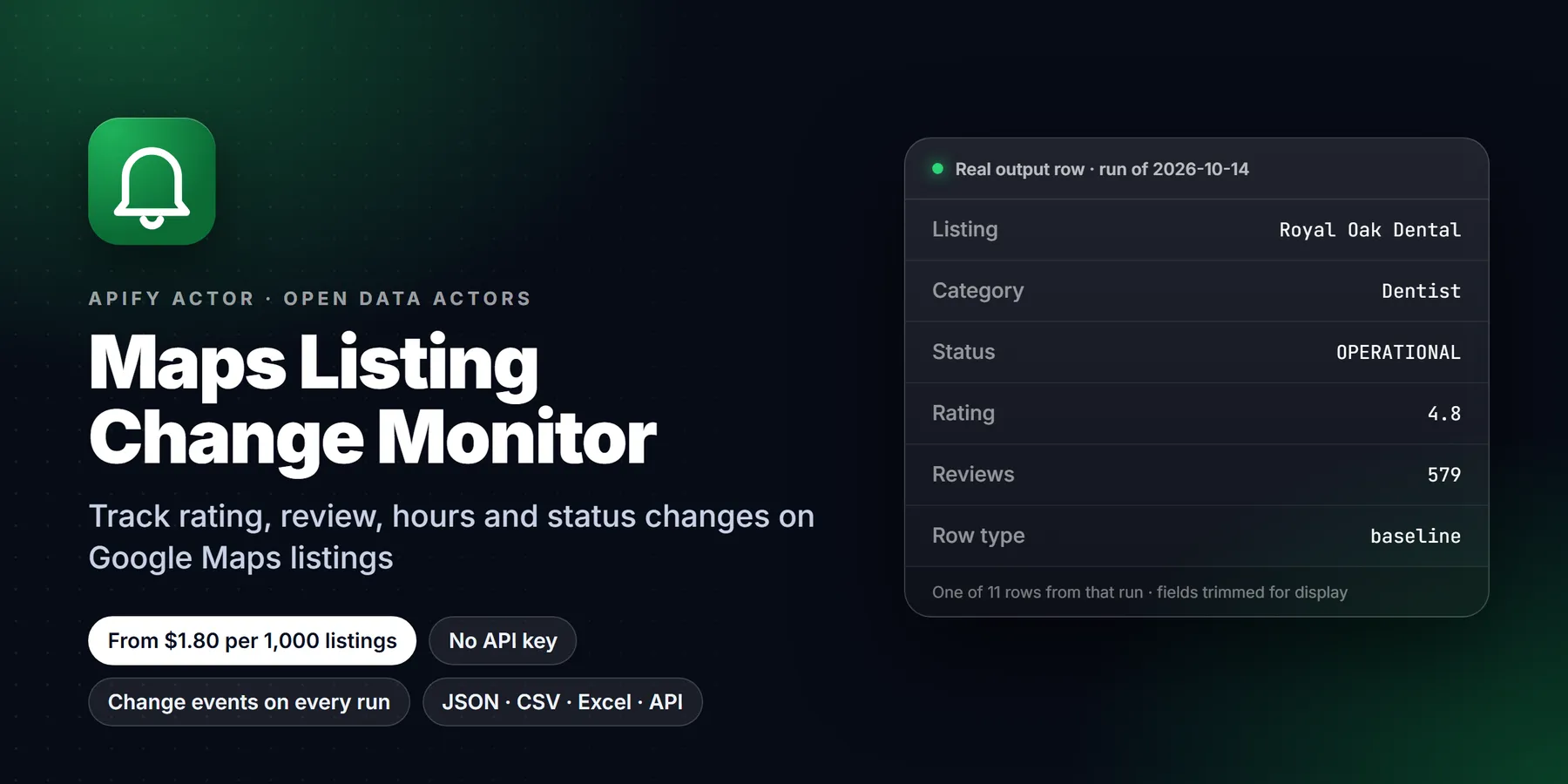
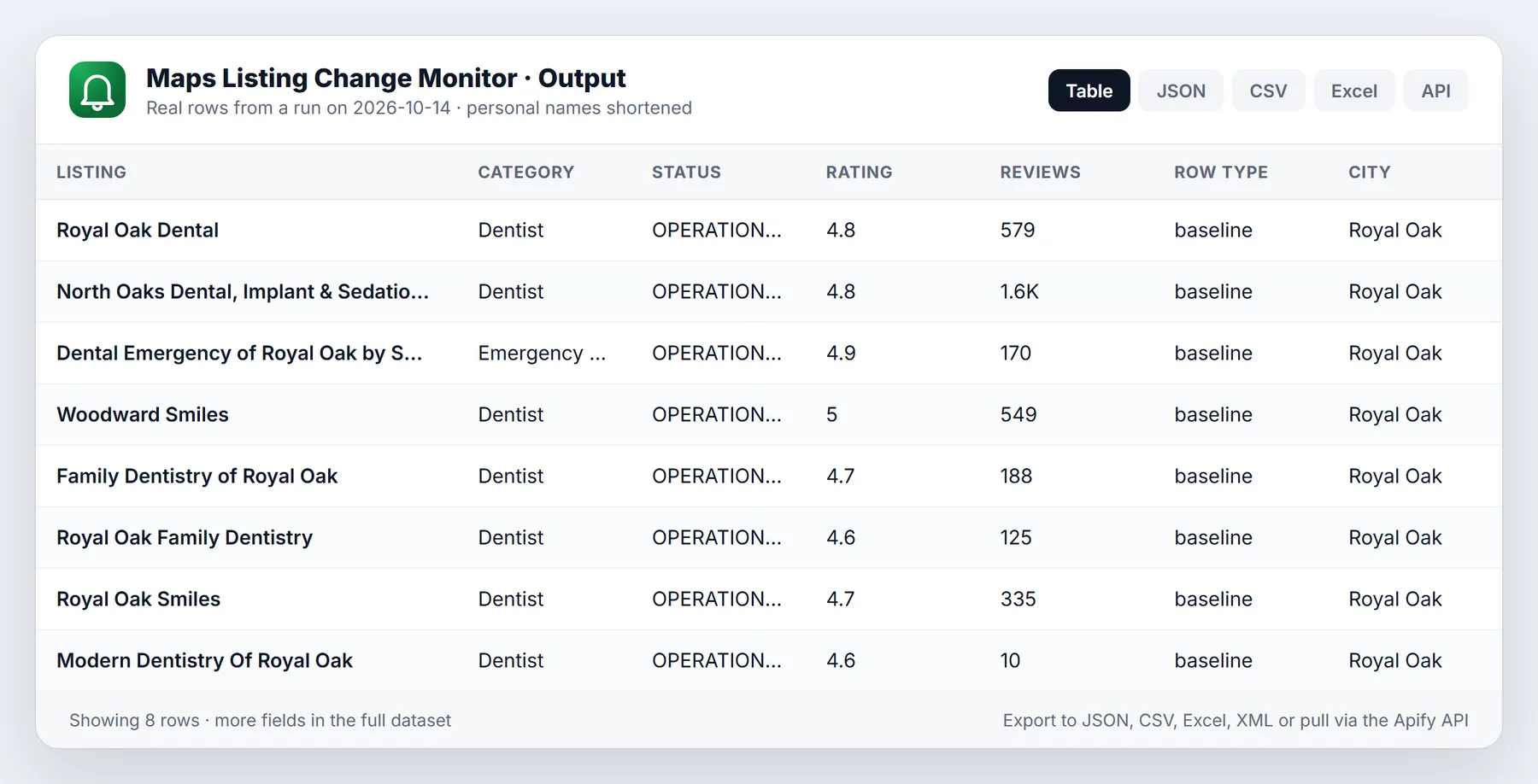
A baseline row (run 1) carries the same place fields with rowType: "baseline", ratingRankInSet, reviewsRankInSet, setSize and a summary such as BASELINE: "Honey Dirt Coffee" (Coffee shop, Ferndale) is operational, 4.7 stars from 310 reviews, listing 100/100 complete; #3 by rating and #2 by reviews of 20 in coffee shop in Ferndale, MI. (the names and numbers here are illustrative).
The set summary row has rowType: "setSummary", placesCount, operationalCount, closedCount, closedShare, avgRating, medianReviews, avgCompleteness, topByRating, topByReviews, eventsCount and eventsByType.
The dataset has two views: Changes and baseline (the columns you read first) and All fields.
Signals explained
| Event | When it fires | Severity |
|---|---|---|
CLOSED | Status moves from operational to temporarily or permanently closed | high |
REOPENED | A closed place shows as operational again | medium |
RATING_DROP | Rating falls by ratingDropThreshold or more from the reference rating. The reference only moves up (or resets after a reported drop), so a slow slide of 0.1 per week is still caught | medium, high at 0.4+ |
REVIEW_SPIKE | At least spikeMinReviews new reviews since the last check and a pace at least 3x the earlier pace; without history, at least 10 new reviews and 15% growth | medium |
REVIEW_STALL | The earlier pace predicts 4+ new reviews, at least 3 days passed, and none arrived | low |
REVIEWS_REMOVED | Review count falls by 3 or more (and at least 2%) since the last check | medium |
HOURS_CHANGED | New opening hours seen on two checks in a row (a one-day holiday change does not fire) | medium |
CONTACT_CHANGED | Phone number or website domain added, changed or removed (field says which) | medium, high when removed |
CATEGORY_CHANGED | Primary Google category changed | low |
DISAPPEARED | The listing no longer resolves on Google Maps on two checks in a row | high |
ENTERED_SET | A place new to the monitor enters a monitored search (only with enteredSet switched on, which the competitorSet preset does) | info |
Completeness score. Seven checks, each worth one seventh: phone, website, hours, category, address, photos, reviews. missingFields names the ones that fail. It is a quick listing-hygiene number, not Google's own profile strength score.
Dropping out of a search vs closing. A place can slide out of the top 40 results without anything happening to it. When a known place is missing from a search, the actor looks it up on its own place page (up to maxDisappearChecks per run). If it is still there, it is diffed normally; if it cannot be found twice in a row, you get DISAPPEARED. Operational places that stay outside the results for three runs leave the set quietly.
Pricing
Pay per event. You pay for rows that carry information, nothing for the rest.
| Event | FREE plan | BRONZE | SILVER | GOLD and above |
|---|---|---|---|---|
place-signal (one baseline row or one change event) | $0.003 | $0.0025 | $0.002 | $0.0018 |
| Actor start | $0.00005 | $0.00005 | $0.00005 | $0.00005 |
Set summary rows and unchanged places are free. Typical cost on the FREE plan:
| Scenario | Rows charged | Cost |
|---|---|---|
| Baseline of 30 client listings | 30 | about $0.09 |
| Weekly check of those 30, 2 changes found | 2 | about $0.006 |
| Baseline of 2 searches x 40 places | 80 | about $0.24 |
| Weekly check of 80 places, 5 changes | 5 | about $0.015 |
| A year of weekly checks on 80 places, ~5 changes a week | 80 + 260 | about $1.02 |
Platform compute is billed by Apify separately and is small: a 40-place search check usually runs in under a minute at 512 MB.
maxTotalChargeUsd is respected. If the run reaches your limit it stops before the next place, never pushes a paid row it did not charge, and keeps the undelivered changes pending: the next run reports them.
Monitor mode and schedule recipe
- Run once with your input and a
monitorKeyyou choose, for exampleagency-clients. This is the baseline. - In Apify Console, save the input as a task, then add a schedule: weekly (
0 8 * * 1, Monday 08:00) suits most agencies; daily is fine for closure watching. - Add an integration on the task (Slack, email, webhook, Make, Zapier, n8n) that fires on run success, and filter rows where
rowTypeisevent. - Keep
languageandcountryCodethe same across runs. Hours and category text are compared as Google shows them in that language. - To start over (for example after you change the client list a lot), run once with
resetBaseline: true.
Adding a place URL to an existing tracked list gives that place a baseline row on its next run. Removing one stops checking it; its history ages out after 180 days.
Use via API or MCP
Start a run and read changes with the Apify API:
Python:
AI agents can call it through the Apify MCP server:
Then ask the agent something like "check my tracked listings with monitor key agency-clients and list anything that closed or lost rating".
Limits and honest caveats
- Public Google Maps data only. The actor reads the same JSON the public google.com/maps page loads. It does not log in, does not use the Google Places API, and cannot see Business Profile insights, owner-only fields or review text history.
- Review counts, not review text. Spike, stall and removal signals come from the review count Google shows. If you need the reviews themselves, use a review scraper on the places this actor flags.
- Temporary vs permanent closure. Google marks closed listings with one internal flag. When the page text says "Temporarily closed" the actor reports
CLOSED_TEMPORARILY; otherwise a closed listing is reported asCLOSED_PERMANENTLY. In our test captures every closed listing was a permanent closure, so treat the temporary/permanent split as best effort and read thesummary. - Search sets move. Google's ranking shifts with time and location signals. That is why dropouts are confirmed on the place page, and why
ENTERED_SETis off by default. - Hours are compared as text, after normalising spaces and dashes. A change of interface language looks like a change of hours, so keep
languagefixed. - Contact changes compare like with like. Search cards and place pages occasionally format phone and website differently, so a search-set observation is only compared with an earlier search-set observation of the same place.
- Scale. Built for hundreds of places per run, not tens of thousands. Requests run at most two at a time with pauses between pages. Google lists about 120 places per search at most.
- Proxy. It uses your proxy setting (Apify Proxy automatic by default) and falls back to a direct connection when rate limited. It does not escalate to residential proxies on its own; pick a residential group in the Proxy field if you need it.
- Baselines are paid once per place per set. A place that appears in two of your searches gets a baseline row in each set, and change events only once per run.
Run in 30 seconds
- Open the Actor in Apify Console and click Try for free (or Start if you already have an account).
- Open the Input tab, switch to JSON, and paste the example below. It is small on purpose, so the first run is quick and cheap.
- Click Start. Most small runs finish in well under two minutes.
- Open the Output tab to read the Overview table, or use Export to download JSON, CSV or Excel.
Once the sample looks right, replace the example values with your own list and raise the limits.
Example API call
The first run for a given monitorKey stores a baseline and reports baseline rows plus one summary row. Changes appear from the second run onward, so schedule the Actor daily or weekly with the same monitorKey. Start it from code or with curl; replace the placeholder token and username.
Tips to keep monitoring reliable
- Always set a stable
monitorKey. Changing it starts a new history and a new baseline. - Use
resetBaselineonly when you intentionally redefine the set, for example after changing the search wording. - Keep
maxPlacesPerSearchmodest while testing; raise it once alerts look right. - Lower
maxDisappearChecksif you want shorter runs, at the cost of fewer closure confirmations.
FAQ
How is this different from a Google Maps scraper? A scraper returns every place every time. This actor remembers what it saw and returns only what changed, plus a one-time baseline. On a weekly schedule you pay for a handful of rows instead of the whole list.
Does it find new businesses in an area? Not as its purpose. It watches a set you define. With competitorSet it tells you when a new place enters a search you already monitor, which is useful for competitor tracking but is not a full new-business feed.
What happens if a run fails halfway? The monitor state is saved at the end of a run. Places checked in a failed run are compared again next time, so a change is reported late rather than lost.
Can I run several monitors? Yes. Use a different monitorKey for each client or market. Each key keeps its own history in the same key-value store.
How do I see the stored state? Open the key-value store maps-listing-change-monitor in your Apify account; the record snap-<monitorKey> holds it. The run's OUTPUT record summarises counts per set.
Why did I get no rows on run 2? Nothing changed. The set summary row confirms the check ran and shows the current numbers.
Can I change the rating threshold? Yes, ratingDropThreshold (0.1 to 2 stars).
Is this allowed? It reads publicly visible listing data at a low request rate, without logging in or bypassing any access control. You are responsible for how you use the data in your jurisdiction.
Related actors
- Google Maps Scraper: Places, Phones, Emails, Reviews: full place lists with contact enrichment and reviews, when you need every place rather than changes.
- Company Enrichment by Domain: enrich the websites of places you are tracking.
- Domain Intelligence Lookup: DNS, hosting and tech details for a business website.
New to Apify? Create a free account and run this Actor in under a minute. Some links are affiliate links.


