

YouTube Shorts Scraper: Views, Likes, Comments, $2/1K
Pricing
from $1.80 / 1,000 shorts
YouTube Shorts Scraper: Views, Likes, Comments, $2/1K
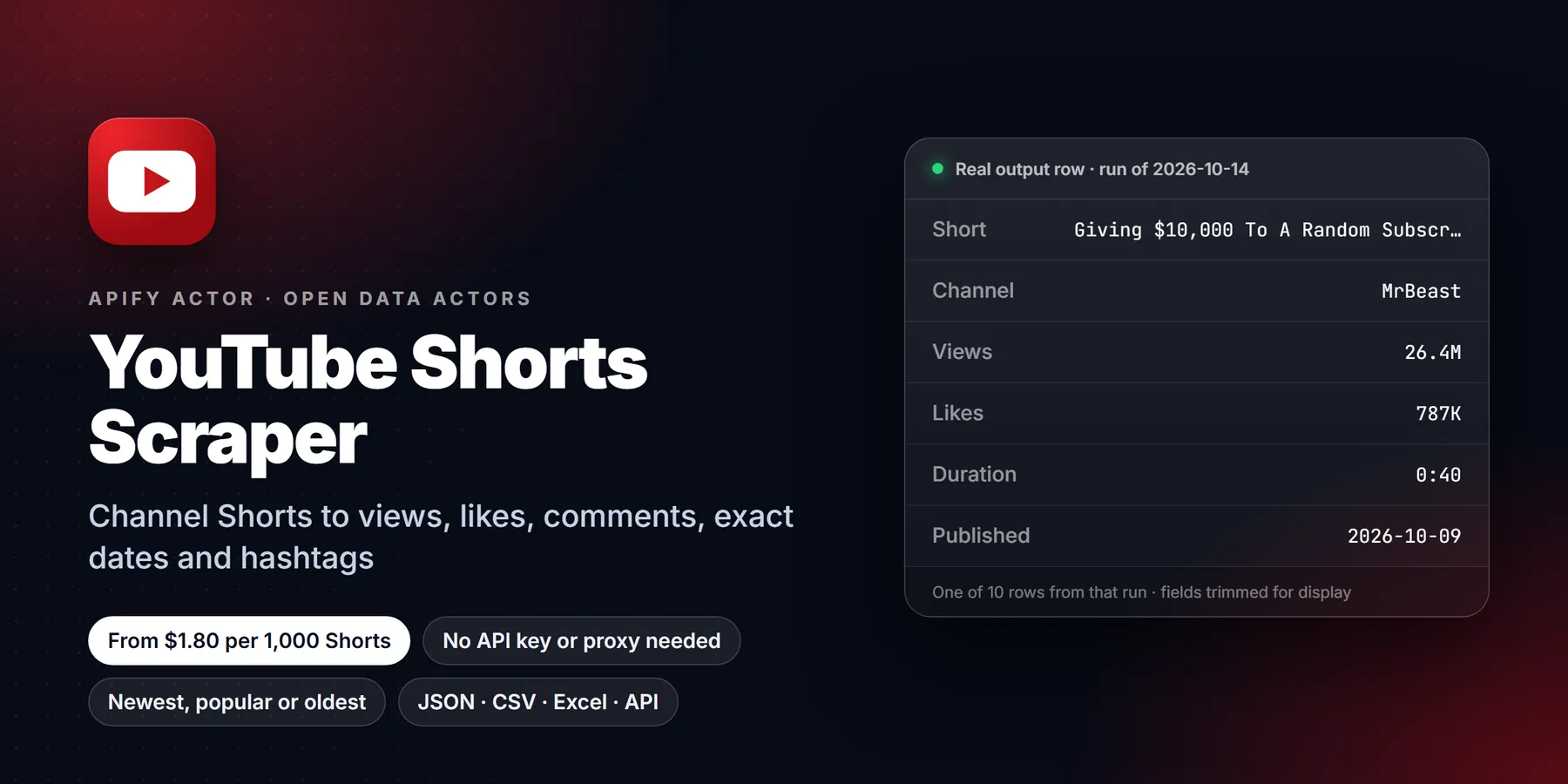
Scrape YouTube Shorts from channels or single Shorts URLs: views, likes, comment count, exact publish date, duration, hashtags, description and full channel stats. Sort by newest, popular or oldest, filter by date, monitor for new Shorts. No login, no API key, no proxy needed.
Pricing
from $1.80 / 1,000 shorts
Rating
0.0
(0)
Developer

Detroit Web Agent - Open Data
Maintained by CommunityActor stats
0
Bookmarked
2
Total users
1
Monthly active users
16 hours ago
Last modified
Categories
Share
YouTube Shorts Scraper: Views, Likes, Comments, Hashtags and Channel Stats

| Price per 1,000 Shorts | Free plan | Starter | Scale | Business |
|---|---|---|---|---|
| This Actor | $2.00 | $1.80 | $1.80 | $1.80 |
| Most-used alternative | $4.00 | $3.00 | $2.60 | $2.40 |
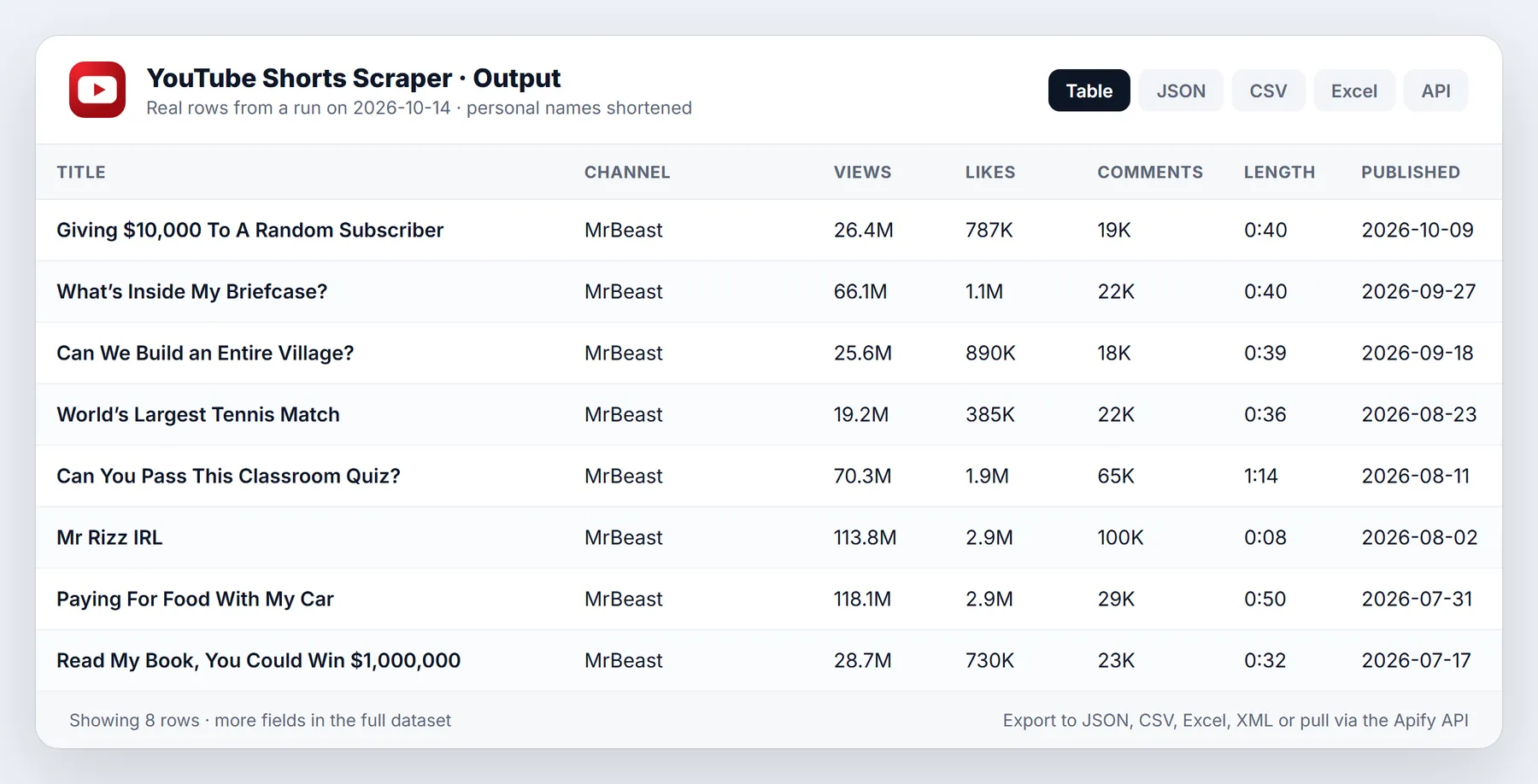
Scrape the Shorts of any public YouTube channel and get a clean table: title, view count, likes, comment count, exact publish time, duration, hashtags, description, thumbnail and the full channel profile (subscribers, total views, country, joined date, links) on every row. Sort by newest, most popular or oldest, keep only Shorts newer than a date, or turn on monitor mode so a scheduled run returns only the Shorts you have not seen yet. No login, no cookies, no API key and no proxy to configure.
A typical run of 20 Shorts with full details finishes in a few seconds, because Short pages are fetched in parallel and results are pushed in batches instead of one row at a time.
Run in 30 seconds
- Open the Actor and press Start with the prefilled input. It scrapes the 10 newest Shorts of the example channel so you can see the shape of the data first.
- Replace the channel with your own: type an
@handle, paste a channel URL, or paste a singleyoutube.com/shorts/...link. One entry per line. - Set Max Shorts per channel and pick Newest, Popular or Oldest.
- Press Start, then open the Output tab. Download as Excel, CSV, JSON or HTML, or call the dataset API from your own code.
What you get for every Short
- Identity:
id,url,title,thumbnailUrl,order(position on the channel Shorts tab). - Performance:
viewCount,likes,commentsCount,commentsTurnedOff. - Timing:
date(exact publish time, ISO format),publishedTimeText,duration,durationSeconds. - Content:
text(the description),hashtags,tags,category,hasSubtitles,subtitleLanguages. - Flags:
isAgeRestricted,isMembersOnly,isFamilySafe,availableCountriesCount. - Channel (on every row):
channelId,channelName,channelHandle,channelUsername,channelUrl,numberOfSubscribers,subscriberCountText,channelTotalViews,channelTotalVideos,channelCountry,channelJoinedDate,channelDescription,channelLinks,channelKeywords,channelAvatarUrl,channelBannerUrl,channelVerified. - Provenance:
input,fromYTUrl,fromChannelListPage,sortedBy,scrapedAt.
Rows are flat JSON, so they load straight into a spreadsheet, a database or a pandas data frame without any unpacking, apart from the two list fields (hashtags, channelLinks) and the subtitle list.
Input
| Field | What it does |
|---|---|
Channels (channels) | @handle, channel URL, channel ID, or a single Shorts URL. One per line. |
Channel or Shorts URLs (startUrls) | The same thing in URL-list form, handy when you already have a list of links. |
Max Shorts per channel (maxResultsShorts) | How many Shorts to return per channel. Default 10. |
Sort Shorts by (sortChannelShortsBy) | NEWEST (default), POPULAR or OLDEST, the same chips as on the channel Shorts tab. |
Only Shorts newer than (oldestPostDate) | A date such as 2026-09-01 or a relative period such as 7 days, 2 weeks, 3 months. Older Shorts are skipped and never charged. |
Scrape full Short details (scrapeDetails) | On by default: likes, comment count, exact publish time, hashtags, description. Off gives the quick listing only (title, views, thumbnail, approximate date). The price is the same either way. |
Add channel info to every row (includeChannelInfo) | Subscribers, total views, country, joined date, links, avatar and banner. One extra request per channel. |
Parallel Short pages (maxConcurrency) | How many Short pages load at once. Default 12. |
Monitor mode (monitorMode, stateStoreName) | Remember delivered Shorts between runs and return only new ones. |
Proxy (proxyConfiguration, autoProxyFallback) | Not needed normally. If YouTube rate-limits the IP, the Actor switches to Apify residential proxy by itself. |
Example input:
Pricing
You pay per Short delivered (pay per event). There is no monthly rental and no charge for Shorts that are filtered out by the date filter or skipped in monitor mode.
| Plan | Price per 1,000 Shorts |
|---|---|
| Free | $2.00 |
| Starter | $1.80 |
| Scale | $1.80 |
| Business | $1.80 |
The price does not change when you switch on date filtering, sorting or full details. 100 Shorts with full details cost about 20 cents on the Free plan. Set a maximum charge per run in the run options and the Actor stops cleanly when the limit is reached.
Use it from code, schedules or AI agents
Start a run and fetch results with one HTTP call:
The same Actor works from the Apify JavaScript and Python clients, from Make, Zapier and n8n, from Google Sheets, and as a tool inside AI agents through the Apify MCP server. Add a Schedule in the Apify console to run it every morning with monitor mode on, and send new rows to a Slack channel, a spreadsheet or a webhook.
Who uses it and why
- Creators and social teams track which Shorts of a rival channel take off: sort by popular, compare views to likes and comments, and read the hashtags that carry the winners.
- Agencies and brands build influencer shortlists: subscribers, country and external links (Instagram, X, website, business pages) sit on the same row as the performance data.
- Researchers collect Shorts from a set of channels for trend, topic or language studies, with exact dates and durations that make time series simple.
- Analysts monitor a list of channels on a schedule and alert when a new Short appears or when a Short passes a view threshold.
- Developers feed a recommender, a dashboard or a dataset with thumbnails, titles and counts, without handling YouTube pagination themselves.
How the input fields work together
Max Shorts and sorting. The Actor reads the channel Shorts tab, page by page, in the order you chose, and stops as soon as it has enough. Newest is the default and the cheapest in time. Popular and Oldest re-sort the tab first, the same way the chips on YouTube do.
Date filter. With Newest first the Actor stops reading pages as soon as it meets old Shorts, so a 7-day filter on a busy channel is fast. With Popular or Oldest the filter is applied to every Short it reads, so it reads further. In both cases the Shorts that are too old are skipped and not charged. With full details on, the exact publish time decides. With details off, the approximate date from the listing is used, and dateIsApproximate on the row says so.
Details on or off. The channel Shorts tab shows only the title, a view count and a thumbnail. Likes, the comment count, the exact publish time, hashtags and the description live on each Short page, so the Actor opens each one in parallel. If you only need a ranking by views, turn details off and the run is faster still.
Channel info. The channel profile is fetched once per channel and copied onto each of its rows, so subscribers and country never cost extra per Short.
Monitor mode. The Actor keeps a list of delivered Short IDs in a named key-value store. On the next run only unseen Shorts are returned and charged. Use a different store name for each schedule.
Worked examples
Last week of Shorts from five competitors.
Sort the dataset by viewCount and you have the week's winners.
All-time top Shorts of one channel.
Quick listing without details.
Daily watch on a channel list. Switch on monitorMode, give it a store name such as daily-watch, create a daily schedule, and connect the dataset to an integration.
Single Short. Paste https://www.youtube.com/shorts/aNI2jv7lBPQ into Channels and you get one row with full details and the channel profile.
Sample row
Choosing what to keep
Most users keep six to ten columns: title, url, viewCount, likes, commentsCount, date, duration, hashtags, channelName, numberOfSubscribers. The dataset Overview view shows exactly this set. Use the All fields view or the API fields parameter when you want everything, and omit to drop the long channel description and image links if you do not need them.
Useful derived metrics, all one formula away: like rate (likes / viewCount), comment rate (commentsCount / viewCount), views per day since date, and views as a share of channel subscribers, which shows whether a Short reached beyond the existing audience.
Tips to keep runs fast and cheap
- Keep Parallel Short pages between 8 and 16. Higher numbers rarely help and may trigger rate limits.
- Use the date filter on schedules instead of large Max Shorts values, so each run reads only what is new.
- Use monitor mode for recurring runs. You never pay twice for the same Short.
- Turn off full details when you only need a views ranking.
- Turn off channel info when you scrape the same channel often and already store its profile.
- Test with 5 to 10 Shorts first, then raise the limit.
Limits and honest caveats
- Only public Shorts are returned. Private, removed, members-only and age-restricted Shorts have no public page and are reported in the run log, not charged.
- YouTube rounds some counts on the listing pages. With full details on, likes and views come from the Short page itself. The comment count follows what YouTube displays, so it can be rounded for large numbers (for example 19K).
- Shorts are read from each channel's Shorts tab. Shorts that a channel only posted as a reply, or hid from its tab, do not appear there.
- Search-result and hashtag pages are not covered by this Actor. Use a YouTube video scraper for those.
- Music and sound-track names are not published on the public Short page, so they are not part of the output.
- YouTube changes its pages from time to time. If a field comes back empty on every row, open an issue with the run link and it will be fixed quickly.
More questions
Do I need a YouTube API key or a Google login? No. The Actor reads public pages only.
Do I need a proxy? No. Runs work from Apify data centers without a proxy. If YouTube starts rate-limiting the IP, the Actor switches to Apify residential proxy on its own, unless you turn that fallback off.
How many Shorts can I get from one channel? As many as the channel's Shorts tab lists. Set Max Shorts as high as you like. The run is also bounded by your maximum charge setting.
Can I give it a channel URL ending in /shorts? Yes. Any channel URL, with or without a tab name, works.
Can I scrape Shorts by keyword or hashtag? Not in this Actor. It is built for channel Shorts and single Short links.
Why is hashtags empty on some rows? Many creators do not put hashtags in the description. The field is filled when the Short has them.
Why is dateIsApproximate true on some rows? You turned details off, so only the relative time from the channel page ("3 days ago") was available. Turn details on for the exact time.
Is this legal? The Actor collects publicly visible information. You are responsible for using the data in line with the YouTube terms and the laws that apply to you, including privacy rules for personal data.
FAQ
What does a run cost? On the Free plan, 1,000 Shorts cost $2.00. Higher plans pay less per Short. There is no extra charge for details, sorting or date filters.
What happens if a channel has no Shorts? The run records a warning for that channel, delivers nothing for it and moves on to the next one.
Can I run it on a schedule? Yes. Create a schedule in the Apify console and enable monitor mode so each run delivers only new Shorts.
Where do I report a problem? Open an issue on the Actor's Issues tab with the run link and the input you used.
Can I get the video file or the transcript? This Actor returns metadata. Use a transcript extractor for captions.
More resources
- Apify documentation on datasets, schedules and integrations.
- The Apify API reference for running Actors from your own code.
- Companion Actors in the same family cover regular YouTube videos, channel profiles, comments and transcripts, so a full YouTube workflow can run on one account.
New to Apify? Create a free account and run this Actor in under a minute. Some links are affiliate links.


