

YouTube Channel Scraper: Subscribers, About, Videos, $0.8/1K
Pricing
from $0.20 / 1,000 result rows
YouTube Channel Scraper: Subscribers, About, Videos, $0.8/1K
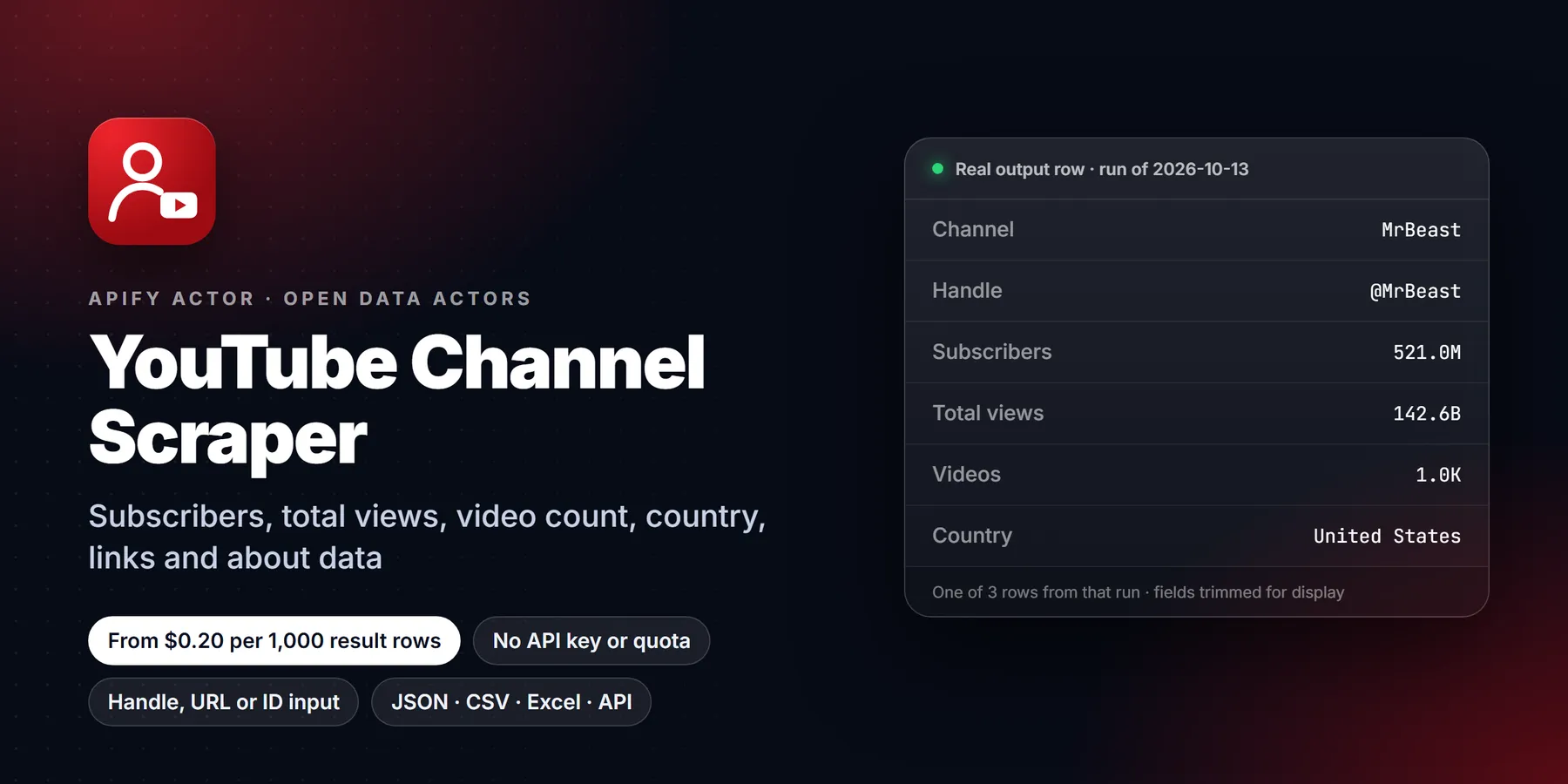
Scrape YouTube channels: subscribers, total views, video count, country, joined date, links, avatar and banner, plus newest, popular or oldest videos, Shorts and streams. Accepts @handles, channel or video URLs. No login, no API key. $0.80 per 1,000 rows.
Pricing
from $0.20 / 1,000 result rows
Rating
0.0
(0)
Developer

Detroit Web Agent - Open Data
Maintained by CommunityActor stats
0
Bookmarked
2
Total users
1
Monthly active users
a day ago
Last modified
Categories
Share
YouTube Channel Scraper: Subscribers, About Info, Links and Videos

| Price per 1,000 result rows | Free plan | Starter | Scale | Business |
|---|---|---|---|---|
| This Actor | $0.80 | $0.60 | $0.50 | $0.20 |
| Most-used alternative | $1.30 | $1.00 | $0.80 | $0.50 |
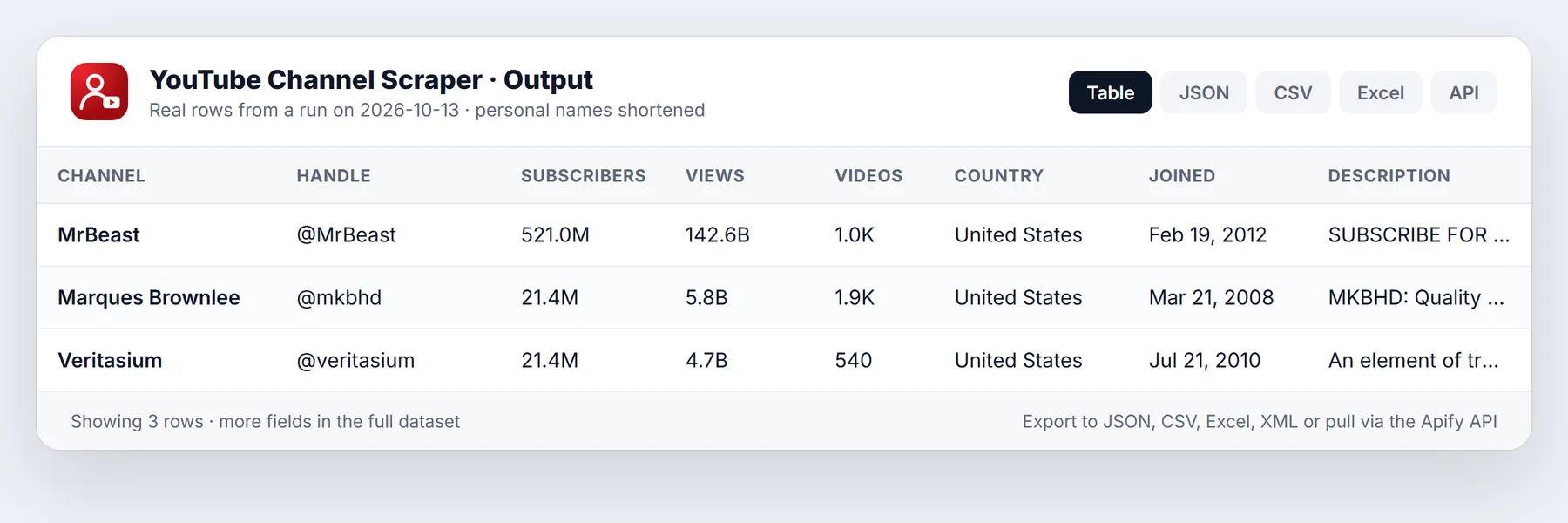
Scrape YouTube channel profiles and their videos. For every channel you get the subscriber count, total views, video count, country, joined date, description, external links (Instagram, X/Twitter, website and others), avatar, banner and verified badge. Add the newest, most popular or oldest videos, Shorts and live streams, each with views, duration and date. Works with @handles, channel URLs, /c/ and /user/ URLs, or any video URL. No login, no API key.
- In short: YouTube Channel Scraper (Apify actor
transparent_meteorite/youtube-channel-scraper) reads public YouTube channel pages: the header, the About panel and the Videos, Shorts and Live tabs. Each run returns one profile row per channel, plus one row per video. Every video row also carries the channel fields. - Who it is for:
- influencer marketing and creator outreach teams
- agencies benchmarking competitors' channels
- lead generation from creators' external links
- analysts tracking subscriber growth on a schedule
- AI agents that need YouTube channel data as a tool
- Input:
- channels: @handle, channel URL or UC id, or a video URL to get its uploader's channel
- separate limits for videos, Shorts and streams
- sort: newest, popular or oldest
- "only newer than" date
- About panel on or off
- full video details on or off
- monitor mode
- Output:
- channel profile: channelId, channelName, channelHandle, channelUrl, numberOfSubscribers, channelTotalViews, channelTotalVideos, channelCountry, channelJoinedDate, channelDescription, channelLinks, channelAvatarUrl, channelBannerUrl, channelVerified, channelKeywords, rssUrl
- video rows: id, url, title, type, viewCount, date, duration, thumbnail
- likes, commentsCount and tags when full video details are on
- Pricing: pay per event. $0.80 per 1,000 rows on the Free plan, down to $0.20 per 1,000 on Gold and above, plus a $0.00005 start event.
- Limits: public data only. YouTube rounds subscriber counts (for example 4.55M). Business emails are behind a captcha on YouTube and are not collected.
Key facts
- Data source: public YouTube channel pages
- Output formats: JSON, CSV, Excel, XML, HTML table (Apify dataset)
- Access: Apify Console, REST API, JavaScript/Python clients, schedules, webhooks, Apify MCP server
- Login, cookies or YouTube API key needed: no
- Also known as: YouTube channel data scraper, YouTube subscriber count API, YouTube channel info extractor, YouTube about page scraper
Run in 30 seconds
- Open YouTube Channel Scraper and press Try for free.
- Keep the prefilled channel or paste your own (
@handleor URL), then press Start. One channel with 10 videos takes about 3 seconds. - Open the Output tab, or download the results as CSV, Excel or JSON.
Input
| Field | Type | Default | Description |
|---|---|---|---|
startUrls | array | @MrBeast (prefill) | Channel URLs (/@handle, /channel/UC..., /c/..., /user/...), bare @handles or UC ids. A video URL scrapes its uploader's channel |
maxResults | integer | 10 | Videos per channel from the Videos tab. Use 0 for profile rows only |
maxResultsShorts | integer | 0 | Shorts per channel |
maxResultStreams | integer | 0 | Items per channel from the Live tab |
sortVideosBy | string | NEWEST | NEWEST, POPULAR or OLDEST (the chips on the channel page) |
oldestPostDate | string | Skip videos older than a date (2025-01-31) or a period (30 days) | |
includeAbout | boolean | true | Add country, joined date, total views, video count and links |
includeChannelRow | boolean | true | Output one profile row per channel |
scrapeVideoDetails | boolean | false | Open each video for likes, comment count, exact date, description and tags |
monitorMode | boolean | false | Only return and charge for videos that earlier runs did not deliver |
proxyConfiguration / autoProxyFallback | off / true | Optional proxy. The run switches to residential proxy only if YouTube blocks it |
Output
The channel profile row (shortened):
A video row has type (video, shorts or stream), id, url, title, viewCount, date, dateIsApproximate, publishedTimeText, duration, durationSeconds, thumbnailUrl, tab, position and all of the channel fields above. With scrapeVideoDetails on, it also has likes, commentsCount, description, tags, hashtags and category.
| Field | Description |
|---|---|
numberOfSubscribers, subscriberCountText | Subscriber count as a number and as YouTube shows it |
channelTotalViews, channelTotalVideos | From the About panel |
channelCountry, channelJoinedDate | From the About panel (country only if the creator set one) |
channelLinks | External links with their titles, with YouTube's redirect wrapper removed |
date, dateIsApproximate | Video date. On channel tabs YouTube only shows "3 days ago", so the date is approximate unless full details are on |
Pricing
| Apify plan | This actor, per 1,000 rows | Most-used YouTube channel scraper on the Store, per 1,000 |
|---|---|---|
| Free | $0.80 | $1.30 |
| Bronze | $0.60 | $1.00 |
| Silver | $0.50 | $0.80 |
| Gold | $0.20 | $0.50 |
| Platinum | $0.20 | $0.30 |
| Diamond | $0.20 | $0.20 |
The run stops at the maximum cost you set on the run.
Use it from code, schedules or AI agents
- API:
POST https://api.apify.com/v2/acts/transparent_meteorite~youtube-channel-scraper/run-sync-get-dataset-items?token=YOUR_TOKENwith the input JSON as the body. - Subscriber tracking: schedule a daily run with
maxResults: 0and store the profile rows to chart growth. - MCP / AI agents: add
https://mcp.apify.com?actors=transparent_meteorite/youtube-channel-scraperto Claude, Cursor or any MCP client.
Who uses it and why
- Influencer marketing teams build a shortlist of creators in a niche and compare subscriber counts, total views, video counts, country and join date in one table. The external links on each profile (Instagram, X, websites) give a starting point for outreach through the channels the creator chose to publish.
- Agencies and brand analysts audit a client's channel against three or four competitors: how often each posts, which videos get the most views, and how Shorts compare with long videos.
- Growth and reporting teams schedule a daily run with
maxResultsset to 0 and store the profile rows, which builds a subscriber and total-views history that YouTube itself does not export. - Investors, journalists and researchers check a channel's size, age and verified status, or list everything a channel has published in a period.
- Dataset builders and AI agents use channel IDs from this actor as the input for the video, comments and transcript actors in the same family.
How the input fields work together
Give one or more channels in startUrls. The actor accepts https://www.youtube.com/@handle, /channel/UC..., /c/name and /user/name URLs, a bare @handle or a bare UC... channel ID. If you paste a video URL, the actor scrapes the channel that uploaded that video.
Three limits decide how many rows you get per channel: maxResults for the Videos tab (default 10, up to 10,000, and 0 for no video rows), maxResultsShorts for the Shorts tab and maxResultStreams for the Live tab. Shorts and streams default to 0, so they are skipped until you set a number. sortVideosBy picks newest, popular or oldest, matching the chips on the channel page.
oldestPostDate drops videos older than a calendar date such as 2025-01-31 or a relative period such as 30 days, 2 weeks, 3 months or 1 year. It works best with newest-first order, because the list can then stop early. Videos skipped by the date are not delivered and not charged.
includeAbout adds the About panel data (country, joined date, total views, video count and links) at the cost of one extra request per channel. includeChannelRow controls whether a separate profile row is written for each channel, in addition to the video rows. Every video row also carries the channel fields, so you can turn the profile row off if you only want videos in one flat table.
scrapeVideoDetails opens every video page to add likes, comment count, exact publish time, description, tags and category. It is slower, so leave it off for quick listings. maxConcurrency (1 to 20, default 5) applies only when details are on. monitorMode remembers delivered videos in a named store (stateStoreName) and returns only new ones. The channel profile row is sent once per day in that mode.
Worked examples
Creator profile only: one row per channel for a shortlist
Competitor content audit: most popular videos and Shorts with full details
Recent uploads only, for a weekly report
Sample video row
A video row with details on looks like this. Field names are the ones the actor writes; values are shortened.
Choosing between rows and columns
Because every video row repeats the channel fields, you can load the dataset into a spreadsheet and pivot by channelName without joining a second table. Use the type column to separate profile rows (channel) from video rows (video, shorts or stream). Use tab to see which channel tab a row came from. When you track growth over time, keep the channelId as the key, because handles can change while the ID stays the same.
Tips to keep runs fast and cheap
- For subscriber tracking, use
maxResults: 0and keepincludeAbouton. Each channel then costs one row. - Keep
scrapeVideoDetailsoff when views, titles, duration and relative dates are enough. Turn it on only when you need likes, comments, exact dates or descriptions. - Add
oldestPostDateto every scheduled run so it does not walk deep into old uploads. - Set a maximum cost on the run in Apify. The actor stops cleanly when it is reached.
- Avoid a proxy unless you scrape hundreds of channels in one run. The automatic fallback handles blocking when it appears.
Limits and honest caveats
- Only public data is returned. The actor does not log in and does not collect business emails, which YouTube places behind a captcha.
channelCountryis empty when the creator has not set one. Subscriber counts follow YouTube's own rounding, so large channels show a rounded figure rather than an exact one.- On channel tabs YouTube shows only relative dates such as "3 days ago". Those rows have
dateIsApproximateset to true unlessscrapeVideoDetailsis on. - Total views and video counts come from the About panel and can lag behind the live numbers shown on the channel page.
- Channels with no public uploads in a tab simply return no rows for that tab.
- Some links in the About panel are wrapped by YouTube in a redirect. The actor removes the wrapper, but the target site is not checked.
More questions
How do I get a YouTube channel's subscriber count without the API? Run the actor on the channel URL with maxResults set to 0 and read numberOfSubscribers on the channel row.
Can I scrape many channels at once? Yes. Add several URLs or handles to startUrls. Each channel gets its own limits.
What is the difference between this and the video scraper? This actor starts from channels and adds profile data such as total views, country and links. The video scraper starts from searches, playlists, hashtags and URLs, and offers YouTube's search filters.
Can I find a channel's RSS feed? Yes. The profile row has an rssUrl field that points to the channel's public video feed.
Can I call it from Python?
FAQ
Do I need the YouTube Data API? No. There is no API key and no quota.
Can I get the channel's email? No. YouTube hides business emails behind a captcha and a login, and this actor does not bypass them. External links are included.
How many videos can I get per channel? The full Videos, Shorts and Live tabs. Use maxResults to set how many.
Is it legal? The actor collects public information only. You are responsible for using the data in line with YouTube's terms and privacy laws such as GDPR.
Something missing? Open an issue on the Issues tab with the run URL.
More resources
- Guide & examples: mamoo85.github.io/open-data-actors/youtube-channel-scraper.html
New to Apify? Create a free account and run this Actor in under a minute. Some links are affiliate links.


