

YouTube Video Scraper: Search, Channels, Playlists, $2/1K
Pricing
from $1.00 / 1,000 videos
YouTube Video Scraper: Search, Channels, Playlists, $2/1K
Scrape YouTube videos from searches, channels, playlists, hashtags or URLs: views, likes, comment count, exact date, duration, description, tags, chapters, subtitle languages and channel stats. YouTube search filters. No login, no API key, no quota. $2 per 1,000 videos.
Pricing
from $1.00 / 1,000 videos
Rating
0.0
(0)
Developer

Detroit Web Agent - Open Data
Maintained by CommunityActor stats
0
Bookmarked
2
Total users
1
Monthly active users
a day ago
Last modified
Categories
Share
YouTube Video Scraper: Search Results, Channels, Playlists and Video Details

| Price per 1,000 videos | Free plan | Starter | Scale | Business |
|---|---|---|---|---|
| This Actor | $2.00 | $1.50 | $1.30 | $1.00 |
| Most-used alternative | $4.00 | $3.00 | $2.60 | $2.40 |
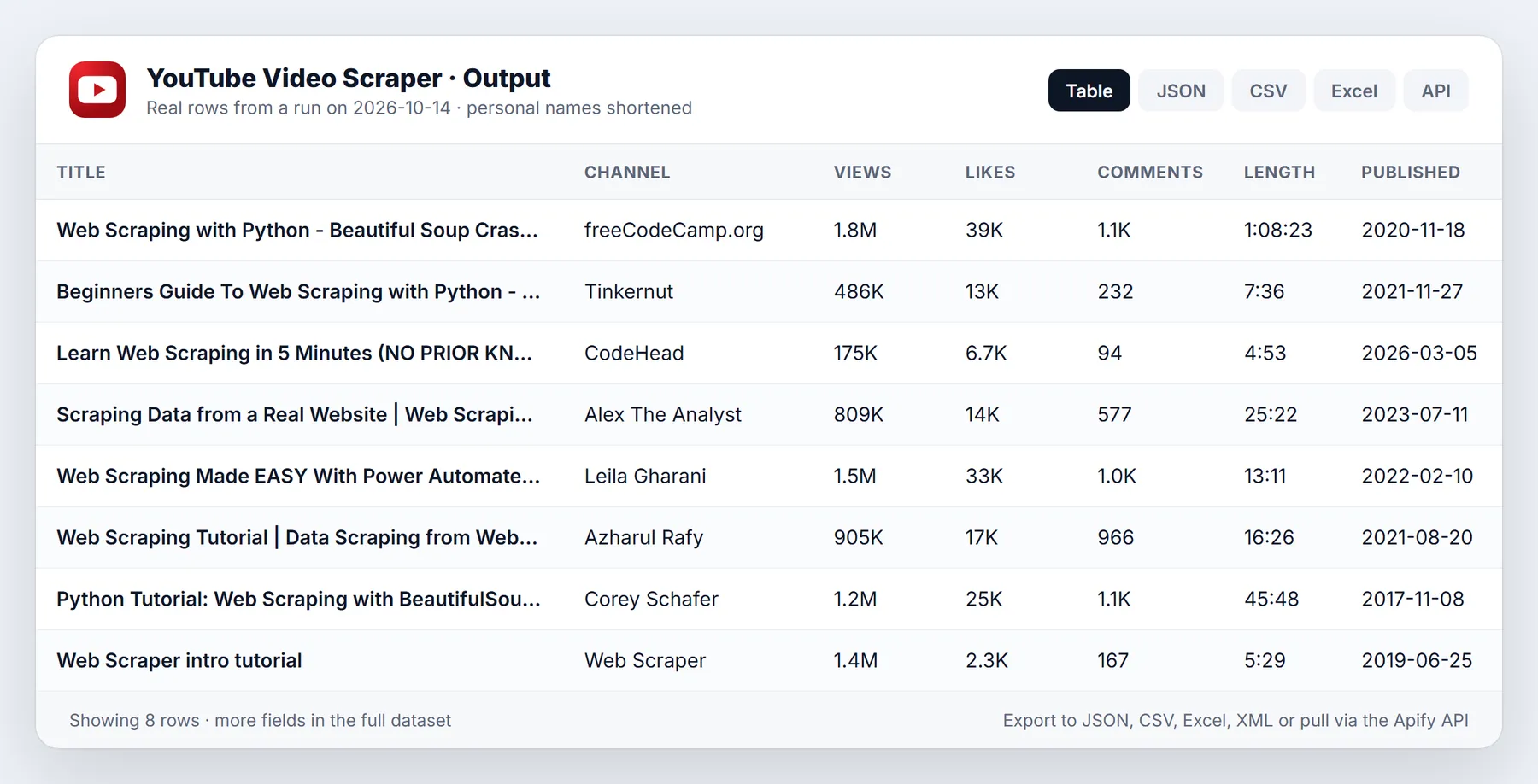
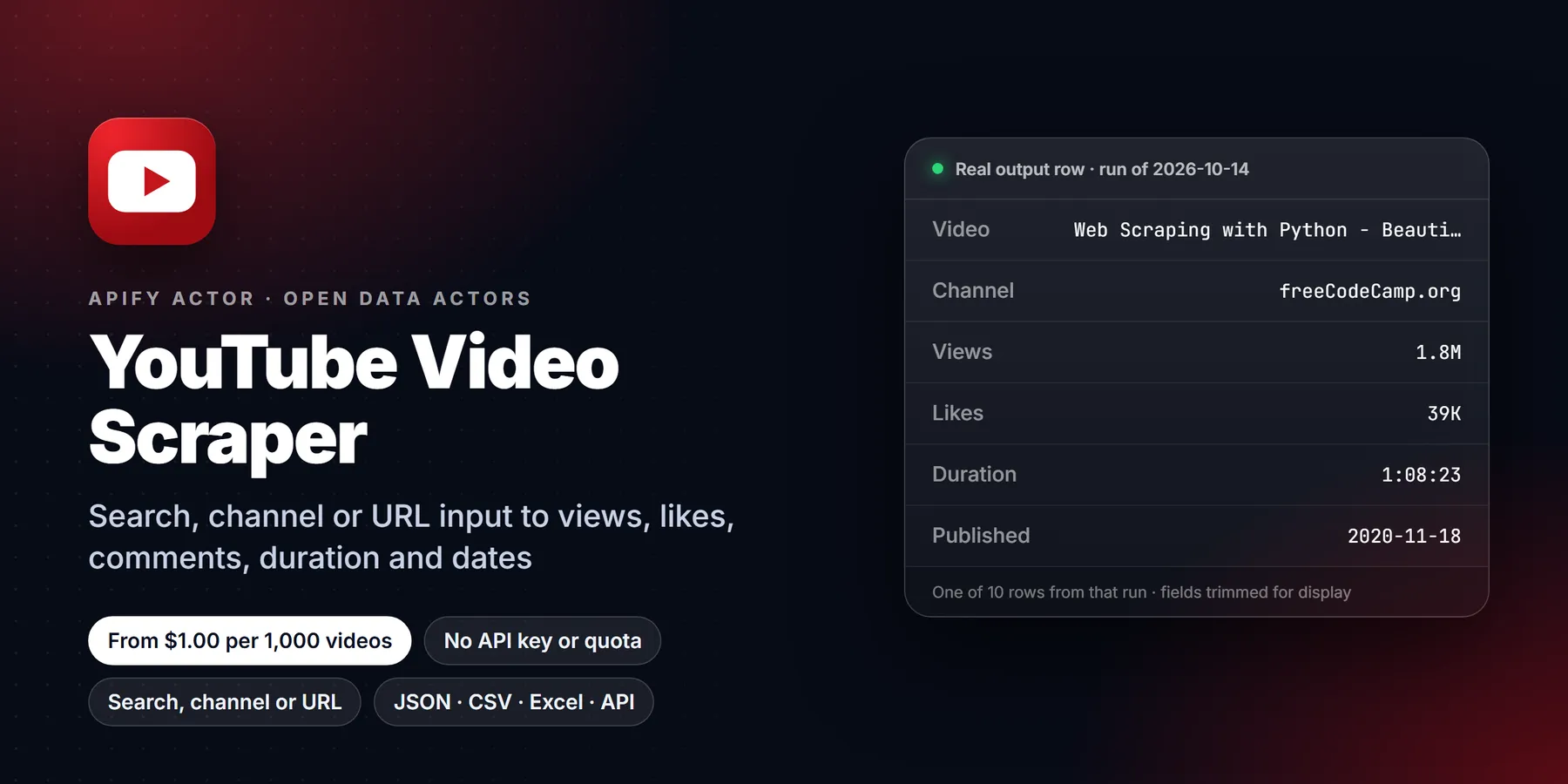
Scrape YouTube videos from search terms, channels, playlists, hashtags or plain video URLs. Every row has the title, view count, likes, comment count, exact publish date, duration, full description, tags, hashtags, category, chapters, subtitle languages and the channel's subscriber count. You can use the same filters as YouTube search (upload date, length, HD, 4K, subtitles, Creative Commons, live and more). No login, no YouTube API key, no daily quota.
- In short: YouTube Video Scraper (Apify actor
transparent_meteorite/youtube-video-scraper) reads public YouTube pages, the same ones a logged-out visitor sees. It returns one flat row per video. - Who it is for:
- marketers, agencies and influencer researchers
- content strategists checking which topics and titles get views
- analysts tracking channels or keywords over time
- teams that build datasets for AI and machine learning
- AI agents that need YouTube search as a tool
- Input:
- search terms and/or URLs: video, Shorts, channel, playlist, search page or hashtag
- separate limits for videos, Shorts and live streams
- YouTube search filters and sort order
- channel sort (newest, popular, oldest)
- "only newer than" date
- monitor mode to get only new videos
- Output: about 40 fields per video, including:
- id, url, title, type (video, shorts or stream)
- viewCount, likes, commentsCount
- exact date, duration and durationSeconds
- description, tags, hashtags, category, chapters
- subtitle languages
- channel name, id, URL and handle, subscriber count, verified badge
- live, unlisted, members-only and family-safe flags
- Pricing: pay per event. $2.00 per 1,000 videos on the Free plan, down to $1.00 per 1,000 on Gold and above, plus a $0.00005 start event. Videos skipped by filters or monitor mode are never charged.
- Limits: public data only. Private, members-only and age-restricted videos return only what a logged-out visitor can see. Like counts are public totals. Dislikes are not public on YouTube.
Key facts
- Data source: public YouTube web pages (search, channel tabs, playlists, watch pages)
- Output formats: JSON, CSV, Excel, XML, HTML table (Apify dataset)
- Access: Apify Console, REST API, JavaScript/Python clients, schedules, webhooks, Apify MCP server
- Login, cookies or YouTube API key needed: no
- Also known as: YouTube scraper, YouTube search scraper, YouTube API alternative, YouTube video data extractor, YouTube metadata scraper
Run in 30 seconds
- Open YouTube Video Scraper and press Try for free.
- Keep the prefilled search term, or paste any YouTube URL, then press Start. Ten videos take about 5 seconds.
- Open the Output tab. Use the table, or download the results as CSV, Excel or JSON.
What can it scrape?
| Input | Example | What you get |
|---|---|---|
| Search term | python tutorial | Search results with YouTube's own filters and sort |
| Hashtag | #shorts or https://www.youtube.com/hashtag/cooking | Videos for that hashtag |
| Channel | https://www.youtube.com/@MrBeast, /channel/UC..., /c/..., /user/... | Videos, Shorts and live streams from the channel's tabs, sorted by newest, popular or oldest |
| Channel tab | https://www.youtube.com/@MrBeast/shorts | That tab only |
| Playlist | https://www.youtube.com/playlist?list=PL... | Every video in the playlist, in order |
| Video or Short | https://youtu.be/dQw4w9WgXcQ, /shorts/..., /live/..., or a bare 11-character ID | Full details for that video |
| Search page URL | https://www.youtube.com/results?search_query=lofi&sp=... | The same results, with the filters from that URL |
Input
| Field | Type | Default | Description |
|---|---|---|---|
searchQueries | array | ["web scraping tutorial"] (prefill) | One YouTube search per line |
startUrls | array | Video, Shorts, channel, playlist, search or hashtag URLs. Bare IDs and @handles also work | |
maxResults | integer | 10 | Regular videos per search, channel or playlist |
maxResultsShorts | integer | 0 | Shorts per search or channel |
maxResultStreams | integer | 0 | Live and upcoming streams per search or channel |
scrapeDetails | boolean | true | Open each video page to get likes, comment count, exact date, description, tags, category, chapters and subtitle languages |
sortingOrder | string | relevance | Search sort: relevance, rating, date or views |
dateFilter | string | Upload date: hour, today, week, month or year | |
videoType | string | video | video or movie |
lengthFilter | string | under4, between420 or over20 (minutes) | |
isHD, is4K, hasSubtitles, hasCC, isLive, is3D, is360, isVR180, isHDR, hasLocation, isBought | boolean | false | YouTube search feature filters |
sortVideosBy | string | NEWEST | Channel tab order: NEWEST, POPULAR or OLDEST |
oldestPostDate | string | Skip videos older than a date (2025-01-31) or a period (7 days, 3 months) | |
newestPostDate | string | Skip videos newer than a date: with oldestPostDate an exact from-to window | |
downloadSubtitles | boolean | false | Adds subtitles [{ language, languageName, type, format, text }] per video. No extra charge |
subtitlesLanguage | string | en | Language code or any; falls back to the original track and says which |
subtitlesFormat | string | srt | srt, vtt, plaintext or xml |
preferAutoGeneratedSubtitles | boolean | false | Prefer YouTube's auto-generated track |
saveSubsToKVS | boolean | false | Also save each subtitle file to the key-value store (subtitlesKvsKey) |
maxConcurrency | integer | 5 | Video pages loaded in parallel |
monitorMode | boolean | false | Only return and charge for videos that earlier runs did not deliver |
proxyConfiguration | object | off | Optional. Not needed for normal runs |
autoProxyFallback | boolean | true | Switch to Apify residential proxy only if YouTube starts blocking |
Field names match the most popular YouTube scraper on the Store, so existing inputs work without changes.
Output
One row per video. Example (shortened):
| Field | Description |
|---|---|
id, url, title, type | Video ID, link, title and type (video, shorts or stream) |
viewCount, likes, commentsCount | Public counters. Comment counts over 1,000 are rounded the way YouTube shows them (for example 29K) |
date, dateIsApproximate, publishedTimeText | Exact publish timestamp from the video page. With details off, the date is worked out from "3 days ago" and flagged as approximate |
duration, durationSeconds | Length as h:mm:ss and in seconds |
description, tags, hashtags, category, chapters | Full description, the uploader's keyword tags, hashtags, YouTube category, and chapters with start times |
subtitleLanguages, hasSubtitles | Caption tracks available (manual or auto-generated) |
channelName, channelId, channelUrl, channelHandle, numberOfSubscribers, channelVerified | Uploader info |
isLive, wasLive, liveStartTime, liveEndTime, isShort, isUnlisted, isMembersOnly, isFamilySafe, commentsTurnedOff | Flags |
fromSource, fromInput, searchQuery, position | Where the row came from |
Pricing
| Apify plan | This actor, per 1,000 videos | Most-used YouTube scraper on the Store, per 1,000 |
|---|---|---|
| Free | $2.00 | $4.00 |
| Bronze | $1.50 | $3.00 |
| Silver | $1.30 | $2.60 |
| Gold | $1.00 | $2.40 |
| Platinum | $1.00 | $1.50 |
| Diamond | $1.00 | $1.00 |
There is no extra charge for date filters, Shorts, streams or full details. The run stops at the maximum cost you set on the run.
Use it from code, schedules or AI agents
- API:
POST https://api.apify.com/v2/acts/transparent_meteorite~youtube-video-scraper/run-sync-get-dataset-items?token=YOUR_TOKENwith the input JSON as the body. - Schedules: set
monitorMode: trueand a channel or search term, and schedule it daily to get only new videos. - MCP / AI agents: add
https://mcp.apify.com?actors=transparent_meteorite/youtube-video-scraperto Claude, Cursor or any MCP client and ask for "the 20 most viewed videos about X this month".
Who uses it and why
- Content strategists and creators run a search sorted by view count, filtered to the last year, and read the titles, durations, chapters and tags of what already works in their niche before planning a video.
- Influencer and brand researchers pull a creator's recent uploads with views, likes and comment counts, then compare engagement across a shortlist of channels. The row includes subscriber count and the verified flag, so no second lookup is needed.
- Agencies and analysts schedule a daily run with monitor mode on a few channels or keywords and get only the videos published since the last run.
- Dataset builders collect titles, descriptions, tags and optional subtitles for search, classification or training sets. Each row is flat JSON, so it loads straight into a spreadsheet, database or notebook.
- Journalists and trend watchers use the "last hour" and "today" upload filters on a hashtag or a topic to see what is being posted right now.
How the input fields work together
Use searchQueries for free text and startUrls for anything you already have a link for. Both can be filled in one run, and every source gets its own limit. maxResults caps regular videos per source, maxResultsShorts caps Shorts and maxResultStreams caps live and upcoming streams. Shorts and streams default to 0, so a plain channel URL returns only regular videos until you raise those numbers. A direct video or Shorts URL always returns that one video.
The search filters (sortingOrder, dateFilter, lengthFilter, videoType and the feature switches such as isHD or is4K) apply to search terms only. They are ignored for channel and playlist sources. If you paste a YouTube results URL that already carries filters, those filters are used as they are.
For channels, sortVideosBy chooses newest, popular or oldest, matching the chips on the channel page. oldestPostDate accepts either a calendar date such as 2025-01-31 or a relative period such as 7 days or 3 months. Add newestPostDate to set an upper bound and get an exact window. Videos outside the window are skipped before delivery, so they are not charged.
scrapeDetails is the main speed switch. With it on, every video page is opened, which gives likes, comment count, exact date, description, tags, category, chapters and subtitle languages. With it off, you get listing data only (title, views, duration and a relative date marked by dateIsApproximate), and the run finishes much faster. maxConcurrency sets how many video pages load at once, from 1 to 20.
Worked examples
Trend check: this month's most viewed videos on a topic
Channel audit: latest uploads and Shorts from one creator
Daily monitor: only new videos from a playlist or channel
Schedule the third input once a day. The first run delivers up to 50 videos, and later runs deliver only videos the store has not seen. Give each schedule its own stateStoreName, otherwise two schedules share one memory and hide each other's videos.
Tips to keep runs fast and cheap
- Start with
maxResultsof 5 to 10 to confirm the source and filters are right, then raise it. - Turn
scrapeDetailsoff when you only need titles, views and links. - Use
oldestPostDateon channel runs. With the default newest-first order, the scan stops once it reaches older uploads instead of walking the whole channel. - Set a maximum cost on the run in Apify. The actor stops cleanly when that limit is reached and keeps the rows it already delivered.
- Leave the proxy off. The actor only switches to a residential proxy by itself if YouTube starts blocking, and
autoProxyFallbackturns that off.
Limits and honest caveats
- Only public pages are read. The actor does not log in, so private videos are not available, and members-only or age-restricted videos return only what a logged-out visitor can see.
- Search results are whatever YouTube returns at that moment. Order and availability change between runs, so a repeated search is a fresh sample, not a fixed archive.
- Comment counts above 1,000 are rounded as YouTube shows them. Dislike counts are not public and are not returned.
- If a single video page fails to load, the row is still delivered from listing data with
detailsScrapedset to false and the reason indetailsError. Check that field before relying on likes or exact dates. - This actor does not return comment text. Use the companion comments and transcript actors for that.
More questions
How do I scrape YouTube search results to CSV or Excel? Run the actor with a search term, open the Output tab, and use the export button to download CSV, Excel, JSON, XML or an HTML table.
Can I scrape all videos from a channel? Raise maxResults as high as you need, up to 10,000 per source. Use maxResultsShorts and maxResultStreams to include those tabs as well.
Can I get subtitles in the same run? Yes. Set downloadSubtitles to true with scrapeDetails on, choose a language code and a format (srt, vtt, plaintext or xml), and each row gains a subtitles array.
What does monitorMode remember? It stores delivered video IDs in a named key-value store and skips them next time. Entries older than a year are dropped.
Can I call it from Python? Yes, with the Apify client:
FAQ
Do I need a YouTube API key or quota? No. The actor reads the same public pages a logged-out browser sees, so there is no 10,000-unit daily quota.
Do I need a proxy? No for normal runs. If YouTube starts rate-limiting, the run switches to Apify residential proxy by itself (turn autoProxyFallback off to prevent this).
Can I get comments or transcripts? This actor lists which subtitle languages each video has. For the comment text and transcript text, use our YouTube comments and transcript actors.
Is scraping YouTube legal? The actor collects public information only. You are responsible for using the data in line with YouTube's terms, copyright and privacy laws such as GDPR.
Something missing or broken? Open an issue on the Issues tab with the run URL and we will reply there.
New to Apify? Create a free account and run this Actor in under a minute. Some links are affiliate links.


