

Backlink Checker: Referring Domains & Domain Authority
Pricing
from $2.50 / 1,000 backlinks
Backlink Checker: Referring Domains & Domain Authority
Check backlinks to a domain or page, find referring domains, or compare domain rank and link counts for up to 1,000 domains. Filter for dofollow links, include lost links, and export results as CSV, Excel or JSON.
Pricing
from $2.50 / 1,000 backlinks
Rating
0.0
(0)
Developer

Vanja V
Maintained by CommunityActor stats
0
Bookmarked
2
Total users
1
Monthly active users
13 days ago
Last modified
Categories
Features
Share
Find the pages and domains that link to a website. Enter domains or page URLs for link lists, or compare backlink profiles for up to 1,000 domains in a run. Download the results as CSV, Excel or JSON from the Apify dataset.
Backlink checker for domains and URLs
Choose Backlinks to see where each link comes from and where it points. Each row includes the source URL and domain, destination URL, anchor text, dofollow status, first and last seen dates, and source domain and page ranks. It also tells you whether the link is marked as lost.
Start with 100 rows per target or set your own limit up to 10,000. Sort by highest backlink rank or newest discovery date. You can keep one link per referring domain, show only dofollow links, or include lost links alongside live links.
For example, check links to Julia Evans's blog:
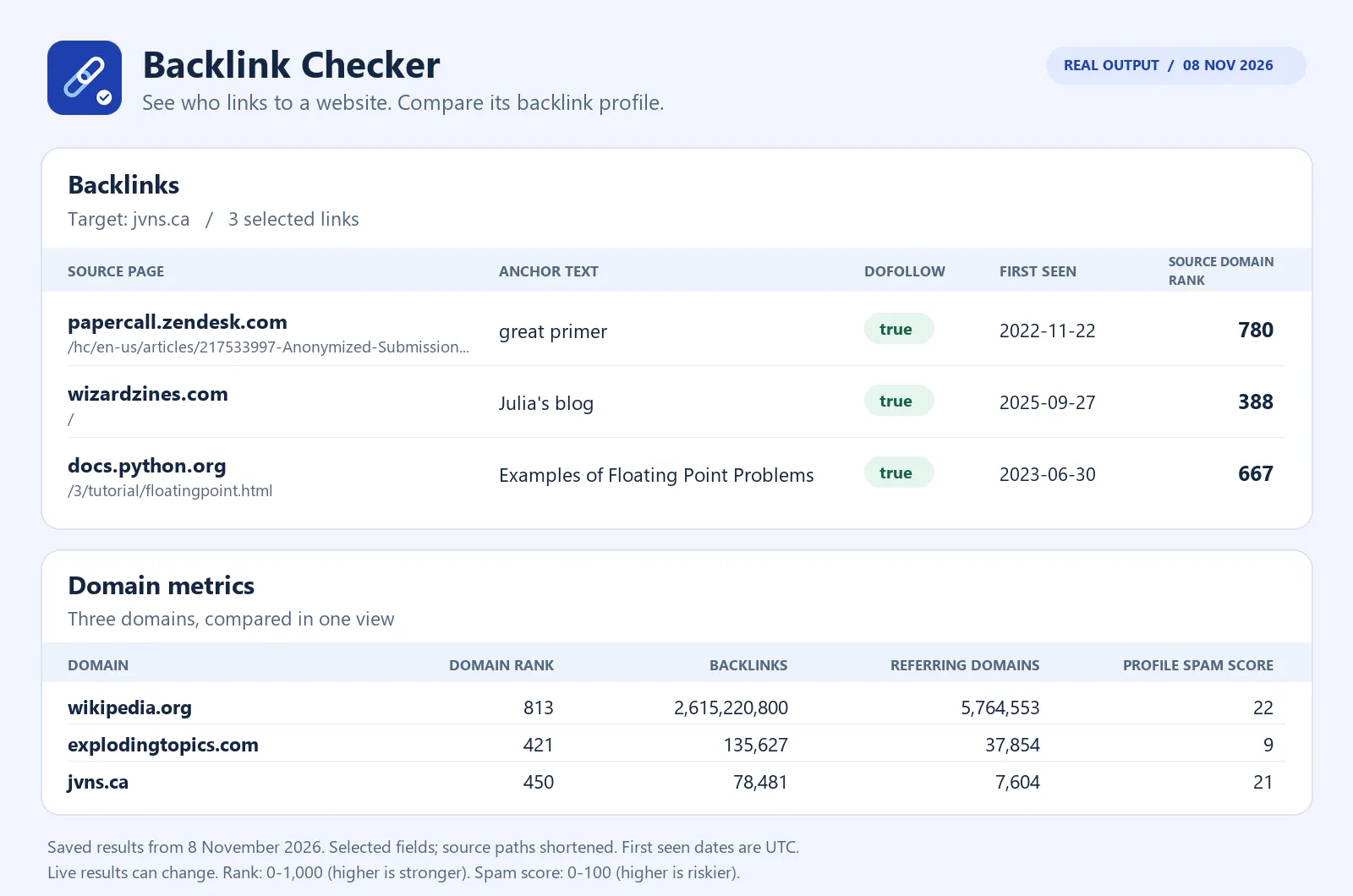
Three selected rows from the November 8, 2026 snapshot are below. URL labels are shortened; each link opens the full source or target URL. First seen dates are shown in UTC. Live results can change, and free-plan runs return at most 25 rows per target.
| Source URL | Target URL | Anchor | Dofollow | First seen | Source domain rank |
|---|---|---|---|---|---|
| papercall.zendesk.com/.../Anonymized-Submissions-with-PaperCall | jvns.ca/.../should-my-conference-do-anonymous-review/ | great primer | true | 2022-11-22 | 780 |
| wizardzines.com/ | jvns.ca/ | Julia's blog | true | 2025-09-27 | 388 |
| docs.python.org/3/tutorial/floatingpoint.html | jvns.ca/.../examples-of-floating-point-problems/ | Examples of Floating Point Problems | true | 2023-06-30 | 667 |
Bulk domain authority checker
Choose Metrics for one summary row per domain with data. It includes domain rank, backlinks, referring domains, referring IPs and subnets, dofollow and nofollow link counts, the first seen date, and a backlink profile spam score.
Try this input to compare three domains.
Selected fields from the November 8, 2026 snapshot.
| Domain | Domain rank | Backlinks | Referring domains | Dofollow links | Nofollow links | Backlink profile spam score |
|---|---|---|---|---|---|---|
| wikipedia.org | 813 | 2,615,220,800 | 5,764,553 | 2,356,023,248 | 259,197,552 | 22 |
| explodingtopics.com | 421 | 135,627 | 37,854 | 104,212 | 31,415 | 9 |
| jvns.ca | 450 | 78,481 | 7,604 | 67,565 | 10,916 | 21 |
Referring domains checker
Choose Referring domains to see one row per domain that links to a target. Each row includes the referring domain, its reported rank, backlink count, follow counts where available, and the date its links were first seen. The same per-target limit applies as in Backlinks mode.
How to enter targets and read the results
In Backlinks and Referring domains modes, enter a bare domain like wikipedia.org for a domain-wide check. Enter an absolute URL like https://en.wikipedia.org/wiki/Backlink for that page. An absolute homepage URL also checks the page. A path entered without a scheme uses HTTPS.
Metrics uses only the hostname from a URL. Domain targets drop the usual www. prefix and keep other subdomains. The actor checks duplicate normalized targets once. Subdomains are included by default for domain targets. Turn off Include subdomains to narrow the check.
Each dataset row names the target, result type, time checked and status. Rows marked invalid, error or no_data explain why they have no result. Unknown aggregate follow counts appear as null. The run summary in the key-value store records counts and why a run stopped early.
What you can check
- Inspect a competitor's backlinks for sites to contact. Enter the competitor's domain and use one link per referring domain to avoid reviewing many links from the same site.
- Find source pages that still point to an old URL after a site move.
- Compare backlink counts and domain ranks across a list of sites before deciding which ones to inspect in detail.
Pricing
You pay a request fee plus a row fee when the request returns data. The actor collects the request fee with the first successful row. For Backlinks and Referring domains, that happens once per target even when the results span several pages. For Metrics, it happens once per batch of up to 1,000 domains. Rows marked invalid, error or no_data carry no charge.
| Event | Free and Starter plans |
|---|---|
| Backlinks or Referring domains request, per target with data | $0.04 |
| Successful backlink or referring domain row | $0.003 |
| Metrics request, per batch with data | $0.04 |
| Successful domain metrics row | $0.003 |
Higher Apify plans pay a little less for every event.
| Example run | Cost |
|---|---|
| Metrics for 1 domain | $0.043 |
| Metrics for 10 domains with data | $0.07 |
| 25 backlink rows for one target | $0.115 |
| 100 backlink rows for one target (paid plans) | $0.34 |
| Metrics for 1,000 domains with data in one batch (paid plans) | $3.04 |
On Apify's free plan, a run checks up to 10 domains in Metrics mode or up to 3 targets with 25 rows each in the list modes, up to 3 runs a day (UTC). The actor developer set these limits, and paid Apify plans are exempt. If a target reaches the page request limit in either list mode, the actor keeps the rows already saved and adds an uncharged error row for that target. Set a maximum cost in the run options to keep a run within your budget. The actor stops when another result or its request fee would exceed the limit and keeps the rows already saved.
Backlink checker API: run it from code
Run the actor and receive its dataset rows as JSON. Replace YOUR_APIFY_TOKEN with your Apify API token:
The synchronous endpoint waits up to 300 seconds. For longer runs, use the Python client below to start the run and wait for its results. Apify API reference
Python 3.11+ with apify-client 3.x (python -m pip install "apify-client>=3,<4"):
Use mode: "metrics" for domain summaries or mode: "referringDomains" for referring domains. The same pricing and free-plan limits apply to API runs.
Use it from an AI agent (MCP)
In a client that supports remote MCP servers, add Apify's server with this actor selected:
Clients with OAuth support open an Apify sign-in page on first connection. Other clients can send an Authorization: Bearer YOUR_APIFY_TOKEN header. Client configuration formats vary; use the Apify MCP setup guide for your client.
For example, ask your agent: "Run Backlink Checker for jvns.ca in backlinks mode, return up to 25 results, and show the source URL, anchor and dofollow status." The agent can read the finished run's dataset with get-dataset-items. Actor runs through MCP use the same prices and limits.
Schedule it
Save a Metrics task with the domains you want to monitor. In Apify Console, open Schedules, create a monthly schedule, add the task and enable the schedule. Each run saves a new snapshot. Export each dataset and compare the rows by domain in your spreadsheet to see how backlink and referring domain counts change. Apify scheduling guide
FAQ
Why not the Ahrefs or Semrush API?
An Apify account is enough to run this actor. You do not need an Ahrefs or Semrush subscription or API key. Their backlink APIs require separate paid subscriptions and API units for general use, with limited test access depending on the service. This actor uses an independent backlink index with its own domain rank and link counts. If you need Ahrefs Domain Rating or Semrush Authority Score specifically, use the corresponding service.
How is domain rank calculated?
Domain rank scores each domain from the links pointing to it, on a scale from 0 to 1,000. Higher means a stronger link profile.
What's the difference between backlinks and referring domains?
A backlink is a link to the target. A referring domain is a site that sends at least one link. If three pages on the same site link to you, that can count as three backlinks from one referring domain.
What does the backlink profile spam score measure?
backlinkProfileSpamScore measures spam signals across the pages that link to the target. The scale runs from 0 to 100, with higher values indicating more spam signals in the backlink profile.
Related actors
Use Keyword Search Volume to check Google search volume, CPC and trends for keywords you discover while reviewing links and anchor text. Keyword Search Volume on Apify


