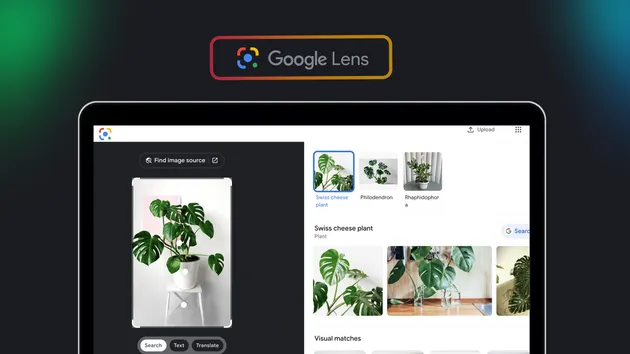
Google Lens Reverse Image Search API with Prices
Pricing
$5.00 / 1,000 image searches
Google Lens Reverse Image Search API with Prices
Search Google Lens with image URLs and get each image's visual matches: page title, link, website and preview, plus price, currency and stock where Google shows them. Find sellers, compare prices, see where an image appears. You pay per image searched, with no start fee; failed searches are free.
Pricing
$5.00 / 1,000 image searches
Rating
0.0
(0)
Developer

Vanja V
Maintained by CommunityActor stats
0
Bookmarked
5
Total users
2
Monthly active users
a month ago
Last modified
Categories
Share
Give it image links and get Google Lens's visual matches for each one: the matching page's title, link, website and preview, plus the price, currency and stock where Google shows them.
$5 per 1,000 images searched. No start fee, and searches that fail cost nothing.
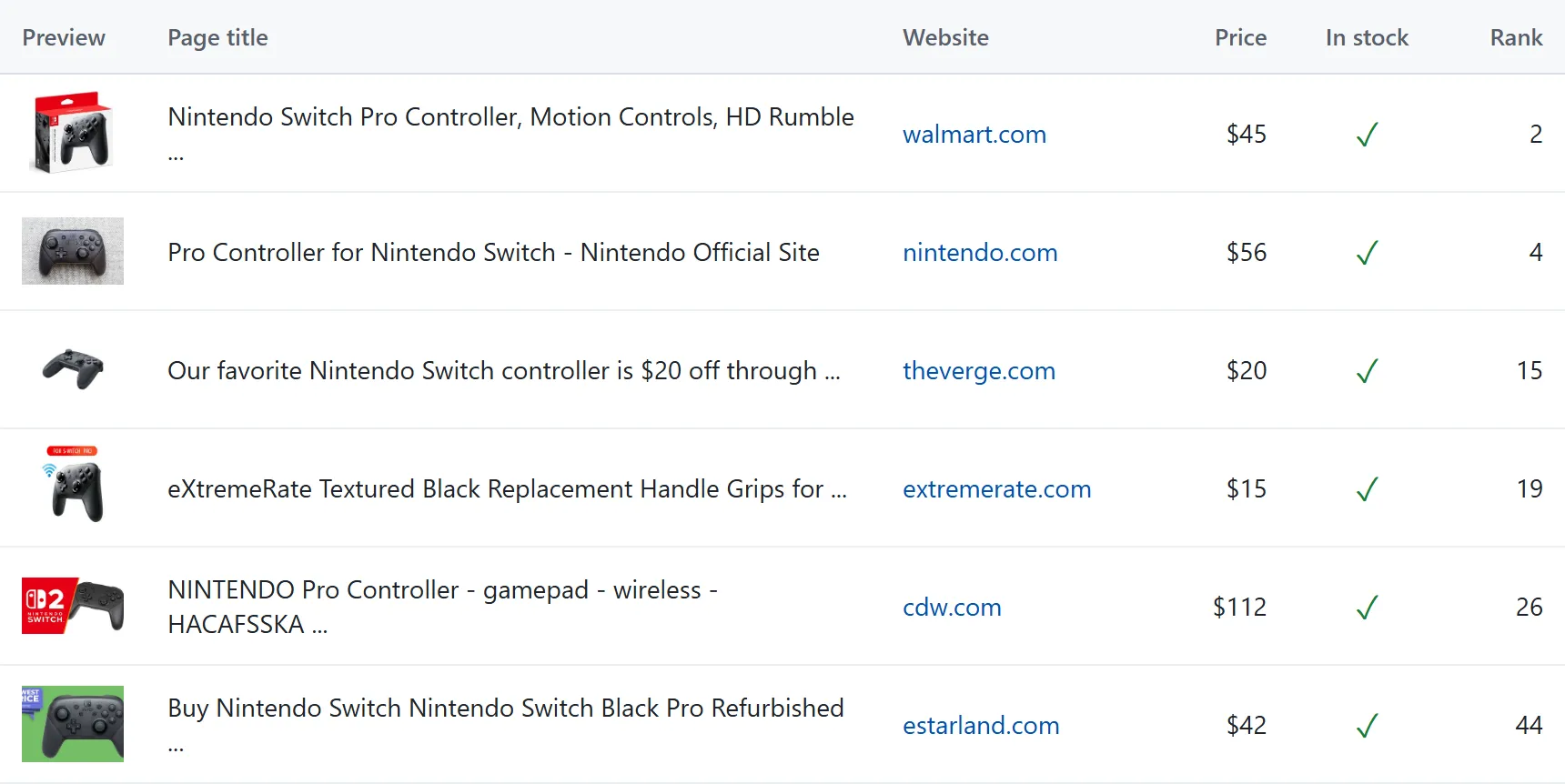
Six of the 11 priced matches for one photo of a Nintendo Switch Pro Controller, with "Only matches with a price" on.
What it's for
- Find sellers and compare prices from a product photo. Turn on Only matches with a price and pick a country to see which shops list the item and at what price.
- Find other listings of a product. Matches for a product photo usually include Amazon, eBay, Walmart and smaller shops selling the same item.
- Find where an image appears online. Lens returns pages that show your image together with visually similar ones. Open the page to tell copies from look-alikes; the actor doesn't separate them.
- Name what's in a picture.
imageLabelholds Google's name for the product, artwork or landmark, such as "Nintendo Switch Pro Controller", "The Starry Night" or "Matterhorn". - Give an AI agent reverse image search, through Apify's MCP server or the API (examples below).
Example
Input:
This photo of a Nintendo Switch Pro Controller returned 59 matches, 8 of them with a price. Two of the rows:
What you get
One dataset row per match:
| Field | What it holds |
|---|---|
sourceImage | The image link you gave, so rows from several images stay apart |
imageLabel | Google's name for what's in the image; null when it gives none |
position | Rank among the matches, 1 being the closest. Filters keep the original ranks, so gaps are normal |
title | The matching page's title, often shortened by Google |
url | Link to the matching page |
domain | The page's website, without www. |
thumbnail | Google's small preview of the matching image |
price, currency | The price and currency symbol ($, £, €) where Google shows one, mostly on shop listings |
inStock | Whether the listing shows the item in stock; null when Google shows no stock status |
error | Why an image couldn't be searched; null on match rows |
An image that couldn't be searched, such as a broken link or a file that isn't an image, gets one row with error filled in and costs nothing. An image with no matches gets no rows; the run's status message lists it.
The SUMMARY record in the run's key-value store lists every image with its outcome (matched, no matches, failed or not searched), its match count and whether it was charged.
Download the rows as CSV, Excel or JSON from the Output tab, or read them through the API.
Input
| Field | Default | What it does |
|---|---|---|
Image URLs (images) | required | Public links to JPEG, PNG, WebP, GIF or BMP images, up to 20 MB each. Each image is one search; duplicates are searched once. |
Country (country) | us | Two-letter code of the country Google searches from. It changes which shops and prices you see. |
Language (language) | en | Language of Google's interface, such as de or pt-BR. |
Only matches with a price (onlyWithPrice) | off | Keep only the matches that have a price. |
Max matches per image (maxResultsPerImage) | all, about 60 | Keep only the closest matches. |
Links must open without logging in. To search a photo from your computer, put it anywhere that gives you a public link and paste that link.
Pricing
$5.00 per 1,000 images searched, which is $0.005 per image. Apify's platform usage is included, and there's no start fee or charge per row.
| Images | Cost |
|---|---|
| 1 | $0.005 |
| 100 | $0.50 |
| 1,000 | $5.00 |
| 10,000 | $50.00 |
- An image is charged once its search succeeds, including when Lens finds no matches.
- Links that can't be downloaded or aren't images, and searches that fail, cost nothing.
- Only matches with a price and Max matches per image filter the rows after the search, so they don't change the price.
- To cap what a run can cost, set a maximum cost when you start it (
maxTotalChargeUsdin the API). The actor searches only as many images as fit under the cap and lists the rest inSUMMARYas not searched, free of charge.
Use it through the API
Run it and get the rows back in one call:
That call waits at most 5 minutes, enough for about 50 images. For longer lists, the Apify clients start the run and wait for it to finish.
JavaScript (npm install apify-client):
Python (pip install apify-client):
Use it from an AI agent (MCP)
Add Apify's MCP server with this actor as its tool, for example in Claude Desktop, Cursor or VS Code:
Clients that support OAuth sign you in to Apify on first use. Other clients can send your token in a header: "headers": { "Authorization": "Bearer <APIFY_TOKEN>" }. The agent gets a tool that takes image links and returns the matches as rows.
Speed and limits
- A search takes about 9 seconds, and the actor runs three at a time.
- Lens returns about 60 matches per image, closest first.
- Prices appear only where Google shows them, mostly on shop listings. In our tests, 8 to 11 of about 60 matches for a product photo had a price, and none for a landscape.
- Currencies are symbols as Google shows them, with no conversion.
- Results change between runs: two searches of the same photo a day apart shared 44 of 59 links.
- The actor returns Lens's visual matches. It has no exact-matches-only mode, no text extraction (OCR) and no AI Mode answers.
- Don't use it to identify people from photos of them.
Notes
- Google offers no public Lens API. This actor returns Lens's visual matches as data and isn't affiliated with Google.
- Each image is downloaded, checked and copied into the run's own storage. The search reads that copy through a signed link, and the copy is deleted when the search is done.
- Found a problem or need a field? Open an issue in the Issues tab.