

⚡️Rapid Linkedin Jobs Scraper
Pricing
from $0.45 / 1,000 results
⚡️Rapid Linkedin Jobs Scraper
🔥 $0.45/1K Jobs. Scrape LinkedIn Jobs without cookies 🍪. Extract job listings by keyword, company, city, or country. Get complete structured data including titles, descriptions, locations, salaries, experience, skills, company details, apply links, contact emails, and more.
Pricing
from $0.45 / 1,000 results
Rating
3.8
(28)
Developer

Umesh Patidar
Maintained by CommunityActor stats
151
Bookmarked
16K
Total users
599
Monthly active users
3.4 hours
Issues response
5 days ago
Last modified
Categories
Share
🚀 Rapid LinkedIn Scraper (No Login) - Fast & Accurate Job Scraping



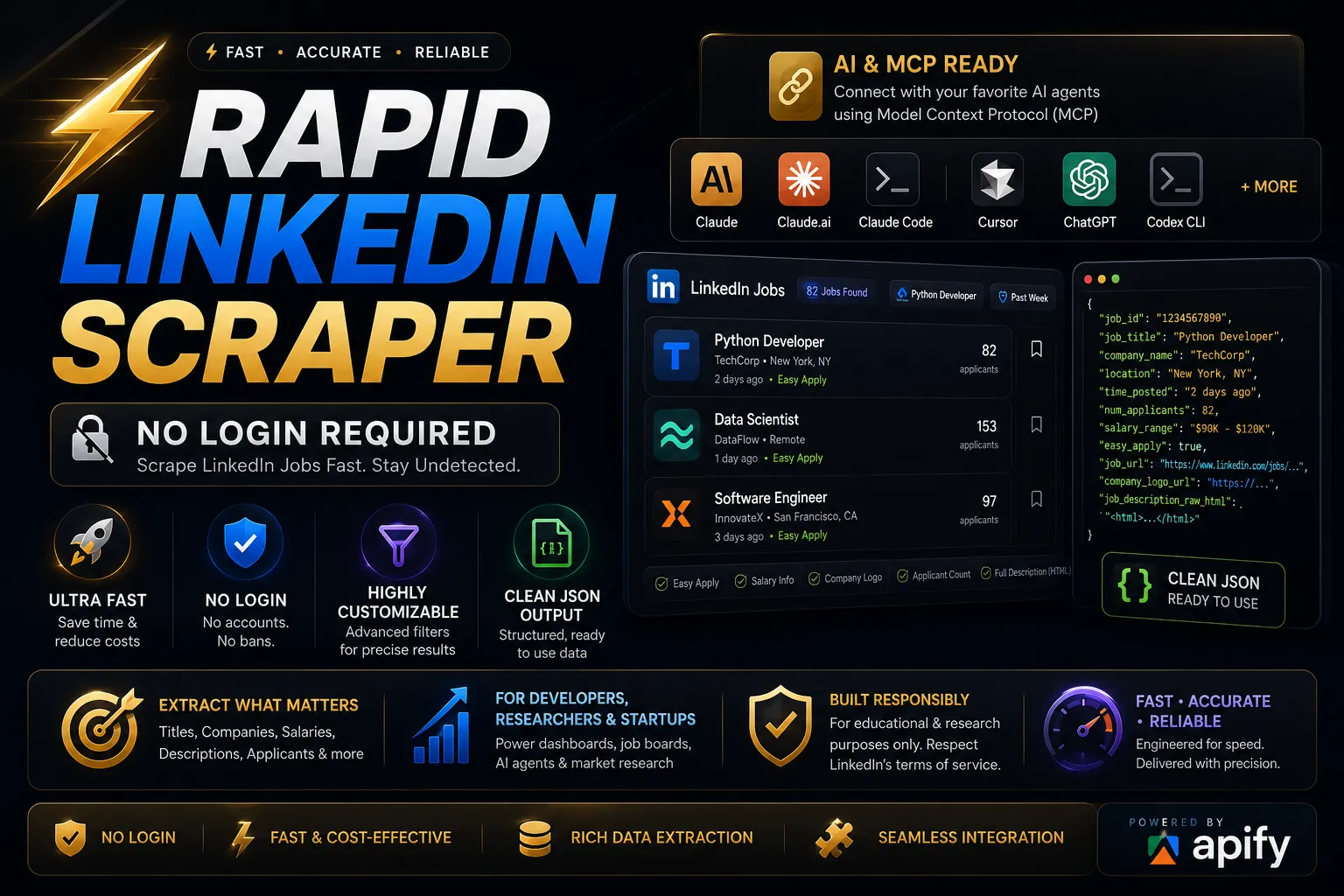
Welcome to the Rapid LinkedIn Scraper! This powerful and user-friendly web scraping tool is designed to extract LinkedIn job listings effortlessly—without requiring login credentials. 🚀 Now supports scraping up to 10,000 job entries in a single run! Whether you are building a job board, conducting market research, or performing data analysis, this API provides highly structured, accurate, and real-time job data extraction.
📑 Table of Contents
- Why Use Rapid LinkedIn Scraper?
- Quick Start
- AI Use Cases & Agent Integrations
- Input Parameters
- Scrape Modes
- Output Fields
- FAQ
- Legal & Disclaimer
🌟 Why Use Rapid LinkedIn Scraper?
- ✅ No Login Required – Avoid the hassle of credentials, CAPTCHAs, and LinkedIn account bans.
- ✅ Blazing Fast & Cost-Effective – Designed for high-speed web scraping and minimal compute usage on the Apify platform.
- ✅ Highly Customizable Filters – Target jobs precisely by title, location, job type, experience level, and posting time.
- ✅ Rich Data Extraction – Get detailed payload information including salaries, company logos, full raw HTML descriptions, and applicant counts.
- ✅ Seamless Integration – Clean, structured output in JSON, CSV, XML, Excel, HTML Table, RSS, and JSONL formats ready for APIs, databases, or analytics dashboards.
⚡ Quick Start
Get your job data in three simple steps using the Apify platform:
- Go to the Actor page on Apify.
- Fill in the inputs (e.g., Job Titles: ["Software Engineer"], Location: "Remote").
- Click "Start" and wait for the run to finish.
- Download the data in JSON, CSV, XML, Excel, HTML Table, RSS, or JSONL format.
💻 Programmatic Integration (API)
If you want to integrate the scraper directly into your database, app, or automation pipeline, you can use the Apify API.
Node.js Example
Python Example
🤖 AI Use Cases & Agent Integrations (Apify MCP)
Supercharge your AI agents with real-time job data! You can directly connect this scraper to your favorite AI models and environments using the Model Context Protocol (MCP). Let your AI assistants query real-world job market data dynamically.
🔗 MCP Configurator URL for Rapid LinkedIn Scraper
Connect seamlessly with these powerful AI agents:
- Claude Desktop
- Claude.ai
- Claude Code
- Antigravity
- Cursor
- ChatGPT
- Codex CLI
- VS Code
- Kiro
- Others (Any MCP-compatible client)
📥 Input Parameters
Customize your scraping tasks using these supported input fields.
| Title | ID | Description |
|---|---|---|
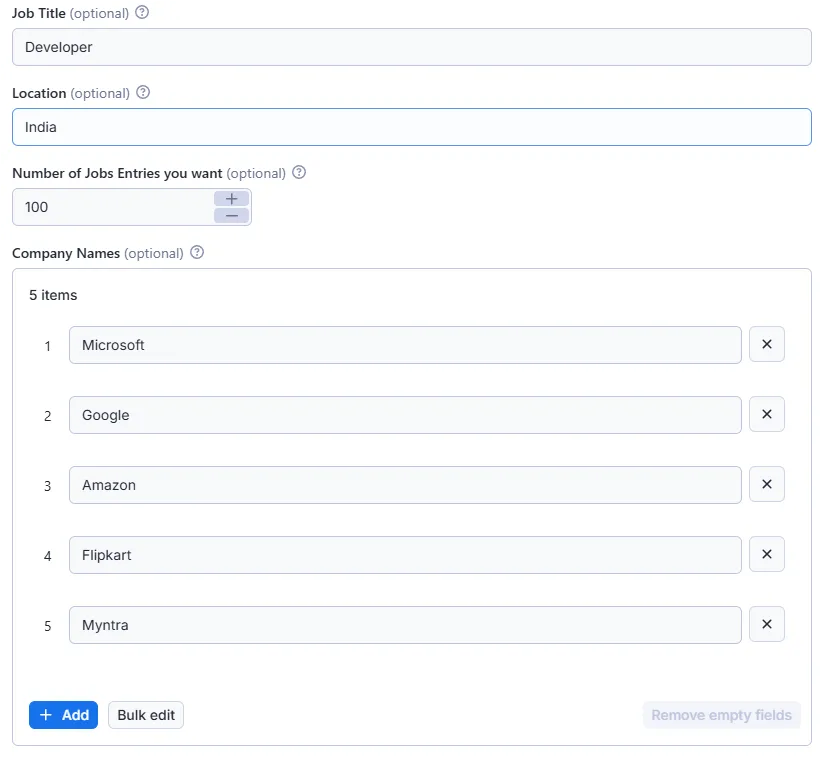
| Job Titles | jobs_titles | List of job titles to search for (e.g., "Python Developer", "Data Scientist"). Each title runs its own search; results are merged for all the job titles. |
| Job Title (Legacy) | job_title | Legacy single job title field — still fully supported for existing integrations. Combined withjobs_titles above (not overridden); prefer jobs_titles for new integrations. |
| Location | location | Target region or location (e.g., "New York", "Remote"). |
| Number of Jobs Entries | jobs_entries | Maximum number of job listings to scrape per run (up to 10,000). |
| Scrape Mode | scrape_mode | quick or detailed (default). Controls how much data is collected per job — see Scrape Modes. |
| Company Names | company_names | List of specific companies to filter jobs by. |
| Cities | cities | List of specific cities to filter the search results. |
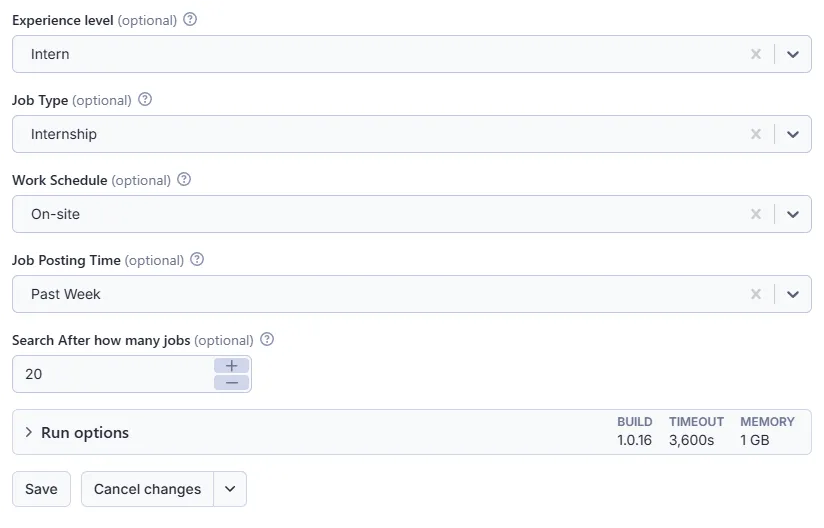
| Experience Level | experience_level | Required experience: Intern, Assistant, Junior, Mid-Senior, Director, Executive. |
| Employment Type | employment_type | Job type: Full-time, Part-time, Contract, Temporary, Volunteer, Internship, Other. |
| Work Arrangement | work_arrangement | Location type: On-site, Remote, Hybrid. |
| Job Posting Time | posted_within | Timeframe: Any Time, Past 24 hours, Past Week, Past Month. |
| Custom Job Posting Time | job_post_time | Custom time range string if predefinedposted_within options aren't used. |
| Easy Apply Only | easy_apply | Set to true to scrape only jobs that have the "Easy Apply" option. |
🎚️ Scrape Modes
The scrape_mode input controls how much data is collected for each job.
| Mode | What it collects | Notes |
|---|---|---|
Quick (quick) | Data shown on LinkedIn search results: title, company, location, posting date, hiring badge and link. | Does not open individual job pages, so it finishes sooner. |
Detailed (detailed, default) | Everything in Quick, plus data from each job's own page: description, seniority, employment type, industries, applicants, salary and apply link. | Matches the output of earlier versions, with the search-result fields added. |
Both modes accept the same search filters.
🎯 Actor Input Example
📤 Output Fields
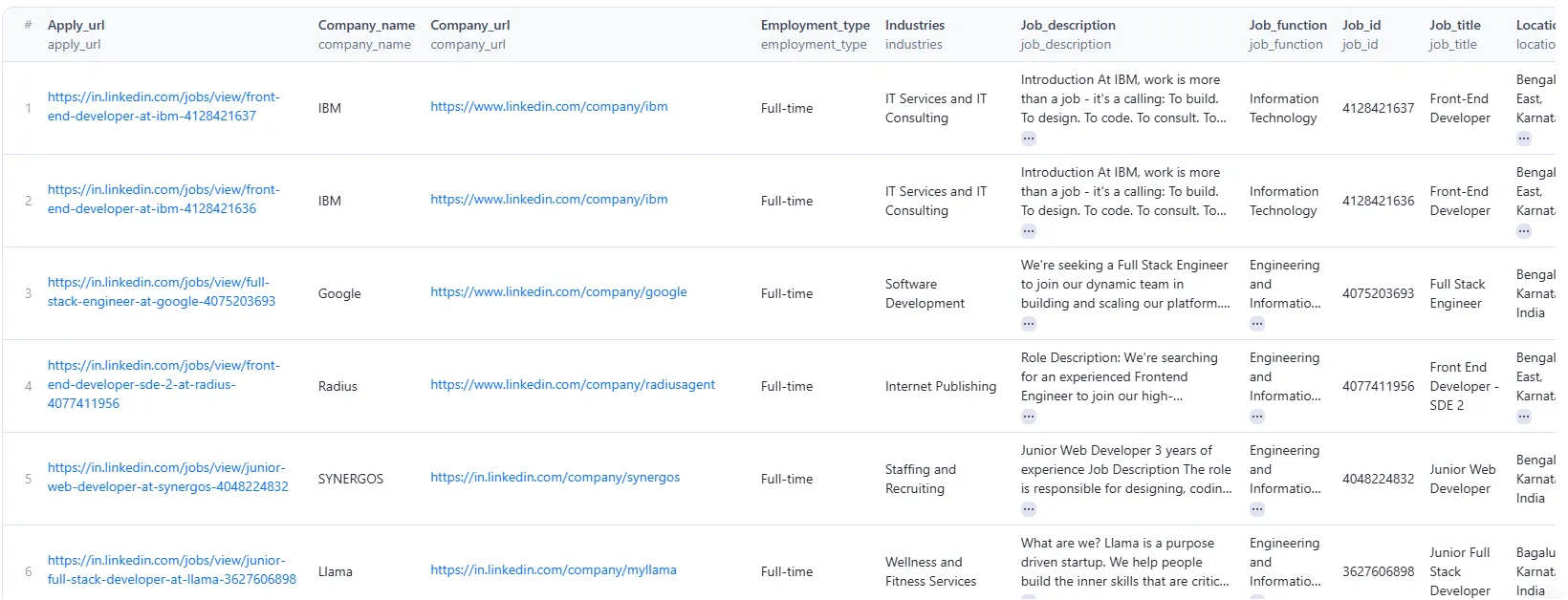
The scraper returns clean, structured data for every job listing.
| Title | ID | Modes | Description |
|---|---|---|---|
| Job ID | job_id | Quick, Detailed | Unique LinkedIn identifier for the job post. |
| Job URL | job_url | Quick, Detailed | Direct link to the LinkedIn job posting. |
| Search Keyword | search_keyword | Quick, Detailed | The job title keyword (from jobs_titles) whose search found this job. |
| Job Title | job_title | Quick, Detailed | Title of the position. |
| Company Name | company_name | Quick, Detailed | Name of the hiring company. |
| Company URL | company_url | Quick, Detailed | Link to the company's LinkedIn profile, when available. |
| Company Logo URL | company_logo_url | Quick, Detailed | Direct URL to the company's logo image. |
| Location | location | Quick, Detailed | Geographic location of the job. |
| Time Posted | time_posted | Quick, Detailed | Relative time since the job was posted (e.g., "2 days ago"). |
| Posted Date | posted_date | Quick, Detailed | Posting date in ISO format (e.g., 2026-09-24), from the search result. |
| Hiring Badge | hiring_badge | Quick, Detailed | Badge text LinkedIn shows on the listing (e.g., "Actively Hiring", "Be an early applicant"), or null. |
| Actively Hiring | is_actively_hiring | Quick, Detailed | true when the badge is "Actively Hiring". |
| Early Applicant | is_early_applicant | Quick, Detailed | true when the badge is "Be an early applicant". |
| Apply URL | apply_url | Detailed | LinkedIn no longer provides the external apply link, so this falls back to the LinkedIn job URL (job_url). |
| Number of Applicants | num_applicants | Detailed | Current number of applicants for the position. |
| Salary Range | salary_range | Detailed | Provided salary or compensation details. |
| Job Description | job_description | Detailed | Plain text of the full job description. |
| Job Description HTML | job_description_raw_html | Detailed | Full job description in raw HTML format. |
| Seniority Level | seniority_level | Detailed | Listed seniority level required for the job. |
| Employment Type | employment_type | Detailed | Employment type categorization. |
| Industries | industries | Detailed | The business industries related to the job. |
| Easy Apply | easy_apply | Detailed | Boolean flag indicating if LinkedIn Easy Apply is available. |
| Contact Email | contact_email | Detailed | First email address found in the job description, if any. |
| Job Function | job_function | Detailed | LinkedIn no longer provides this field, so it is currently always null. |
🎯 Job Data Output Example
❓ Frequently Asked Questions (FAQ)
Q: Do I need a LinkedIn account to use this scraper? A: No! The Rapid LinkedIn Scraper is designed to bypass the need for a login, ensuring your personal account remains safe from bans or restrictions.
Q: Is it legal to scrape LinkedIn jobs? A: Web scraping public data (like public job postings) is generally permissible for educational and research purposes. However, you should always review LinkedIn's Terms of Service and consult legal counsel regarding your specific use case.
Q: Which scrape mode should I use? A: Use Quick when listing-level data (title, company, location, date, link) is enough, for example to monitor new postings. Use Detailed when you need descriptions, seniority, employment type, applicants or apply links. Detailed is the default.
Q: Can I integrate this with my own database or app? A: Absolutely. The output is provided in clean JSON, CSV, XML, Excel, HTML Table, RSS, and JSONL formats and can be accessed programmatically via the Apify API, making database ingestion seamless.
Q: How fast is the scraper? A: The scraper is highly optimized for speed, relying on efficient network requests rather than heavy browser automation, allowing you to extract hundreds of jobs in seconds.
Legal & Disclaimer
- This tool is intended for educational and research purposes only.
- Respect LinkedIn's terms of service while scraping data.
- The author is not responsible for misuse of this scraper.
Contact & Support
For support, feedback, or custom requests, feel free to reach out: Feedback Form: https://forms.gle/HQyJGukRrCKmf2qF8 Email: umeshpatidar.dev@gmail.com LinkedIn: Umesh Patidar


![🚀 Indeed jobs scraper [PPR] avatar](https://images.apifyusercontent.com/PEDOk9MmTf1yHtczA1A4wQEoGyAKCe5Aft1HzkhwROk/rs:fill:76:76/cb:1/aHR0cHM6Ly9hcGlmeS1pbWFnZS11cGxvYWRzLXByb2QuczMudXMtZWFzdC0xLmFtYXpvbmF3cy5jb20vTVhMcG5nbVZwRThXVEVTUXIvQjFrZ3BRS1p5dzJvVEpJUmctTG9nby1IZXJvLVN0YXRpYy1lemdpZi5jb20td2VicC10by1qcGctY29udmVydGVyLmpwZw.webp)


