
Social Post Metrics Tracker: Views & Likes by Link, 5 Networks
Pricing
from $1.60 / 1,000 posts
Social Post Metrics Tracker: Views & Likes by Link, 5 Networks
Paste links to posts on Instagram, Facebook, TikTok, YouTube and X. Get views, likes, comments and shares for each, the change since your last run, and totals for the whole campaign. For influencer agencies and brands reporting on campaigns. No account needed. $2 per 1,000 links.
Pricing
from $1.60 / 1,000 posts
Rating
0.0
(0)
Developer

Zaiq
Maintained by CommunityActor stats
0
Bookmarked
2
Total users
1
Monthly active users
4 days ago
Last modified
Categories
Security
Limited permissionsShare
Social Post Metrics Tracker: views, likes, comments and shares by post link on 5 networks
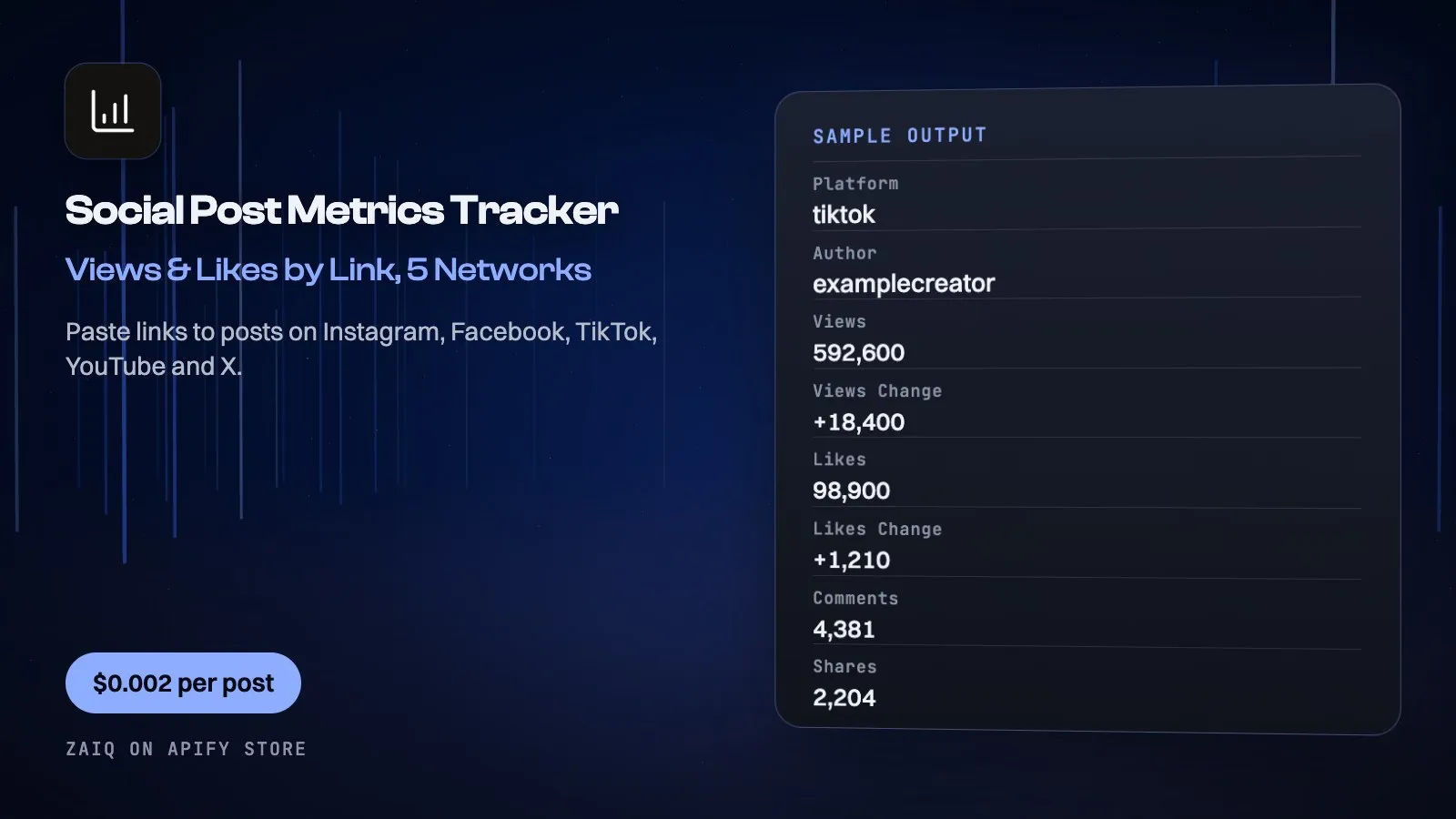
Paste links to posts on Instagram, Facebook, TikTok, YouTube and X and get views, likes, comments and shares for each, in one table, with the change since your last run and totals for the whole campaign.
Built for influencer agencies, brands and social teams who report on campaigns. Schedule it daily and the same links show their growth. No account, no cookies, and $2 per 1,000 links.
What you get
| Field | What it holds |
|---|---|
| The post | platform, url, author, postedAt, caption |
| The counts | views, likes, comments, shares, saves |
| The change | viewsChange, likesChange, commentsChange, sharesChange, savesChange, lastCheckedAt |
| The campaign (a free row) | posts, total views, likes, comments, shares, saves, their change, byPlatform, previousRunAt |
What people use it for
- Influencer campaign reports: every creator's posts across every network, in one sheet
- Daily growth tracking: schedule it and see what each post gained since yesterday
- Paying creators on results: check the views a creator was paid to deliver
- Competitor posts: follow how a rival's launch posts are doing
- Client dashboards: feed the numbers into Sheets, Looker Studio or your own tool
- AI agents: ask how a list of posts is performing
How to use it
- Paste your post links, in any mix of networks.
- Give the run a campaign name and keep it the same each time.
- Press Start, or schedule it daily.
- Download the table. From the second run, each row shows what changed.
Input
| Field | Example | Notes |
|---|---|---|
| Post links | https://www.tiktok.com/@name/video/123 | Public posts, reels and videos. Mix networks freely. |
| Campaign name | spring-launch | Keep it the same to see the change since the last run. |
| Include the caption | on | Switch off for a smaller file. |
Output
Each result is one row in the run's dataset (download it as JSON, CSV, Excel, XML or HTML, or read it through the API). An example row (values shortened):
A record named SUMMARY in the run's key-value store says what each input returned, with any notes (for example an account that does not exist), what was charged and how much traffic the run used.
Pricing
- $2 per 1,000 links on Instagram, TikTok, YouTube and X on Free and Bronze, $1.80 on Silver, $1.60 on Gold, less above.
- $3 per 1,000 links on Facebook, whose pages are the heaviest.
- $0.001 a run to start.
- Links that show no counts are free. The Free plan reads 10 links a run.
What typical jobs cost at the list price:
| Job | Cost |
|---|---|
| 50 links, once | $0.10 |
| 500 links, once | $1.00 |
| 200 links, every day for a month | $12.03 |
On Apify's Scale and Business plans the per-event prices are lower (Store discounts). Set Maximum cost per run and the Actor stops cleanly when it is reached: you never pay more than that.
Tips
- Keep the same campaign name on every run, or the change columns stay empty.
- Mix all five networks in one list: the totals row adds them up for you.
- Use a schedule: numbers on a new post move fastest in its first week.
- X has no comment count of its own:
commentsholds replies, andsharesholds reposts plus quotes.
Use it through the API
Python
JavaScript
HTTP (one call, results back)
Integrations and schedules
- Schedules: run it every hour, day or week from the Apify Console (Schedules) and keep a history of results.
- Make, Zapier, n8n, Google Sheets, Slack, Airtable: connect it through Apify's integrations, or send each finished run to a webhook.
- Datasets: results stay in the run's dataset; export them or read them by API whenever you need them.
Use it with AI agents (MCP)
Add Apify's MCP server with this Actor already pinned (https://mcp.apify.com?tools=zaiq/post-metrics-tracker) to Claude, ChatGPT, Cursor, VS Code or any MCP client. The agent can find this Actor and run it for you: ask it for Here are 40 posts from our influencer campaign: which ones gained the most views since yesterday?. AI agents can also pay for runs directly through Apify's agentic payments.
Limits
- What each network shows a signed-out visitor is what you get. Instagram hides views on photos and carousels, so
viewsis empty there. A creator can hide likes. - Instagram reel views come from the creator's Reels tab, up to about 70 reels back. Older reels may show no views.
- YouTube shows no shares or saves, and Instagram shows no shares. Those columns stay empty.
- Private, age-restricted and deleted posts come back as a free note, not a charge.
- Counts only: no comment text and no lists of who liked anything.
FAQ
Do I need accounts on these networks?
No. It reads what each post's public page shows, with no cookies and no sign-in.
How does it know what changed?
It keeps the last counts under your campaign name, in a store in your own Apify account.
Can I mix networks in one run?
Yes. Paste any mix of links. The campaign row totals them and splits them by network.
What if a link fails?
You get a free note saying why, and the rest of the run carries on.
Can I schedule it?
Yes. Use an Apify schedule with the same input and campaign name.
Related Actors from Zaiq
- ai-answer-tracker: how often AI answers mention your brand
- youtube-outlier-finder: YouTube videos that beat their channel's average
- tiktok-comments-scraper: what people say under a TikTok video
Support
Questions, a site that changed, or a field you need? Open an issue on this Actor's Issues tab: we answer there, usually within a day.
Also found as: post metrics, social media metrics API, influencer campaign tracking, Instagram post views, TikTok video stats, Facebook reel play count, YouTube video stats, campaign reporting.


