

TrustRadius Review Scraper - Ratings, Pros/Cons & More
Pricing
from $2.49 / 1,000 reviews
TrustRadius Review Scraper - Ratings, Pros/Cons & More
Extract structured reviews from any TrustRadius product page. Get ratings, pros/cons, feature scores, reviewer firmographics, ROI, and alternatives. Filter by star rating and company size. 1,000 reviews in under 60 seconds. Export as JSON, CSV, or Excel.
Pricing
from $2.49 / 1,000 reviews
Rating
0.0
(0)
Developer

Zen Studio
Maintained by CommunityActor stats
0
Bookmarked
140
Total users
50
Monthly active users
6 days ago
Last modified
Categories
Share
TrustRadius Review Scraper - Fast with Star Filters
From Zen Studio, creators of G2 Reviews and Capterra Reviews, with 50,000+ combined lifetime runs across those two review actors.
Why choose the TrustRadius review scraper?
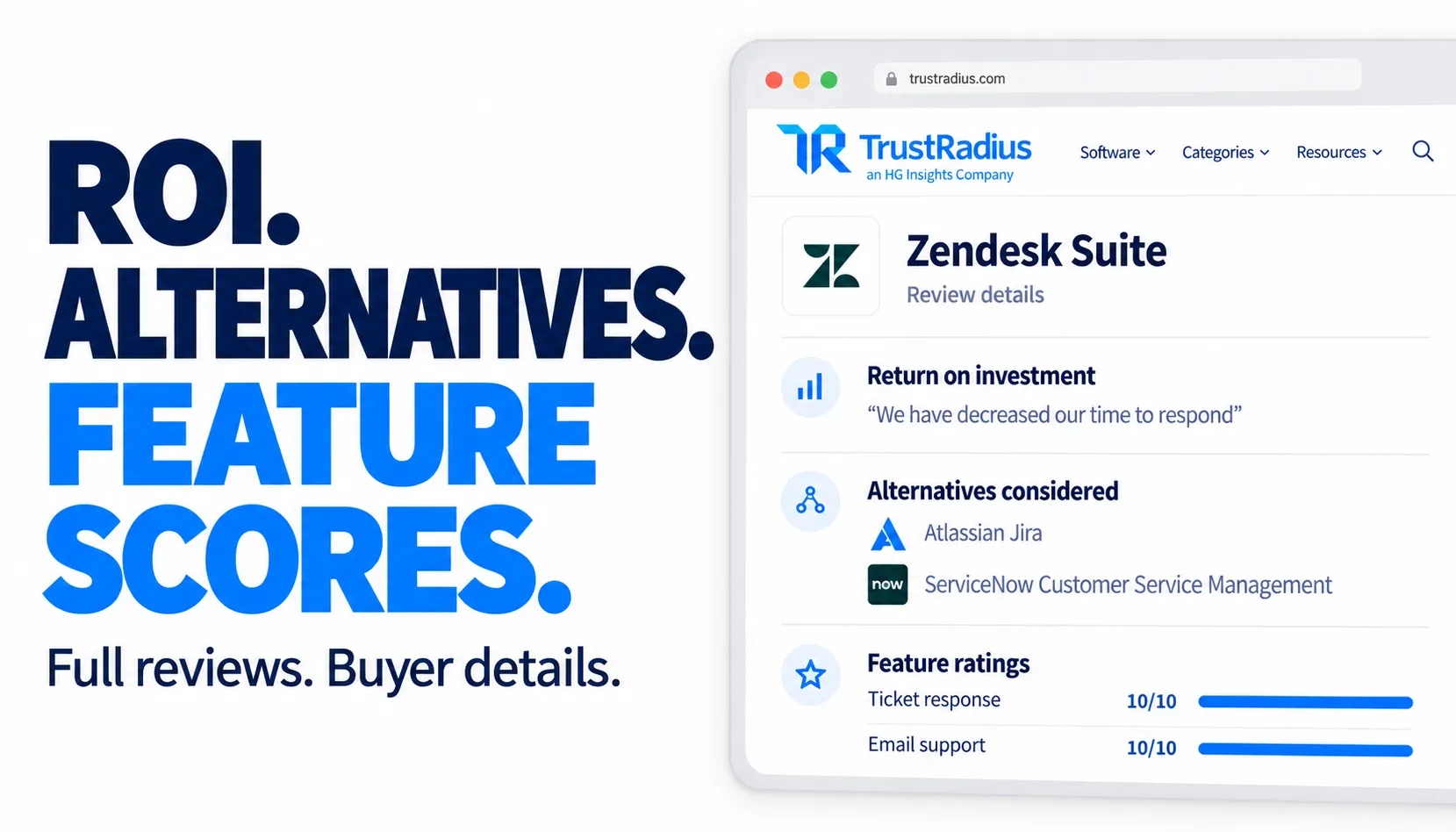
See what buyers gained and which products they compared. Collect reported business outcomes, alternatives considered and explanations of why reviewers preferred one product. Useful evidence for competitor research and product positioning, alongside full review text, pros and cons.
Compare features individually. Export named feature scores, such as ticket response or email support, on their original 1–10 scale. Keep each score attached to its review so you can identify specific strengths and recurring weaknesses.
Know whose experience you are reading. Get job titles, company names, industries, company sizes and LinkedIn profiles where published. Filter reviews by company size and star rating, then sort by recent, positive, critical or relevant feedback.

Quick input
Start with 20 Zendesk Suite reviews:
Open actor input to choose your product and filters. Export JSON, CSV or Excel; JSON preserves nested feature ratings and review sections. The input supports up to 10,000 reviews per run, subject to availability and your spending limit. See current pricing.
ROI means reviewers’ reported business outcomes, not a calculated financial return. Alternatives, feature scores and personal details appear when the source provides them.
| Zen Studio · Software Reviews | ||||
 TrustRadius TrustRadiusYou are here |  G2 Reviews G2 ReviewsSoftware feedback |  Capterra CapterraBuyer reviews |  Software Advice Software AdvicePros & cons |  All-in-One All-in-OneMultiple platforms |
Copy to your AI assistant
Key inputs: productUrl (string, required), maxResults (integer), sort (string). Pricing: $3.99 per 1,000 reviews on the Free plan, less on paid plans (Bronze $2.99, Silver $2.79, Gold/Platinum/Diamond $2.49), plus Apify's platform start fee and a dataset-item charge of $0.01 per 1,000 items.
How to Scrape TrustRadius Reviews
- Paste a TrustRadius product URL (e.g.,
https://www.trustradius.com/products/zoom-workplace/reviews) - Set max reviews and optional filters
- Click Start
- Download results as JSON, CSV, or Excel
Quick Start
With Filters
Star Rating Filter
TrustRadius uses a 1-10 numeric scale internally, displayed as 1-5 stars on the website. The mapping:
| Star Filter | Rating Range | Description |
|---|---|---|
| 5 stars | 8.5 - 10 | Highly positive reviews |
| 4 stars | 6.5 - 8.5 | Positive reviews |
| 3 stars | 4.5 - 6.5 | Mixed reviews |
| 2 stars | 2.5 - 4.5 | Negative reviews |
| 1 star | 0.5 - 2.5 | Highly negative reviews |
Select multiple star levels to combine them. For example, selecting "1 star" and "2 star" returns all reviews with a rating between 0.5 and 4.5. Leave empty to get all ratings.
The output rating field contains the original 1-10 score, not the star level.
Company Size Filter
Reviews include the size of the reviewer's company. TrustRadius categorizes these into three groups based on employee count:
| Filter | Employee Range |
|---|---|
| Small | 1 - 50 employees |
| Medium | 51 - 1,000 employees |
| Large | 1,001+ employees |
These categories come from the reviewer's profile at the time of writing. Select multiple sizes to combine. Leave empty for all.
Input Parameters
| Parameter | Type | Required | Default | Description |
|---|---|---|---|---|
productUrl | string | Yes | - | TrustRadius product reviews page URL |
maxResults | integer | No | 100 | Maximum reviews to return (1-10,000) |
sort | string | No | recent | Sort order: recent, positive, critical, relevant |
starRating | array | No | all | Filter by star level: "5", "4", "3", "2", "1" |
companySize | array | No | all | Filter by company size: "small", "medium", "large" |
Output Example
Note on reviewer privacy: Some reviewers opt out of displaying personal information. In those cases, name, company, linkedInUrl, and avatarUrl will be null. Other profile fields also depend on what the source publishes.
Integrations and scheduling
Run the TrustRadius review scraper on a schedule in Apify Console, daily or weekly to track new reviews. Each run can call a webhook when it finishes, so n8n, Make and Zapier flows can pick up new rows; the Apify API and Apify MCP server accept the same input.
Pricing
Pay per review: $3.99 per 1,000 reviews on the Free plan. Paid Apify plans pay less:
| Plan | Per 1,000 reviews |
|---|---|
| Free | $3.99 |
| Bronze | $2.99 |
| Silver | $2.79 |
| Gold | $2.49 |
| Platinum | $2.49 |
| Diamond | $2.49 |
Pricing Examples
| Reviews | Free | Bronze | Silver | Gold, Platinum, Diamond |
|---|---|---|---|---|
| 100 | $0.40 | $0.30 | $0.28 | $0.25 |
| 1,000 | $3.99 | $2.99 | $2.79 | $2.49 |
Apify's platform start fee per run and a dataset-item charge ($0.01 per 1,000 items) also apply. See the Pricing tab for current rates.
Available Apify credits can cover the pay-per-event charges.
API Integration
Python
JavaScript
Advanced Examples
Only Negative Enterprise Reviews
All Reviews from Small Businesses, Most Positive First
Data Export
Results are available in:
- JSON - Full structured data with nested objects
- CSV - Flattened for spreadsheet analysis
- Excel - Direct download from Apify Console
FAQ
How fast is it? 1,000 reviews in under 60 seconds. Scales linearly for larger runs.
What products can I scrape? Any product with a reviews page on trustradius.com. Paste the URL and it works.
Why are some reviewer names null? TrustRadius allows reviewers to keep their identity private. Company size, industry, job type, and experience are always available regardless of privacy settings.
What's the difference between rating and star filter?
The rating in output is TrustRadius's internal 1-10 score. The star filter maps this to a 1-5 scale (see Star Rating Filter section above).
What are sections?
The raw question-and-answer pairs from the review. Every review has different sections depending on what the reviewer filled out (product usage, pros/cons, feature ratings, ROI, alternatives, etc.). Convenience fields like pros, cons, roi are extracted from sections for easy access.
Can I scrape multiple products? One product per run. Schedule multiple runs or use the Apify API to batch them.
Is proxy required? No. The scraper uses Apify's residential proxy automatically when running on the platform.
Legal
This Actor extracts publicly available review data from TrustRadius. Users are responsible for complying with TrustRadius terms of service and applicable data protection regulations (GDPR, CCPA).


