

All-in-One Review Scraper: G2, Capterra & Trustpilot
Pricing
from $3.99 / 1,000 reviews
All-in-One Review Scraper: G2, Capterra & Trustpilot
Scrape reviews from G2, Capterra, TrustRadius, Gartner, and Trustpilot in one run. Just type a product name or domain. Get unified ratings, pros/cons, reviewer details, dates, and platform-specific sub-ratings. Filter by star rating and sort order. Export as JSON, CSV, or Excel.
Pricing
from $3.99 / 1,000 reviews
Rating
4.0
(1)
Developer

Zen Studio
Maintained by CommunityActor stats
7
Bookmarked
517
Total users
97
Monthly active users
7 days ago
Last modified
Categories
Share
All-in-One Review Scraper: G2, Capterra, Trustpilot & More
From Zen Studio, creators of dedicated G2, Capterra and Glassdoor review scrapers and the Place Review Aggregator. Software reviews and local-business feedback are established parts of our scraping portfolio.
Why choose this actor?
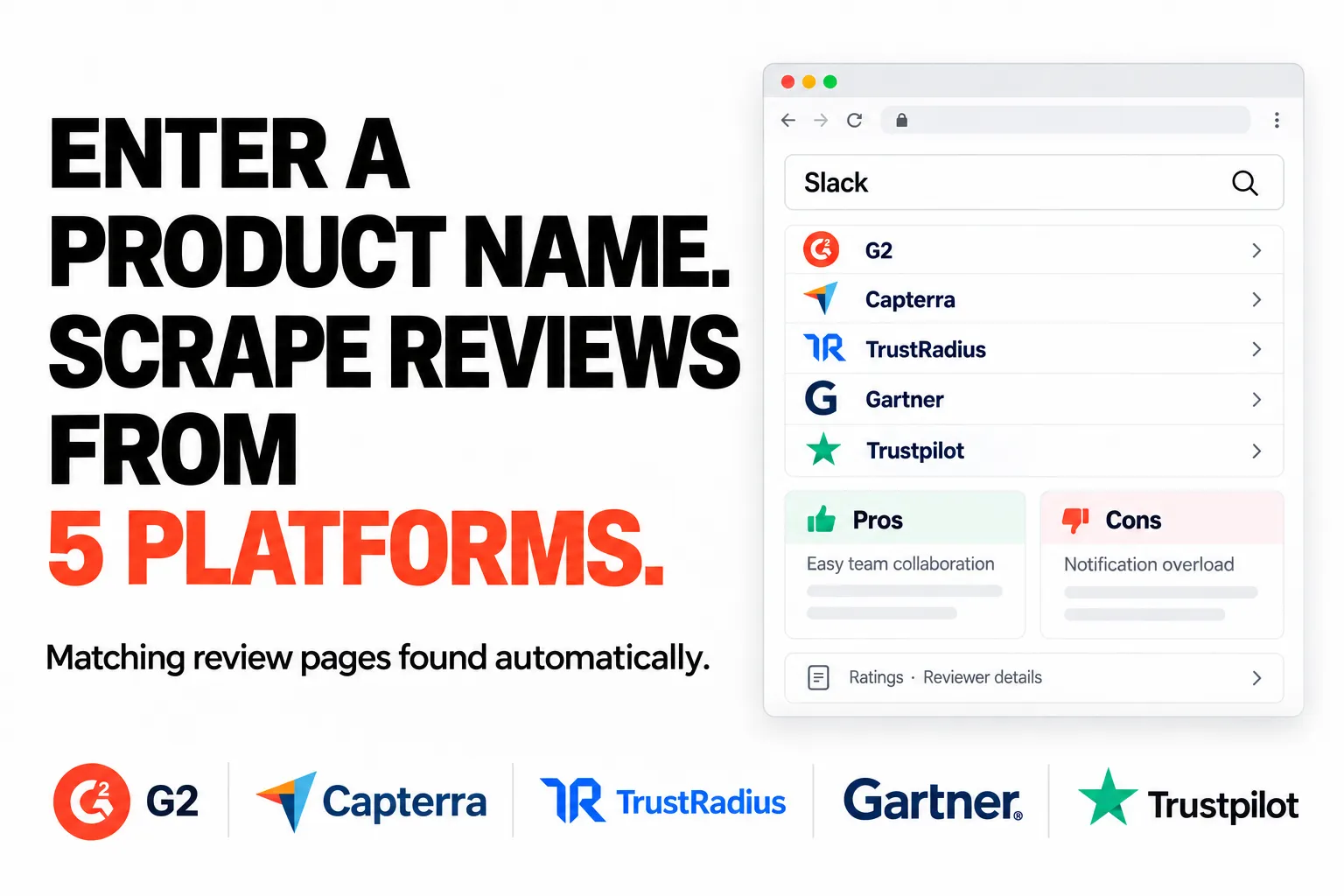
Enter the name. We find the review pages.
Start with a product name such as Slack, a company domain or a supported review URL. The actor automatically finds matching pages across your selected platforms: G2, Capterra, TrustRadius, Gartner and Trustpilot. Availability depends on where the product is listed.
Compare feedback in one consistent dataset.
Collect full review text, ratings, dates and source links together. Ratings use a common scale, with the original values preserved. Pros and cons, reviewer industry and company size add context where the platform supplies them.
Keep the detail behind the verdict.
Retain platform-specific information such as Capterra ease-of-use scores, TrustRadius alternatives considered and Trustpilot company replies when available. Use it to compare products, research objections and understand who is leaving feedback.

Quick start
Search for Slack across all five platforms, requesting up to 100 reviews in total. Replace Slack with your product name.
Open actor input to choose your product, platforms and rating filters.
This example explicitly enables Trustpilot. The default selection is the other four platforms. One product per run; select at least two platforms and request at least 100 reviews. Results depend on matching pages and review availability.
| Zen Studio · Review Scrapers | |||
 Software Reviews Software ReviewsYou are here |  G2 Reviews G2 ReviewsFocus on G2 feedback |  Capterra Reviews Capterra ReviewsRatings, pros & cons |  Place Reviews Place ReviewsLocal reviews |
Copy to your AI assistant
Copy this block into ChatGPT, Claude, Cursor, or any LLM to start using this actor.
How It Works
- Enter a product name (e.g.,
Slack,Notion,Jira), a company domain (e.g.,asana.com), or paste a review page URL - The actor searches G2, Capterra, TrustRadius, Gartner, and Trustpilot to find the product
- Reviews are collected in parallel from all platforms
- Output is normalized into a single, consistent format
You can filter by star rating, sort by recency or helpfulness, and control how many reviews to collect. The actor distributes your requested count proportionally across platforms based on review availability.
Key Features
Automatic Product Discovery
- Type a product name, the actor finds it on all five platforms
- Paste a URL from any platform, the rest are resolved automatically
- Handles regional Capterra and Trustpilot domains (
.de,.fr,.co.uk) automatically
Unified Output Schema
- Consistent field names across G2, Capterra, TrustRadius, Gartner, and Trustpilot
- Ratings normalized to a common scale with original values preserved
- Reviewer details (name, job title, company size, industry) in the same structure, with the unit each platform measures company size in
- The product's own figures on every review in one
productobject: its page on the platform, and where available its overall rating, review count, category, vendor and pricing, so you can put the product's Capterra and Gartner ratings side by side - Platform-specific data (sub-ratings, feature scores, alternatives) kept in
platformData
Cross-Platform Filtering
- Sort by most recent, highest rated, lowest rated, or most helpful
- Filter by star rating (1-5)
- Each filter is mapped to the equivalent option on each platform
Extracted Data Fields
Each review includes:
- Review content -- title, full text, pros, cons
- Rating -- normalized rating + original platform rating + scale
- Reviewer -- name, job title, company, company size + its unit (employees or revenue), industry, verified status, each filled where the platform publishes it
- Metadata -- date, review URL, review ID, platform source, incentivized flag
- Product -- the product's page on the platform, plus its overall rating and scale, review count, category, vendor, logo, starting price, currency, pricing model, payment frequency, pricing description and free trial / free version flags, each filled where the platform provides it (
product) - Platform extras -- sub-ratings, feature scores, alternatives considered, vendor responses (varies by platform)
Output Example
Every review is returned in the same shape, whichever platform it came from. A G2 review:
The same fields come back for Capterra, TrustRadius, Gartner, and Trustpilot reviews. Only platformData changes its keys by platform, and ratingOriginal / ratingScale keep each platform's native scale (TrustRadius rates out of 10, the rest out of 5). companySizeUnit says what the company-size band counts, because the platforms do not agree: G2, Capterra and TrustRadius publish employee bands, Gartner publishes annual-revenue bands, and Trustpilot publishes no reviewer firmographics. pros and cons are filled wherever the platform publishes them separately from the review body: always on G2, Capterra and TrustRadius, on the two spotlight reviews for Gartner, and not at all on Trustpilot, which asks for a single free-text review.
Reviewer Details by Platform
Every review carries the same reviewer block, but each platform decides how much it says about the reviewer, so some of those fields are empty by platform rather than by review:
| Field | G2 | Capterra | TrustRadius | Gartner | Trustpilot |
|---|---|---|---|---|---|
name | name, or "Verified User in" + industry | first name + last initial | full name where the reviewer publishes it | -- | consumer display name |
jobTitle | where published | yes | yes | yes | -- |
company | -- | -- | where the reviewer publishes it | -- | -- |
companySize | employee band | employee band | employee band | revenue band | -- |
industry | yes | yes | yes | yes | -- |
verified | yes | yes | yes | yes | yes |
TrustRadius is the only one of the five that publishes the reviewer's employer, and only on the reviews whose author shows it; G2, Capterra and Gartner identify the reviewer by industry and company size instead. None of the five publishes an employer domain or work email address, so there is no reviewer domain field to return.
Product Details by Platform
Every review also carries a product object describing the product itself, with the same keys on every platform and null where a value is not available, so CSV and Excel exports keep the same columns. All reviews from one platform in a run carry the same values. The product's name stays in productName. A Capterra review of Salesforce Sales Cloud:
Which keys each platform fills:
| Field | G2 | Capterra | TrustRadius | Gartner | Trustpilot |
|---|---|---|---|---|---|
url | product reviews page | product reviews page | product reviews page | product reviews page | business page |
vendor | -- | -- | yes | yes | -- |
logoUrl | -- | -- | yes | yes | -- |
category | -- | yes | primary category | Gartner market, where listed | -- |
rating, ratingScale | -- | yes, 1-5 | -- | yes, 1-5 | -- |
reviewCount | -- | yes | -- | yes | -- |
startingPrice, currency, pricingModel, paymentFrequency | -- | yes | -- | -- | -- |
pricingText | -- | -- | -- | pricing description, where Gartner has one | -- |
freeTrial, freeVersion | -- | yes | -- | -- | -- |
product.rating is the product's overall rating on that platform and product.reviewCount its total number of reviews there, not the number of reviews in your run. ratingScale is null whenever rating is. In the rare Capterra run where the product's details are unavailable, only url is filled.
Platform-Specific Extras
- G2: validated reviewer badges, validation method, review source, reviewer recommendations to others
- Capterra: ease of use, customer support, functionality, and value for money sub-ratings, the product's Capterra category, why the reviewer chose the product or switched to it, who invited the review, if anyone, and whether an incentive was offered (
reviewSource, plusreviewSourceLabel, the same source as plain text such as "No Incentive Offered" for spreadsheet exports), whether the reviewer posted anonymously, how the reviewer was verified (LinkedIn, business email), and a profile photo where the reviewer has one - TrustRadius: feature ratings, alternatives considered, ROI data
- Gartner: anonymous reviews with market name and vendor name;
pros/conson the top favorable and top critical review - Trustpilot: review language, likes count, company reply, reviewer country, verification level
Input Parameters
| Parameter | Type | Required | Default | Description |
|---|---|---|---|---|
query | String | Yes | -- | Product name, company domain, or review page URL |
platforms | Array | No | G2, Capterra, TrustRadius, Gartner | Which platforms to collect from (Trustpilot available as opt-in) |
maxResults | Integer | No | 100 | Total reviews to collect (distributed across platforms) |
sort | String | No | most_recent | Sort order: most_recent, highest_rated, lowest_rated, most_helpful (G2 has no helpfulness ranking, so it returns most recent) |
starRatings | Array | No | All | Filter by star rating (1-5) |
Accepted Input Formats
You can also enter a company domain or paste a review page URL:
- Domain:
asana.com,monday.com,www.notion.com - G2:
https://www.g2.com/products/slack/reviews - Capterra:
https://www.capterra.com/p/135003/Slack/reviews/ - TrustRadius:
https://www.trustradius.com/products/slack/reviews - Gartner:
https://www.gartner.com/reviews/market/.../product/.../reviews - Trustpilot:
https://www.trustpilot.com/review/slack.com
Domains are resolved to a product name automatically. URLs are used directly for that platform, with the rest auto-discovered.
Quick Start
Minimal -- Just a Product Name
From a Domain
With Filters
Specific Platforms Only
Researching the vendor, not just the product
This actor covers what customers say about a product. What employees say about the company behind it lives on Glassdoor, which is a different subject and a different entity, so it is a separate actor rather than a sixth platform here: Glassdoor Reviews Scraper. Run it on the vendor name when you need the employer side of a due-diligence picture.
With Trustpilot
From a URL
Integrations and scheduling
Run the software review reviews scraper on a schedule in Apify Console, weekly for review monitoring. Each run can call a webhook when it finishes, so n8n, Make and Zapier flows pick up new rows without polling. The Apify API and the Apify MCP server take the same input, for scripts and AI agents.
Pricing
$4.99 per 1,000 reviews on the Free plan, plus Apify's platform start fee and a $0.01 per 1,000 dataset-item charge. Only successfully scraped reviews are charged; paid plans pay less per review.
| Apify Plan | Price per 1,000 reviews |
|---|---|
| Free | $4.99 |
| Bronze | $4.49 |
| Silver | $4.29 |
| Gold | $3.99 |
| Platinum | $3.99 |
| Diamond | $3.99 |
Cost Examples (Free Plan)
| Reviews | Cost |
|---|---|
| 100 | $0.50 |
| 500 | $2.50 |
| 1,000 | $4.99 |
Try it free: new Apify users get $5 in platform credits. That's ~1,000 reviews at no cost.
API Integration
Python
JavaScript
Data Export
Export results in any format from the Apify Console:
- JSON -- Full structured data with nested objects
- CSV -- Flat format for spreadsheets (nested fields are flattened)
- Excel -- Direct download for analysis
- XML -- For system integrations
FAQ
How does the actor find products across platforms? Enter a product name and the actor searches each platform's product directory. It uses multiple signals to match the correct product, even when names differ across platforms: an edition name (Zoom finds Zoom Workplace), a former name (Sendinblue finds Brevo, smartbnb finds Hospitable.com), many misspellings, or a listing filed under the vendor's name (Mailchimp finds Intuit Mailchimp). A same-name listing that belongs to a different product is skipped. On Trustpilot, which reviews every kind of business, only the page of the company that makes the software is used: "Monday" finds monday.com, never a shop called Monday. A platform that does not list the product is named in the run's status message. If you enter a company name that covers several products, none of them named after the company, enter the product's own name instead so every platform finds the same one.
What happens if a product isn't found on one platform? The actor collects reviews from whichever platforms have the product. If only 2 of 4 platforms have it, you get reviews from those 2, and the run's log and status message name the platforms with no listing for it, for example "Collected 100 reviews (G2: 100). No listing on Capterra". A platform that could not be reached during the run is named as such instead, so a missing platform never reads as one that does not list the product.
How are reviews distributed across platforms? Proportionally based on each platform's total review count. A platform with 10,000 reviews gets a larger share than one with 500.
Can I scrape reviews for any software product? Yes, any product listed on G2, Capterra, TrustRadius, Gartner, or Trustpilot.
Why isn't Trustpilot enabled by default? Trustpilot covers general business reviews, not just software. The default four platforms (G2, Capterra, TrustRadius, Gartner) are software-specific. Add Trustpilot via the platforms selector when you want broader review coverage.
How fresh is the data? Reviews are collected in real time. You get the latest reviews available on each platform at the time of the run.
Is there a limit on reviews?
Up to 40,000 reviews per run. For very large datasets, use the sort parameter to prioritize which reviews you get first.
Does the data include the reviewer's company name or domain?
reviewer.company is filled wherever the platform publishes the reviewer's employer. TrustRadius is the only one of the five that does, and only on reviews whose author shows it. G2, Capterra and Gartner publish the reviewer's industry and company size in place of a name, and Trustpilot publishes no employer at all. No platform publishes an employer domain or work email address, so the dataset has no domain field; segment by reviewer.industry and reviewer.companySize where the name is absent.
What does the platformData field contain?
Platform-specific data that doesn't fit the unified schema. This varies by platform: G2 has validated reviewer badges, Capterra has sub-ratings (ease of use, support, etc.), the product's category, the reviewer's reasons for choosing or switching, who invited the review and whether an incentive was offered, and how the reviewer was verified, TrustRadius has feature ratings and ROI data, Gartner has market and vendor names, and Trustpilot has review language, likes, and company replies.
Can I compare a product's overall rating across platforms?
Yes, for the platforms that provide it. Every review carries product.rating, product.ratingScale and product.reviewCount, the product's overall rating and total review count on that platform. Capterra and Gartner fill them, both on a 1-5 scale; on G2, TrustRadius and Trustpilot they are null. Take one review per platform and you have the comparison; Product Details by Platform above lists every field.
More Zen Studio & Clearpath review scrapers
- Place Review Aggregator
- Hotel Review Aggregator API: Google, Booking, Expedia & More
- Google Maps Reviews Scraper - Unlimited Reviews Per Place
- Google Maps Scraper - Every Place, Not Just the Top 250
- Foursquare & Swarm Scraper: Places, Reviews, Busy Hours
Also from the same studio (name, then account/slug for the URL https://apify.com/account/slug):
- Yelp Reviews Scraper - All Languages & Owner Replies (
clearpath/yelp-reviews-scraper) - Tripadvisor Reviews Scraper - Hotels, Restaurants, Attractions (
clearpath/tripadvisor-reviews-scraper) - Fast Business Leads Scraper - Up to 1,000 in 30 Seconds (
clearpath/local-business-lead-extractor) - TheFork Restaurant Reviews Scraper - Multi-Language (
clearpath/thefork-restaurant-reviews) - TheFork Scraper - Restaurants, Reviews & Menus (
clearpath/thefork-scraper) - Gartner Peer Insights Scraper - Reviews, Ratings & Profiles (
zen-studio/gartner-review-scraper) - Capterra Review Scraper - Real-Time with Star Filters (Fast) (
zen-studio/capterra-reviews-scraper) - G2 Reviews Scraper Real-Time (2026) (
zen-studio/g2-reviews-scraper)
Full directory: Zen Studio on Apify
Legal Compliance
This actor collects publicly available review data. Users are responsible for complying with each platform's terms of service and applicable data protection regulations (GDPR, CCPA).


