

Slack and Microsoft Teams Alert Payload Builder
Pricing
from $8.50 / 1,000 delivered unsent payload reports
Slack and Microsoft Teams Alert Payload Builder
Build one deterministic unsent Slack, Teams, or generic webhook payload from a buyer-supplied signal. Review target formatting, truncation, warnings, evidence gaps, stable digests, and billing metadata. No webhook is sent or destination account verified.
Pricing
from $8.50 / 1,000 delivered unsent payload reports
Rating
0.0
(0)
Developer

Tim Zinin
Maintained by CommunityActor stats
0
Bookmarked
1
Total users
0
Monthly active users
2 months ago
Last modified
Categories
Share
US Brand Signal Webhook Payload Builder
Turn one buyer-supplied normalized signal into one deterministic unsent Slack, Teams, or generic webhook payload report with truncation evidence, stable digests, and a human review action.
Built for: marketing operations, incident coordination, evidence-governance, and integration teams preparing an authorized payload for review before any destination delivery.
Commercial result unit: one complete Dataset report. Input rows are bounded work units, not separate billable results. A normal paid run also has the separate Apify Actor start event.
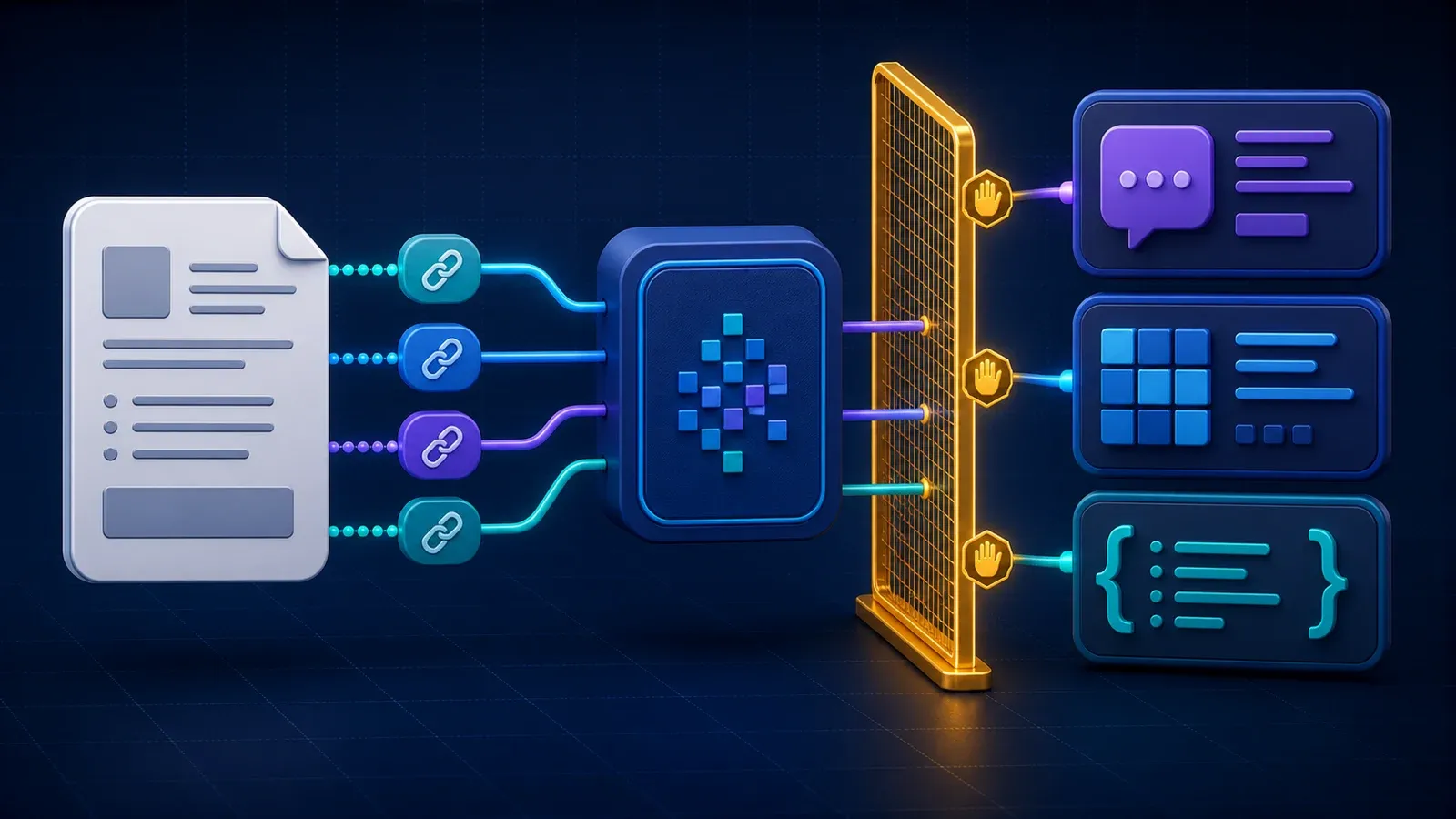
Turn a bounded inline dataset into review-ready evidence
Most operational mistakes around compact analytics do not begin with arithmetic. They begin when a spreadsheet loses the input definition, a dashboard hides a denominator, a mapping template is mistaken for a verified destination schema, or a repeated run is assumed to be free and idempotent. US Brand Signal Webhook Payload Builder is designed to keep those boundaries visible.
You submit one bounded normalized signal with stable identity, closed type and severity, buyer-supplied timestamp and evidence links, one target, and explicit presentation controls. The Actor validates a closed JSON contract, canonicalizes the observations, performs deterministic calculations, writes one report, and records the current-run delivery state in KVS OUTPUT. There is no browser automation, source scraping, CRM login, identity lookup, LLM inference, or external enrichment. The buyer remains responsible for the rights, meaning, quality, and retention of submitted data.
What the Actor gives you
- One deterministic Dataset report rather than one paid row per input observation.
- Stable digests that bind normalized inputs and calculated output tables.
- An additive decision block with stable identity, evidence scope, confidence basis, gaps, human action, and
safeToAutomate:false. - A current-run KVS
OUTPUTenvelope with requested, unique, duplicate, successful, failed, delivered, paid, free, withheld, anomalous, ambiguous, partial, budget, fatal, and replay fields. - Exact named-event delivery accounting: a successful report requires the
result-foundcounter to move from zero to one. - An explicit no-external-verification boundary so a formatted result cannot be mistaken for source truth.
What it does not give you
It does not prove demand, identity, causality, attribution, consent, ownership, completeness, statistical significance, destination-system compatibility, or a business outcome. It does not contact people, modify a CRM, enrich an entity, fetch a recorded URL, or choose an authoritative source. The recommended action is REVIEW_UNSENT_PAYLOAD_AND_DESTINATION_SCHEMA_BEFORE_SENDING, and the report remains unsafe for autonomous consequential use.
Good-fit workflows
- Preview a deterministic Slack or Teams message before an authorized operator or separate delivery system sends it.
- Generate a generic webhook JSON candidate while keeping destination delivery and schema verification explicitly out of scope.
- Expose field inclusion, source attribution, truncation, and warning behavior before an integration is activated.
- Bind an unsent payload to the normalized buyer signal for review, approval, and regression testing.
This product is strongest as one small, auditable step inside a larger workflow. It can replace repetitive counting or formatting, preserve evidence and limitations, and produce a consistent review object. It cannot replace the qualified human who understands why the dataset exists, how it was collected, and what decision standard applies.
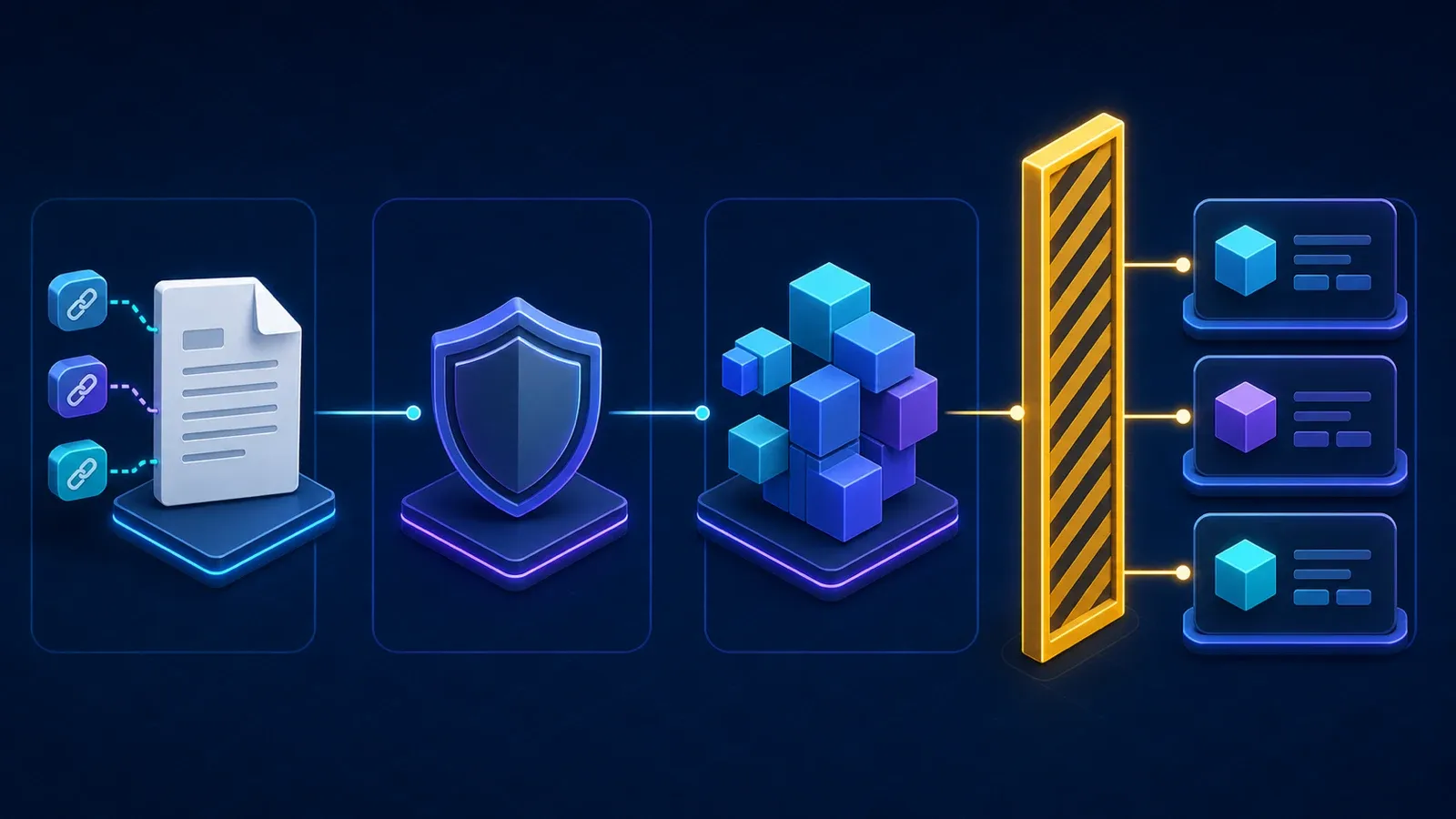
Evidence-to-action workflow
- Define the review question and confirm that you have the right to process every submitted field.
- Remove personal data, credentials, signed URLs, confidential notes, and unnecessary free text before submission.
- Submit the closed JSON input through Apify Console, API, a Task, or an authorized agent workflow.
- The Actor validates types, closed enums, maximum sizes, stable identifiers, timestamps, and HTTPS URL syntax where applicable.
- The Actor canonicalizes declared work units and rejects duplicate stable IDs within every uniqueness scope; it does not silently collapse buyer rows.
- The Actor validates the closed signal and HTTPS evidence references, applies target-specific deterministic formatting, enforces the declared content bound, records every truncation and warning, emits an exact Slack, Teams, or generic JSON payload, and binds source and result with SHA-256 digests. It never sends the payload, fetches an evidence URL, logs in to a destination, verifies destination schema or permissions, or confirms source truth.
- The report builder validates the complete output shape, decision evidence, digests, counts, and size boundary before delivery.
- One linked Dataset push requests the named
result-foundevent. The runtime verifies the exact counter transition. - KVS
OUTPUTrecords terminal status, current run binding, delivery facts, work-unit reconciliation, failure stage, and replay truth. - A human reads the report, its gaps, and the original authorized source context before any downstream action.
How the result is calculated
The Actor validates the closed signal and HTTPS evidence references, applies target-specific deterministic formatting, enforces the declared content bound, records every truncation and warning, emits an exact Slack, Teams, or generic JSON payload, and binds source and result with SHA-256 digests. It never sends the payload, fetches an evidence URL, logs in to a destination, verifies destination schema or permissions, or confirms source truth.
The calculation is intentionally deterministic. Equivalent normalized input produces the same report content and digests. Object-key order or superficial JSON formatting does not change the business result. Closed enums stop undocumented categories from leaking into downstream tables. Integer counts and basis points avoid hidden floating-point presentation drift where the contract uses them.
Determinism is not verification. A perfectly repeatable calculation can still describe biased, stale, unlawfully collected, or misunderstood input. That is why the report keeps three concepts separate:
| Layer | Question answered | Boundary |
|---|---|---|
| Calculated signal | What did the Actor derive from the submitted rows? | Describes only normalized buyer input. |
| Confidence | How complete and interpretable is the evidence available to this Actor? | Does not measure truth or business value. |
| Gaps | What is missing before a consequential use? | Missing evidence is not safely assumed to be zero. |
| Recommended action | What should a reviewer inspect next? | It is a routing instruction, not permission to automate. |
| Billing | Was this one report delivered and reconciled in the current run? | It does not certify the business content. |
Input
The public example is a real bounded contract fixture used by tests. Start with it, then replace values with authorized data while preserving field types and closed enums.
Input governance
- Submit only data your organization is authorized to process for the stated purpose.
- Prefer opaque identifiers that cannot be reversed outside your controlled system.
- Do not submit names, emails, phone numbers, device IDs, cookies, advertising IDs, credentials, access tokens, signed URLs, or secrets.
- A hash of a stable personal identifier may still be personal data. Hashing alone is not anonymization.
- Evidence HTTPS URLs are normalized and recorded as buyer input. They are never fetched, resolved, authenticated, malware-scanned, or verified, and the Actor never sends a request to the selected webhook destination.
- Use Apify storage retention and access controls appropriate to your organization. Delete runs and datasets when the review purpose ends.
- Keep the original collection notice, lawful basis, consent or contract, provenance, and deletion obligations outside this report.
The Input schema is the public first gate, but runtime validation remains normative. Do not rely on JavaScript coercion or unknown properties. If your producer changes its contract, version and test that change rather than hoping the Actor interprets it.
Report version migration
Input schemaVersion 1.0 selects the exact legacy report contract. It preserves the previously published fields and legacy digest calculation and deliberately has no decision property. Input schemaVersion 1.1 selects the explicit enhanced contract and is the public default: it adds the decision evidence layer and current-run receipt fields. Never compare digests across versions as if they represented the same bytes, never inject a decision object into a v1.0 report, and never accept a v1.1 report without one. Pin the input version and validate the corresponding output shape.
Output
One successful run writes one report shaped as us_brand_signal_webhook_payload_builder. The complete executable fixture is shown below so an integration can be developed against the same structure used by contract tests.
Important report fields
| Field | Meaning |
|---|---|
schemaVersion | Backward-compatibility boundary for the report. |
reportType | Stable discriminator for this Actor family. |
inputDigest | SHA-256 binding for canonical validated input. |
resultDigest | SHA-256 binding for the validated report body of that exact schema version; v1.0 and v1.1 intentionally differ. |
sourceAttribution | States that observations are buyer supplied and not externally verified. |
decision.entityId | Stable report-level identity derived from the canonical business input. |
decision.freshness | Unknown because the Actor does not observe an external source. |
decision.change | Not measured; one run formats one submitted signal and does not compare source or destination state. |
decision.confidence | Evidence sufficiency basis and explicit gaps, not a truth score. |
decision.evidence | Input digest and source boundary used by the review object. |
decision.recommendedAction | REVIEW_UNSENT_PAYLOAD_AND_DESTINATION_SCHEMA_BEFORE_SENDING. |
decision.safeToAutomate | Always false for the business decision. |
decision.failureDiagnostics | Null on a valid report; terminal runtime failures live in KVS OUTPUT. |
decision.billing | Declares result eligibility and linked-push intent; paid, free, anomalous, or unknown settlement is proven only by current-run OUTPUT. |
target / payload | Selected closed destination template and exact unsent payload object. |
content | Canonical rendered text projection before target-specific wrapping. |
unsent / delivery | Machine-readable proof that no destination request was made or delivery tested. |
truncation / warnings | Exact bounded-content effects and review notices. |
sourceAttribution | Buyer-input, recorded-URL, and no-external-verification boundary. |
inputDigest / resultDigest | Integrity bindings for canonical signal/presentation input and exact versioned payload report. |
Honest evidence gaps
- Signal facts, severity, timestamp, evidence titles, URL ownership, and collection rights are buyer supplied and unverified.
- Recorded HTTPS evidence links are not fetched and do not prove the referenced content exists or supports the signal.
- The Actor does not authenticate to Slack, Teams, or a generic endpoint and cannot verify destination schema, permissions, retention, or delivery.
- An unsent payload preview does not establish that sending it is lawful, appropriate, secure, or operationally authorized.
The Dataset view exposes the decision block and the central report fields so a Store user does not need to download raw JSON to see the main limitation. Raw JSON remains the authoritative analytical record because a table view can flatten or truncate nested values for display.
KVS OUTPUT: terminal and billing truth
Read the default Key-Value Store record named OUTPUT after every run. The Dataset answers “what report was delivered?”; OUTPUT answers “what happened in this exact run?”
Successful and failure envelopes use three terminal status classes:
| Status | Meaning | Retry guidance |
|---|---|---|
success | One report validated, delivered, and reconciled with exact named-event movement. | A new run is a new commercial execution and can charge again. |
error | Failure was established before a Dataset delivery attempt. | Repair non-retryable input/config errors; retry only an explicitly retryable operational failure. |
delivery_error | A delivery attempt produced an unknown or contradictory post-push state. | Do not blindly retry. Reconcile Dataset, PPE counters, logs, and KVS manually. |
The run block separates input-row work from the single commercial report:
requestedCount,uniqueCount, andduplicateCountdescribe input work units.successfulCountandfailedCountdescribe validated processing outcomes in those same work units.deliveredRowCountandpaidRowCountdescribe report delivery; a normal success is one and one.freeRowCountis one only when a report was confirmed in the Dataset but the exact named-event delta was zero (result_uncharged); ordinary success is paid one / free zero.withheldRowCountremains zero in this family because a pre-delivery rejection does not establish or materialize a normalized Dataset work unit.anomalousChargeCountandambiguousDeliveryCountmake settlement contradictions queryable.partial,budgetStopped, andfatalErrordescribe terminal completeness.replaySafe:falseon a successful paid report warns that starting a new run is not a free replay.safeToAutomate:falseprevents the analytics report from being mistaken for a consequential decision.
Pricing and unit economics
This Actor uses pay per event. The published unit is one complete delivered report, irrespective of how many bounded input rows were used to calculate it. The configured Actor start event is separate.
| Tier | Actor start | One delivered report | One successful run total* |
|---|---|---|---|
| FREE | $0.00500 | $0.01000 | $0.01500 |
| BRONZE | $0.00475 | $0.00950 | $0.01425 |
| SILVER | $0.00450 | $0.00900 | $0.01350 |
| GOLD | $0.00425 | $0.00850 | $0.01275 |
| PLATINUM | $0.00410 | $0.00820 | $0.01230 |
| DIAMOND | $0.00400 | $0.00800 | $0.01200 |
*The total shown is the configured start event plus one configured report event for that tier. The live Apify pricing panel is the current source of truth. Platform credits, account agreements, taxes, storage, network, proxy, or other platform consumption can change what a particular buyer sees.
The runtime does not estimate affordability from the advertised maximum alone. It reads the current charge cap, validates exact configured prices, verifies that the already-spent amount includes the start event where required, and reserves enough remaining budget for one report. A positive infinite platform cap is treated as genuinely unlimited; malformed or contradictory pricing state fails closed.
Exact result-event invariant
Inside the paid delivery section the Actor reads getChargedEventCount('result-found') before the linked push, performs exactly one pushData(report, 'result-found'), and reads the named counter afterward. A confirmed success requires the named counter to move from zero to one. Aggregate receipt counts may include both the automatic start and report events, so the named counter—not a vague positive aggregate—is the decisive unit proof.
If the counter cannot be read before delivery, no report is pushed and the run is replay-safe with respect to that failed attempt. If the push or post-push counter is unknown, the Actor does not retry the push and records delivery_error, ambiguity, and replaySafe:false. This protects against duplicate delivery and duplicate charging after an uncertain network or storage outcome.
Run with Apify API
Keep APIFY_TOKEN in an environment variable. Never put tokens, signed URLs, or real confidential input into source control or copied terminal output.
cURL
Poll that exact run to terminal, then read its default KVS OUTPUT and Dataset. Do not create a second run as a polling mechanism.
JavaScript
Python
Tasks, schedules, agents, and MCP-style orchestration
An Apify Task can pin the exact input for a repeated internal workflow. A schedule intentionally creates a new run and therefore may create a new start charge and report charge every time. This family does not maintain cross-run idempotency state. If your workflow needs deduplication across schedules, compare inputDigest, resultDigest, business period, and your own request identity before starting another paid run.
An agent or MCP-connected automation can call the Actor, but it must treat the return value as an evidence object rather than a decision. Require the agent to:
- Verify that
OUTPUT.runIdmatches the run it started. - Branch on
status, not only platform run completion. - Refuse an automatic retry after
delivery_error. - Cite
decision.confidence.gapswhenever it summarizes the report. - Preserve
inputDigest,resultDigest, and the original authorized input lineage. - Route
REVIEW_UNSENT_PAYLOAD_AND_DESTINATION_SCHEMA_BEFORE_SENDINGto a human queue. - Never transform
safeToAutomate:falseinto an autonomous CRM update, outreach, deletion, eligibility, or targeting decision.
Reliability and replay model
The Actor is intentionally stateless across runs. Canonical digests make two outputs comparable, but they do not prevent a caller from buying the same calculation twice. A successful report therefore says replaySafe:false: rerunning is a new commercial action. This is different from a pre-push failure, which can be replay-safe because no Dataset delivery was attempted.
For robust automation:
- store the exact run ID, KVS ID, Dataset ID, input digest, resultDigest, and platform charged-event counts;
- poll the same run instead of starting a replacement;
- on timeout, reconcile the original run before making any retry decision;
- on
delivery_error, stop and inspect the original Dataset and named-event count; - do not use Dataset emptiness alone as proof that nothing was delivered;
- compare the report digest only after validating schema version and report type;
- keep cross-run business idempotency in your own system if duplicate purchases are unacceptable.
Privacy, rights, and retention
No third-party website is scraped by this Actor, which removes a source-licensing dependency but does not remove the buyer’s obligations. You must have the right to submit the data, calculate the report, store the output, and use it for the declared purpose.
Opaque identifiers can still be personal or confidential when another system can link them back to a person. Do not assume that hashing, pseudonymization, or removing names makes the data anonymous. Avoid personal data unless your organization has an approved purpose, access model, notice, retention period, deletion process, and applicable legal basis.
Apify run input, Dataset rows, KVS records, and logs may persist according to workspace and storage settings. Minimize input before the run, restrict workspace access, avoid secrets and signed URLs, set suitable retention, and delete stored runs when no longer needed. The Actor does not perform deletion in an upstream system and does not know whether a data subject request applies to your source.
Failure model and troubleshooting
Input is rejected before a report appears
Read KVS OUTPUT and the platform run status. Correct schema, bounds, enum, URL, timestamp, or transform errors. A closed contract rejects unknown fields on purpose; silently accepting them would make downstream interpretation unsafe.
Dataset is empty
An empty Dataset is not a successful zero report for this family. Inspect OUTPUT.status, terminal, and run. A validation, pricing, KVS, or pre-delivery failure may correctly produce no Dataset row.
The run reports a post-push failure
Do not press rerun. Reconcile the original run ID, Dataset, KVS record, log, and result-found charged-event count. The original push may have crossed the delivery boundary even if its response was lost.
The result looks unchanged
Equivalent normalized input is expected to produce the same content digest. That does not make the new run free. Compare run IDs and billing receipts separately from report equality.
A calculated count is surprising
Inspect canonicalized inputs, duplicate handling, closed enum meanings, denominators, and the explicit evidence gaps. The Actor does not inspect the business process that produced the rows.
OUTPUT is missing
Treat the automation receipt as unavailable. Use the platform terminal state and original run evidence; do not invent success from a log fragment or assume a new run is safe. A hosted terminal failure is preferable to a false successful receipt.
Honest limitations
- Signal facts, severity, timestamp, evidence titles, URL ownership, and collection rights are buyer supplied and unverified.
- Recorded HTTPS evidence links are not fetched and do not prove the referenced content exists or supports the signal.
- The Actor does not authenticate to Slack, Teams, or a generic endpoint and cannot verify destination schema, permissions, retention, or delivery.
- An unsent payload preview does not establish that sending it is lawful, appropriate, secure, or operationally authorized.
- No external demand, customer, revenue, accuracy, coverage, or outcome claim is created by this Actor.
- No URL is fetched, so URL syntax never proves the referenced page exists or supports the submitted statement.
- The Actor builds one unsent payload from one submitted signal. It does not observe later source changes, destination delivery, edits, acknowledgements, or cross-run state.
- No output is legal, financial, medical, identity, eligibility, or investment advice.
- The decision layer routes review. It does not authorize outreach, profiling, account mutation, or an irreversible action.
- The current account has limited public usage evidence; product demand should be validated separately rather than inferred from a listing.
FAQ
Is this a scraper? No. The runtime processes only the bounded JSON supplied to the run and makes no source requests.
Does it verify evidence URLs? No. URLs are recorded where the input contract supports them, but the Actor never fetches or authenticates them.
Why is there only one Dataset row? The commercial product is the complete report. Input rows are calculation work units, not separately sold outputs.
Can the same report be charged again? Yes, if you intentionally start a new successful run. Content determinism is not cross-run payment idempotency.
Can I rely on the decision score alone? No. Read the basis, gaps, original authorized input lineage, and recommended human action.
Can I send personal data? The safest default is no. If your approved use requires it, your organization must establish purpose, minimization, access, retention, deletion, and legal compliance outside the Actor.
Does safeToAutomate:false mean the Actor is useless for automation? No. Collection, validation, counting, formatting, integrity binding, and review-queue routing can be automated. The consequential business decision remains human.
How do I report a reproducible issue? Provide the Actor version, run ID, sanitized input, KVS OUTPUT status, and whether the Dataset contains a report. Never share a token, signed storage URL, or confidential row.
Does the Actor send a webhook? No. It returns an unsent payload report only. A separately authorized system or person must review destination schema, permissions, secrets, and content before sending.
Are Slack and Teams payloads account-verified? No. They are closed deterministic templates. The Actor never logs in or tests a destination account, app, channel, connector, policy, or current API behavior.
Related deterministic signal tools
| Actor | Best used for |
|---|---|
| US Brand Action Queue | Reduce bounded buyer-supplied signal rows into one deterministic prioritized review queue with retained evidence, explicit conflicts, confidence gaps, and no external verification claim. |
| US Brand Signal Co-occurrence Analyzer | Convert buyer-supplied opaque signal groups into one deterministic pair-analysis report with support counts, Jaccard overlap, explicit evidence gaps, and a human review action. |
| US Brand Signal CRM Field Mapper | Convert buyer-supplied signal rows into one deterministic, review-required CRM mapping template without logging in to HubSpot or Salesforce and without claiming account-schema compatibility. |
| US Brand Signal Confidence Gate | Apply explicit buyer-owned accept and review thresholds to bounded normalized signal scores, then return sorted outcomes, stable digests, evidence gaps, and a review-required action. |
| US Brand Signal Policy Simulator | Compare up to 20 explicit buyer-owned threshold policies across bounded normalized signal scores, then inspect complete policy outcomes, pairwise changes, sensitivity, evidence gaps, and a review-required action. |
| US Brand Signal Cross-Tabulator | Convert buyer-supplied row and column dimensions into one complete deterministic matrix with zero cells, exact denominators, evidence gaps, and a human review action. |
| US Brand Signal Merge Report | Compare two buyer-supplied signal sets in one deterministic union report that preserves one-sided records, exact duplicates, conflicts, source context, and a human review boundary. |
| US Brand Signal Metrics Aggregator | Convert buyer-supplied signal rows into one deterministic metrics report with complete closed-enum counts, average confidence basis points, warnings, evidence gaps, and a human review action. |
| US Brand Evidence Snapshot Diff | Compare two bounded buyer-supplied evidence snapshots in one deterministic report with explicit added, removed, changed, and unchanged rows, integrity digests, evidence gaps, and a human review action. |
| US Brand Signal Batch Splitter | Convert buyer-supplied signal rows into one deterministic grouping report with stable group membership, integrity digests, explicit evidence gaps, and a human review action. |
| US Brand Signal Brand Summary | Convert buyer-supplied normalized signal rows into one deterministic per-brand summary report with complete closed-enum counts, recorded URL provenance, explicit evidence gaps, and a human review action. |
| US Brand Signal Sequence Transition Analyzer | Convert buyer-supplied opaque step sequences into one deterministic adjacent-transition report with exact counts, stable digests, explicit evidence gaps, and a human review action. |
| US Brand Signal SLA Checker | Classify buyer-supplied schedule rows into one deterministic SLA report with exact on-time, late, open-overdue, and open-within-SLA queues, evidence gaps, and a human review action. |
Choose the smallest tool that answers the declared review question. Co-occurrence measures submitted overlap; Cross-Tabulator builds a submitted matrix; Metrics Aggregator summarizes closed categories; Merge Report preserves two-sided differences; CRM Field Mapper prepares an unverified destination template. None of them turns buyer-supplied rows into independently verified market truth.
Support and change control
Integrations should pin schemaVersion, verify reportType, retain complete raw JSON, and review release notes before accepting new enum or profile versions. Additive fields can improve evidence without removing legacy fields, but a new target profile or business interpretation must remain explicit. If a downstream system ignores unknown fields, it must still fail closed on an unknown schema version.
When requesting a feature, describe the buyer, authorized input, review decision, required evidence, acceptable bounds, and failure behavior. A request to “make the score smarter” is not sufficient unless the additional source, rights, validation method, and human decision boundary are defined.


