

Tzkrti Scraper
Pricing
from $2.80 / 1,000 results
Tzkrti Scraper
⚡ Fast Tzkrti scraper for events in Jordan, Palestine, Europe and the US. No login, no API key. Paste discover, organizer or event URLs and get every ticket type with prices in 8 currencies, dates, venue with GPS, category and organizer. Ideal for event and price tracking.
Pricing
from $2.80 / 1,000 results
Rating
0.0
(0)
Developer

Aboo Script
Maintained by CommunityActor stats
0
Bookmarked
2
Total users
1
Monthly active users
15 days ago
Last modified
Categories
Features
Share
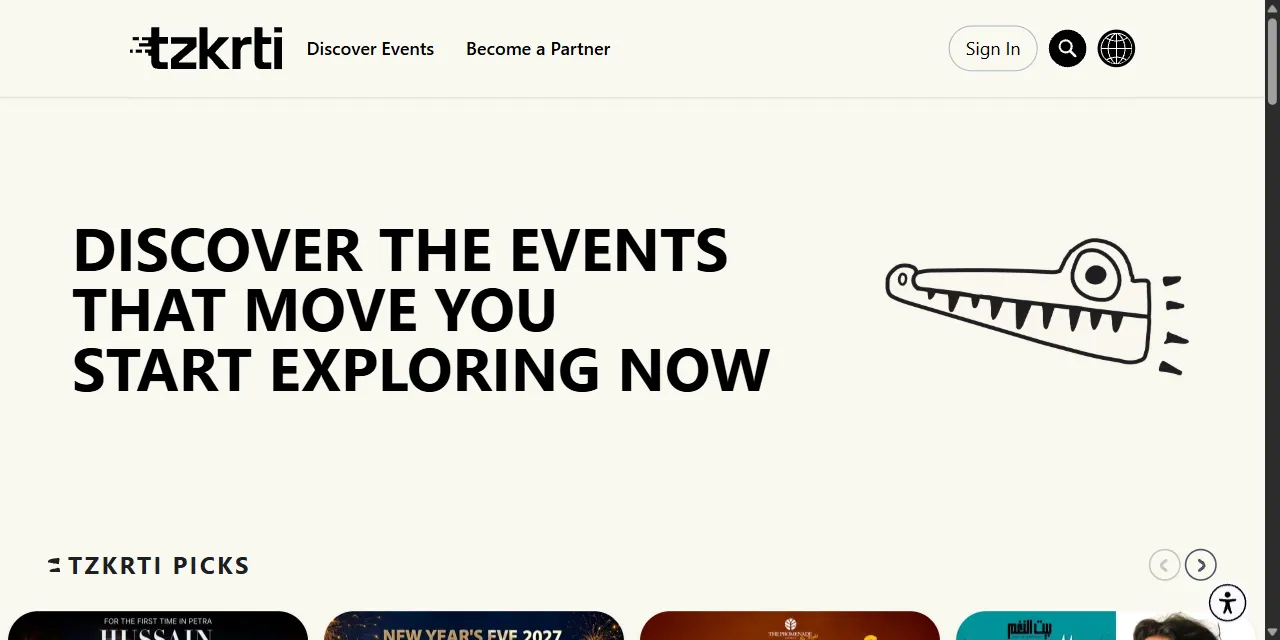
Tzkrti Scraper extracts events and ticket prices from Tzkrti into clean, structured data you can download as JSON, CSV, Excel, or HTML. Paste a Tzkrti discover page, organizer profile, or event URL, and get the event title in English and Arabic, dates, venue, city and country, category, organizer, every ticket type with its price, and the starting price in all currencies shown on the site. No account or login required.
Introduction
Tzkrti (تذكرتي) is an event ticketing platform for concerts, festivals, comedy, theater, sports, workshops, and film screenings, with most events in Jordan and Palestine and a growing list in Europe and the United States. Promoters, venues, and agencies use its data to follow what is on sale, which artists are touring, and how tickets are priced across the region.
This actor collects the same public information you see in your browser and turns it into a ready-to-use dataset. You can run it once, schedule it to run daily, or connect it to your own tools.
What data can you extract from Tzkrti?
- 🏷️ Event title and description in English and Arabic, plus the "Good to know" rules
- 📅 Start and end date, the date as shown on the site, and whether the event is past, sold out, or cancelled
- 🎟️ Every ticket type: name (English and Arabic), price, currency, fees, quantity, min and max per order, sale start and end, and whether it is still on sale
- 💲 Starting price in the event currency, plus starting prices and ticket prices converted to AED, AUD, EUR, GBP, ILS, JOD, TRY, and USD
- 📍 Venue name, address, coordinates, city, country, country code, and time zone
- 🗂️ Category name and slug, and the event type (regular, seated, pre-approval)
- 🏢 Organizer name, profile URL, image, and social links
- 🖼️ Event image, promo video link, event URL, and booking URL
Use Cases
- 📈 Market research: track which concerts, festivals, and shows are on sale in Jordan, Palestine, and beyond, and how prices move.
- 🕵️ Competitor monitoring: follow what other promoters and venues list, their ticket tiers, and their price points.
- 🤝 Lead generation: build a list of active organizers and venues with their profile and social links.
- 🗂️ Database building: keep your own up-to-date events calendar with dates, venues, and prices.
- 🤖 AI and automation: feed clean, structured data into spreadsheets, dashboards, or AI workflows.
How to scrape Tzkrti step by step
- Open Discover Events on Tzkrti, pick a country, city, category, or dates, and copy the URL. You can also copy an organizer profile or a single event URL.
- Paste the URLs into Start URLs.
- Set Maximum number of results to how many events you want per URL.
- Click Start and download your data in JSON, CSV, Excel, or HTML from the Output tab.
Input
- Start URLs: Tzkrti URLs to scrape. Supported pages:
- Discover pages, for example
https://tzkrti.com/en/discover/jo/amman/music-concertsorhttps://tzkrti.com/en/discover/all/all/events/this-month. The country, city, category, date preset (today, this week, next 30 days, ...), and custom date range you choose on the site are all kept. - The home page (
https://tzkrti.com/en), which returns upcoming events from every country. - Organizer profiles, for example
https://tzkrti.com/en/profile/amman-jazz. - Single event pages, for example
https://tzkrti.com/en/events/4931.
- Discover pages, for example
- Maximum number of results: how many events to collect for each start URL. Set
0for no limit.
Input Examples
Scrape upcoming events from every country:
Output
Each event is saved as one item in the dataset. Here is an example of a single item (ticket and currency lists shortened):
You can download the dataset in JSON, CSV, Excel, XML, or HTML, or access it through the Apify API.
Notes
- Discover pages without a country (and the home page) return events from all countries. On the website the same page uses the country of your own location, so pick a country in the URL if you want one.
- When nothing matches your filters, Tzkrti suggests events from nearby cities, other categories, or other countries. Those suggestions are not saved, so such a URL returns 0 events.
startDateandendDateare in UTC.dateTextis the date exactly as the site shows it. Ticket sale dates are in the event's local time.- Seated events sell seats from a seat map, so their
ticketslist is empty;priceFromstill shows the starting price. - Organizer profiles also list past events (
isPast: true). Events from organizer profiles do not include the category. - A single event URL of a past event returns only basic data (title, image, category), because the site no longer shows its tickets.
- Category pages (
/categories/...) are empty on the site and are skipped. Use a discover URL with the category instead.
Why use the Tzkrti Scraper?
- ✅ No login needed: works with public data only, so there is no account to manage.
- 🎯 Keeps your filters: paste any discover URL from your browser and get exactly what you see there.
- 🎟️ Every ticket tier: all ticket types with prices, fees, limits, and sale dates, not just the lowest price.
- 🌍 Bilingual and multi-currency: English and Arabic text, and prices in eight currencies.
- 🧹 Clean data: numbers are real numbers, dates use one standard format, and text is free of HTML.
- 💸 Pay for what you need: set a result limit per URL and keep every run small and cheap.
- 🔄 Ready for automation: schedule runs, export to Google Sheets, or connect to Make, Zapier, and n8n.
FAQ
How many results can I scrape?
You can set any number in Maximum number of results, or 0 for no limit. The actor keeps going until it reaches your limit or runs out of events.
Do I need a Tzkrti account?
No. The actor only collects publicly available data. You do not need to log in or provide any account details.
Can I scrape data on a schedule?
Yes. Use Apify Schedules to run the actor every hour, day, or week, and get fresh data automatically.
Why are some fields empty?
Some events simply do not show every piece of information, such as a video or ticket sale dates. When a field is not available on the website, it is returned as null.
Can I request a new feature or filter?
Yes. Right now the actor supports discover, organizer, and event URLs. If you need other inputs, such as keyword search or venue pages, get in touch and they can be added.
Can I get a custom or private version?
Yes. The actor can be customized for your workflow, delivered as a private version, or a new scraper can be built for a different website. Use the contact details below.
Need to scrape other event ticketing platforms?
- Webook Scraper - Events & Experiences: events, experiences, and ticket prices from Webook in Saudi Arabia and the Gulf.
- Get-In Scraper - Events: parties, festivals, and events with ticket types, venues, and organizers.
- Virgin Megastore Tickets Scraper: concerts and shows sold on Virgin Megastore Tickets in the Middle East.
- Fever Scraper - Events & Experiences: events and experiences from Fever in cities worldwide.
- Ticketmaster Scraper: events, venues, and ticket prices from Ticketmaster.
Need help or want a custom solution?
- 📧 Email: aboo.script@gmail.com
- 🧩 More scrapers: Apify profile
Image Credit
Image credit: Tzkrti


