
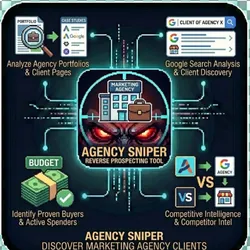
Agency Sniper Find Marketing Agency Clients Reverse Prospecting
Pricing
from $50.00 / 1,000 client discovereds
Agency Sniper Find Marketing Agency Clients Reverse Prospecting
The #1 reverse prospecting tool for discovering who marketing agencies work with. Find businesses that already invest in marketing by automatically analyzing agency portfolios, case studies, client pages & Google SERP. Built for sales, marketing agencies & competitive intelligence professionals.
Pricing
from $50.00 / 1,000 client discovereds
Rating
0.0
(0)
Developer

The Howlers
Maintained by CommunityActor stats
1
Bookmarked
3
Total users
0
Monthly active users
9 days ago
Last modified
Categories
Features
Share
Agency Sniper - Discover Marketing Agency Clients
Reverse prospecting tool that discovers marketing agency clients by crawling their website and searching Google. Find who an agency works with, then use God Mode to enrich those leads.
BYOK (Bring Your Own Key) -- you provide your own API credentials.
Before You Start
This actor requires your own API credentials to fetch real data.
Where to get your key: Your Firecrawl API key for website crawling
Demo Mode is off by default, so runs fetch real data. Set demoMode to true to get free sample data that shows the output format, no key needed.
Quick Start
Test with Demo Mode (free, no API key needed)
Run with real data
Input Parameters
| Parameter | Type | Default | Required | Description |
|---|---|---|---|---|
agencyName | string | - | Yes* | The name of the marketing agency to investigate |
agencyDomain | string | - | Yes* | The agency's website domain (e.g., webfx.com) |
maxClients | integer | 25 | No | Maximum number of client companies to discover |
searchGoogle | boolean | true | No | Search Google for agency client mentions (uses SERP credits) |
crawlWebsite | boolean | true | No | Crawl agency website for client pages (/clients, /portfolio, /work, /case-studies) |
firecrawlApiKey | string | - | Yes* | Your Firecrawl API key for website crawling |
anthropicApiKey | string | - | Yes* | Your Anthropic API key for AI extraction |
demoMode | boolean | false | No | Run in demo mode with sample data (no API calls) |
*Required when Demo Mode is off.
Pricing
| Event | When it is charged | Price |
|---|---|---|
| Actor start | Once when the run starts, one event per GB of memory (minimum one). At the default 1 GB of memory that is $0.00005 per run | $0.00005 per GB |
| Client Discovered | Each client company delivered in the dataset, after duplicates are removed and the Max Clients cap is applied | $0.05 |
| Website Page Crawled | Each agency website page that Firecrawl returns with content (error pages and pages already crawled are not charged) | $0.02 |
| Google Search Performed | Each Google search query that finishes (up to 51 queries per run when Search Google is on) | $0.01 |
| AI Extraction | Each Claude extraction call that returns a usable answer, one per crawled page and one per batch of search results | $0.03 |
| Footer Attribution Found | Each delivered client found through a "Powered by" or "Built by" attribution, on top of Client Discovered | $0.04 |
| Social Media Mention Found | Each delivered client found through YouTube, Vimeo, LinkedIn, Facebook, Instagram or X results, on top of Client Discovered | $0.03 |
| Google Review Client | Each delivered client identified from reviews, on top of Client Discovered | $0.04 |
Demo Mode is free: no task events are charged for sample data. Firecrawl and Anthropic bill your own accounts for their API use, and each Google search runs Apify's Google Search Scraper on your Apify account, which bills its own search pages. If the run reaches its maximum total charge, it stops crawling and searching, keeps enough budget for one more AI extraction and for the clients it already found, and says so in the run status and the summary record.
Troubleshooting
"API key is required"
You have Demo Mode turned off but didn't provide an API key. Either:
- Turn Demo Mode on to test with sample data
- Add your API key in the input
"API error 403" or "Unauthorized"
Your API key is invalid, expired, or doesn't have access to this specific API endpoint. Double-check your key and account permissions.
"API error 429" or "Rate limit"
Too many requests. Wait a minute and try again, or reduce the number of items per run.
No results or empty dataset
Check the run log for error messages. Common causes:
- Invalid input format (check the examples above)
- API key without proper permissions
- The target data doesn't exist or is too small to track
How do I test without an API key?
Enable Demo Mode in the input. This returns realistic sample data so you can verify the output format works for your workflow.
Built by John Rippy | Actor Arsenal


