
People Also Ask Scraper Content Ideation Goldmine avatar

People Also Ask Scraper Content Ideation Goldmine

Pricing

from $0.01 / 1,000 results

Go to Apify Store
People Also Ask Scraper Content Ideation Goldmine

People Also Ask Scraper Content Ideation Goldmine

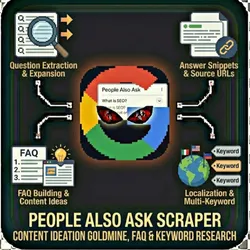
Scrape Google's People Also Ask (PAA) boxes for SEO content ideation, FAQ building, and keyword research. Question extraction Answer snippets Source URLs Deep expansion Multi-keyword Localization Use Cases Content strategy FAQ pages Blog topics Featured snippets Keyword research Competitor analysis

Pricing

from $0.01 / 1,000 results

Rating

0.0

(0)

Developer

The Howlers

The Howlers

Maintained by Community

Actor stats

1

Bookmarked

14

Total users

10

Monthly active users

3 days ago

Last modified

Share

People Also Ask Scraper - Google PAA Questions, Answers & Content Ideas

Extract Google "People Also Ask" questions and answers for any keyword. Discover what your audience is actually searching for, find content gaps, and generate FAQ content at scale. Essential for content marketing, SEO keyword research, and FAQ generation.

v2.1 Update (Feb 2026): If you previously experienced runs that "Succeeded" but returned zero results, this is now fixed. Google changed their PAA HTML layout in late 2025, which broke the old selectors. v2.1 uses a 5-layer fallback detection strategy so results survive future Google layout changes. Memory has also been increased from 512MB to 1024MB to prevent out-of-memory crashes during browser-based scraping. See changelog below.


Quick Start

Important: demoMode is off by default. Just add your keywords and run.

Minimal setup (just keywords)

{
"keywords": ["how to start a business"]
}

That's it. The actor will search Google, find PAA questions, expand them, extract answers, and return structured data. All other settings have sensible defaults.

Multiple keywords with options

{
"keywords": ["how to start a business", "best marketing strategies", "how to get more customers"],
"maxQuestionsPerKeyword": 20,
"expandDepth": 2,
"country": "us"
}

Test with demo data first (free, no Google scraping)

{
"demoMode": true
}

Demo mode returns realistic sample data so you can verify the output format, test your integrations, and confirm everything works before spending on real scrapes.


How It Works

  1. Search — The actor opens Google in a stealth Firefox browser (Camoufox) through residential SERP proxies
  2. Find PAA — It locates the "People also ask" box using 5 different detection strategies (so it works even when Google changes their HTML)
  3. Expand — It clicks on PAA questions to reveal nested sub-questions (configurable depth 0-5)
  4. Extract — For each question, it pulls the question text, answer snippet, source URL, and source domain
  5. Return — All questions are pushed to the Apify dataset and optionally sent to your webhook

Input Parameters

ParameterTypeDefaultDescription
keywordsstring[]["how to start a business"]Keywords to find PAA questions for
maxQuestionsPerKeywordinteger20Max questions to extract per keyword (1-100)
expandDepthinteger2How many levels deep to expand nested PAA questions (0-5)
includeAnswersbooleantrueAlso extract the answer snippet shown by Google
countrystringusGoogle country code: us, uk, ca, au, de, fr, es, it, in, br
languagestringenSearch language: en, es, fr, de, pt, it, nl, pl, ru, ja
demoModebooleanfalseReturn sample data instead of scraping Google (free, for testing)
webhookUrlstring-URL to POST results to when the run completes

Understanding Expansion Depth

When Google shows a PAA box, it initially displays 4-6 questions. Clicking any question reveals the answer and loads more questions below. The expandDepth parameter controls how many rounds of clicking the actor performs:

DepthWhat happensTypical questions found
0No clicking, initial box only4-6 per keyword
1Clicks initial questions once10-20 per keyword
2 (default)Two rounds of expansion20-50 per keyword
3Three rounds50-100 per keyword
4-5Deep expansion100+ per keyword

Higher depth = more questions discovered, but longer run time and higher cost. Depth 2 is the sweet spot for most use cases.


Output Format

Each result in the dataset looks like this:

{
"question": "How much money do you need to start a business?",
"answer": "The amount varies widely by business type. A home-based service business might start with $1,000-5,000, while a retail store could require $50,000-100,000...",
"sourceUrl": "https://www.sba.gov/business-guide/plan-your-business",
"sourceTitle": "How Much Does It Cost to Start a Business - Complete Guide",
"sourceDomain": "sba.gov",
"keyword": "how to start a business",
"depth": 0,
"position": 1,
"scrapedAt": "2026-02-27T10:30:00.000Z"
}
FieldDescription
questionThe PAA question text
answerGoogle's answer snippet (up to 500 chars). Empty if includeAnswers is false
sourceUrlURL of the page Google pulled the answer from
sourceTitleTitle of that source page
sourceDomainDomain name (e.g., "sba.gov")
keywordWhich keyword triggered this question
depthExpansion depth level (0 = initial box)
positionPosition within that keyword's results (1-based)
scrapedAtISO timestamp of when the question was extracted

Pricing

Pay-per-event — you only pay for questions actually extracted. No results = no charge.

EventPrice
Question scraped$0.05 per question

Cost examples

Use caseKeywordsQuestionsCost
Quick topic research1 keyword, depth 2~20-50$1.00-2.50
Blog content calendar5 keywords, depth 2~100-250$5.00-12.50
Full content audit20 keywords, depth 3~500-1000$25.00-50.00
Demo modeAnySample data$0.00

Apify platform fees (compute time, memory, proxy) are separate and billed by Apify at their standard rates. A typical run with 5 keywords takes 2-5 minutes at 1024MB.


Who Should Use This Actor?

  • Content marketers — Generate hundreds of blog post ideas and FAQ sections from real user questions
  • SEO specialists — Identify featured snippet opportunities, build topic clusters, discover long-tail keywords
  • Copywriters & bloggers — Find proven content angles Google already validates as user intent
  • Agency teams — Build data-driven content strategies for clients with real search data
  • SaaS product teams — Understand user pain points and build help docs based on actual search behavior
  • FAQ builders — Auto-generate FAQ sections from real Google data instead of guessing

Common Scenarios

Blog Content Calendar

{
"keywords": ["email marketing", "social media marketing", "content marketing", "seo tips"],
"maxQuestionsPerKeyword": 20,
"expandDepth": 2
}

Result: 80+ blog post ideas from real user questions. Export to Google Sheets and assign to writers.

FAQ Page Generation

{
"keywords": ["your product name", "your product category"],
"maxQuestionsPerKeyword": 30,
"expandDepth": 3
}

Result: A comprehensive FAQ pulled from what people actually search. Copy questions and answers directly into your FAQ page.

Competitor Content Gap Analysis

{
"keywords": ["competitor product", "competitor brand name"],
"maxQuestionsPerKeyword": 20,
"expandDepth": 2
}

Result: Questions where competitors rank in PAA that you can target with better content.

International / Multi-Language Research

{
"keywords": ["como empezar un negocio"],
"country": "es",
"language": "es",
"expandDepth": 2
}

Result: PAA questions from Google Spain in Spanish. Supports 10 countries and 10 languages.


Webhook & Automation Integration

Zapier / Make.com / n8n

  1. Create a webhook trigger in your automation platform
  2. Copy the webhook URL into the webhookUrl input field
  3. The actor will POST results to your webhook when the run completes

Popular automations:

  • PAA questions -> Google Sheets (content idea database)
  • New questions -> Trello/Asana cards (content calendar tasks)
  • Source URLs -> Airtable (competitor content tracking)
  • Questions -> ChatGPT/Claude API -> Draft blog outlines

Scheduled Runs

Set up a monthly Apify schedule to discover new PAA questions as Google updates them. Great for tracking how your topic landscape evolves over time.


Troubleshooting

I got zero results but the run says "Succeeded"

If you're on v2.0 or earlier: This was a known bug. Google changed their PAA HTML selectors and the old code couldn't find them. Update to v2.1 — this is fixed.

If you're on v2.1 and still getting zero results:

  1. Check the run log. v2.1 logs which detection strategy it used, the page title, and a preview of the page body. This tells you if Google showed a PAA box at all.
  2. Your keyword might not trigger PAA. Not every search query produces a "People also ask" box. Try broader, question-oriented keywords like "how to...", "what is...", "best way to...".
  3. Wrong country setting. PAA results vary by country. If you're targeting the UK but have country: "us", you may get different (or no) results.
  4. Google detected the bot. The run log will say "Google challenge detected" if this happened. The actor uses Camoufox stealth browser + GOOGLE_SERP residential proxies, but Google's detection isn't 100% beatable. Wait 15 minutes and try again.

The run is slow

  • Each keyword takes 30-60 seconds (human-like delays + expansion clicks + page rendering)
  • 5 keywords at depth 2 typically takes 3-5 minutes
  • The actor processes keywords sequentially (concurrency = 1) to avoid triggering Google's rate limits
  • Reducing expandDepth is the best way to speed things up

I'm getting demo/sample data instead of real results

Make sure demoMode is set to false (or just don't include it — it defaults to false). If you copied an older example that had "demoMode": true, remove that line.

The run crashed with an out-of-memory error

The actor defaults to 1024MB. If you're running many keywords with high expansion depth, you may need more. Go to the actor run settings and increase memory to 2048MB or 4096MB.

Answers are empty or missing

  • Google doesn't show answer snippets for every PAA question — some only have the question text
  • Set includeAnswers: true (this is the default) to attempt extraction
  • The answer field is capped at 500 characters. Longer answers are truncated.

I'm getting different questions each time I run

This is normal. Google's PAA results vary based on:

  • Your geographic location (controlled by the country parameter)
  • Time of day and recent search trends
  • Google's A/B testing and personalization

Use the country parameter for more consistent results.


FAQ

Do I need a Google account?

No. The actor scrapes public Google search results. No login, no API key, no Google account needed.

How is this different from other PAA scrapers on Apify?

This actor uses Camoufox (a stealth Firefox fork with anti-detection built at the C++ level) instead of basic Chromium. It also uses Apify's GOOGLE_SERP residential proxies specifically optimized for Google scraping. Most importantly, it has a 5-layer fallback selector strategy so it keeps working when Google changes their HTML — which is why other scrapers break and return zero results.

Why does the actor need 1024MB of memory?

The actor launches a full Firefox browser with stealth fingerprinting (Camoufox). Unlike lightweight HTTP scrapers, this is a real browser rendering Google's JavaScript-heavy pages. 512MB was the old default and caused out-of-memory crashes on complex pages. 1024MB gives comfortable headroom.

How long does a typical run take?

  • 1 keyword, depth 2: ~30-60 seconds
  • 5 keywords, depth 2: ~3-5 minutes
  • 20 keywords, depth 3: ~15-25 minutes

The actor intentionally adds human-like delays (3-7 seconds per page) to avoid detection.

Can Google block this?

It's possible but unlikely with the default settings. The actor uses Camoufox (stealth browser), GOOGLE_SERP residential proxies, human-like delays, random scrolling, and single-concurrency to minimize detection risk. If Google does block a request, the actor retries up to 5 times with fresh proxies.

What happens if a keyword doesn't have PAA results?

The actor logs "No PAA section found on page" and moves on to the next keyword. You're not charged for keywords that don't produce results.

Can I scrape thousands of keywords?

Yes, but be practical. At ~45 seconds per keyword, 1000 keywords would take ~12 hours. Consider splitting into batches of 50-100 keywords per run using Apify's scheduling feature.

Does this work with Google in other languages?

Yes. Set country and language to match your target market. For example, "country": "de", "language": "de" for German Google results. Supported: English, Spanish, French, German, Portuguese, Italian, Dutch, Polish, Russian, Japanese.

Why are some source URLs missing?

Google doesn't always show a source link for PAA answers. When it does, the actor extracts it. When it doesn't, sourceUrl will be empty. This is a Google limitation, not a scraper bug.

How do I export results?

After a run completes, go to the Dataset tab and click Export. Apify supports JSON, CSV, Excel, XML, and RSS. You can also use the Apify API to fetch results programmatically.


Changelog

v2.1 (Feb 2026) - Selector Overhaul

  • Fixed zero-results bug. Google changed their PAA HTML structure in late 2025. The old [data-q] and [jsname] selectors no longer matched anything. v2.1 adds a 5-layer fallback strategy that detects PAA using [data-sgrd], .JlqpRe, [data-q], aria-expanded accordions, and text-based heading detection.
  • Memory increased to 1024MB (from 512MB). The old default was too low for Camoufox + Google's JS-heavy pages and caused OOM crashes.
  • demoMode now defaults to false. Previously defaulted to true, which meant users had to explicitly disable it to get real results.
  • Better error logging. Zero-result runs now log which detection strategies were tried, the page title, and a body preview so you can diagnose issues.
  • Improved scrolling. The actor now scrolls 3 times (with random offsets) before extraction to trigger Google's lazy-loaded PAA content.
  • Fixed pricing in README. Documentation previously listed $0.005/question but the actual price was $0.05/question. Now consistent everywhere.

v2.0 (Jan 2026) - Camoufox Integration

  • Migrated from basic Playwright Chromium to Camoufox stealth Firefox
  • Added GOOGLE_SERP proxy support
  • Added webhook integration
  • Added multi-country/language support
  • Added demo mode

v1.0 (Dec 2025) - Initial Release

  • Basic PAA extraction with Playwright
  • Single keyword support
  • Simple CSS selector based extraction

Support


Built by John Rippy | Actor Arsenal