
LinkedIn Job Matcher: AI Fit Score & Cover Letters
Pricing
from $50.00 / 1,000 application pack results
LinkedIn Job Matcher: AI Fit Score & Cover Letters
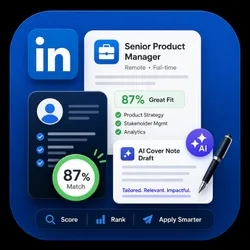
Score LinkedIn jobs against your CV and get an AI application pack for every listing: a fit score, a tailored cover note draft, matched and missing skills, and a clear apply or skip call. Feed it the output of any LinkedIn jobs scraper and stop applying blind.
Pricing
from $50.00 / 1,000 application pack results
Rating
0.0
(0)
Developer

Adam Tokar
Maintained by CommunityActor stats
1
Bookmarked
22
Total users
0
Monthly active users
3 months ago
Last modified
Categories
Share
Stop applying blind. This Actor finds LinkedIn jobs, scores every one against your actual profile, and hands you a review ready application pack for the ones worth your time.
You get a fit score, the skills you match, the skills you are missing, a tailored cover note draft, and a straight apply or skip call. For each job. Automatically.
Why this exists
Most job search tools do one of two things: they scrape a pile of listings and leave you to read all of them, or they blast out generic applications on your behalf. Neither works.
This one does the part that actually takes your time: reading each posting, judging whether it genuinely fits you, and drafting the opening. You stay in control of what gets sent.
What you get for every job
| Field | What it tells you |
|---|---|
fitScore | 0 to 100, how well the role matches your profile |
recommendation | Apply or skip, in plain language |
matchedSkills | Your skills the posting actually asks for |
missingSkills | Gaps worth knowing before you apply |
whyApply / whySkip | The reasoning, so you can disagree with it |
scoreBreakdown | How the score was built, not a black box |
evidenceLevel | How much the posting actually told us |
applicationPack | Cover note draft, resume emphasis, headline |
nextSteps | What to do with this one |
Export as JSON, CSV, Excel, or Google Sheets, or pull it through the API.
How to use it
The simple way. Turn on job discovery, give it what you are looking for, and describe yourself:
That is it. It searches, scores, and returns only jobs above your threshold.
Bring your own jobs. Already have listings from a scraper, a CSV, or an ATS export? Pass them in the jobs array and skip discovery entirely. This pairs directly with the LinkedIn Jobs Scraper and Indeed Job Scraper Actors, so you can scrape wide and score everything in one pipeline.
Search several roles at once. Put multiple entries in searches and each is searched separately, all scored against the same profile.
Key settings
| Field | Description |
|---|---|
candidateProfile | Your target roles, core skills, preferred locations, and keywords to avoid. This drives the whole score. |
minScore | Only return jobs at or above this fit score. Default 70. |
searches | One or more keyword and location searches. |
postedWithin | past-24-hours, past-week, past-month. |
workplaceType | remote, hybrid, on-site, or any. |
maxDiscoveryJobs | Cap how many jobs are pulled per run. |
fetchJobDescriptions | Read the full posting before scoring. Better scores, slower runs. |
Good use cases
- Daily job hunt. Schedule it every morning and read only the jobs that scored above 75.
- Career coaches and recruiters. Score a batch of roles against a candidate and hand over reasoned shortlists instead of link dumps.
- Job board and newsletter operators. Add a relevance score and a summary to every listing you publish.
- Skill gap analysis. Run it across 100 roles and read the
missingSkillscolumn to see what your target market actually keeps asking for.
What it deliberately does not do
It does not mass submit applications. Jobs are prepared for your review, not fired off automatically. That is a design decision, not a missing feature: automated bulk applying gets accounts flagged and produces worse outcomes than ten considered applications.
The cover note is a draft. It is a strong starting point, not something to send unread.
Honest limitations
- Scores are only as good as the profile you give it. A vague
candidateProfileproduces vague scores. Spend two minutes filling it in properly. - It reads LinkedIn's public job surface. Postings visible only to logged in users are out of scope.
- With
fetchJobDescriptionsoff, scoring works from the listing summary only, soevidenceLevelwill be lower. Leave it on unless you are optimising for speed. - LinkedIn changes its public markup occasionally. If something stops populating, open an issue and it gets fixed.
Pricing
Pay per result. You are charged for scored jobs returned, not for every job looked at, so a tighter minScore keeps runs cheap.
Responsible use
This Actor reads publicly accessible job postings, the same pages any visitor can open without signing in. It does not log in, does not ask for your LinkedIn password, does not collect personal profiles, and does not submit applications. Requests are throttled. Please respect LinkedIn's terms and your local laws.


![LinkedIn Jobs API & Scraper [NO COOKIES] ✅ avatar](https://images.apifyusercontent.com/NKfvWcCujNjiTmEWKy2pbPm5S3PwlphrBPipDzNxcVk/rs:fill:76:76/cb:1/aHR0cHM6Ly9hcGlmeS1pbWFnZS11cGxvYWRzLXByb2QuczMudXMtZWFzdC0xLmFtYXpvbmF3cy5jb20vc0NDU2R3bm1LTUoxUTJzVG4tYWN0b3ItekI2UXhSRDZHalNpVGZ2MlYtdFBwamJhSFBxTi1TcGFyc2VfaW5zdHJ1bWVudGF0aW9uX19kaXJlY3RfbHlyaWNzX191cmJhbl9yZWFsaXNtX195b3V0aGZ1bF9y.webp)


